Invoice processing software is accounts payable software that takes the invoices your suppliers send, reads the data off them, codes and matches each one to a purchase order, and routes it for approval before it posts to your ledger. The tools differ less in whether they do those steps than in how far each one gets before an invoice lands in an exception queue and a person has to step in.
We compared eight tools and sorted them by where the processing happens: two capture-first tools that sit in front of your existing workflow, three AP suites for small and mid-size teams, and three platforms for mid-market and enterprise finance teams. For each one we looked at the same five facts: how invoices arrive and are read, how coding and matching work, what happens to an invoice that doesn't match, where the posted entry goes, and what the price is based on. We read vendor pricing, product and documentation pages and didn't run these products ourselves.
- invoice processing tools compared
- 8
- publish a USD entry price (BILL, Tipalti, Rossum)
- 3 of 8
- name three-way matching (Medius says multi-way)
- 7 of 8
- a year for Rossum Starter, the highest published entry price
- $18,000
Our picks by situation
The best invoice processing software depends on which ERP receives the invoice, whether your invoices carry purchase orders and how much of the work you want to hand over. Match your setup to one of these.
 Best capture layer in front of an ERP you keepRossumTemplate-free extraction with a confidence threshold per queue, and only low-confidence documents reach a person. Starts at $18,000 a year and doesn't run approvals.
 Best for one platform priced by invoice volumeYoozCapture, line-level coding, two- and three-way matching and approvals with unlimited users. The vendor's calculator estimates about $1.48 per invoice at 2,000 a month.
 Best for QuickBooks Online or Xero teams that want a published priceBILLPlans from $49 per user a month. Automatic two-way sync with QuickBooks Online and Xero starts on Team, and three-way matching is tied to Enterprise.
 Best when approvers have questions about invoicesStampliEach invoice is a workspace where AP, approvers and vendors talk, with two- and three-way matching included. Quote only.
 Best if you pay suppliers abroadTipaltiHeader and line-level capture in 32 languages, Peppol e-invoices and a supplier hub. AP plans start at $99 a month with unlimited users.
 Best for multi-way matching and EDI intakeMediusPaper, PDF, e-invoice and EDI intake, tolerances with separate limits for positive and negative deviations, and 100+ ERP connectors.
 Best if you want the vendor to do the scanningAvidXchangeAI capture backed by indexing specialists as a validation layer, with two- and three-way matching and tolerances by supplier.
 Best for touchless PO matching in a mid-size ERP shopRillionHeader and line-level matching against purchase orders and receipts with price and quantity tolerances. Unlimited users, 12-month minimum.
What is invoice processing software?
Invoice processing software is accounts payable software that captures the invoices suppliers send you, extracts the data, codes and matches each invoice to a purchase order, routes it for approval and posts the result to your ledger. It covers invoices you receive and pay. Software for invoices you send to customers is accounts receivable software, and our guide to accounts receivable software covers that side.
An invoice passes through six stages. The table lists what to check at each stage when you compare tools.
| Stage | What happens | What to check |
|---|---|---|
| Intake | The invoice arrives by email, upload, supplier portal, e-invoice network, EDI or paper | Which channels and file formats the tool accepts, and whether paper needs a scanning step |
| Capture | OCR or AI reads the header (supplier, number, date, total) and the line items | Whether it works without per-supplier templates and whether line items are extracted |
| Coding | A GL account, department or tax code is suggested | Whether suggestions learn from corrections or follow fixed rules |
| Matching | The invoice is compared with the purchase order and sometimes the receipt | Two-way or three-way, tolerance settings, line-level or header-level |
| Approval | The invoice routes to the people who may approve it by amount, supplier or department | Whether approvers need a license, and how the invoice approval workflow is configured |
| Posting | The approved invoice and its coding are sent to the ledger | Which ERPs are supported, whether sync is one-way or two-way, and how duplicates are avoided on re-sync |
Matching is where tools differ most, so it gets its own explanation.
What is three-way matching?
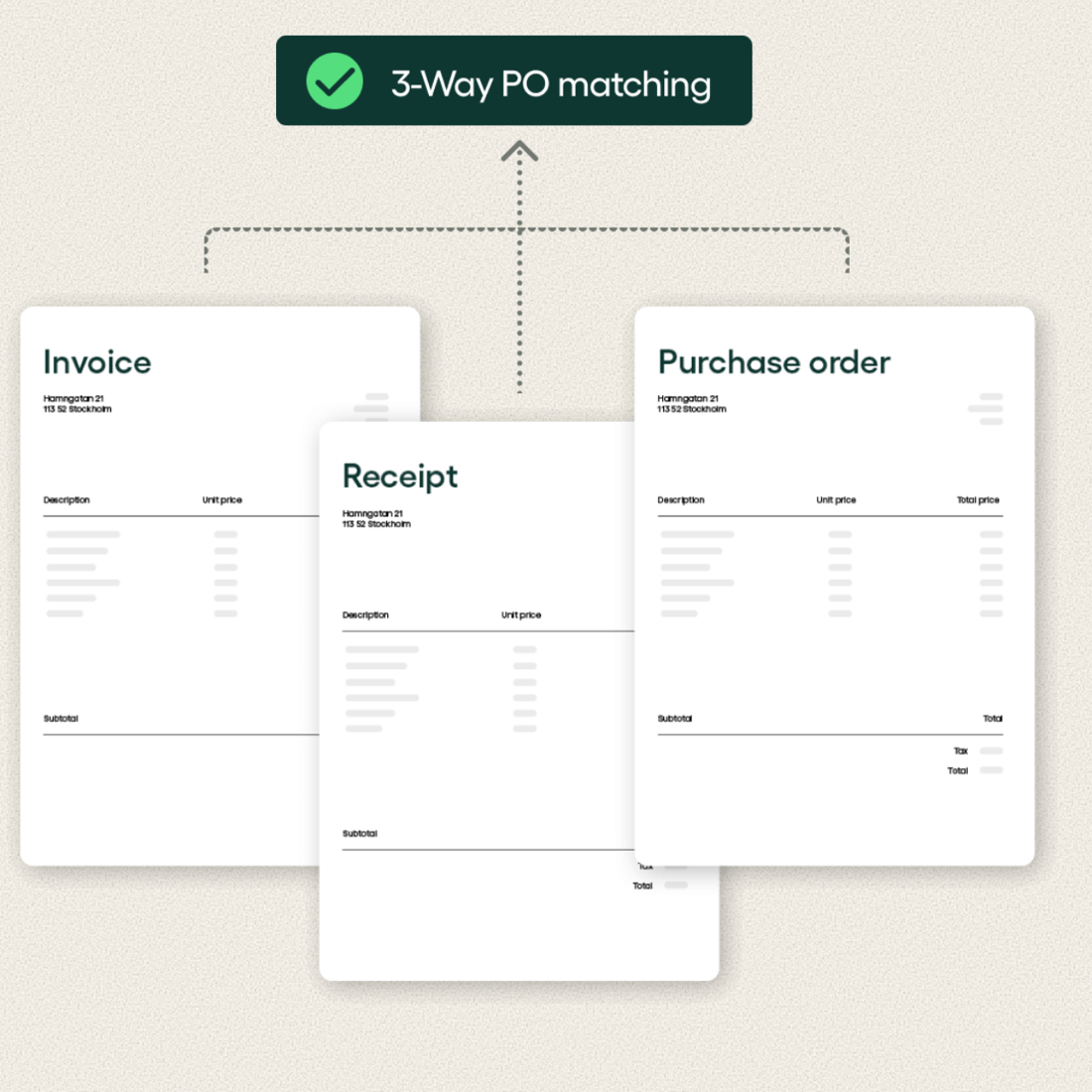
Three-way matching compares the supplier's invoice with the purchase order and with the goods receipt before the invoice is paid, so you pay only for what you ordered and received. Two-way matching compares the invoice with the purchase order only. A tolerance is the difference you accept before an invoice is stopped, such as a small price variance.
A hypothetical example shows the difference.
| Document | Quantity | Unit price (USD) | Total (USD) |
|---|---|---|---|
| Purchase order | 100 | $10.00 | $1,000.00 |
| Goods receipt | 90 | n/a | n/a |
| Supplier invoice | 100 | $10.00 | $1,000.00 |
A two-way match passes, because the invoice equals the purchase order. A three-way match stops the invoice, because only 90 units arrived. Without a tolerance that covers the gap, an approver sees an exception and decides whether to pay for 90, wait for the other 10 or ask the supplier for a credit.
Do you need invoice processing software?
You need it once the same manual steps repeat on every invoice: typing the header into the ledger, looking up the account to code to, finding the purchase order and chasing the approver. If invoices are few, carry no purchase orders and go straight into a ledger that already has bill entry, the ledger is enough. Our guide to accounts payable software covers the wider payables suite, including payments and supplier management, and the ERP accounting software guide covers the ledgers that receive the entries.
Invoice processing software compared
All eight tools are listed with the stage they cover best, what they hand to your ledger and how they price it.
| Tool | Where processing happens | What it hands your ledger | Pricing (USD where published) | G2 rating |
|---|---|---|---|---|
| Rossum | AI invoice capture and document processing | Validated header and line-item data with coding suggestions, exported to your ERP or spend system | Starter from $18,000 per year with a one-year minimum; Business, Enterprise and Ultimate by quote; 14-day free trial | 4.5 (127) |
| Yooz | Cloud AP automation and purchase-to-pay platform | Multichannel invoice capture, AI coding, line-level PO matching and approvals, synced to the ERP | Volume-based subscription (Gold Edition) with unlimited users; the vendor's calculator estimates about $1.48 per invoice at 2,000 invoices a month, final price by quote | 4.4 (452) |
| BILL | AP suite (BILL accounts payable product) | Bill inbox, approval policies and payments, synced to your ledger | Essentials $49, Team $65, Corporate $89 per user per month; Enterprise custom; plus per-payment fees (ACH $0.59, check $1.99) | 4.4 (1,818) |
| Stampli | Dedicated AP automation platform | Invoice-level approval and vendor discussion, posted back to your ERP | Quote only; the pricing page has a Request a Quote button and no prices | 4.6 (2,119) |
| Tipalti | AP suite (Tipalti accounts payable product) | Invoice capture, approvals, supplier onboarding and global payments | Accounts Payable plans start at $99/month with unlimited users; per-invoice and payment fees by quote | 4.5 (430) |
| Medius | Mid-market and enterprise AP automation | Invoice capture, multi-step approval routing and multi-way matching, synced to the ERP | Quote only: Medius AP Essentials (1 entity) and AP 360 (3 entities); approvals and multi-way matching are in both | 4.3 (110) |
| AvidXchange | Dedicated AP automation platform | Invoice capture, approvals and vendor payments run by AvidXchange | Not published; demo request only | 4.4 (360) |
| Rillion | AP automation for mid-sized and large organizations | Captured, matched, coded and approved invoices synced to the ERP | Quote only: Essential, Professional and Premium plans with unlimited users, approvers and legal entities; 12-month minimum term; no trial; capture and PO matching are paid add-ons | 4.2 (130) |
 The Finance Lead Our product | Month-end close checklists | Tracks close tasks, evidence and preparer/reviewer sign-off | Team $39/month (up to 8 team members), Plus $79/month (no member limit, read-only MCP server); card required at checkout | No reviews yet |
Pricing and review data checked on November 9, 2026. BILL, Tipalti and Rossum publish a USD entry price. Yooz shows a volume estimate and a quote. Stampli, Medius, AvidXchange and Rillion are quote only. The Tipalti rating is the G2 rating of its Accounts Payable listing. Ratings are G2 unless noted.
Capture-first tools
Capture-first tools focus on reading the invoice and handing clean data to the workflow you already have. They fit teams whose weak spot is data entry, not approvals.
Rossum
Rossum
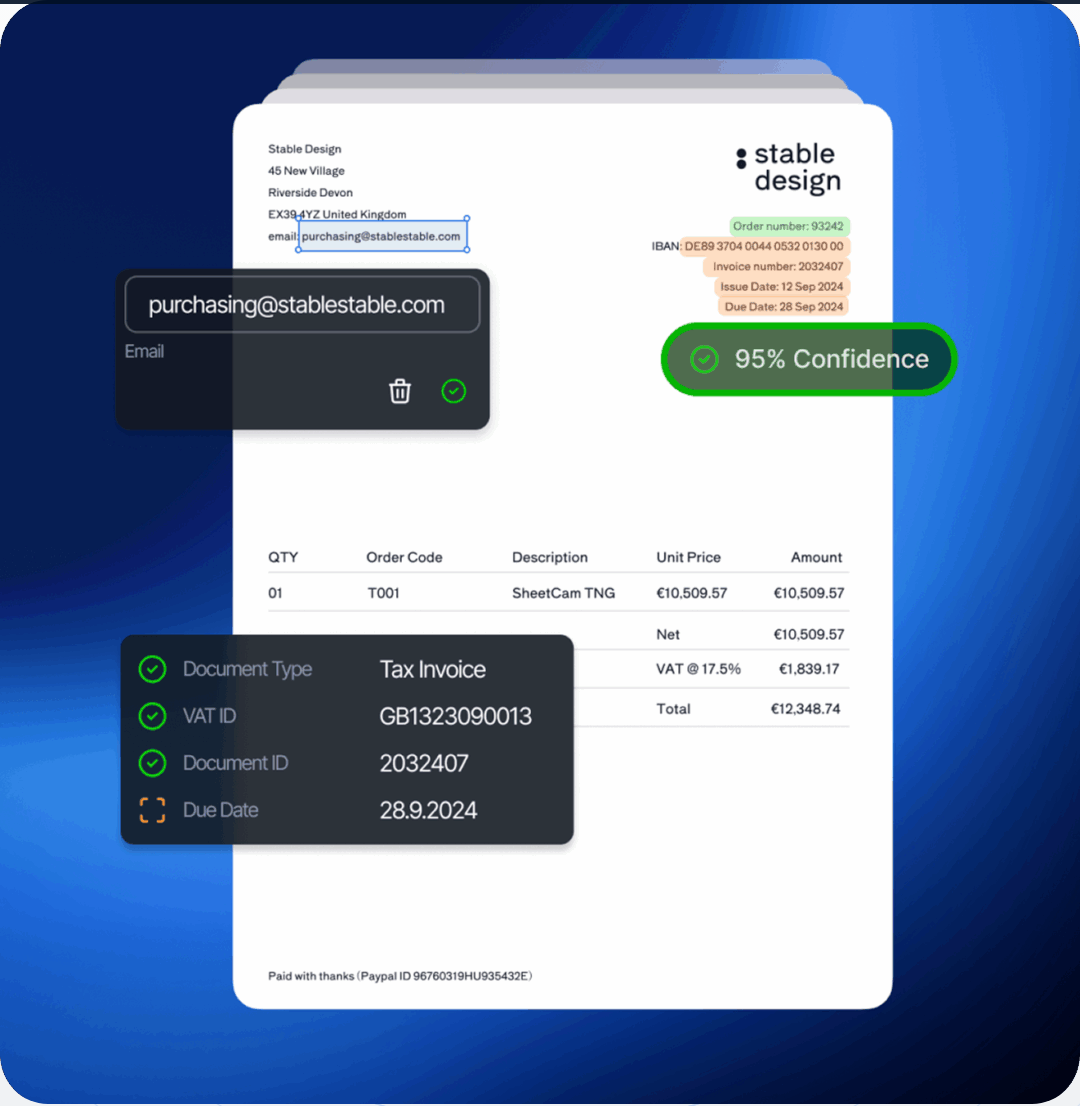
Rossum is a capture layer, not a full AP suite. It reads invoices from email, upload, API or Peppol with a template-free transactional model, sends only low-confidence or invalid documents to a validation screen, and exports to ERPs such as SAP, NetSuite, Workday, Dynamics and Coupa. Coupa announced its acquisition of Rossum on May 12, 2026.
Rossum fits a finance team that already runs an ERP and an approval workflow and wants a stronger capture layer in front of them.
Team it fits: controllers with high invoice volume, many layouts or several languages, where the cost of manual keying is the main pain. Coupa announced its acquisition of Rossum on May 12, 2026, and Rossum's own site now carries that banner.
Intake and capture: invoices arrive by email, upload, API, Peppol, shared drives or scanners. The extraction is template-free, and the vendor lists 276 languages and handwriting. Its customer stories cite figures such as a 93.4% average accuracy level and a 71% straight-through rate; these are vendor and customer figures with no independent method.
Coding and matching: Rossum says it infers the code from the document, your master data and earlier decisions, and it lists two-, three- and four-way matching. Master data matching starts on the Business plan.
Exceptions: a field is accepted automatically when its confidence score meets a threshold that defaults to 0.8 and can be set per queue. Anything below goes to a validation screen, and the API documentation says Rossum never exports a document that contains validation errors. Duplicate detection is listed under Business.
Posting: exports go to SAP, Coupa, NetSuite, Workday and Microsoft Dynamics. QuickBooks and Sage aren't listed.
- You already have an ERP and an approval workflow and want a stronger capture layer in front of them
- You receive invoices in many layouts and languages and want per-queue confidence thresholds
- You need duplicate detection and master data matching, which start on the Business plan
- You are a small team: the only published price starts at $18,000 a year
- You want approvals, payments and a supplier portal in one product: Rossum documents capture and validation
- You want to know how the Rossum product continues inside Coupa before you commit
- Users like
- Ease of use, customer support, AI technology, user interface, accuracy (G2 tags)
- Users dislike
- Missing features, slow processing, software bugs, limited functionality, OCR issues (G2 tags)
- Source: G2, 127 reviews
How it works in practice
Rossum publishes one price: Starter at $18,000 a year with a one-year minimum, a 14-day free trial and extra pages billed above the plan. Business, Enterprise and Ultimate are quote only. Starter lacks master data matching, duplicate detection and ERP integrations, which begin on Business. G2 shows 4.5 from 127 reviews. Reviewers praise ease of use, support and accuracy, and cite missing features, slow processing and OCR issues. Skip it if you are a small team, or if you want approvals, payments and a supplier portal in one product: Rossum documents capture and validation, not payment.
- Starting price
- Starter from $18,000 per year with a one-year minimum; Business, Enterprise and Ultimate by quote; 14-day free trial
- Intake
- Email, upload, API, Peppol, shared drives, scanners
- Matching
- Two-, three- and four-way listed; master data matching from Business
- ERPs
- SAP, Coupa, NetSuite, Workday, Microsoft Dynamics named; QuickBooks and Sage not listed
- Auto-validation
- Confidence threshold, default 0.8, per queue
- Ownership
- Acquired by Coupa, announced May 12, 2026
- Price basis
- Starter from $18,000 per year, one-year minimum
- Seats
- Unlimited on Starter
Yooz
Yooz
Yooz is a cloud AP and purchase-to-pay platform. Invoices arrive by email, upload, mobile or SFTP, AI extracts the data without templates, suggests GL coding and matches to purchase orders at line level, then routes for approval and syncs to the ERP. Pricing is based on document volume with unlimited users.
Yooz fits a team that wants capture, matching and approvals on one platform and prefers a price that follows invoice volume.
Team it fits: a mid-market AP team on NetSuite, Sage Intacct, Dynamics, Acumatica or QuickBooks that wants to replace both manual entry and a separate approval tool. The AP vendor's domain is getyooz.com; yooz.com is an unrelated site.
Intake and capture: invoices arrive in dedicated email inboxes, by upload, from a mobile app, over SFTP or from supplier portals, and a splitting feature separates mixed batches. Extraction is AI-based and needs no templates. Yooz gives no measured accuracy rate, only claims such as accuracy from day one.
Coding and matching: its allocation feature applies or recommends accounting allocations at line level and learns from validated behavior. High-confidence suggestions are applied and lower-confidence ones are only recommended. Invoices are matched two-way to purchase orders or three-way to goods receipts, and those within preset thresholds move on toward payment. Threshold values aren't published.
Exceptions: discrepancies are flagged for review, and the product page lists duplicate invoice number checks and altered bank detail checks. Approval routing supports sequential, parallel and no-touch flows with delegation and escalation.
Posting: approved invoices send general ledger codes and links to the documents to the ERP. Yooz claims native integrations with more than 250 ERP systems, and whether sync runs one way or both isn't published.
- You want one platform from capture to approval and you prefer a price that follows invoice volume
- You run NetSuite, Sage Intacct, Dynamics, Acumatica or QuickBooks, which Yooz lists as dedicated integrations
- You want duplicate checks and two- and three-way matching in the base product
- You want fixed tier prices: Yooz bills by invoice volume, with a calculator estimate of about $1.48 per invoice at 2,000 a month before the quote
- You need to confirm whether ERP sync is one-way or two-way before a demo: public pages don't say
- You only want a lightweight approval layer on top of an existing capture tool
- Users like
- Ease of use, intuitive, simple, time saving, invoice management (G2 tags)
- Users dislike
- Technical issues, invoicing issues, design improvement, vendor management (G2 tags)
- Source: G2, 452 reviews
How it works in practice
Yooz publishes no plan price list. Its calculator shows an estimate of about $1.48 per invoice at 2,000 invoices a month with unlimited users, updates and support included, and says the final price depends on the volume, cost and add-ons you select. G2 shows 4.4 from 452 reviews. Reviewers praise ease of use and time saved, and the complaint tags include technical issues and invoicing issues. Skip it if you need a published tier price, or if you need to confirm the direction of ERP sync before a demo.
- Starting price
- Volume-based subscription (Gold Edition) with unlimited users; the vendor's calculator estimates about $1.48 per invoice at 2,000 invoices a month, final price by quote
- Intake
- Email, upload, mobile, SFTP, supplier portals
- Matching
- Two-way and three-way, preset thresholds (values not published)
- ERPs
- 250+ systems claimed; dedicated pages for NetSuite, Sage Intacct, Dynamics, Acumatica, QuickBooks
- Users
- Unlimited
- Site
- getyooz.com (yooz.com is an unrelated site)
- Price basis
- Document volume, Gold Edition, unlimited users
- Vendor estimate
- About $1.48 per invoice at 2,000 invoices a month
AP suites for small and mid-size teams
AP suites bundle capture, coding, matching, approval and payment. They are the usual fit when one team owns the whole path from the invoice inbox to the payment run.
BILL
BILL
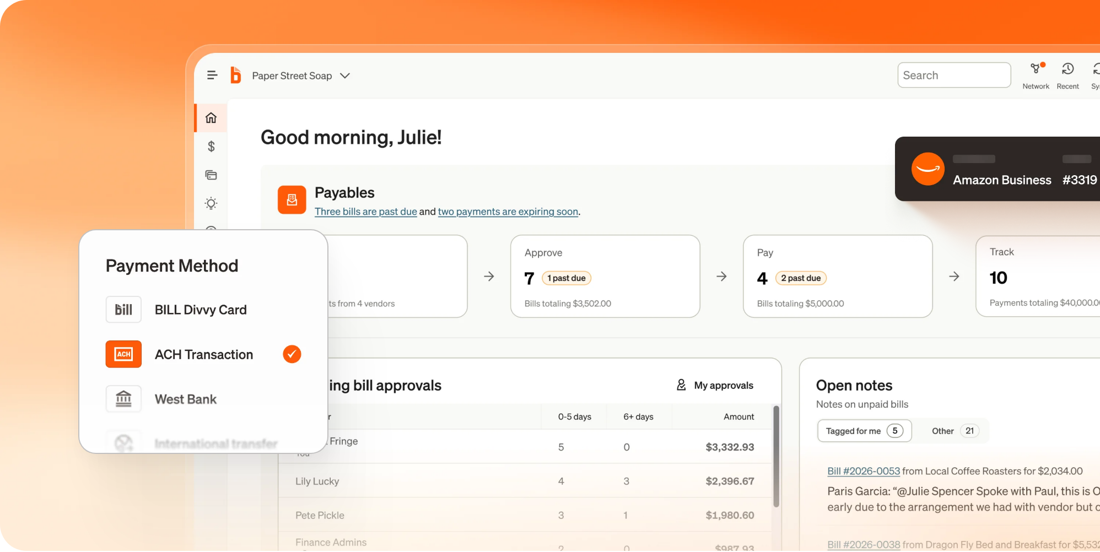
BILL is an accounts payable platform with a central bill inbox, approval policies, AI bill coding and payments by ACH, check, virtual card and wire. Automatic two-way sync with QuickBooks Online and Xero starts on the Team plan; NetSuite, Sage Intacct and other ERPs sync on Enterprise only.
BILL fits a small or mid-size team on QuickBooks Online or Xero that wants invoice capture, approvals and payments in one place at a published price.
Team it fits: an AP team of a few people that pays many vendors by ACH or check and wants bills, approvals and payments to sync to a small-business ledger.
Intake and capture: invoices arrive at a dedicated AP email address, by drag and drop, or from a photo taken with a phone. BILL reads them with optical character recognition and shows the extracted fields for review before routing. Its pages claim 99% accuracy on key invoice fields and 95% accuracy on day one, without a method. AI coding of multi-line bills isn't in Essentials and is included from Team.
Matching: BILL says it automates two- and three-way matching. On the pricing page, two-way matching is a Procurement add-on on Essentials and Team and is included on Corporate and Enterprise. Three-way matching is listed only for Enterprise. Tolerance thresholds aren't published.
Exceptions: BILL checks for duplicate invoice numbers and flags potential duplicate payments, and approvers and AP can message each other on the bill.
Posting: Essentials syncs with QuickBooks Online and Xero by CSV import and export only. Team and Corporate add automatic two-way sync with both. Enterprise adds NetSuite, Sage Intacct, Microsoft Dynamics and Acumatica.
- You run QuickBooks Online or Xero and want approvals and payments in one place (sync starts on Team)
- You want ordered, dollar-threshold approval policies (custom policies start on Corporate)
- You pay many vendors by ACH or check and want 1099 e-filing in the same tool
- You need three-way matching: the pricing page ties it to Enterprise
- You run NetSuite or Sage Intacct and don't want Enterprise pricing, since those syncs are Enterprise only
- You want one flat price for a team: pricing is per user and payment fees are extra
- Users like
- Ease of use, easy payments, integrations, easy setup, time saving (G2 tags)
- Users dislike
- Payment issues, missing features, sync errors, invoicing issues (G2 tags)
- Source: G2, 1,818 reviews
How it works in practice
BILL prices per user, so cost grows with the number of people who touch invoices. Payment fees come on top: ACH is $0.59 and a check is $1.99 on the payor side. Custom approval policies start on Corporate and dual control is Enterprise only. G2 shows 4.4 from 1,818 reviews. Reviewers praise ease of use, payments and integrations, and the complaint tags are payment issues, missing features and sync errors. Skip it if you need three-way matching without an Enterprise contract, or if you run NetSuite or Sage Intacct and don't want Enterprise pricing for the sync.
- Starting price
- Essentials $49, Team $65, Corporate $89 per user per month; Enterprise custom; plus per-payment fees (ACH $0.59, check $1.99)
- Matching
- Two-way on Corporate and Enterprise; three-way tied to Enterprise on the pricing page
- Custom approval policies
- Corporate and Enterprise
- QuickBooks Online and Xero sync
- Automatic from Team; CSV only on Essentials
- Dual control
- Enterprise only
- Payment fees
- ACH $0.59, check $1.99, virtual card free, USD wire $19.99
- Intake
- Dedicated email address, drag and drop, mobile photo upload
- Capture
- OCR; AI multi-line coding starts on Team
- Duplicates
- Flags duplicate invoice numbers and potential duplicate payments
- Price basis
- Per user per month, plus per-payment fees
- Plans (USD)
- Essentials $49, Team $65, Corporate $89, Enterprise custom
- Payment fees (USD)
- ACH $0.59, check $1.99, virtual card free
Stampli
Stampli
Stampli is an AP platform built around the invoice as a workspace: approvers and vendors discuss each invoice in one thread with an auditable log, and the approved record is posted back to the ERP, which stays the system of record.
Stampli fits a team where approvers outside finance have questions about invoices and you want those questions to stay on the invoice.
Team it fits: a mid-market AP team on one of the ERPs Stampli lists, with approvers in operations, projects or property management who need context before they approve.
Intake and capture: invoices arrive at a dedicated email address or by drag and drop. A vendor portal is available only with the Advanced Vendor Management add-on. Stampli's AI, which it calls Billy, captures the data, and Stampli says it needs no up-front training. The vendor gives no accuracy percentage, and EDI and e-invoicing aren't listed.
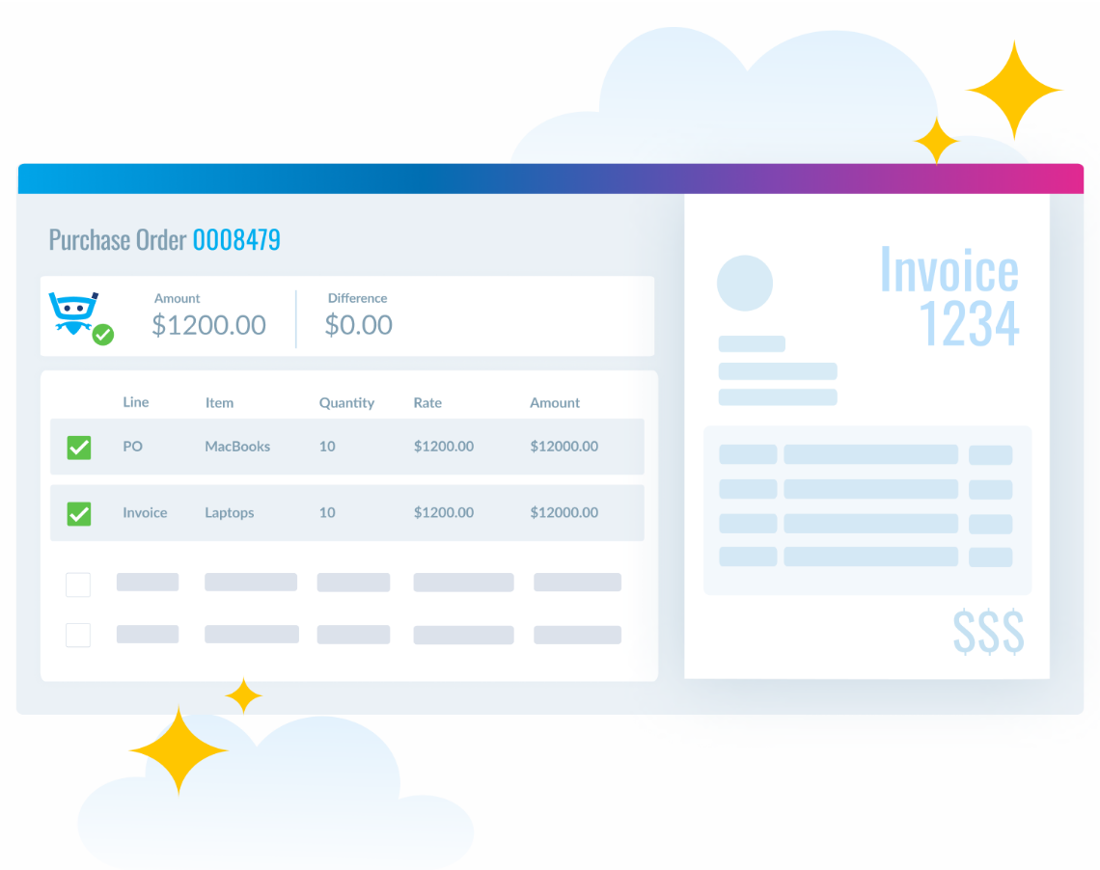
Coding and matching: GL codes and approvers are suggested from past actions. Matching covers two- and three-way purchase order matching at header and line level, and invoices that match within customer-defined tolerances can skip approval. The pricing page says semi-automated two- and three-way matching is included.
Exceptions: suspected duplicates are shown to AP next to the originals. Discrepancies are flagged with details, and AP, approvers and vendors can message each other inside the invoice.
Posting: Stampli lists 14 ERPs on its AP page, including NetSuite, Sage Intacct, Dynamics 365, SAP S/4HANA, Acumatica, QuickBooks Online and QuickBooks Desktop. It describes bi-directional sync of live purchase order data.
- Approvers sit outside finance and you want the questions about an invoice to stay on the invoice
- You run an ERP from Stampli's list of 70+ and want unlimited vendors and entities in the plan
- You want semi-automated two- and three-way matching included
- You want a published price: Stampli shows none
- Your accounting system isn't on the integration list
- You want to keep payments entirely inside your bank: Stampli's own payments run through the Direct Pay add-on
- Users like
- Ease of use, invoicing, intuitive, efficiency, customer support (G2 tags)
- Users dislike
- Invoice issues, missing features, approval issues, technical issues (G2 tags)
- Source: G2, 2,119 reviews
How it works in practice
Stampli's pricing page has a Request a Quote button and no dollar figures. G2 users report an average implementation of about one month. G2 shows 4.6 from 2,119 reviews. Reviewers praise ease of use and efficiency, and the complaint tags are invoice issues, missing features and approval issues. Skip it if you want a published price, or if your accounting system isn't on its integration list.
- Starting price
- Quote only; the pricing page has a Request a Quote button and no prices
- Matching
- Two- and three-way, line level, customer-defined tolerances
- ERPs
- 70+ named, including NetSuite, Sage Intacct, QuickBooks Online and Desktop, Dynamics 365
- Payments
- Direct Pay add-on: ACH, check, virtual card, international
- Implementation
- Vendor says weeks; G2 users average 1 month
- Contract
- G2 lists month-to-month or optional annual
- Intake
- Dedicated email address (up to 30 PDFs per email per a help snippet), drag and drop; vendor portal needs an add-on
- Duplicates
- Suspected duplicates shown to AP next to the originals
- Price basis
- Quote only; no prices or plan names published
- Vendor portal
- Add-on
Tipalti
Tipalti
Tipalti is an AP platform with invoice capture, two- and three-way PO matching, a supplier portal that collects W-9 and W-8 forms, and payments in 200+ countries and territories by ACH, wire, check or the Tipalti Card.
Tipalti fits a finance team that pays suppliers in several countries and wants capture, matching and payments in one system.
Team it fits: a growth-stage or mid-market company on NetSuite, Sage Intacct, SAP Business One or Dynamics with suppliers abroad.
Intake and capture: invoices arrive through Bills upload, email, the Supplier Hub, CSV import or e-invoices over Peppol. Uploads accept JPG, JPEG, BMP, PDF, TIFF, GIF and PNG up to 10 MB per file, and a file with several invoices is split automatically. The Invoice Capture Agent extracts header and line items and reads 32 languages. Scanning is a setting, so confirm it is enabled for your account.
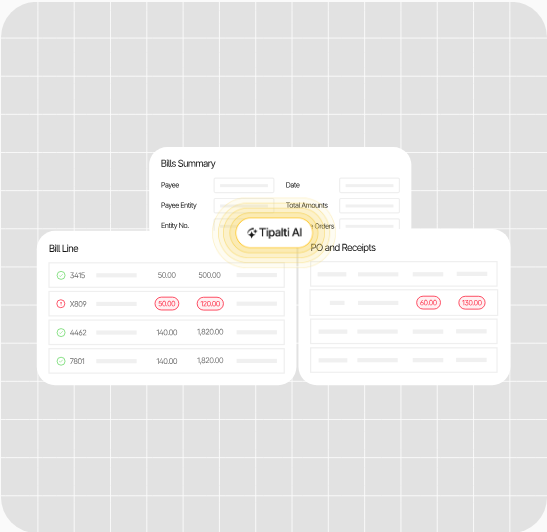
Coding and matching: a coding agent suggests header and line-level values such as department, location and tax code from consistent patterns. Tipalti lists two- and three-way matching with tolerances at header and line level, and the plan that includes matching isn't published.
Exceptions: discrepancies are color-coded against tolerances, and an unmatched invoice can route to extra approvers. The Supplier Hub shows suppliers their status and payment history.
Posting: the NetSuite integration syncs vendors, purchase orders, receipts, bills, vendor credits, payments and GL accounts. Dynamics GP, Dynamics Business Central, SAP Business One, Sage, Sage Intacct, QuickBooks and Xero are also listed.
- You pay suppliers abroad and need tax forms, local rails and several currencies in one tool
- You run NetSuite, Sage Intacct, SAP Business One or Dynamics and want a native integration
- You want no per-user or per-approver fee
- You run QuickBooks Online as your only ledger: reviewers flag integration gaps there
- You want a fully published price: fees by payment are quote-only
- You only pay a few domestic vendors by ACH or check
- Users like
- Ease of use, efficiency, customer support, time saving (G2 tags)
- Users dislike
- Payment issues, missing features, poor customer support, delays (G2 tags)
- Source: G2, 430 reviews
How it works in practice
Tipalti's pricing page shows Accounts Payable starting at $99 a month with unlimited users and no per-user or per-approver fees. Per-invoice and per-payment fees depend on volume, entities, modules, payment methods and currencies and aren't published. There is no free tier. G2 shows 4.5 from 430 reviews for the Accounts Payable listing, and TrustRadius shows 7.7 out of 10 from 167. Reviewers praise ease of use and efficiency, and cite payment issues, missing features and unclear sync errors, with gaps in QuickBooks Online integration. Skip it if QuickBooks Online is your only ledger, or if you only pay a few domestic vendors by ACH or check.
- Starting price
- Accounts Payable plans start at $99/month with unlimited users; per-invoice and payment fees by quote
- Matching
- Two- and three-way with header and line tolerances; plan placement not published
- Payments
- 200+ countries and territories; ACH, wire, check, Tipalti Card
- Fees
- No per-user or per-approver fees
- Free tier
- None
- Intake
- Bills, email, Supplier Hub, CSV, Peppol e-invoices
- Capture
- Invoice Capture Agent reads header and line items, 32 languages
- Price basis
- AP plans from $99 a month with unlimited users; per-invoice and payment fees by quote
- Languages (capture)
- 32
Mid-market and enterprise platforms
Mid-market and enterprise platforms are sold through a sales process and built for more entities, more invoice formats and tighter matching rules. Expect a demo and a quote before you see a price.
Medius
Medius
Medius is a sales-led AP automation platform for mid-market and enterprise teams. Invoices arrive by paper, email, EDI or e-invoice, are captured and coded, then routed for approval by amount, supplier, department, entity or cost center, with multi-step and parallel flows, delegation and escalation. Prebuilt connectors cover more than 100 ERPs.
Medius fits a mid-market or enterprise team on SAP, Oracle, NetSuite, Microsoft Dynamics or Infor that needs multi-way matching and several intake formats.
Team it fits: a finance team with a systems owner and a planned rollout, since the vendor puts go-live at 8 to 12 weeks.
Intake and capture: Medius accepts paper, PDF, e-invoices and EDI. Capture uses OCR, AI and machine learning without templates and extracts invoice number, date, amounts and line items. The vendor claims up to 99% touchless processing, without a method.
Coding and matching: coding comes from machine learning models trained on your historical actions. Multi-way matching is in both packages and compares invoice lines with purchase orders, goods receipts or contracts. Tolerances can sit on the invoice header or lines, with separate limits for positive and negative deviations. The pages say multi-way and not two- or three-way, so ask which combinations are supported.
Exceptions: off-contract prices and quantities are flagged before payment, and an invoice with a missing item number stops for manual connection. Fraud and risk detection, a supplier portal and supplier conversations are in AP 360, not in AP Essentials.
Posting: Medius lists more than 100 prebuilt ERP connectors, including SAP, Oracle, Microsoft Dynamics and NetSuite. Whether sync is one-way or two-way isn't published.
- You run SAP, Oracle, NetSuite, Microsoft Dynamics or Infor and need multi-step and parallel approvals with escalation
- You want multi-way matching and approvals in the base package rather than as an add-on
- You can plan for a sales-led rollout, which the vendor puts at 8 to 12 weeks
- You are a small team on QuickBooks Online or Xero: neither is listed among the ERP pages we saw
- You want to start without a sales cycle: Medius quotes both AP Essentials (1 entity) and AP 360 (3 entities)
- You want to confirm mobile, Slack or Teams approvals before a demo: none is documented on the public pages
- Users like
- Automation, invoicing, accounts payable efficiency, AI features (G2 tags)
- Users dislike
- Adoption issues, approval process, complex setup, difficult setup (G2 tags)
- Source: G2, 110 reviews

How it works in practice
Medius publishes no price and shows no currency. Payments, supplier onboarding, procurement, sourcing, expense and contract management are add-ons at additional cost. G2 shows 4.3 from 110 reviews. Reviewers praise automation and AP efficiency, and the complaint tags are adoption issues, complex setup and difficult setup. Skip it if you are a small team on QuickBooks Online or Xero, or if you need a published price or a self-serve start.
- Starting price
- Quote only: Medius AP Essentials (1 entity) and AP 360 (3 entities); approvals and multi-way matching are in both
- Entities
- 1 on AP Essentials, 3 on AP 360
- Users
- Unlimited on both packages
- ERP connectors
- 100+ prebuilt, including SAP, Oracle, NetSuite, Microsoft Dynamics
- Implementation
- 8 to 12 weeks (vendor)
- Add-ons
- Payments, supplier onboarding, procurement, expense, contracts
- Intake
- Paper, PDF, e-invoice and EDI
- Matching
- Multi-way (invoice to PO, goods receipt and contract), tolerances for positive and negative deviations
- Capture
- OCR plus machine learning, no templates
- Packages
- AP Essentials (1 entity), AP 360 (3 entities); unlimited users on both
- Price basis
- Quote only
- Go-live (vendor)
- 8 to 12 weeks
AvidXchange
AvidXchange
AvidXchange is a middle-market AP platform. Suppliers send invoices to an address or PO box it sets up, its team and AI capture the data, and it sends payments by virtual card, direct deposit or check once you approve them. Your accounting system stays the system of record.
AvidXchange fits a middle-market team that wants the vendor to handle scanning and payments, including paper invoices and checks.
Team it fits: a finance team in an industry AvidXchange serves, such as property management, construction or nonprofit, that wants to remove paper from AP.
Intake and capture: invoices are submitted by email or scanned and submitted into the software, and AvidXchange describes suppliers sending invoices to an address it sets up. AI and machine learning capture header and line-item data, and indexing specialists add a validation layer when needed. The vendor claims 99%+ accuracy, without a method.
Coding and matching: GL coding isn't described in its product documentation. Its AI PO Matching Agent supports two-way matching of the purchase order and invoice and three-way matching that adds the receipt. Matching tolerances can be set by supplier.
Exceptions: AvidXchange describes AI exception handling backed by indexing specialists. Duplicate detection isn't described.
Posting: named integrations include Oracle NetSuite, QuickBooks, Microsoft, Sage, Acumatica, Blackbaud, MIP Fund Accounting, MRI, Rent Manager and Yardi. Sync direction isn't stated.
- You want invoice scanning and supplier payments handled for you, including paper invoices and checks
- You use an industry ERP on its long integration list (property management, construction, nonprofit)
- You want separate invoice and payment approvals with Positive Pay
- You want a self-serve start: AvidXchange has no pricing page and takes demo requests only
- You want to keep paying from your own bank files: AvidXchange sends the payments
- You are a very small team: the vendor says it is built for middle-market businesses
- Users like
- Ease of use, time savings, efficiency (G2 tags)
- Users dislike
- Poor customer support, delays, payment issues, supplier management (G2 tags)
- Source: G2, 360 reviews
How it works in practice
AvidXchange publishes no price. Payments run through AvidXchange, so you hand over both processing and payment execution. G2 shows 4.4 from 360 reviews. Reviewers praise ease of use and time savings, and the complaint tags are poor customer support, delays and payment issues. Skip it if you want to pay from your own bank files, or if you are a very small team, since the vendor says it is built for middle-market businesses.
- Starting price
- Not published; demo request only
- Matching
- Two-way and three-way with tolerance policies by supplier
- Payments
- AvidXchange sends them: virtual card, AvidPay Direct, check
- Implementation
- Vendor says as little as 6 weeks; G2 users average 3 months
- Security
- Licensed money transmitter; Positive Pay
- Intake
- Email or scanned and submitted into the software
- Capture
- AI plus human indexing specialists as a validation layer
- Price basis
- Demo request only; no pricing page
Rillion
Rillion
Rillion captures invoices (PDF, scanned, XML, e-invoice) with an AI reader, matches them to purchase orders and goods receipts at header and line level, routes approvals and syncs to 50+ ERP and accounting systems. The company is the 2022 rebrand of Palette Software.
Rillion fits a mid-sized or large team that wants touchless purchase order matching with price and quantity tolerances.
Team it fits: a finance team on Business Central, NetSuite, Sage Intacct, SAP Business One or QuickBooks with purchase-order-backed invoices and several legal entities. Rillion is the 2022 rebrand of Palette Software and isn't related to Basware.
Intake and capture: the AI reader handles PDF, scanned and XML invoices, and e-invoice formats arrive through a partner. Email capture uses a dedicated address, and manual uploads in Rillion One skip capture and aren't auto-extracted. The vendor claims over 95% accuracy from the first invoice, without a method.
Coding and matching: coding is suggested from past entries and improves over time. The three-way matching page describes comparing the invoice with the purchase order and goods receipt at header and line level, with multiple purchase orders per invoice and partial deliveries. You set tolerance levels for price and quantity.
Exceptions: Rillion flags price, quantity and delivery mismatches against your tolerances and routes them to an approver by role, with a time-stamped audit trail.
Posting: it lists more than 50 ERP and accounting systems, including Dynamics 365, NetSuite, Sage Intacct and SAP Business One, and QuickBooks Online and Desktop on its US site.
- You want touchless two- and three-way matching with price and quantity tolerances
- You run Business Central, NetSuite, Sage Intacct, SAP Business One or QuickBooks, which Rillion lists
- You want unlimited users, approvers and legal entities in every plan
- You want a published price or a free trial: pricing is quote only and no trial is offered
- You are a very small team: Rillion targets mid-sized and large organizations and requires a 12-month minimum term
- You need US e-invoicing: the e-invoicing page doesn't list the US among its supported markets
- Users like
- Ease of use, simple, customer support, intuitive, tracking ease (G2 tags)
- Users dislike
- Design improvement, search difficulty, learning curve, missing features (G2 tags)
- Source: G2, 130 reviews
How it works in practice
Rillion publishes no price. Capture and purchase order matching are listed as add-ons, so ask what the base plan includes. The e-invoicing page doesn't list the US among its supported markets. G2 shows 4.2 from 130 reviews. Reviewers praise ease of use and support, and the complaint tags are design improvement, search difficulty and a learning curve. Skip it if you want a published price or a trial, or if you are a very small team.
- Starting price
- Quote only: Essential, Professional and Premium plans with unlimited users, approvers and legal entities; 12-month minimum term; no trial; capture and PO matching are paid add-ons
- Plans
- Essential, Professional, Premium
- Matching
- Header and line level, multiple POs per invoice, partial deliveries
- ERPs
- 50+ named systems incl. Dynamics 365, NetSuite, Sage Intacct, SAP Business One
- Capture
- Add-on, not in the base price
- Term
- 12-month minimum, no trial
- Price basis
- Quote only; Essential, Professional and Premium plans
- Users
- Unlimited users, approvers and legal entities
Where an invoice stops
Every tool above ends up with an invoice that stops somewhere. The flow shows the four points where that happens and which tools document the step.
- Step 1Arrive
- Tipalti
- Medius
- Yooz
What breaks the invoice comes in a format the channel doesn't accept, such as a multi-invoice file or an image - Step 2Read
- Rossum
- AvidXchange
What breaks a field is read below the confidence threshold and waits for a person - Step 3Match
- Rillion
- Stampli
- Medius
What breaks price or quantity falls outside the tolerance, or no purchase order exists - Step 4Post
- BILL
- Tipalti
What breaks the ledger rejects the entry or a re-sync creates a duplicate
What happens when an invoice doesn't match?
An invoice that doesn't match is stopped, and the table shows what each tool says it does with five common exceptions. Where a tool is missing, the vendor doesn't describe it.
| Exception | What the tools document |
|---|---|
| Duplicate invoice | BILL flags duplicate invoice numbers. Stampli shows suspected duplicates beside the originals. Yooz catches duplicate invoice numbers. Rossum lists duplicate detection on Business. Medius says it identifies potential duplicates but doesn't publish how. AvidXchange and Rillion: not described |
| Price or quantity outside tolerance | Rillion flags price, quantity and delivery mismatches. Medius flags off-contract prices and quantities. Tipalti shows discrepancies color-coded against tolerances. Stampli flags discrepancies with details |
| Low-confidence extraction | Rossum sends fields below its threshold to a validation screen. AvidXchange adds indexing specialists as a validation layer |
| Missing purchase order or item number | Medius stops an invoice with a missing item number for manual connection. Rossum never exports a document with validation errors |
| Question for the supplier | Stampli and BILL message on the invoice. Tipalti's Supplier Hub shows suppliers status and payment history. Medius AP 360 adds supplier conversations |
How much does invoice processing software cost?
Invoice processing software is priced in three ways: per user per month, by the volume of invoices or documents, or by quote. Only BILL, Tipalti and Rossum publish a USD entry price, and Yooz shows a volume estimate. The other four are quote only. The table pairs the price basis with the setup time each source reports.
| Tool | Price basis | Published price (USD) | Setup time (weeks or months) |
|---|---|---|---|
| Rossum | Annual platform fee, volume-based | Starter from $18,000 a year, one-year minimum; other plans quoted | Not published |
| Yooz | Volume of documents processed, unlimited users | No price list; vendor estimate about $1.48 per invoice at 2,000 a month | Not published |
| BILL | Per user per month plus per-payment fees | Essentials $49, Team $65, Corporate $89; ACH $0.59, check $1.99 | Not published |
| Stampli | Quote | None | About 1 month per G2 users |
| Tipalti | Monthly plan plus per-invoice and payment fees | Accounts Payable from $99 a month; fees quoted | Not published |
| Medius | Quote; AP Essentials or AP 360 | None | 8 to 12 weeks per Medius |
| AvidXchange | Quote after a demo | None | As little as 6 weeks per vendor; 3 months average per G2 users |
| Rillion | Quote; 12-month minimum; capture and PO matching are add-ons | None | Not published |
Two cautions apply. A subscription price covers only part of the cost, since payment fees, add-ons and implementation are billed separately at several vendors. And a per-user price rises with the number of approvers, while volume-based and flat-fee models rise with the invoice count. Ask each vendor to price your last three months of invoices.
How do you choose invoice processing software?
Start with the ledger that receives the invoice and whether your invoices carry purchase orders, then check each tool's skip-if before you book demos.
- You only want better capture and already have approvals and an ERPRossum
- One platform from capture to approval, priced by invoice volumeYooz
- QuickBooks Online or Xero, and a published per-user priceBILL
- Approvers outside finance who need to ask questions on the invoiceStampli
- Suppliers in several countries, on NetSuite or Sage IntacctTipalti
- EDI or paper intake, multi-way matching and several entitiesMedius
- You want the vendor to scan, capture and payAvidXchange
- Purchase-order-backed invoices with price and quantity tolerancesRillion
Take this list to every demo. The answers separate tools that look alike on a feature page.
- Which intake channels and file formats are included, and is paper scanned by you or by the vendor?
- Does extraction work without per-supplier templates, and are line items captured?
- What lands in the exception queue, and who is notified?
- Is two-way and three-way matching in my plan, and can I set tolerances by supplier or line?
- How are duplicate invoices detected, on which fields?
- Which ledger receives the invoice, and is sync one-way or two-way?
- What do implementation, add-ons and payment fees cost beyond the subscription?
Where the invoice review fits into the month-end close
Invoice processing ends when an invoice posts. The close still needs someone to confirm that the payables subledger ties to the ledger and that invoices received after month end are accrued, and that work sits outside every tool above. The Finance Lead runs recurring month-end close checklists with an evidence link on each task and preparer and reviewer sign-off, for $39 a month on the Team plan (up to 8 members) or $79 a month on Plus. It doesn't capture, code, match or post invoices, and it doesn't connect to your ledger or bank. A card is required at checkout. Our month end close checklist and the guide to financial close software show where that review fits.
FAQ
Once an invoice is captured and approved, it still has to be filed and kept. Our financial document management software comparison covers tools such as Laserfiche and DocuWare that match invoices to purchase orders and keep the approval trail.
What is the difference between invoice processing software and accounts payable software?
Invoice processing covers the invoice itself, from intake to posting, while accounts payable software also runs the payment and the supplier relationship. Rossum covers capture only. BILL, Tipalti and AvidXchange also send payments, and Medius, Stampli and Rillion offer payments as add-ons.
Does every plan include three-way matching?
No. BILL ties three-way matching to Enterprise and sells two-way matching as a Procurement add-on on Essentials and Team. Medius includes multi-way matching in both packages, and Stampli says semi-automated two- and three-way matching is included. Rillion lists purchase order matching as an add-on, and Tipalti doesn't publish which plan includes it.
Is there free invoice processing software?
None of the eight tools advertises a free plan for its AP product. Rossum offers a 14-day free trial, Rillion offers no trial and Tipalti says it has no free tier. Prices start at $49 per user a month at BILL and $99 a month at Tipalti.
Can invoice processing software read scanned or paper invoices?
Most of the tools here read scans, and they differ on paper. Tipalti accepts scanned image uploads, Rossum lists scanners as an intake channel, Medius lists paper invoices and AvidXchange accepts scanned invoices with indexing specialists as a validation layer. Rillion reads scanned documents, and manual uploads in Rillion One skip capture.
Does invoice processing software work with QuickBooks or NetSuite?
Invoice processing software works with QuickBooks and NetSuite, but the depth of the sync depends on the plan. BILL syncs automatically with QuickBooks Online and Xero from its Team plan and with NetSuite on Enterprise. Stampli, Tipalti, Yooz and Rillion list both QuickBooks and NetSuite in some form, and Rossum names NetSuite but not QuickBooks. Ask each vendor whether sync is one-way or two-way.