Multi-entity accounting software runs the books of several legal entities and handles what happens between them: intercompany entries, eliminations and group reports. Xero and Zoho Books fit a handful of small entities that each keep their own books. Intuit Enterprise Suite, Gravity and Odoo put several companies in one system. Business Central, Acumatica, Sage Intacct and NetSuite are ERPs with intercompany and consolidation built in, and they are sold by quote or through a partner.
If entities trade with each other, the intercompany side needs its own checks, and our guide to intercompany accounting software compares how ten tools book, match and eliminate those entries.
We compared nine tools and sorted them by how they hold your entities: one set of books per entity, several companies in one ledger platform, or an ERP. We read vendor pricing, product and help pages for each tool and checked review sites in November 2026. We read vendor material and did not run these products, and none of the vendors paid for a placement. Our own product tracks the month-end close and keeps no ledger, so it appears only as a marked row.
- multi-entity tools compared
- 9
- publish a USD price (Xero, Zoho Books, Gravity, Business Central)
- 4 of 9
- are quote-only (Intuit Enterprise Suite, Acumatica, Sage Intacct, NetSuite); Odoo lists euro prices only
- 4 of 9
What is multi-entity accounting software?
Multi-entity accounting software is accounting software that keeps the books of two or more legal entities, such as subsidiaries, brands or locations, and produces reports for each entity and for the group as a whole. Three capabilities separate it from a single-company ledger, and each one is covered below.
- Intercompany transactions are recorded on both sides, so when one entity pays a bill for another or lends it cash, each entity's books still balance.
- Consolidation combines the entities into a group view, eliminates the balances they owe each other and translates foreign currencies. Our guide to financial consolidation software covers the tools that specialize in that step.
- Entity-level control gives each entity its own users, permissions and period close, while a shared chart of accounts or shared customer and vendor lists keep the group consistent.
Plain accounting software such as QuickBooks Online or Xero keeps one company per file, whereas an ERP adds inventory, orders and operations to the ledger. Our guide to ERP accounting software covers that category. Several tools below are ERPs, and several aren't.
Our picks by situation
The right tool depends on how many entities you run, how much they trade with each other and whether you need consolidated statements in the system or only in a spreadsheet.
 Best for a few small entities on separate booksXeroOne login for every organization, $27 to $97 a month per organization and no per-user fee. Consolidation comes from the Syft app, which Xero says is included.
 Lowest price per entityZoho BooksEach organization has its own plan from $20 a month, with users included. Zoho documents no group view and no consolidation.
 Best for QuickBooks groups moving to one systemIntuit Enterprise SuiteMulti-entity management, intercompany workflows and consolidated reporting without extra modules, by quote only.
 Best for published per-entity pricing on a Microsoft stackGravitySeveral companies in one database, from $375 a month for the first user plus $100 a month per five entities.
 Best when accounting sits inside a modular ERPOdoo AccountingMany companies in one database with intercompany rules and documented consolidation. Multi-company needs the Custom plan.
 Best for Microsoft shops that need intercompany and consolidationMicrosoft Dynamics 365 Business Central$80 or $110 per user a month, partner-implemented, with automatic intercompany pairs and manual eliminations.
 Best for unlimited users and automatic intercompany entriesAcumatica Cloud ERPUnlimited companies in one environment and unlimited users, priced by resources. Quote only.
 Best for a dimensional ledger with a consolidation add-onSage IntacctShared multi-entity company, inter-entity journals and consolidation sold as an extended capability. Quote only.
 Best for subsidiaries across countries in one ERPOracle NetSuiteOneWorld subsidiaries, intercompany management and elimination journals. Quote only.
Multi entity accounting software compared
| Tool | Type of tool | Entity handling | Price (USD) | G2 rating |
|---|---|---|---|---|
| Xero | Cloud ledger, one organization per entity | Separate books per entity under one login; consolidation through the Syft app | $27 to $97 per organization per month | 4.4 (1,855) |
| Zoho Books | Cloud ledger, one organization per entity | Separate books per entity; no group view or consolidation documented | $20 to $275 per organization per month | 4.4 (331) |
| Intuit Enterprise Suite | Multi-entity cloud ERP | Entities in one system with intercompany workflows and consolidated reporting | Quote only | 4.5 (68) |
| Gravity | Multi-entity accounting on Microsoft Power Platform | Companies in one database; entity groups and consolidated income statement | From $375 per month, plus $100 per 5 entities | 4.5 (41) |
| Odoo Accounting | Modular ERP with accounting app | Companies in one database; consolidation by account mapping and adjustment journals | EUR 35.90 per user per month (Custom plan needed) | 4.3 (78) |
| Microsoft Dynamics 365 Business Central | Cloud ERP | Intercompany pairs; consolidation company; manual eliminations | $80 to $110 per user per month | 4.0 (918) |
| Acumatica Cloud ERP | Mid-market cloud ERP | Unlimited companies; automatic due-to and due-from; consolidated statements | Quote only | 4.4 (2,055) |
| Sage Intacct | Mid-market cloud financials | Shared multi-entity company; consolidation as a separate capability | Quote only | 4.3 (4,536) |
| Oracle NetSuite | Cloud ERP | OneWorld subsidiaries; intercompany and elimination journals | Quote only | 4.1 (5,253) |
 The Finance Lead Our product | Month-end close checklists | Tracks close tasks, evidence and preparer/reviewer sign-off | Team $39/month (up to 8 team members), Plus $79/month (no member limit, read-only MCP server); card required at checkout | No reviews yet |
Prices and ratings read between October 26 and November 10, 2026. Odoo lists euro prices only. Quote only means the vendor publishes no price.
How do you choose multi-entity accounting software?
Start with how your entities are held, because that decides most of the rest. There are three architectures, and each has a price in effort as well as money.
| Architecture | How it works | Fits | Tools here |
|---|---|---|---|
| One set of books per entity | Every entity is its own organization or file. A reporting layer builds the group view. | Two to ten small entities with little trade between them | Xero, Zoho Books |
| Several companies in one platform | Entities share one database and login, with intercompany entries between them | Groups that trade internally every month | Intuit Enterprise Suite, Gravity, Odoo |
| ERP with intercompany and consolidation | Subsidiaries, intercompany and group reporting sit in one ledger with controls and approvals | Groups with foreign entities, inventory or an audit | Business Central, Acumatica, Sage Intacct, NetSuite |
Then test each shortlisted tool against these questions. A vendor demo should answer every one with a screen instead of a slide, and it shouldn't skip the awkward ones.
- How many entities does the quoted price cover, and what does each extra entity cost?
- Do entities share one chart of accounts, or does each keep its own and map to a group chart?
- When entity A pays a bill for entity B, does the software post both sides, and who reviews the pair?
- Are intercompany balances eliminated automatically, or do you post elimination journals by hand?
- How are foreign subsidiaries translated: which rate types, and where does the translation difference land?
- Can a user see one entity only, and can each entity close its period on its own date?
- Which plan or edition unlocks multi-entity, and is consolidation a separate subscription?
Multi-entity accounting with one set of books per entity
The two tools in this group keep each entity as a separate organization. They suit owners and bookkeepers who run a handful of small entities and need group numbers only now and then.
Xero
Xero
Xero is a cloud accounting ledger priced per plan with no per-user fee listed. Lock dates can only be set by the Advisor role, tracking categories carry two active dimensions, and multi-currency sits on the top Established plan.
Xero fits a group of small entities that each keep their own books under one login, and it needs the Syft app to consolidate.
Team it fits: a bookkeeper or controller running a few small entities, each with its own Xero organization. Pricing is per organization with unlimited users, and one login switches between organizations.
How entities work: each legal entity is its own organization with separate books and its own roles, so access in one grants nothing in another. Xero says it isn't multi-entity accounting software in itself and points consolidated reports to Syft, which it says is included on every plan. Per Xero, Syft handles inter-entity transactions, eliminations, acquisitions, disposals, fractional ownership and more than 170 currencies. We found no native intercompany posting inside Xero itself.
Limits: foreign currency transactions need the Established plan, so the cost per entity climbs with the foreign ones. The US pricing page lists no cap on organizations and no multi-organization discount.
- Your entities are small, each has its own books and one login is enough
- You want a published price per entity with no per-user fee
- You need intercompany postings and eliminations inside one ledger: Xero relies on Syft for that
- You have foreign subsidiaries: multi-currency sits on the $97 Established plan for each entity
- Users like
- ease of use, invoicing and bank reconciliation
- Users dislike
- price increases, limited reporting customization and email-based support
- Source: G2, 1,855 reviews
How it works in practice
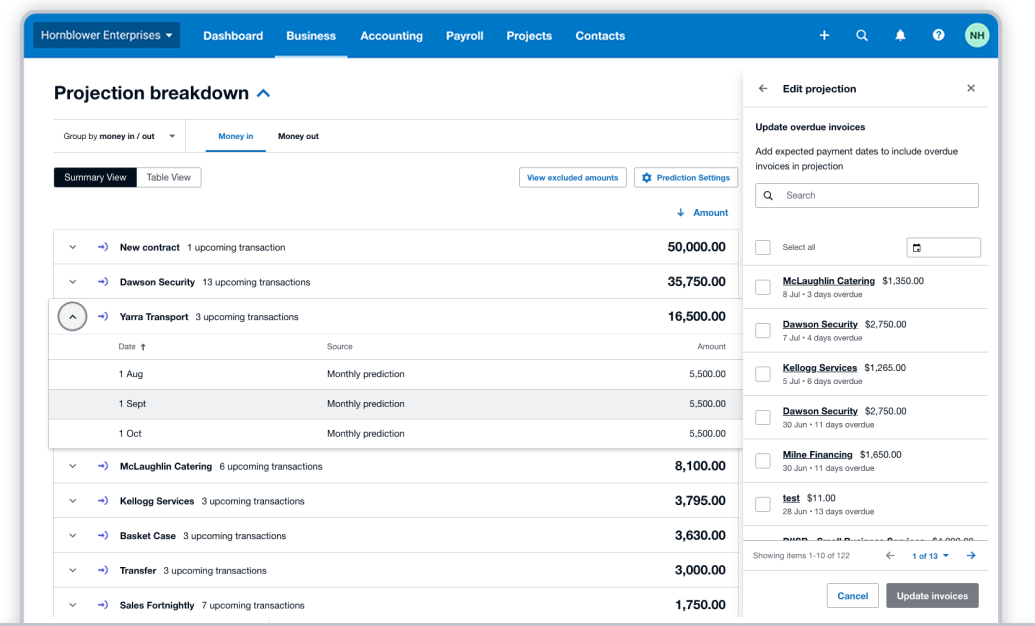
Introductory prices of $5.40, $11.80 and $19.40 apply for the first three months on the first organization only. G2 reviewers rate Xero 4.4 out of 5 from 1,855 reviews and praise ease of use and automated bank reconciliation. G2's review summary lists the lack of company-group management as a significant limitation.
- Starting price
- Early $27/mo, Growing $59/mo, Established $97/mo at US list rates (pricing page on 2026-11-04 showed introductory prices for the first 3 months)
- JAX methods
- Rule, Match, Memory, Prediction
- Plan gating
- Reconcile bank transactions on every plan; auto-reconcile transactions listed on Growing and Established
- Per-user fees
- None; prices are per plan
- Plan limits
- Early: 20 invoices and 5 bills per month; multi-currency on Established only
- Lock dates
- A lock date blocks everyone except Advisors; an Advisor lock date blocks everyone including Advisors (per third-party help)
- Payroll
- Add-on, $36 per month plus $6 per employee
- Bills
- Early: 5 bills per month; Growing and Established: unlimited
- Bill pay
- Free standard ACH on all plans (Melio-powered); check $1.50; same-day ACH 1% (max $75); cross-border USD $20
- Approvals
- Role-based (who can create and approve bills); no multi-step routing documented
- 1099
- W-9 collection and 1099 report on all plans
- Tracking
- Two active tracking categories (community and third-party sources, not an official page)
- Multi-currency
- Established plan only
- Auto-reconcile
- $5/mo add-on on Early; included on Growing and Established
- Journals
- Manual journals with auto-reversing date; native approval workflow not found
- Plans
- Early $27, Growing $59, Established $97 per organization per month at list rates
- Users
- Unlimited users, one login for all organizations
- Consolidation
- Through Syft, included per Xero
Zoho Books
Zoho Books
Zoho Books prices per organization with users included (Standard 3, Professional 5, Premium and Elite 10, Ultimate 15). Its ledger offers manual, recurring and reversing journals, lock dates per module and an admin-only audit trail report; classes and consolidation were not documented in the published vendor pages.
Zoho Books fits a small group that wants the lowest price per entity and can live without a group view.
Team it fits: an owner or bookkeeper running a few small entities, each as its own organization under one Zoho account. A new organization is added from the organization menu and can copy settings from an existing one.
How entities work: each organization is billed on its own plan, and users are included per plan: 3 on Standard, 5 on Professional, 10 on Premium and Elite and 15 on Ultimate. Zoho's help states that you cannot monitor the activities of all organizations in one place, and we found no consolidation or intercompany feature in Zoho's documentation. Third-party reporting layers read the Zoho Books API to build group reports.
Limits: multi-currency, approvals and custom roles start on Professional. A new organization starts with a 14-day Premium trial, then needs its own subscription.
- You run a handful of small entities and the price per entity matters most
- You already use Zoho Expense or Zoho Inventory
- You need group reports or eliminations: Zoho documents no group view or consolidation
- You need intercompany entries between your entities: Zoho documents no intercompany feature
- Users like
- invoicing tools, cloud access and ease of use
- Users dislike
- limited customization and advanced analytics, subscription cost and slow support
- Source: G2, 331 reviews
How it works in practice
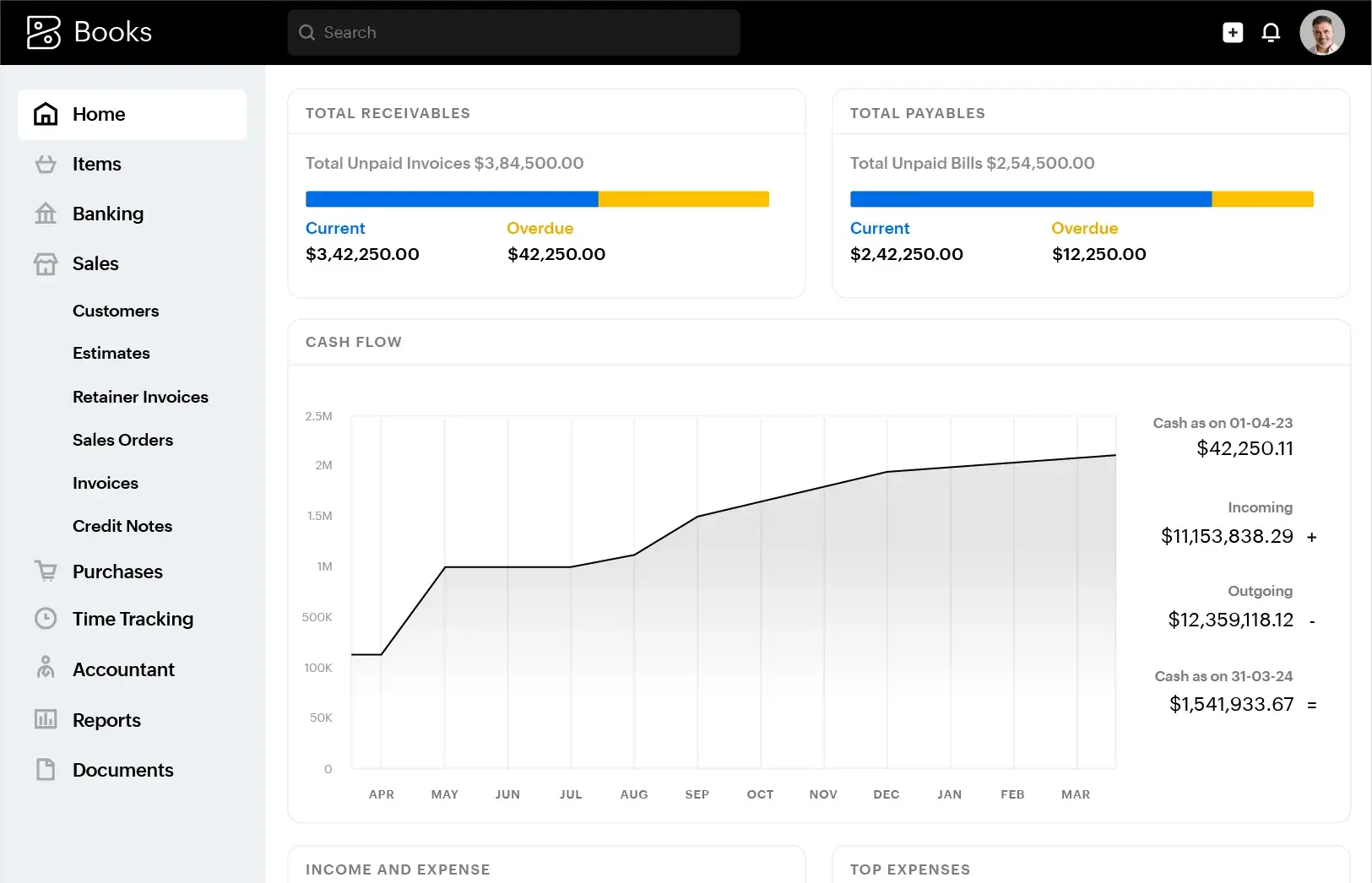
G2 reviewers rate Zoho Books 4.4 out of 5 from 331 reviews. They praise the invoicing tools, cloud access and easy setup, and they name slow, hard-to-reach support as the main complaint.
- Starting price
- Free $0; Standard $20, Professional $50, Premium $70, Elite $150, Ultimate $275 per month billed monthly (annual billing $15, $40, $60, $120, $240); extra users $3/month
- Users per plan
- Free 1 plus accountant; Standard 3; Professional 5; Premium 10; Elite 10; Ultimate 15
- Gates
- Bank feeds from Standard; multi-currency, inventory and custom roles from Professional
- Transaction lock
- By module or all at once; transactions dated on the lock date can still be edited
- QuickBooks import
- Chart of accounts, contacts, items and bills
- Feed history
- Up to one year via Plaid, subject to availability (Zoho blog, February 2, 2026); manual import of CSV, TSV, XLS, OFX, QIF and CAMT.053
- Users included
- Standard 3, Professional 5, Premium and Elite 10, Ultimate 15; extra users $3/month
- Journals
- Manual, recurring profiles and reverse journals with a reverse date; approvals (up to 10 levels) by request through support
- Period control
- Transaction locking from Standard, per module or all; admins can unlock; no password
- Audit trail
- Activity Logs & Audit Trail report with version compare; admin only
- Multi-currency
- From Professional
- Plans
- Standard $20, Professional $50, Premium $70, Elite $150, Ultimate $275 per organization per month ($15 to $240 billed annually)
- Group view
- None; Zoho help says it is not available
- Implementation
- About one month per G2
Multi-entity accounting with several companies in one platform
The three platforms in this group keep several companies in one database, so entities share a login and can post to each other without leaving the system.
Intuit Enterprise Suite
Intuit Enterprise Suite
Intuit Enterprise Suite is Intuit's multi-entity ERP for QuickBooks-sized groups that have outgrown a single company file. Intuit lists multi-entity management, intercompany workflows and consolidated reporting without extra modules, and bundles payroll, payments and onboarding.
Intuit Enterprise Suite fits a QuickBooks group that has outgrown separate company files and wants its entities in one system.
Team it fits: a controller with a small team on QuickBooks, running several US entities. Intuit lists multi-entity management, intercompany workflows and consolidated reporting without extra modules, and bundles payroll, payments and guided onboarding.
How entities work: Intuit says intercompany eliminations post as each transaction posts, where it says Sage Intacct eliminates at period end. It states no maximum number of entities and handles very complex global deployments case by case. Intuit's QuickBooks Online Advanced page lists no multi-company limit or consolidation and points multi-entity needs to Enterprise Suite.
Limits: there is no list price. A quote follows a discovery call, and Intuit's partner discount terms say additional entities, dimensions and users are charged separately. Intuit doesn't describe multi-currency or non-US entity support on its public pages, so confirm both before you buy.
- You run QuickBooks and want several US entities in one system
- You want eliminations that post as the transactions post
- You want a published price: Intuit lists none and charges extra entities separately
- You have foreign subsidiaries: Intuit does not describe multi-currency or non-US support
- Users like
- ease of use, time savings and multi-entity features
- Users dislike
- slow report loading and features that feel overwhelming for simple tasks
- Source: G2, 68 reviews
How it works in practice
G2 reviewers rate Intuit Enterprise Suite 4.5 out of 5 from 68 reviews. They praise ease of use and time savings and name slow report loading and features that feel overwhelming for simple tasks.
- Starting price
- Quote only (custom bundle after a discovery call); Intuit publishes no list price
- Entities
- No maximum stated by Intuit
- Eliminations
- Automatic as each transaction posts, per Intuit's comparison page
- Setup
- Intuit says 90% of customers go live in under 30 days, based on adoption of one feature (April 2026)
- Included
- HR, payroll, payments, AI data cleanup and guided onboarding per Intuit
- Extra charges
- Additional entities, dimensions and users are charged separately per Intuit's partner discount terms
- Pricing
- Custom quote after a discovery call
- Go-live
- Intuit says 90% of customers go live in under 30 days, based on adoption of one feature (April 2026)
Gravity
Gravity
Gravity is a multi-entity accounting system built on Microsoft Power Apps. Several companies live in one database, an admin-authorized user can move between entities without logging out, and the income statement can be run across all entities or by entity group.
Gravity fits a group with many entities that wants published pricing on a Microsoft stack.
Team it fits: a controller at a group with several companies, such as franchises or nonprofits, whose staff already work in Microsoft 365 and Power BI. Gravity runs on the Microsoft Power Platform and keeps several companies in one database.
How entities work: a user authorized by an admin can move between entities without logging out, one receivable payment can be applied to invoices across several entities, and one journal entry can spread a cost such as payroll across entities. Gravity's guide lists automatic balancing of due-to and due-from accounts. The income statement runs across all entities or by entity group, such as a region, with drill-down, and each entity can keep its own closing date and fiscal period.
Limits: we found no description of elimination entries or of currency translation on consolidation on Gravity's public pages. Pricing is an annual subscription, and implementation is priced separately.
- You run many entities and want published per-user and per-entity-pack pricing
- Your team lives in Microsoft 365 and Power BI
- You need documented elimination entries and consolidation currency translation: we found neither on Gravity's public pages
- Users like
- ease of use and responsive support
- Users dislike
- no recurring complaint theme in G2's review summary
- Source: G2, 41 reviews
How it works in practice
G2 shows 4.5 out of 5 from 41 reviews. Reviewers praise ease of use and responsive support, and one controller says the multi-entity features were why the group chose Gravity for its 29 entities.
- Starting price
- Starter from $375 per month for the first user, $275 per additional user, $100 per month per 5-entity pack (annual subscription, USD)
- Pricing
- Starter $375 per month for the first user (includes the Power Apps license), $275 per additional user, $100 per month per 5-entity pack
- Platform
- Microsoft Power Platform, Power BI dashboards
- Intercompany
- One journal entry can distribute costs across entities; guide lists automatic due-to and due-from balancing
- Consolidation
- Income statement across all entities or by entity group with drill-down
- Integrations
- Bill.com, Plaid, Salesforce, Dynamics 365 CRM, open API
Odoo Accounting
Odoo Accounting
Odoo sells accounting as one app in a modular ERP, priced per user. Its documentation covers bank reconciliation with auto-matching and lock dates, including a Hard Lock date that cannot be reversed.
Odoo fits a group that wants accounting inside a modular ERP and has a partner or an in-house admin to configure it.
Team it fits: a group with companies in several countries that also wants inventory, sales or manufacturing in one system. Many companies run in one database and one subscription. Users get access to one or more companies, and a selector at the top right switches between them or selects several at once.
How entities work: products and contacts are shared by default and can be limited to one company, while invoices and bills belong to a single company. The chart of accounts is set up per company, and accounts can be mapped across companies. Intercompany rules can create a vendor bill at one company when another confirms an invoice, and can create matching orders and stock moves. Odoo's documentation describes consolidation by mapping account codes between companies and booking adjustments in a separate ledger, with the balance sheet at closing rates, profit and loss at weighted average rates and equity at historical rates. It does not describe automatic elimination of intercompany balances, so plan on adjustment journals.
Limits: multi-company needs the Custom plan, and enabling it on Standard triggers an upsell. Implementation services and Odoo.sh hosting are not in the subscription.
- You want accounting, inventory and other apps for several companies in one system
- You have an admin or partner to configure it, or you want to self-host or customize
- You want a published USD price: Odoo lists euro prices only
- You need automatic eliminations: Odoo's documentation describes adjustment journals
- Users like
- not available (aggregate summary figure only)
- Users dislike
- not found
- Source: G2, 78 reviews
How it works in practice
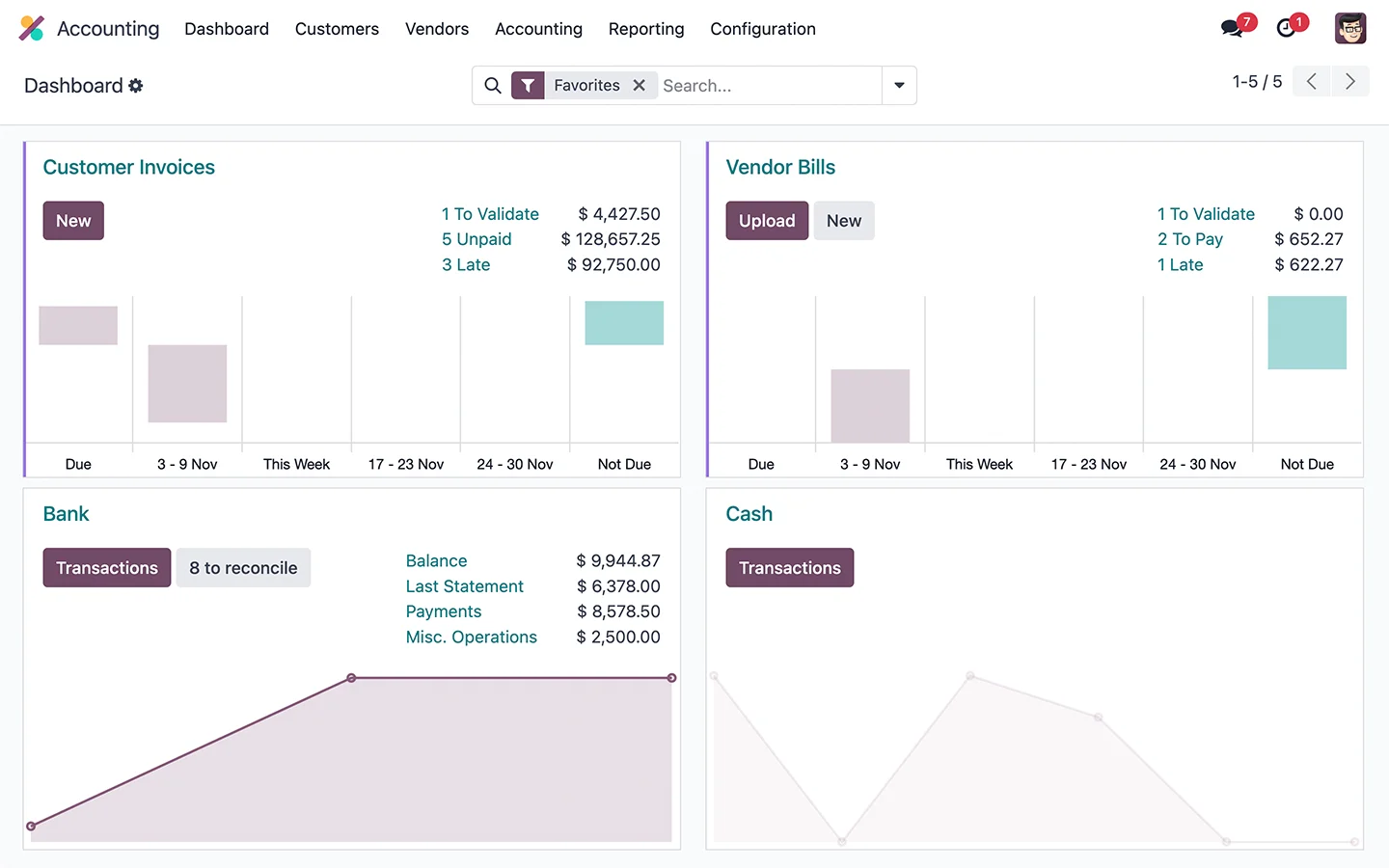
G2 reviewers rate Odoo Accounting 4.3 out of 5 from 78 reviews. They praise ease of use and automation and name key functionality locked behind the paid version as the main complaint. The review base is small and not specific to multi-company.
- Starting price
- EUR 19.90 per user per month (Standard) and EUR 35.90 (Custom); One App Free EUR 0; multi-company needs Custom; Odoo lists euro prices only, so no USD price
- Lock dates
- Lock date plus an irreversible Hard Lock date
- Bank feeds
- Plaid in the US and Canada
- QuickBooks import
- Third-party paid importer (EUR 95.70), no official tool found
- Analytic plans
- Plans group analytic accounts such as project or department; applicability Optional, Mandatory or Unavailable per document type; distribution models split automatically
- Period control
- Lock Everything date plus an irreversible Hard Lock date; only Accounting administrators can create exceptions
- Multi-company
- Custom plan; inter-company transactions can auto-create bills and orders
- Reports
- Custom reports through the report editor, which needs developer mode
- Bank sync
- Third-party providers (Plaid for US and Canada); needs an Enterprise subscription
- Pricing
- Euro prices only: Standard from EUR 19.90 and Custom from EUR 35.90 per user per month; multi-company needs Custom
- Companies
- Many companies in one database; no cap stated
- Consolidation
- Account mapping, multi-ledger adjustments, horizontal groups
Multi-entity ERPs with intercompany and consolidation
The four systems in this group are full ERPs. They cost the most and take the longest to set up, and they are the only ones in this list that describe elimination journals or consolidated statements in the product itself. For a closer look at the two US mid-market favorites, see NetSuite vs Sage Intacct.
Microsoft Dynamics 365 Business Central
Microsoft Dynamics 365 Business Central
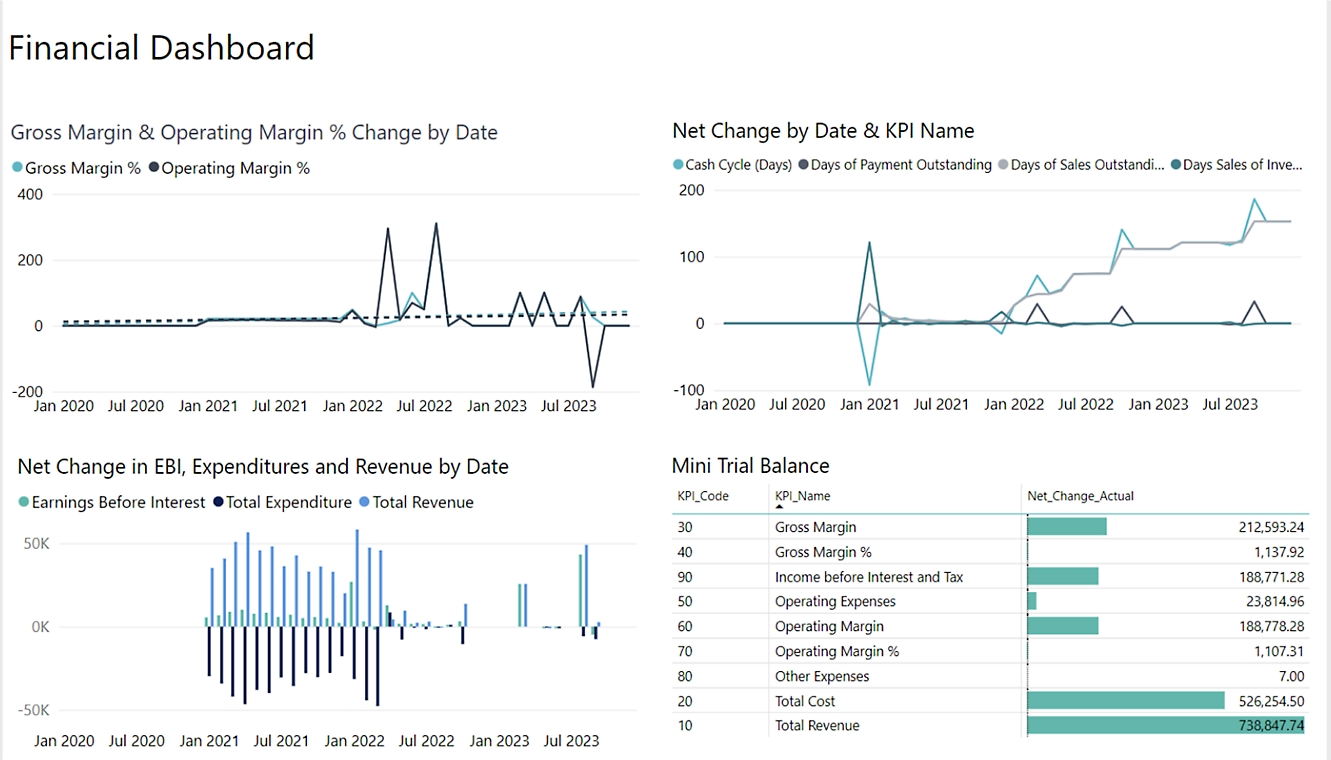
Business Central is Microsoft's cloud ERP with a general ledger, dimension-based analysis, bank reconciliation and multi-company consolidation, tied closely to Excel, Outlook, Teams and Power BI. It is sold and supported through Microsoft partners, so implementation is a project rather than a self-serve signup.
Business Central fits a Microsoft-centered group that wants companies, intercompany and consolidation in one ERP at a published per-user price.
Team it fits: a finance team that works daily in Excel, Outlook and Power BI and has a Microsoft partner for setup. Each legal entity is a company with its own chart of accounts. Essentials at $80 and Premium at $110 per user a month, billed yearly, both list multiple companies, and Microsoft's pricing page states no company limit or extra charge per entity.
How entities work: intercompany partners are set up with partner codes on customers and vendors. A sales or purchase document or a general journal line entered with a partner creates the matching document or line in the partner company and balances both sides, across countries, currencies and charts of accounts, through a shared intercompany chart of accounts that each company maps to. Consolidation uses a separate consolidated company that receives each subsidiary as a business unit, with a consolidation percentage for partial ownership and a translation method per account: average, closing, historical, composite or equity.
Limits: Microsoft states that processing consolidation eliminations is a manual process. You enter journal lines, preview them and post them. A partner implements it, and one Microsoft partner describes about 12 weeks for a focused project and 3 to 6 months for a well-scoped midsize business.
- You report by entity and department and your team already lives in Excel, Outlook and Teams
- You want automatic intercompany pairs and a consolidation company at a published per-user price
- You expect eliminations to run by themselves: Microsoft documents them as manual
- You need a tool live in days with no partner: it is a partner project
- Users like
- ease of use and customization, Microsoft integration and financial control
- Users dislike
- steep learning curve, missing features that need paid add-ons and license cost for smaller companies
- Source: G2, 918 reviews
How it works in practice
G2 reviewers rate Business Central 4.0 out of 5 from 918 reviews. They praise ease of use and Microsoft integration, and they name a steep learning curve and high license and customization costs.
- Starting price
- Essentials $80, Premium $110, Team Members $8 per user per month, paid yearly (USD, informational; bought through Microsoft or a partner)
- Billing term
- Paid yearly, per user per month
- Cheapest seat
- Team Members at $8 per user per month with limited access (read data, approve workflows, update select information)
- Manufacturing and service
- Premium adds enhanced service management and manufacturing on top of Essentials
- Free trial
- 30 days
- Dimensions
- 2 global (filters) and 8 shortcut (journal and ledger fields); default dimensions per account and Code Mandatory rules
- Recurring journals
- Fixed, Variable, Balance, reversing variants and Balance by Dimension; allocations by percentage
- Period control
- Allow Posting From/To dates per company and per user; closing a year does not stop posting into it
- Consolidation
- Container company; eliminations are manual journal lines
- Audit
- Change Log for chosen tables; Microsoft advises against logging ledger entries
- Pricing
- Essentials $80, Premium $110, Team Members $8 per user per month, billed yearly
- Eliminations
- Manual per Microsoft
- Intercompany
- Matching documents and balanced journals created in the partner company
Acumatica Cloud ERP
Acumatica Cloud ERP
Acumatica is a cloud ERP whose general ledger, subledgers and multi-company accounting sit on one platform with open APIs. Licensing is based mainly on the applications you implement and the compute resources you use, not on user seats, and no dollar prices are published.
Acumatica fits a mid-sized group that wants unlimited users and automatic intercompany entries and can fund a partner project.
Team it fits: a growing group of related legal entities that will add inventory, projects or distribution to the same ledger. Acumatica says you can manage an unlimited number of companies in one environment, each keeping its own financial activity and reporting, with company and branch access controls limiting what users see.
How entities work: Acumatica says it creates due-to and due-from entries between related companies automatically and can create counterpart sales and purchase orders, receipts, bills and inventory transfers. It also describes consolidated statements with intercompany balances eliminated from the reports, automatic currency conversion and drill-down to each company. Charts of accounts, calendars and currencies can be shared. Forum answers differ on whether the chart of accounts is shared by default, so ask in the demo.
Limits: pricing is a quote based on the applications you implement, expected resource use and deployment option, not on users, and no USD figure is published. Implementation runs through a partner, and we found no vendor timeframe.
- You want unlimited users and many companies in one environment
- You expect to add inventory, projects or distribution to the same system later
- You want a published price: Acumatica lists none
- You want a tool you can configure without a partner: G2 reviewers flag setup as a recurring complaint
- Users like
- Ease of use, customization, features (G2 top positive themes)
- Users dislike
- Missing features, learning curve, difficult or complex setup (G2 top negative themes)
- Source: G2, 2,055 reviews
How it works in practice
G2 reviewers rate Acumatica 4.4 out of 5 from 2,055 reviews. They praise ease of use and customization that survives upgrades, and they name a steep learning curve, difficult setup and missing features.
- Starting price
- Custom quote, resource-based licensing
- Pricing basis
- Mainly number of applications implemented, not user seats; no published USD prices
- G2 average implementation time
- 7 months (user-reported average)
- G2 average ROI time
- 16 months (user-reported average)
- Period statuses
- Inactive, Open, Closed, Locked
- Licensing
- Resource-based, unlimited users, quote only
- Companies
- Unlimited in one environment per Acumatica
- Intercompany
- Automatic due-to and due-from entries per Acumatica
Sage Intacct
Sage Intacct
Sage Intacct is a cloud financial system for scaling and mid-sized companies. Entities share one login, reporting runs on dimensions such as location and department, and books close period by period so nothing can be posted into an older period.
Sage Intacct fits a group that wants all entities in one dimensional ledger, with consolidation as a paid extension.
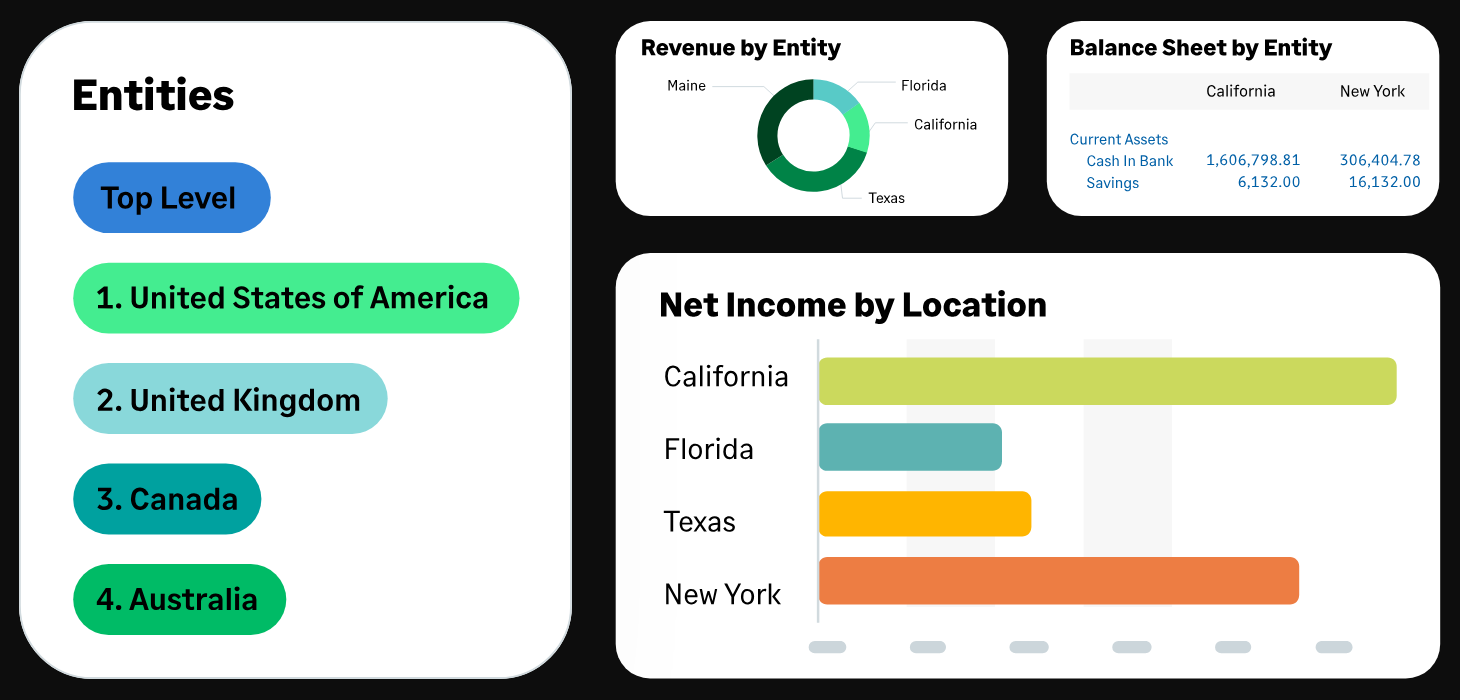
Team it fits: a controller with several entities that need reporting by location, department and project. In a multi-entity shared company, the chart of accounts, users, customers, vendors and employees are defined once at the top level, and admins can limit users and master data to one entity or a set of entities. An entity is a unit with its own tax ID or separately secured, fully balancing books.
How entities work: inter-entity transactions need an account mapping first, with a payable and a receivable account per entity. After that one journal entry is booked across entities and balanced in each. Consolidation is a separately subscribed extended capability: Domestic Consolidation for wholly owned groups with one base currency, and Global Consolidation for several base currencies, which Sage says costs extra. Sage documents auto-elimination of inter-entity receivables and payables into an elimination entity, with spot rates for the balance sheet and weighted average rates for the income statement. Only mapped accounts are eliminated by default.
Limits: Sage publishes no plan names or prices, and sources disagree on whether extra entities carry a fee, so ask for it in the quote. A partner usually implements it.
- You run several entities and report by department, location and project
- You want consolidation books inside the same system as the ledger
- You are a small team on a small budget: Sage publishes no prices
- You need consolidation on day one: confirm it is in your quote
- Users like
- ease of use and reporting
- Users dislike
- steep learning curve, limited customization and missing features
- Source: G2, 4,536 reviews
How it works in practice
G2 reviewers rate Sage Intacct 4.3 out of 5 from 4,536 reviews. They praise ease of use and reporting, and they name a steep learning curve with dimensions and limited customization.
- Starting price
- Quote only; Sage publishes no plan names or prices
- Implementation
- As few as 60 days per Sage; about 4 months per G2 users
- Marketplace
- 350+ integrations per Sage
- Consolidation
- Separate extended capability (Domestic and Global)
- AP automation
- AI bill capture, duplicate flagging, three-way matching generally available since May 2026
- Payments
- Check, ACH or virtual card
- 1099
- Tracked in Intacct; e-filing through a Marketplace partner
- Dimensions
- Location, department, project, customer, vendor, employee, item plus user-defined dimensions
- Journals
- Draft, submit for approval, attachments, allocations and automatic reversal
- Period control
- Close books by period with a Close books permission; closed statutory periods can be locked
- Entities
- One shared chart of accounts, users and lists at the top level
- Audit trail
- Standard Audit Trail on records and transactions with an Audit History report
Oracle NetSuite
Oracle NetSuite
NetSuite is a cloud ERP: financials, inventory, order management and multi-subsidiary accounting in OneWorld. Accounting periods can be locked per subsidiary, and a separate permission lets selected users override a locked period.
NetSuite OneWorld fits a group that wants subsidiaries, currencies and eliminations in a full ERP and can fund a long project.
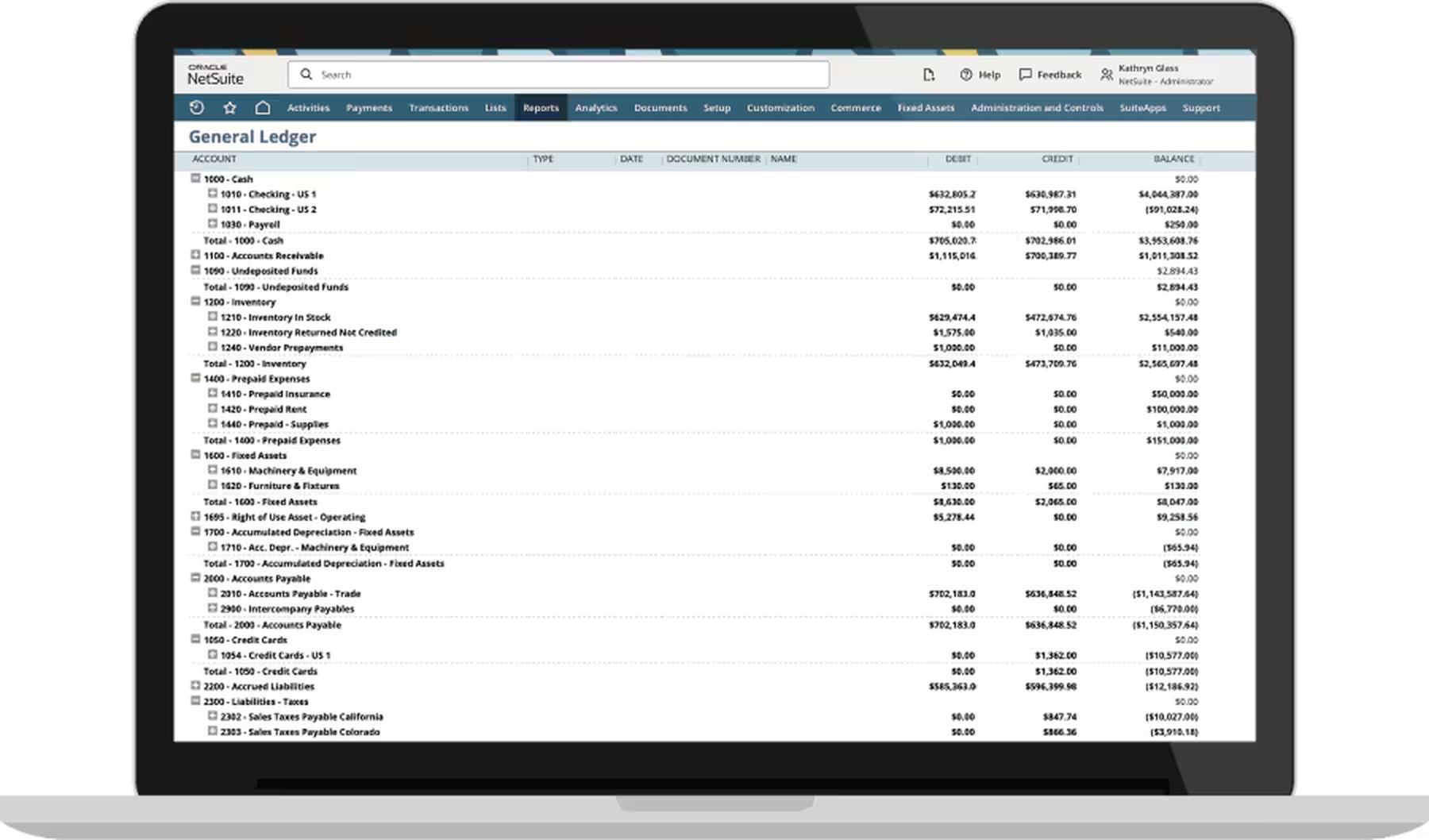
Team it fits: a controller or finance lead at a group outgrowing QuickBooks or Xero on entities, currencies or inventory. Multi-entity accounting needs the OneWorld edition, which adds subsidiaries in a parent and child hierarchy inside one account.
How entities work: Oracle's Automated Intercompany Management creates intercompany orders and advanced intercompany journal entries and provides a reconciliation report. With it, NetSuite generates elimination journals during period close from lines marked for elimination; without it, Oracle says you must create them manually. Consolidated reports translate each subsidiary into the parent currency by rate type (current, historical or average) with a cumulative translation adjustment account. Users see only the subsidiaries their role allows.
Limits: Oracle publishes no price, and third-party estimates for OneWorld and extra subsidiaries vary widely, so ask for each subsidiary as its own line in the quote. A solution provider implements it. NetSuite's own article puts a simple single-entity project at 8 to 14 weeks and a midmarket one at 4 to 11 months.
- You are outgrowing QuickBooks or Xero on entities, currencies or inventory and want one ERP
- You need period locks and role-based separation of duties for audit
- You are a small team that needs a ledger and a close checklist: a simple project is still 8 to 14 weeks
- You need a published price to compare: NetSuite publishes none
- Users like
- ease of use for reporting and navigation, customization
- Users dislike
- learning curve and outdated interface
- Source: G2, 5,253 reviews
How it works in practice
G2 reviewers rate NetSuite 4.1 out of 5 from 5,253 reviews. The rating covers the whole product, not OneWorld alone. They praise ease of use for reporting and navigation and customization, and they name the learning curve and an outdated interface.
- Starting price
- Quote only; NetSuite publishes no list prices
- Implementation
- 8 to 14 weeks simple single-entity; 4 to 11 months midmarket (NetSuite); about 6 months per G2 users
- Period lock
- Per subsidiary in OneWorld; Override Period Restrictions permission
- Currencies
- 190+
- Journals
- 1,000 lines per entry; reversal date links the reversal to the original; approval by preference or SuiteFlow workflow
- Period control
- Lock AP, AR and GL postings per period, per subsidiary in OneWorld; Override Period Restrictions permission
- Entities
- OneWorld subsidiaries; intercompany and advanced intercompany journals; automated elimination journals
- Classifications
- Departments, Classes and Locations plus custom segments
- Audit
- System Notes record period lock changes; record-level coverage not separately verified
- Edition
- OneWorld is required for subsidiaries
- Eliminations
- Generated at period close with Automated Intercompany Management; manual without it
What does multi-entity accounting software cost?
Multi-entity accounting software publishes a USD price for only four of the nine tools here. Xero charges per organization, so five entities on the Growing plan are 5 x $59 = $295 a month at list rates, and five on Zoho Books Professional are 5 x $50 = $250 a month billed monthly. Gravity starts at $375 a month for the first user and adds $100 a month for each pack of five entities. Business Central charges $80 or $110 per user a month, and Microsoft's page states no per-company fee. Odoo lists euro prices only, and its Custom plan, required for multi-company, is EUR 35.90 per user a month.
The other four are quote-only. Intuit charges additional entities, dimensions and users separately, Sage Intacct sells consolidation as a separate capability, NetSuite needs the OneWorld edition, and Acumatica prices resources rather than users. Ask each vendor to put every entity, every consolidation module and the implementation on separate lines of the quote.
- Three to eight small entities, little trade between them, tight budgetZoho Books, or Xero if you want a larger app ecosystem
- QuickBooks group that needs one system for several US entitiesIntuit Enterprise Suite
- Many entities, Microsoft 365 and Power BI, published pricingGravity
- Accounting plus inventory and operations in one modular systemOdoo
- Intercompany pairs and a consolidation company at a published per-user priceBusiness Central
- Unlimited users and automatic due-to and due-from entriesAcumatica
- Dimensional reporting and consolidation booksSage Intacct
- Foreign subsidiaries, elimination journals and audit controlsNetSuite OneWorld
How does month-end close work across several entities?
Every entity closes on its own, but the group closes only after the slowest entity. Intercompany balances are the usual delay: each pair of entities has to agree on what they owe each other before the eliminations post. The sequence below fits a monthly close for a group of three to ten entities.
- Entity accountantsFinish bank reconciliations, accruals and payroll journals for each entity Business days 1 to 3
- Entity accountantsConfirm intercompany balances with the counterparty entity and book corrections Business day 4
- Entity reviewersReview and sign off each entity's close checklist, then lock the entity period Business day 5
- Group controllerMatch intercompany pairs, post eliminations and translate foreign currencies Business days 5 to 6
- CFO or finance leadReview consolidated statements and variances, then sign off Business day 7
The tools above hold the ledgers, but they don't tell you which entity is still missing a bank statement or a sign-off. Our product tracks that part of the close, entity by entity, so the evidence and the reviewer approval are in place before the group numbers are built.
FAQ
What is the difference between multi-entity and multi-company accounting?
The terms are used interchangeably. Some vendors use multi-company for several companies in one system and multi-entity for legal entities with intercompany and consolidation, so check the feature list rather than the label. The questions that matter are whether entities share a chart of accounts, whether intercompany entries post to both sides and whether eliminations run in the system.
Can you have multiple companies in one Xero account?
Yes. Each company is its own Xero organization, and one login switches between them. Xero prices each organization separately, and its US pricing page lists no cap on organizations. Each organization keeps separate books, so consolidated reports need an add-on such as Syft.
Can Xero do consolidated accounts?
Not natively. Xero says it is not multi-entity accounting software in itself and points consolidated reports to Syft, which it says is included on every plan and handles eliminations, acquisitions and more than 170 currencies.
Does Xero support intercompany transactions?
Xero's own pages describe inter-entity transactions and eliminations as a function of the Syft app, not of the ledger. Each organization keeps separate books, so a transaction between two entities lives in each organization's own records until Syft consolidates them.
Which multi-entity accounting software eliminates intercompany balances automatically?
Vendors describe it differently. Intuit says eliminations post as each transaction posts, Acumatica says intercompany balances are eliminated from consolidated reports, Sage Intacct auto-eliminates mapped inter-entity receivables and payables, and NetSuite generates elimination journals at period close with Automated Intercompany Management. Microsoft documents eliminations in Business Central as manual.
Is accounting software an ERP?
Not always, because Xero and Zoho Books cover the ledger, invoicing and bank reconciliation. ERPs such as NetSuite, Acumatica, Business Central and Odoo add inventory, orders and operations to the ledger, and they usually need a partner to implement.