ERP accounting software is the finance side of an enterprise resource planning system: the general ledger, payables, receivables, bank reconciliation and period close, running on the same database as inventory, purchasing and sales. Oracle describes ERP as software that manages day-to-day activities such as accounting, finance, procurement, project management, supply chain and manufacturing. The difference from accounting software such as QuickBooks is that a sale or a purchase order posts to the books as it happens, so nobody keys it twice.
We compared six systems that a controller or finance lead might shortlist: Sage Intacct, Oracle NetSuite, Acumatica, Microsoft Dynamics 365 Business Central, SAP Business One and Odoo. We judged each one on how it controls the ledger and the close (period locks, reopen rights, entities), then on price transparency, implementation time and what G2 reviewers report. In October 2026 we read the pricing page, a product page, a documentation or help page and the G2 page for each system. None of the vendors paid for a placement, and our own product sits outside the ranking because it does not run a ledger.
- ERP systems with financial management compared
- 6
- publish a list price on the pages we read
- 2 of 6
- Business Central Essentials, per user per month, paid yearly
- $80
- average implementation reported by Acumatica users on G2
- 7 months
Our picks by situation
 Best for finance-led teams with several entitiesSage IntacctEntities share one login, reporting runs on dimensions such as location and department, and closed periods cannot take new postings.
 Best when finance and operations must share one systemOracle NetSuiteFinancials, inventory and order management in one cloud ERP, with period locks per subsidiary and a separate permission to override them.
 Best for related entities without per-user feesAcumatica Cloud ERPUnlimited users and related companies in one environment, with intercompany entries and eliminations, priced by modules and resources instead of seats.
 Best for Microsoft-centric teams that want a published priceMicrosoft Dynamics 365 Business CentralThe only system here with USD seat prices on its pricing page, built around dimensions on every journal line.
 Our product · for the close work around the ledgerThe Finance LeadTracks who prepared and reviewed each close task and keeps the evidence attached. It does not post to a ledger.
ERP accounting software compared
| Tool | Type of system | What it hands the controller | Pricing | G2 rating |
|---|---|---|---|---|
| Sage Intacct | Mid-market cloud financials with multi-entity | Multi-entity general ledger with dimensions and book close | Quote only; Sage publishes no plan names or prices | 4.3 (4,524) |
| Oracle NetSuite | Cloud ERP with financials | ERP with period locking per subsidiary and close management | Quote only; NetSuite describes its pricing as tailored and customer-specific | 4.1 (4,984) |
| Acumatica Cloud ERP | Mid-market cloud ERP with full financial management | Best fit when you have outgrown QuickBooks, need multi-entity books, and can fund a partner-led implementation. | Custom quote, resource-based licensing | 4.4 (2,050) |
| Microsoft Dynamics 365 Business Central | Cloud ERP for small and midsize businesses (finance, supply chain, sales, service) | Strongest fit for Microsoft-centric finance teams that need dimensions and multi-entity consolidation and will pay a partner to implement. | Essentials $80, Premium $110, Team Members $8 per user per month, paid yearly | 4.0 (917) |
 SAP Business One SAP Business One | Full ERP for small and midsize businesses | Partner-sold full ERP with real period locking and three bank reconciliation modes, but no public price and a roughly six-month average rollout. | Quote only through SAP partners; SAP publishes no price | 4.3 (542) |
 Odoo Accounting Odoo Accounting | Modular ERP with an accounting app | Accounting app inside a modular ERP with lock dates | USD price not published on the pages we read; euro list prices: One App Free at EUR 0, from EUR 19.90 per user per month (Standard) and EUR 35.90 (Custom) | 4.2 (358) |
| The Finance Lead Our product | Month-end close checklists | Tracks close tasks, evidence and preparer/reviewer sign-off | Team $39/month (up to 8 team members), Plus $79/month (adds MCP agent integration); 14-day free trial, no credit card required | No reviews yet |
Pricing and G2 data checked in October 2026 (NetSuite, Sage Intacct and Odoo on October 24, the others on October 26). Four of the six publish no price. Odoo's price is in euros.
What is ERP accounting software?
ERP accounting software is the group of financial modules inside an ERP system: general ledger, accounts payable, accounts receivable, cash and bank reconciliation, fixed assets and reporting, all reading and writing one shared database with purchasing, inventory and sales. ERP Research puts the contrast in one sentence: standalone accounting software records what already happened, while ERP accounting connects the ledger to the operations that cause the numbers, such as inventory movements, purchase orders, billing and payroll.
For a finance team the practical effect is control, not convenience. An ERP gives you period locks, approval workflows, role-based permissions and several legal entities in one set of books. Those features matter once an auditor asks who could post into March after the books closed, or once two subsidiaries need one consolidated report.
What is the difference between ERP and accounting software?
The difference is scope and control. Accounting software runs the ledger, invoices, bills and bank feeds for one business. ERP accounting adds operations on the same database and stricter controls around the ledger. The table below uses ERP Research's comparison points plus the close controls this article focuses on.
| Point | Accounting software (QuickBooks class) | ERP accounting |
|---|---|---|
| Data model | Finance data in its own database; operations often in separate apps | One shared database across finance, inventory, purchasing and sales |
| Entities and currencies | Often one entity; add-ons or workarounds for more | Several entities and currencies in one system (NetSuite lists 190+ currencies) |
| Period control | A closing date with an exceptions report in QuickBooks Online | Period locks with separate override permissions, or posting-date ranges |
| Implementation | Self-service signup | A project with a partner or consultant, from weeks to many months |
| Price | Published plans, for example QuickBooks Online from $38 to $340 a month | Per-user or per-module quotes; four of six systems here publish nothing |
Is QuickBooks an ERP?
No. QuickBooks Online is accounting software with a general ledger, a closing date and plans that include 1, 3, 5 or 25 users, and inventory tracking on Plus and Advanced. ERP Research notes that Intuit has moved up-market with Intuit Enterprise Suite, which adds multi-entity management and dimensional reporting on the QuickBooks foundation. If your question is whether to stay on QuickBooks, our guides to QuickBooks alternatives, QuickBooks Online pricing and QuickBooks vs Xero cover that decision. This page starts where the ledger itself has to change.
How does a close run inside an ERP?
A close inside an ERP means stopping postings to a past period, and every system in this list does that, but each does it differently. Acumatica moves a period through four statuses (Inactive, Open, Closed, Locked) and refuses to close the period in the general ledger until all subledgers have closed it. SAP Business One assigns each document and journal entry to a sub-period from its posting date and lets you lock a past sub-period against posting. Business Central has no hard close of an accounting period in the material we read: you set an Allow Posting From and To date range in General Ledger Setup and override it per user.
- Step 1Close the subledgers
- Acumatica Cloud ERP
What breaks unposted documents or batches pending approval keep the period open - Step 2Post to the right period
- SAP Business One
- Microsoft Dynamics 365 Business Central
What breaks the posting date, not the work date, decides which period an entry lands in - Step 3Lock the period
- Oracle NetSuite
- Sage Intacct
- Odoo Accounting
What breaks a lock set on one entity does not protect the others unless you set it for each - Step 4Control who can reopen
- Oracle NetSuite
- Acumatica Cloud ERP
- Odoo Accounting
- Microsoft Dynamics 365 Business Central
What breaks a broad override permission quietly undoes the lock
Reopen rights are where the systems differ most. In NetSuite OneWorld you lock accounting periods per subsidiary, and a separate Override Period Restrictions permission lets selected users post anyway. In Acumatica, when the Restrict Access to Closed Periods preference is set, only users with the Financial Supervisor role can reopen, unlock or post to closed periods. Odoo has a lock date plus a Hard Lock date that cannot be reversed. Sage Intacct closes books period by period so nothing can be posted into an older period.
How do you choose ERP accounting software?
Start with the ledger problem you have today, then check the operating model. Five questions sort most shortlists.
- Do you run more than one legal entity? Acumatica, NetSuite and Sage Intacct treat multiple entities as a core case. Business Central consolidates through a separate company where each subsidiary is a business unit, and eliminations are a manual journal process. Sage Intacct sells consolidation as a separate capability.
- Who will configure it? Business Central is sold only through Microsoft partners, SAP Business One through SAP partners. NetSuite and Acumatica implementations are partner-led projects in practice, as their implementation times below show.
- Do you need operations in the same system? NetSuite, Acumatica, Business Central, SAP Business One and Odoo cover inventory and purchasing. Sage Intacct is a financial system and expects other tools around it.
- Do you need a price you can budget before a sales call? Only Business Central and Odoo show a price.
- How do you report? Business Central pushes analysis into dimensions, with two global and up to eight shortcut dimensions on journal and document lines. Sage Intacct reports on dimensions such as location and department.
Finance-first cloud ERPs
Sage Intacct and NetSuite both put the ledger at the center. Intacct stays closer to finance, while NetSuite adds operations on the same database.
Sage Intacct
Sage Intacct
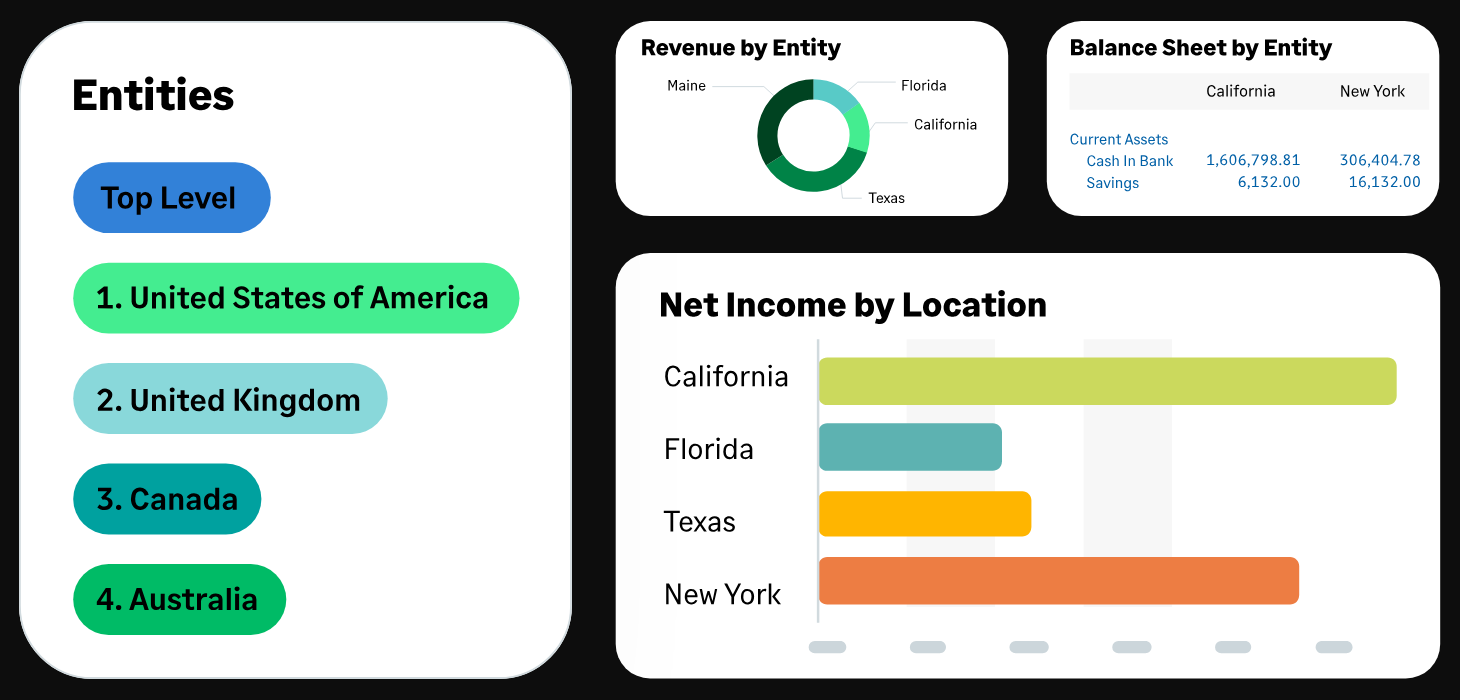
Sage Intacct is a cloud financial system for scaling and mid-sized companies. Entities share one login, reporting runs on dimensions such as location and department, and books close period by period so nothing can be posted into an older period.
Sage Intacct fits a finance team that runs several entities, reports by department and location, and wants a controlled close more than an operations suite.
How it handles the ledger and the close: entities share one login, reporting runs on dimensions such as location and department instead of extra accounts, and books close period by period so nothing can be posted into an older period. Sage lists a marketplace of 350+ integrations, which matters because Intacct is a financial system and expects inventory, payroll or billing tools around it. Consolidation is a separate extended capability, so ask which capabilities your quote includes.
- you run several entities or need reporting by department and location that QuickBooks classes cannot give you
- you want a controlled close with books that cannot be posted to once closed
- you are a small team on a small budget: pricing is quote-only and G2 users report about four months to implement
- you need consolidation on day one: consolidation is a separate paid capability
- Users like
- ease of use (1,027 mentions) and reporting (508 mentions)
- Users dislike
- missing features (385 mentions) and a steep learning curve (339 mentions)
- Source: G2, 4,524 reviews
Pricing, limits and reviews
Sage publishes no plan names or prices, so the price is a quote. G2 shows 4.3 out of 5 from 4,524 reviews. Reviewers most often praise ease of use (1,027 mentions) and reporting (508 mentions). The recurring complaints are missing features (385 mentions) and a steep learning curve (339 mentions). Skip it if you are a small team on a small budget, or if you need consolidation on day one without paying for the extended capability.
- Starting price
- Quote only; Sage publishes no plan names or prices
- Implementation
- As few as 60 days per Sage; about 4 months average per G2 users
- Marketplace
- 350+ integrations per Sage
- Consolidation
- Separate extended capability
Oracle NetSuite
Oracle NetSuite
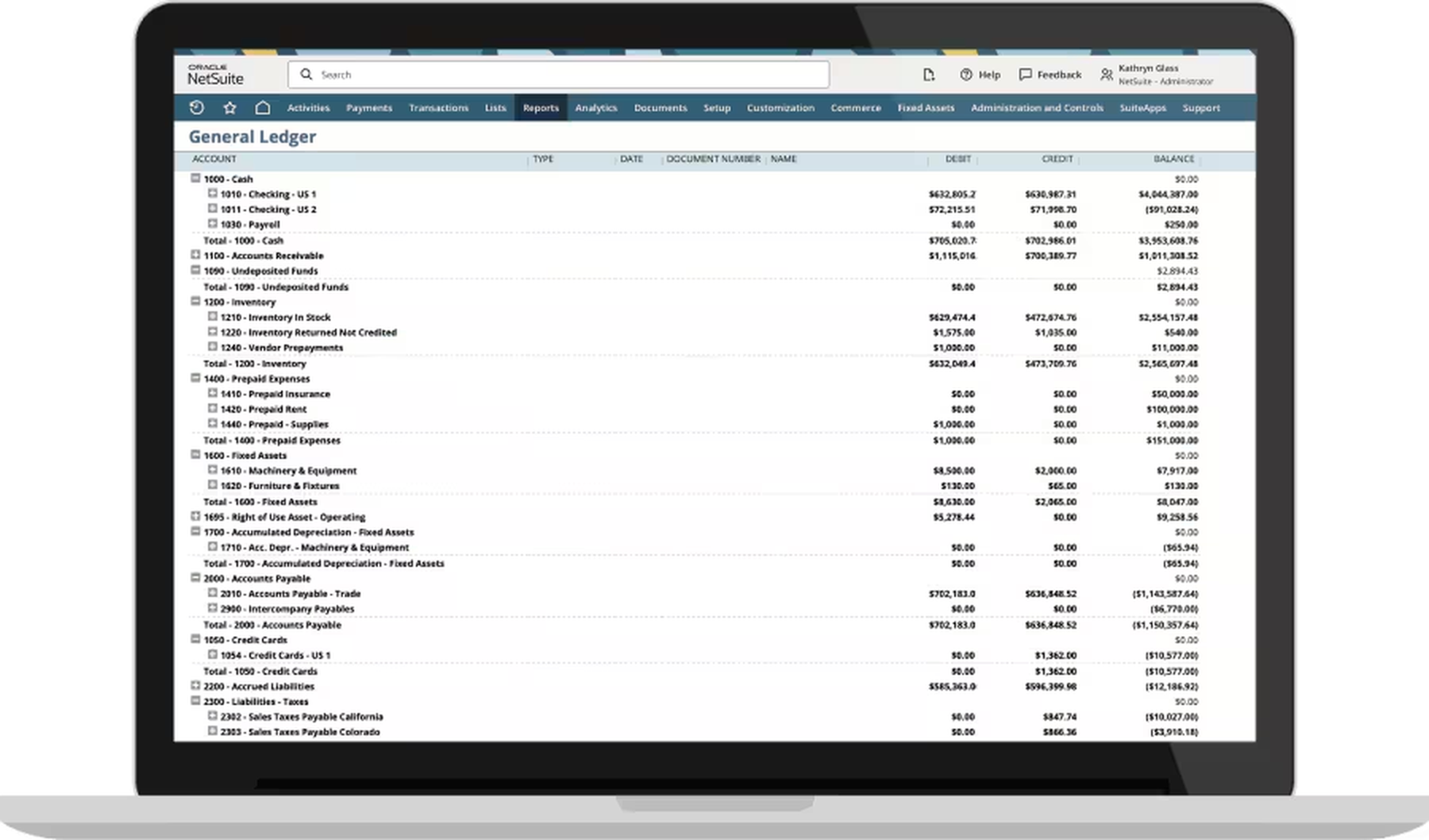
NetSuite is a cloud ERP: financials, inventory, order management and multi-subsidiary accounting in OneWorld. Accounting periods can be locked per subsidiary, and a separate permission lets selected users override a locked period.
NetSuite fits a team that is outgrowing QuickBooks on entities, currencies or inventory and wants finance and operations in one cloud ERP.
How it handles the ledger and the close: in the OneWorld edition accounting periods can be locked per subsidiary, and a separate Override Period Restrictions permission lets chosen users post into a locked period. That split between locking and overriding is the control an auditor will ask about, so assign the permission narrowly. NetSuite lists 190+ currencies, and the financials share a database with inventory and order management, so a shipped order flows to receivables without re-keying.
- you are outgrowing QuickBooks on entities, currencies or inventory and want one ERP for finance and operations
- you need period locks and role-based separation of duties for audit
- you are a small team that needs a ledger and a close checklist: NetSuite's own article puts a simple single-entity project at 8 to 14 weeks
- you need a published price to compare: NetSuite publishes none
- Users like
- integrated platform and customization (search-indexed G2 summaries)
- Users dislike
- implementation cost and learning curve
- Source: G2, 4,984 reviews
Pricing, limits and reviews
NetSuite describes its pricing as tailored and customer-specific, so there is no published number to compare. Our guide to NetSuite pricing explains what drives the quote. G2 shows 4.1 out of 5 from 4,984 reviews. Reviewers praise the integrated platform and customization. They complain about implementation cost and the learning curve. Skip it if you are a small team that needs a ledger and a close checklist: NetSuite's own article puts a simple single-entity project at 8 to 14 weeks.
- Starting price
- Quote only; NetSuite describes its pricing as tailored and customer-specific
- Implementation
- 8 to 14 weeks simple single-entity; 4 to 11 months midmarket (NetSuite); about 6 months average per G2 users
- Period lock
- Per subsidiary in OneWorld; Override Period Restrictions permission
- Currencies
- 190+
Midsize ERPs that run operations too
Acumatica, Business Central and SAP Business One suit companies where finance is one department of a business that ships, buys and sells. All three are implemented through partners.
Acumatica
Acumatica Cloud ERP
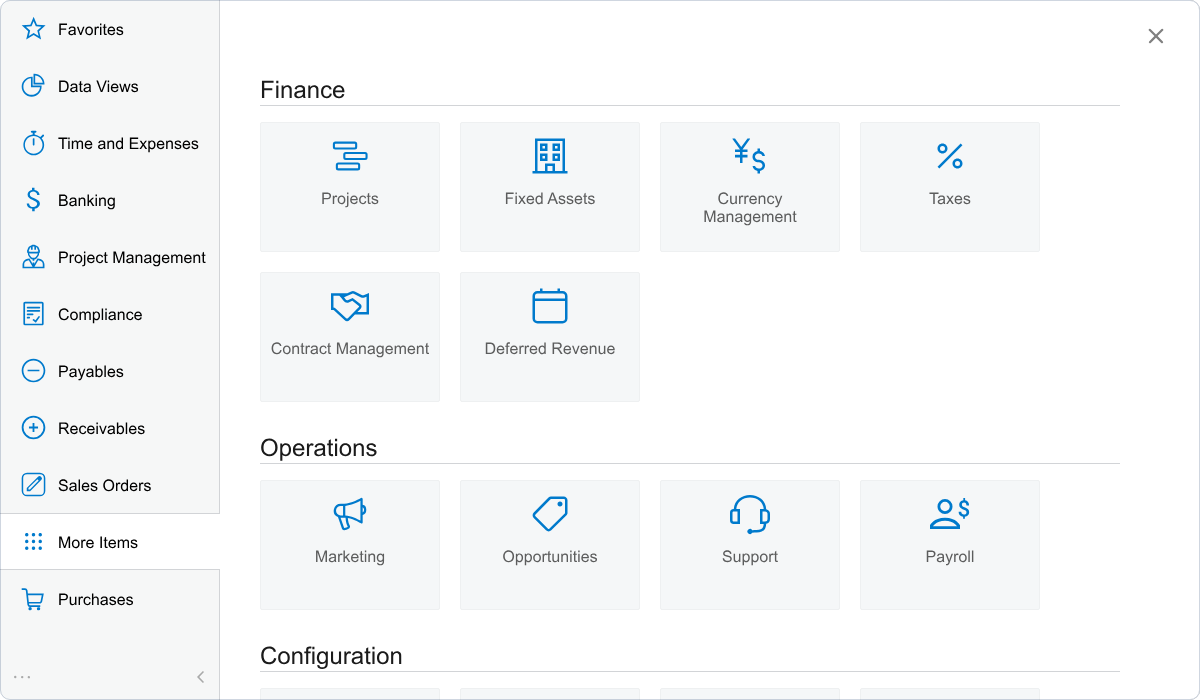
Acumatica is a cloud ERP whose general ledger, subledgers and multi-company accounting sit on one platform with open APIs. Licensing is based mainly on the applications you implement and the compute resources you use, not on user seats, and no dollar prices are published.
Acumatica fits a company with several related legal entities that wants intercompany entries and eliminated consolidated statements in one system, and has budget for a partner-led implementation.
How it handles the ledger and the close: the general ledger works with subledgers for cash management, payables, receivables, inventory and fixed assets. Each financial period has one of four statuses: Inactive, Open, Closed or Locked. A period can close in the general ledger only after all subledgers have closed it and no unposted documents remain, and an Unposted Documents report lists what is left, including batches pending approval. Locking is a second step that freezes verified data. One environment can hold unlimited related companies that share the chart of accounts, calendars and currencies, with automatic due-to and due-from entries. Period actions apply to all companies at once when Centralized Period Management is on, which is the default.
- You run several related legal entities and want intercompany due-to/due-from entries and eliminated consolidated statements inside one system, and you have budget for a partner implementation.
- You want unlimited users without per-seat fees and expect to add inventory, projects or distribution modules to the same ledger later.
- You are a small team that needs a ledger live in days with published pricing; the quote-only model and a G2-reported average implementation time of 7 months point to a heavier project.
- You want a self-service tool you can configure without a partner; G2 reviewers flag learning curve and difficult setup as recurring negatives.
- Users like
- Ease of use, customization, features (G2 top positive themes)
- Users dislike
- Missing features, learning curve, difficult or complex setup (G2 top negative themes)
- Source: G2, 2,050 reviews
Pricing, limits and reviews
Acumatica licenses mainly by the applications you implement and the compute resources you use, not by seat, so adding finance users does not raise the bill. It publishes no dollar prices, and its editions page shows Intercompany Accounting as an optional add-on in every industry edition. We could not confirm which license tier unlocks consolidation. G2 shows 4.4 out of 5 from 2,050 reviews. Reviewers praise ease of use, customization and features. They name missing features, a learning curve and difficult setup as the recurring negatives. Skip it if you want a ledger live in days, or a tool you can configure without a partner.
- Starting price
- Custom quote, resource-based licensing
- Pricing basis
- Mainly applications implemented, not user seats; no published USD prices
- G2 average implementation time
- 7 months (user-reported average)
- G2 average ROI time
- 16 months (user-reported average)
- Period statuses
- Inactive, Open, Closed, Locked
- Implementation
- 7 months average per G2 users; average ROI 16 months
Microsoft Dynamics 365 Business Central
Microsoft Dynamics 365 Business Central
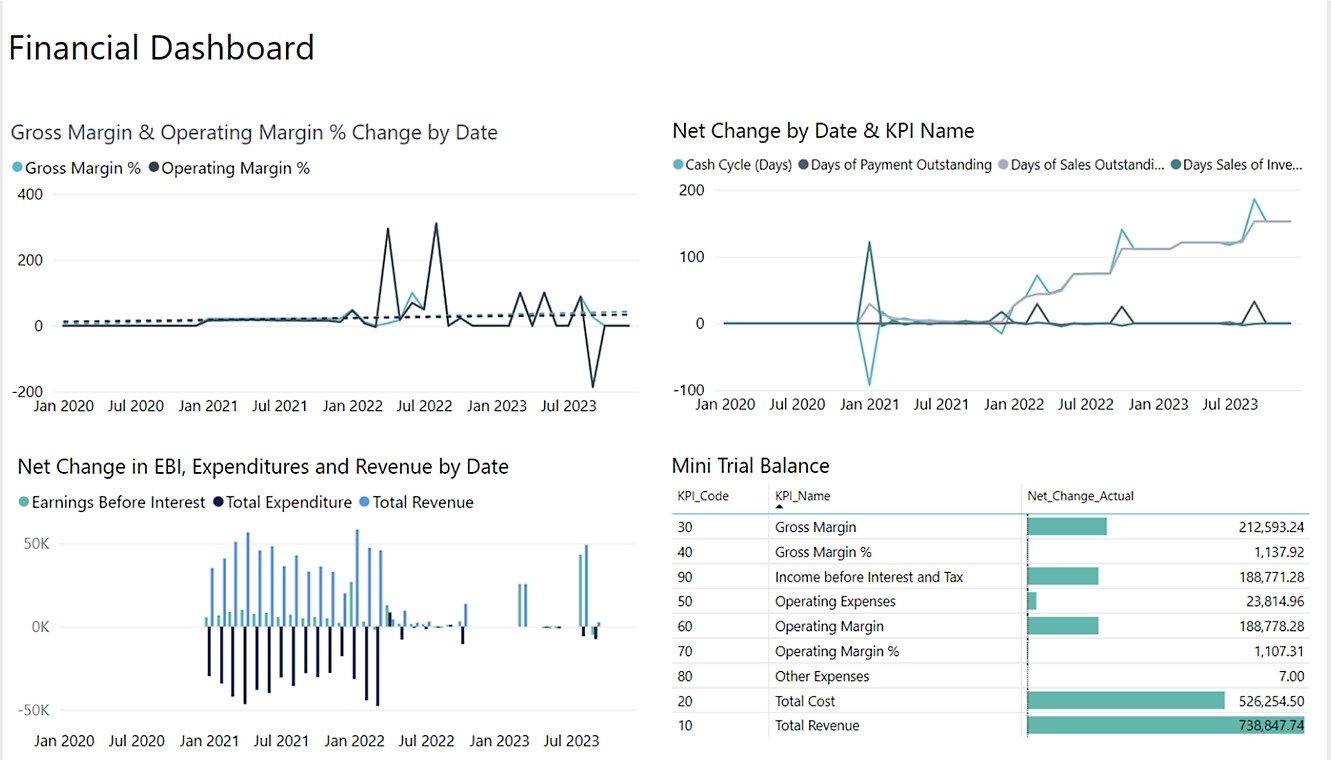
Business Central is Microsoft's cloud ERP with a general ledger, dimension-based analysis, bank reconciliation and multi-company consolidation, tied closely to Excel, Outlook, Teams and Power BI. It is sold and supported through Microsoft partners, so implementation is a project rather than a self-serve signup.
Business Central fits a Microsoft-centric finance team that reports by department, project or entity and has a partner budget for implementation.
How it handles the ledger and the close: analysis lives in dimensions rather than extra accounts. You define dimensions such as Department or Project, choose two global dimensions that act as report filters and up to eight shortcut dimensions that appear on journal and document lines, and can require a dimension on certain accounts. Changing a global dimension later rewrites posted entries, so choose them early. Period control is a date range, not a hard close: Allow Posting From and To in General Ledger Setup, with per-user overrides in User Setup. Multi-company reporting uses a separate consolidated company where each subsidiary is a business unit. It handles different charts of accounts, currencies and fiscal years, but eliminating intercompany duplicates is a manual journal process.
- You report by department, project or entity and want dimensions on every journal and document line instead of a sprawling chart of accounts.
- Your team already lives in Excel, Outlook and Teams, and you have a partner budget for implementation and training.
- You need a self-serve tool live in days with no partner, or you only need bookkeeping and invoicing that QuickBooks already covers.
- You expect hard period close and fully automated consolidation eliminations out of the box (periods are controlled by posting-date ranges and eliminations are manual).
- Users like
- Ease of use and customization (68 mentions), integration with Microsoft products (51), and financial management and control (42).
- Users dislike
- Steep learning curve (42 mentions), missing features that need costly third-party apps (26), and high license costs for smaller companies (25).
- Source: G2, 917 reviews
Pricing, limits and reviews
Microsoft's pricing page lists Essentials at $80 and Premium at $110 per user per month, paid yearly, plus Team Members at $8. Premium adds service management and manufacturing. A 30-day trial is available, and the product is sold only through partners, whose fees the pricing page does not cover. G2 shows 4.0 out of 5 from 917 reviews. Reviewers praise ease of use and customization (68 mentions), Microsoft integration (51) and financial control (42). They name a learning curve (42 mentions), missing features that need paid add-ons (26) and license cost (25). Skip it if you need a hard period close or automated consolidation eliminations out of the box.
- Starting price
- Essentials $80, Premium $110, Team Members $8 per user per month, paid yearly
- Billing term
- Paid yearly, per user per month
- Cheapest seat
- Team Members at $8 per user per month with limited access
- Manufacturing and service
- Premium adds enhanced service management and manufacturing on top of Essentials
- Free trial
- 30 days
- Billing
- Paid yearly, per user per month
- Migration
- A QuickBooks Online migration extension imports the chart of accounts, customers, vendors, items, opening general ledger balances and open documents
SAP Business One
SAP Business One
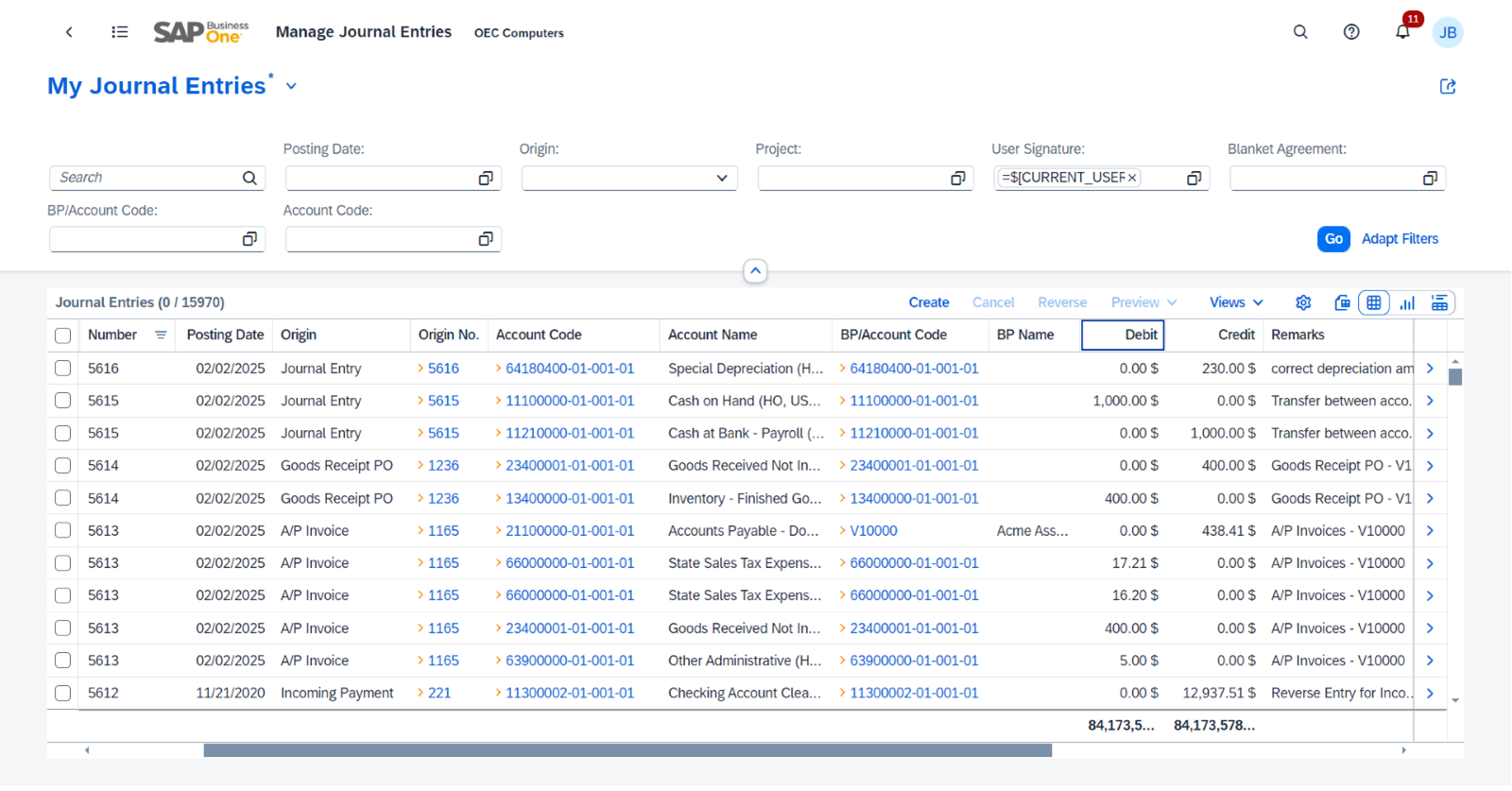
SAP Business One is SAP's all-in-one ERP for small and midsize companies, covering accounting, purchasing, inventory, sales and reporting in one system sold and implemented through partners. For finance teams it offers posting periods with status locks, three external bank reconciliation options and parallel local and system currencies, at the cost of partner-led setup, a quote-based price and a steeper learning curve for non-accountants.
SAP Business One fits a company that runs inventory, purchasing and sales next to the ledger, such as distribution, light manufacturing or retail, and works with an SAP partner.
How it handles the ledger and the close: posting periods are a mandatory setup step when the company database is created. You define a fiscal year that starts on the first day of a month and choose sub-periods of year, quarter, month or day. Every document and manual journal entry lands in a sub-period automatically from its posting date, and a past sub-period can be locked against posting. The period-end closing step moves profit and loss balances to Retained Earnings. For banks there are three windows: Reconciliation, Manual Reconciliation (available in the US, and it only reconciles when the difference is zero) and Bank Statement Processing, which generates incoming and outgoing payments from imported statement lines. SAP advises picking one method to avoid duplicate reconciliations.
- You run inventory, purchasing and sales alongside the ledger (distribution, light manufacturing, retail) and want the general ledger inside the same system, with a partner to configure and support it.
- You need controlled period locking by month or quarter and a choice of bank reconciliation methods, and can budget for a multi-month, partner-led implementation.
- You want published, self-serve pricing and a go-live in days; pricing is quote-based and G2 users report an average implementation of about six months.
- Your finance team is a few accountants who only need a ledger, AP/AR and close tasks; reviewers cite complexity for non-accountants, so a lighter accounting-first tool fits better.
- Users like
- Ease of use and quick navigation that shortens training (8 and 5 mentions), flexibility to fit specific workflows (4 mentions), good customer service (3 mentions).
- Users dislike
- Complexity and a difficult interface for non-accountants (5 mentions), hard upgrades and customization (3), steep learning curve for people new to accounting software (3), weak intercompany data handling (2), integration problems (2).
- Source: G2, 542 reviews
Pricing, limits and reviews
SAP offers a quote request and no list price. G2 shows 4.3 out of 5 from 542 reviews. Reviewers praise ease of use, flexibility and customer service. They describe complexity for non-accountants, hard upgrades and customization, and weak intercompany data handling. Skip it if your finance team is a few accountants who need a ledger, payables, receivables and close tasks, because a lighter accounting-first tool fits better.
- Starting price
- Quote only through SAP partners; SAP publishes no price
- Pricing model
- Quote request only on SAP's page; no published USD list price
- Deployment
- Cloud or on-premise
- Average implementation (G2)
- 6 months; average ROI 28 months
- Customers (SAP claim)
- Over 85,000 worldwide
- Implementation
- 6 months average per G2 users; average ROI 28 months
- Scale
- Over 85,000 customers worldwide (SAP's claim)
A modular option with an accounting app
Odoo Accounting
Odoo Accounting
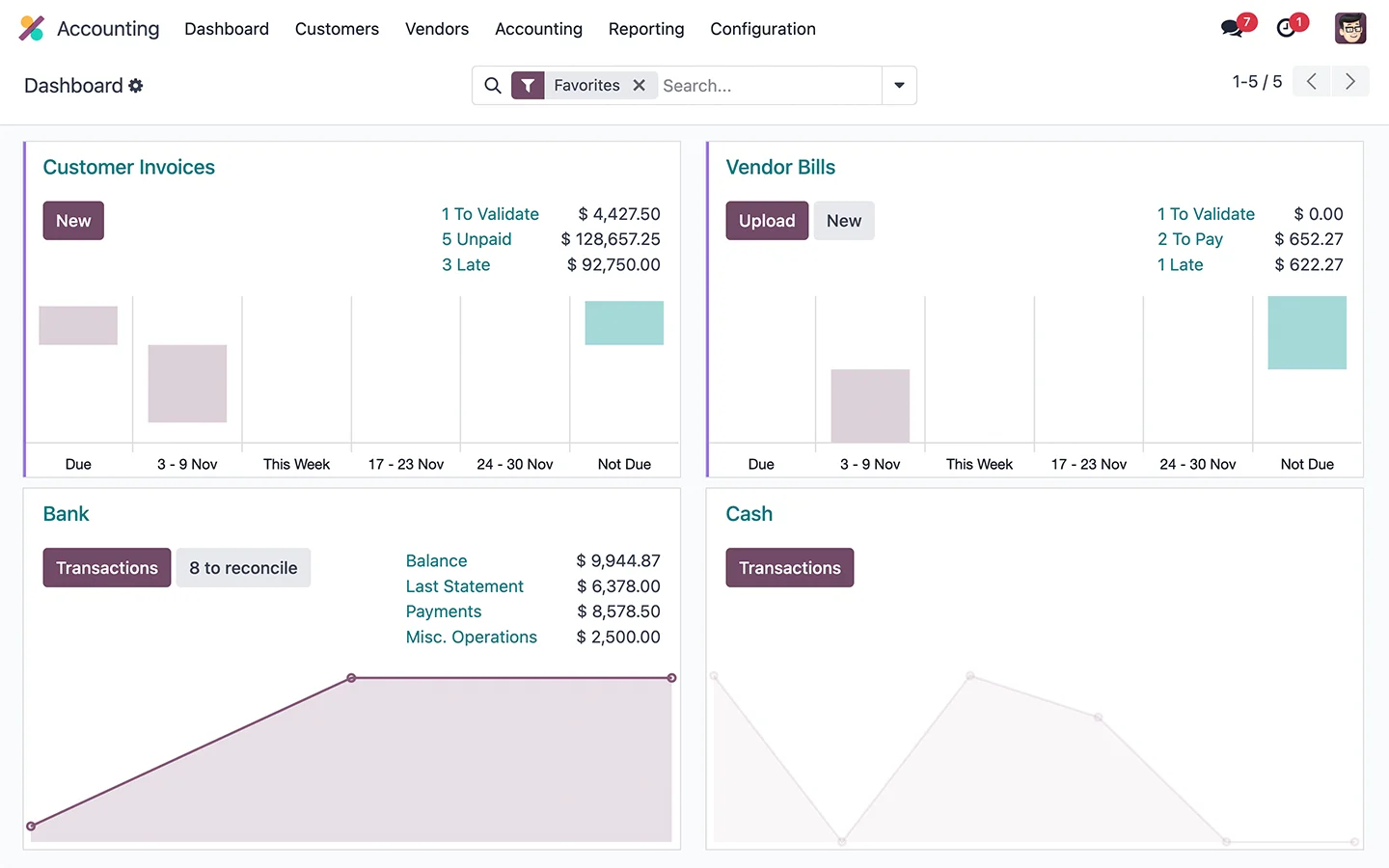
Odoo sells accounting as one app in a modular ERP, priced per user. Its documentation covers bank reconciliation with auto-matching and lock dates, including a Hard Lock date that cannot be reversed.
Odoo fits a company that wants accounting, inventory and other business apps in one modular system, has someone to configure it, and wants the option to customize or self-host.
How it handles the ledger and the close: Odoo's documentation covers bank reconciliation with auto-matching and lock dates. A lock date stops postings before a chosen day, and a Hard Lock date cannot be reversed once set, which makes it a one-way control to use at year end after the auditor signs off. In the US and Canada, bank feeds run through Plaid. Accounting is one app priced per user, so a finance team pays for the seats it uses.
- you want accounting, inventory and other business apps in one system and have someone to configure it
- you want the option to self-host or to customize the system
- you want a ready-made US accounting setup with a one-click QuickBooks import: we found no official QuickBooks import, only a paid third-party app
- you want a published USD price: the pricing page we read showed euros only
- Users like
- accuracy and ease of use (Odoo Accounting listing on G2)
- Users dislike
- limited free version and cost of customization
- Source: G2, 358 reviews
Pricing, limits and reviews
The pricing page we read showed euros only: a plan named One App Free at zero, then EUR 19.90 per user per month (Standard) and EUR 35.90 (Custom), with no USD price. Some third-party pages quote USD figures, which we could not confirm on Odoo's own page. On G2's Odoo ERP listing the rating is 4.2 out of 5 from 358 reviews. Reviewers praise accuracy and ease of use. They complain about the limited free version and the cost of customization. Skip it if you want a ready-made US accounting setup with a one-click QuickBooks import: we found no official import, only a paid third-party app.
- Starting price
- USD price not published on the pages we read; euro list prices: One App Free at EUR 0, from EUR 19.90 per user per month (Standard) and EUR 35.90 (Custom)
- Lock dates
- Lock date plus an irreversible Hard Lock date
- Bank feeds
- Plaid in the US and Canada
- QuickBooks import
- Third-party paid importer (EUR 95.70), no official tool found
What does ERP accounting software cost and how long does it take?
ERP accounting software is mostly quote-only, and implementation time is the larger part of the bill. The table pairs the price basis with the implementation time each source reports. The vendor figures and the G2 user figures differ, and both are shown.
| System | Price basis | Published price | Implementation time |
|---|---|---|---|
| Sage Intacct | Quote | None | As few as 60 days per Sage; about 4 months per G2 users |
| Oracle NetSuite | Quote | None | 8 to 14 weeks simple single-entity, 4 to 11 months midmarket (NetSuite); about 6 months per G2 users |
| Acumatica | Applications and resources, not seats | None | 7 months per G2 users |
| Business Central | Per user per month, paid yearly | $80 Essentials, $110 Premium, $8 Team Members | About 5 months per G2 users |
| SAP Business One | Quote through partners | None | 6 months per G2 users |
| Odoo Accounting | Per user per month | EUR 0 One App Free, EUR 19.90 Standard, EUR 35.90 Custom | Not found |
Two cautions apply. A price per seat is only the license: partner fees, data migration and training come on top, and the pages we read do not publish them. And a quote-only system can be cheaper for a small team than its reputation suggests, so ask for a quote early rather than ruling it out.
Is your team ready to move from accounting software to an ERP?
Move when the ledger itself, not the checklist around it, is the bottleneck. If you recognize several of the signals below, an ERP project is worth a quote. If you recognize none, a faster close process on your current software is the cheaper fix.
- You keep books for more than one legal entity and consolidate in spreadsheets
- Intercompany balances are reconciled by hand every month
- Sales, purchasing and inventory are keyed into the ledger a second time
- An auditor asked who can post into a closed period and you could not answer
- You need approval workflows or segregation of duties that your software cannot enforce
- You report by department, project or location and the chart of accounts keeps growing
- You work in several currencies and revalue balances in a spreadsheet
An ERP locks periods and routes approvals, but it does not know whether the bank reconciliation for March was actually reviewed, or where the support for an accrual sits. That is close-management work. The Finance Lead runs recurring month-end close checklists with evidence attached to each task and preparer and reviewer sign-off, for $39 a month (Team, up to 8 members) or $79 a month (Plus). It does not post journals or connect to your ledger or bank. Our month end close checklist and the guide to financial close software show where that fits, and a ledger swap does not remove the need for it.
FAQ
What is the difference between an ERP system and an accounting system?
An accounting system runs the ledger, invoices, bills and bank feeds for one business, while an ERP runs the same financial modules on a database shared with inventory, purchasing and sales. The practical gains are several entities and currencies in one set of books, approval workflows and period locks with separate override rights.
Is QuickBooks an ERP or accounting software?
QuickBooks Online is accounting software. It has a general ledger, a closing date and plans for 1, 3, 5 or 25 users. Intuit sells Intuit Enterprise Suite for businesses that need multi-entity management and dimensional reporting on top of the QuickBooks foundation.
Which ERP accounting software is best for a small finance team?
Sage Intacct fits a finance-led team with several entities, and Business Central is the only system here with a published USD price. Both are implemented through partners, so plan a project of months, not days. If you only need a ledger, a QuickBooks alternative is usually enough.
Is there free ERP accounting software?
Only Odoo offers a free entry point among the six we read. Its pricing page lists a plan named One App Free at zero, and G2 reviewers mention a limited free version, so check which features and user limits apply before you rely on it. Business Central offers a 30-day trial, and the other four sell by quote.
How long does it take to implement ERP accounting software?
ERP accounting software takes months to implement. NetSuite puts a simple single-entity project at 8 to 14 weeks and a midmarket project at 4 to 11 months. G2 users report averages of about 4 months for Sage Intacct, 5 for Business Central, 6 for SAP Business One and 7 for Acumatica.
Does an ERP replace a month-end close checklist?
No. An ERP enforces period locks and approvals inside the ledger, but it does not track who prepared and reviewed each close task or where the evidence is stored. Teams still need a checklist with sign-off, whether in a spreadsheet or a close tool.