The best QuickBooks alternative depends on why you want to leave. If you pay for users and plan tiers,  Xero and
  Zoho Books are the closest swaps. If cost is the whole problem,
  Wave is free and
  FreshBooks suits service businesses that bill clients. If you're outgrowing QuickBooks,
  Sage Intacct and
  Oracle NetSuite add entities, dimensions and a controlled close.
This page compares seven accounting systems against QuickBooks Online for US teams of 2 to 20 people. Prices are US list prices in dollars, read on vendor pricing pages on October 24, 2026. Ratings come from G2, and where a tool's pricing or a feature isn't published, we say so instead of estimating. For a deeper look at the incumbent, see our QuickBooks Online review and QuickBooks Online pricing guide.
- alternatives compared
- 7
- G2 reviews of QuickBooks Online
- 3,894
- QuickBooks Online G2 rating
- 4.0
- cheapest option (Wave Starter)
- $0
Our picks by reason for switching
- Best closest swap, no per-user feesXeroThe nearest replacement for a small team: plans are priced per organization and Xero's pricing page says there are no per-user license fees.
- Best low price with users includedZoho BooksStandard includes 3 users and Professional 5, starting at $20 and $50 per month on monthly billing.
- Best for billing clientsFreshBooksInvoicing and time tracking come first, and the plans are capped by billable clients instead of users.
- Best free optionWaveA free Starter plan with real bookkeeping, as long as you can live without automatic bank connections.
- Best when you add entitiesSage IntacctMulti-entity accounting, dimensions and period close for teams that have outgrown QuickBooks classes.
 For the first close after you switchThe Finance LeadNot an accounting system. It tracks the close checklist, evidence and sign-off in whichever system you pick.
QuickBooks and its alternatives compared
| Tool | What it is | What it owns | Starting price | G2 rating |
|---|---|---|---|---|
 QuickBooks Online QuickBooks Online | Cloud accounting ledger with inventory and closing-date controls | General ledger with closing date and exceptions report | Simple Start $38/mo; Essentials $85/mo; Plus $140/mo; Advanced $340/mo at US regular list rates | 4.0 (3,894) |
| Xero | Accounting ledger with built-in bank reconciliation | Bank feed matching inside the ledger | Early $27, Growing $59, Established $97 per month (US plans); new customers get 90% off for 6 months until Nov 2, 2026; no per-user license fees | 4.4 (1,844) |
| Zoho Books | Low-cost cloud accounting with tiered plans | General ledger with transaction locking and a free tier | Free $0; Standard $20, Professional $50, Premium $70, Elite $150, Ultimate $275 per month billed monthly (annual billing: $15, $40, $60, $120, $240) | 4.4 (330) |
| FreshBooks | Invoicing-first accounting for service businesses | Invoices, time tracking and expenses with light bookkeeping | Lite $23, Plus $43, Premium $70 per month at regular prices (intro discounts of 80% for 4 months); Select is quote-only | 4.5 (981) |
| Wave | Free accounting and invoicing for very small businesses | Free double-entry bookkeeping with paid bank connections | Starter $0; Pro $19 per month or $190 per year; card payments from 2.9% + $0.60 | 4.3 (327) |
 Odoo Accounting Odoo Accounting | Modular ERP with an accounting app | Accounting app inside a modular ERP with lock dates | USD price not published on the pages we read; euro list prices from EUR 19.90 per user per month (Standard) and EUR 35.90 (Custom) | 4.2 (358) |
| Sage Intacct | Mid-market cloud financials with multi-entity | Multi-entity general ledger with dimensions and book close | Quote only; Sage publishes no plan names or prices | 4.3 (4,524) |
| Oracle NetSuite | Cloud ERP with financials | ERP with period locking per subsidiary and close management | Quote only; NetSuite describes its pricing as tailored and customer-specific | 4.1 (4,984) |
| The Finance Lead Our product | Month-end close checklists | Tracks close tasks, evidence and preparer/reviewer sign-off | Team $39/month (up to 8 team members), Plus $79/month (adds MCP agent integration); 14-day free trial, no credit card required | No reviews yet |
List prices in US dollars, checked October 24, 2026. Odoo publishes euro prices only on the page we read. Introductory discounts aren't counted.
Why do people switch from QuickBooks?
People leave QuickBooks Online mostly because of missing features, cost, support and a steep learning curve. Those are the five most mentioned complaint themes among the 3,894 reviews on G2, where QuickBooks Online holds a 4.0 rating. The same reviewers also praise ease of use more than anything else (254 mentions), so the product isn't failing at the basics. The complaints show up once a team needs more than the basics.
Three concrete things sit behind those numbers.
The price keeps rising. In 2025 a CPA firm's summary of Intuit's notice listed Plus at $115 and Advanced at $275 per month. Intuit's pricing page on October 24, 2026 lists Plus at $140 and Advanced at $340. Simple Start stayed at $38 over the same period. Intuit also advertises 50% off for the first three months, so the list price is what you pay from month four.
Users are tied to the plan. Simple Start includes 1 user, Essentials 3, Plus 5 and Advanced 25, plus a small number of accountant seats. A team of six on Plus pays for Advanced to add the sixth person. Role-based permissions, which a controller wants for separation of duties, also start on Advanced.
Desktop is shrinking for new buyers. Intuit says it no longer sells new subscriptions for QuickBooks Desktop Pro Plus, Premier Plus and Mac Plus to US customers, and that existing subscribers can keep renewing. Desktop Enterprise is still sold. If you run Desktop Pro or Premier and need to move, the realistic targets are QuickBooks Online or one of the tools below.
What are people replacing QuickBooks with?
Four of the seven tools in this comparison, Xero, Zoho Books, FreshBooks and Wave, start below $30 a month, and those are where small teams mostly land. Teams that outgrow QuickBooks look at Sage Intacct or NetSuite, which are quote-only. The choice follows the reason for leaving: Xero and Zoho Books remove the per-plan user squeeze, Wave removes the subscription, and Sage Intacct and NetSuite add entities, dimensions and a controlled close that QuickBooks doesn't offer.
The sections below follow that split: closest swaps first, then free and low-cost options, then the systems you grow into. If your question is a head-to-head, our QuickBooks vs Xero comparison goes line by line.
Closest swaps for a small accounting team
Xero
Xero
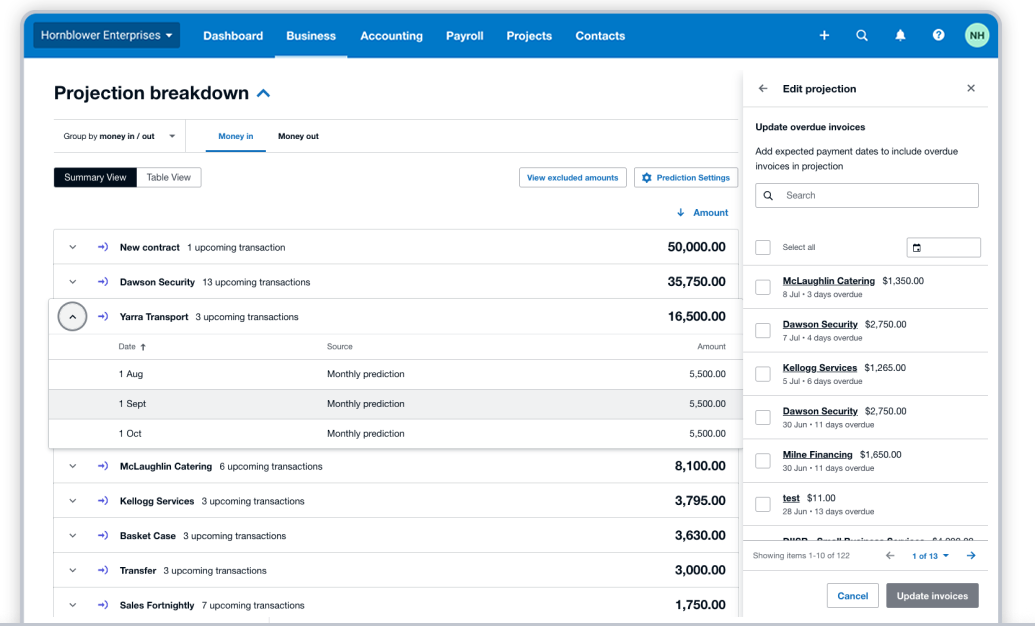
Xero is a cloud accounting ledger whose bank feeds flow into a reconcile screen. Its JAX feature reconciles transactions automatically using four methods (Rule, Match, Memory, Prediction) and asks you to review only what it is unsure about.
Xero prices by organization, not by seat, which is the fix for a team that keeps hitting QuickBooks user caps.
The three US plans are Early at $27, Growing at $59 and Established at $97 per month. Xero's pricing page lists no per-user license fees, so adding a colleague or an outside accountant doesn't change the bill. Early is limited to 20 invoices and 5 bills a month, and automatic reconciliation is a $5 add-on there. It's included from Growing. Multi-currency, projects and expense claims are Established only, and US payroll is a separate add-on at $36 a month plus $6 per employee.
Xero lists more than 1,000 app integrations, which narrows the gap with QuickBooks for most small-team stacks. For the close, Xero has lock dates: its help center says you need the advisor user role to set, change or remove them, so decide early whether your accountant or your controller holds that role.
- Xero is already your general ledger and your reconciliation job is matching bank and card transactions to the books
- You want to review exceptions rather than match every line: JAX reconciles automatically when it is confident and suggests a match when it is not
- You want a published, per-plan price with no per-user fee
- You need account-by-account balance sheet certification with preparer and reviewer sign-off: the Xero pages we read describe bank transaction reconciliation, not that workflow
- You reconcile across several systems or entities, or run an ERP other than Xero: Xero reconciles against its own ledger
- You are on the Early plan and want JAX: automatic reconciliation is listed from Growing upward
- Users like
- Ease of use; reviewers often single out automatic bank reconciliation as fast and accurate (G2 comparison pages as indexed by search)
- Users dislike
- Missing features and limited options (G2 comparison pages as indexed by search)
- Source: G2, 1,844 reviews
What moves over from QuickBooks
Xero's US site has no QuickBooks conversion tool of its own that we could find. Conversions run through partner apps in the Xero App Store. One of them, MMC Convert, lists contacts, items, manual journals, invoices, bills, payments, attachments and the chart of accounts, and maps QuickBooks classes to tracking categories. It doesn't state a price or any exclusions, so ask for both before you commit.
For a full price breakdown, see our Xero pricing guide.
- Starting price
- Early $27, Growing $59, Established $97 per month (US plans); new customers get 90% off for 6 months until Nov 2, 2026; no per-user license fees
- JAX methods
- Rule, Match, Memory, Prediction
- Plan gating
- Reconcile bank transactions on every plan; auto-reconcile transactions listed on Growing and Established
- Per-user fees
- None; prices are per plan
- Plan limits
- Early: 20 invoices and 5 bills per month; multi-currency on Established only
- Lock dates
- Advisor role required to set or change them
- Payroll
- Add-on, $36 per month plus $6 per employee
- Cheapest plan
- Early, $27 per month (limited to 20 invoices and 5 bills)
- Gated to Established
- Multi-currency, projects, expense claims
Zoho Books
Zoho Books
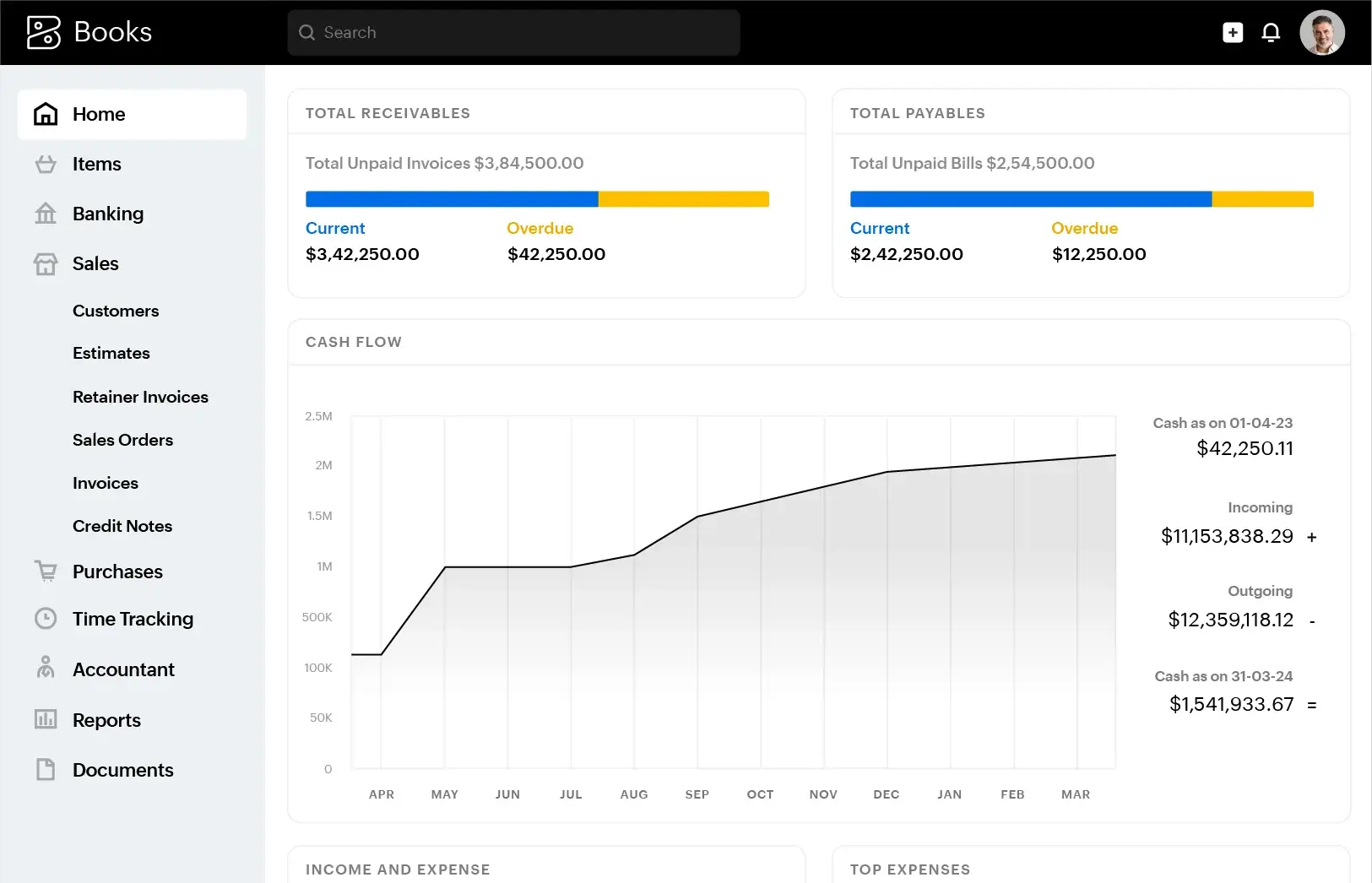
Zoho Books prices per organization, not per seat: Standard includes 3 users, Professional 5, Premium and Elite 10, Ultimate 15, and extra users cost $3 per month. Inventory and multi-currency start on Professional.
Zoho Books builds users into each plan, so a small team gets a QuickBooks-like ledger at a lower and more predictable monthly price.
Prices are per organization. On monthly billing Standard costs $20 and includes 3 users, Professional costs $50 and includes 5, Premium costs $70 and Elite $150 with 10 each, and Ultimate costs $275 with 15. Annual billing lowers those to $15, $40, $60, $120 and $240. Extra users cost $3 a month. A Free plan covers 1 user plus an accountant and stays free under $50,000 in annual revenue.
The plan gates matter for a finance team. Bank feeds start on Standard, while multi-currency, inventory, purchase and sales orders and custom user roles start on Professional. Zoho's help center describes transaction locking by module or for all modules at once. The lock date itself stays editable, so to lock through March 31 you set April 1.
It doesn't replace payroll: Zoho Payroll is a separate app, and we didn't find multi-entity consolidation on the pages we read.
- you want a QuickBooks-style ledger at a lower and more predictable price, with users included in the plan
- you already run Zoho apps and want accounting in the same suite
- you need native US payroll: the Zoho Books pages we read do not list it, and Zoho Payroll is a separate app
- you need multi-entity consolidation: we found no consolidation feature on the pages we read
- Users like
- ease of use
- Users dislike
- support quality and pricing at higher tiers (Capterra reviewers)
- Source: G2, 330 reviews
What moves over from QuickBooks
Zoho's US migration page tells you to export QuickBooks Online reports and import the chart of accounts, contacts, items and bills. Opening balances can be imported only for customers and vendors that already exist in Zoho Books, and once opening balances are entered you can't bring in those contacts' open transactions. Bank feeds fetch only the last 90 days of transactions, so keep your QuickBooks bank history for the prior periods.
- Starting price
- Free $0; Standard $20, Professional $50, Premium $70, Elite $150, Ultimate $275 per month billed monthly (annual billing: $15, $40, $60, $120, $240)
- Users per plan
- Free 1 plus accountant; Standard 3; Professional 5; Premium 10; Elite 10; Ultimate 15
- Gates
- Bank feeds from Standard; multi-currency, inventory and custom roles from Professional
- Transaction lock
- By module or all at once; transactions dated on the lock date can still be edited
- QuickBooks import
- Chart of accounts, contacts, items and bills; bank feeds fetch only the last 90 days
- Free plan
- 1 user plus 1 accountant, under $50,000 annual revenue
- Extra users
- $3 per month on monthly billing
Is Zoho Books better than QuickBooks?
Zoho Books is cheaper and includes more users per dollar, but QuickBooks has the larger user base and ecosystem. At a comparable size, Zoho Books Professional (5 users, inventory, multi-currency) is $50 a month on monthly billing, while QuickBooks Online Plus (5 users, inventory) lists at $140. On G2, Zoho Books holds 4.4 from 330 reviews against 4.0 from 3,894 for QuickBooks Online, so the review base behind Zoho's rating is much smaller.
Zoho Books has limits that matter to a finance team: payroll is a separate Zoho app, and we found no multi-entity consolidation on the pages we read. It is the better fit if your accountant is willing to work in it and you don't depend on a QuickBooks-only integration. QuickBooks stays the safer choice if your accountant, payroll provider or industry app expects it. Test the two integrations you can't live without before you move.
Free and low-cost options
Wave
Wave
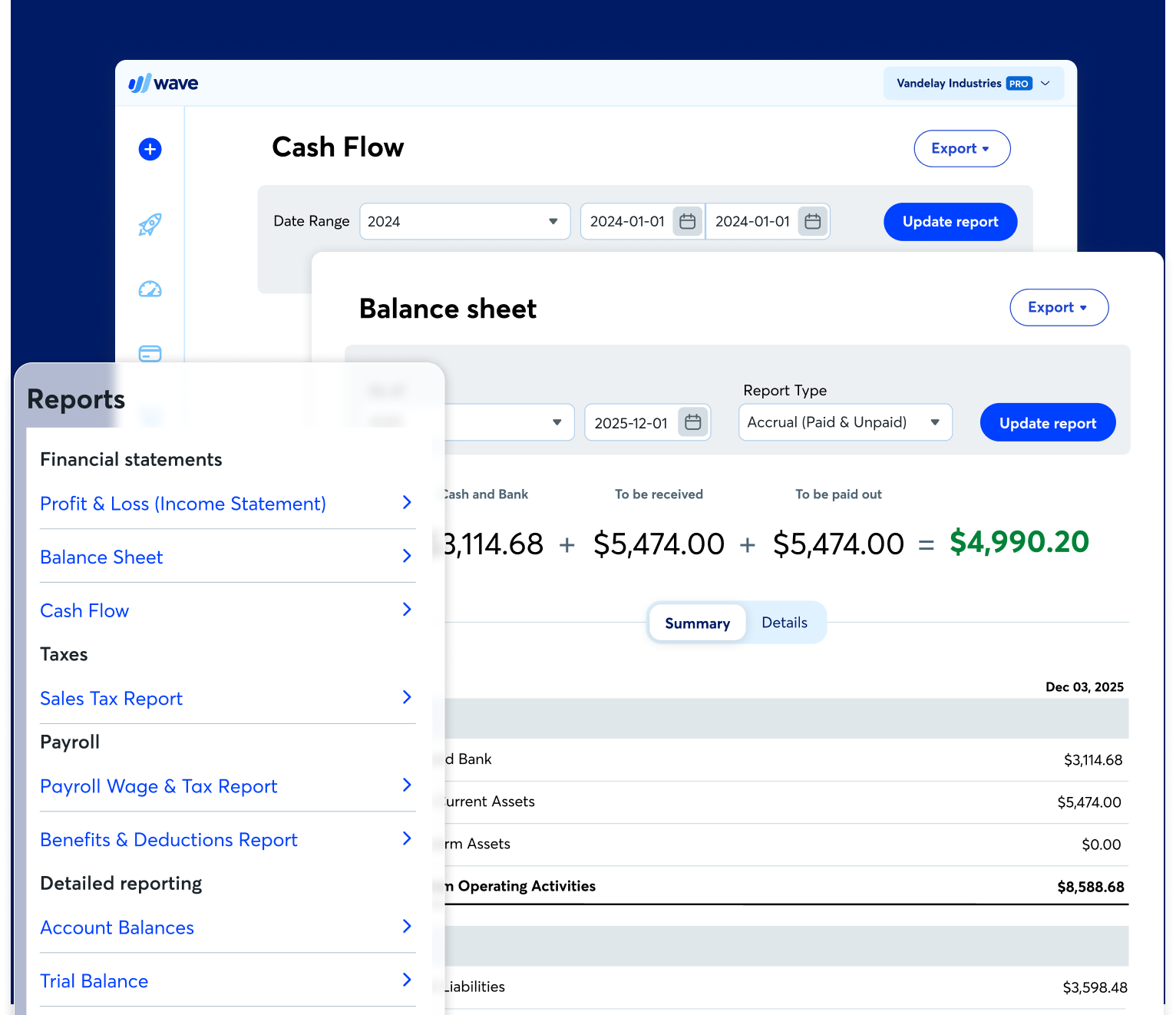
Wave's Starter plan is free and covers invoices, bills and bookkeeping records. Automatic bank connections and extra collaborator roles (admin, editor, viewer) are Pro features, and Wave earns its money from payment processing, payroll and bookkeeping services.
Wave's Starter plan is free and covers invoices, bills and bookkeeping records, so it's the only option here that costs nothing for a ledger.
The free plan has a catch that matters to a finance team: automatic bank connections are a Pro feature, which costs $19 a month or $190 a year. On the free plan the owner can add only a payroll manager or a tax pro as collaborators, while the admin, editor and viewer roles need Pro. Wave earns its money from payments and services. Card payments cost 2.9% + $0.60 per transaction (3.4% + $0.60 for American Express), payroll is a paid add-on from $25 a month, and its bookkeeping service starts at $149 a month.
That is a fair trade for a freelancer or a micro business. It's a thin base for a team that needs controls. We found no closing date, inventory or multi-currency on the Wave pages we could read, and Wave's help center was not reachable to confirm either way.
- you are a freelancer or micro business that wants real double-entry bookkeeping without a subscription
- you take card payments through your invoices and accept the processing fees
- you need automatic bank feeds on the free plan: bank connections are Pro only
- you need a closing date, inventory or multi-currency: we found none of these on the Wave pages we could read
- Users like
- ease of use and free core features
- Users dislike
- slow customer support
- Source: G2, 327 reviews
What moves over from QuickBooks
We found no official Wave import from QuickBooks. Plan to export your lists and enter opening balances yourself, and close the QuickBooks period before you start.
- Starting price
- Starter $0; Pro $19 per month or $190 per year; card payments from 2.9% + $0.60
- Card fees
- 2.9% + $0.60 per payment (Pro: first 10 payments a month at 2.9% + $0)
- Payroll
- Paid add-on from $25 per month
- Collaborators
- Free plan: payroll manager or tax pro only; Pro adds admin, editor and viewer roles
- Pro plan
- $19 per month or $190 per year
FreshBooks
FreshBooks
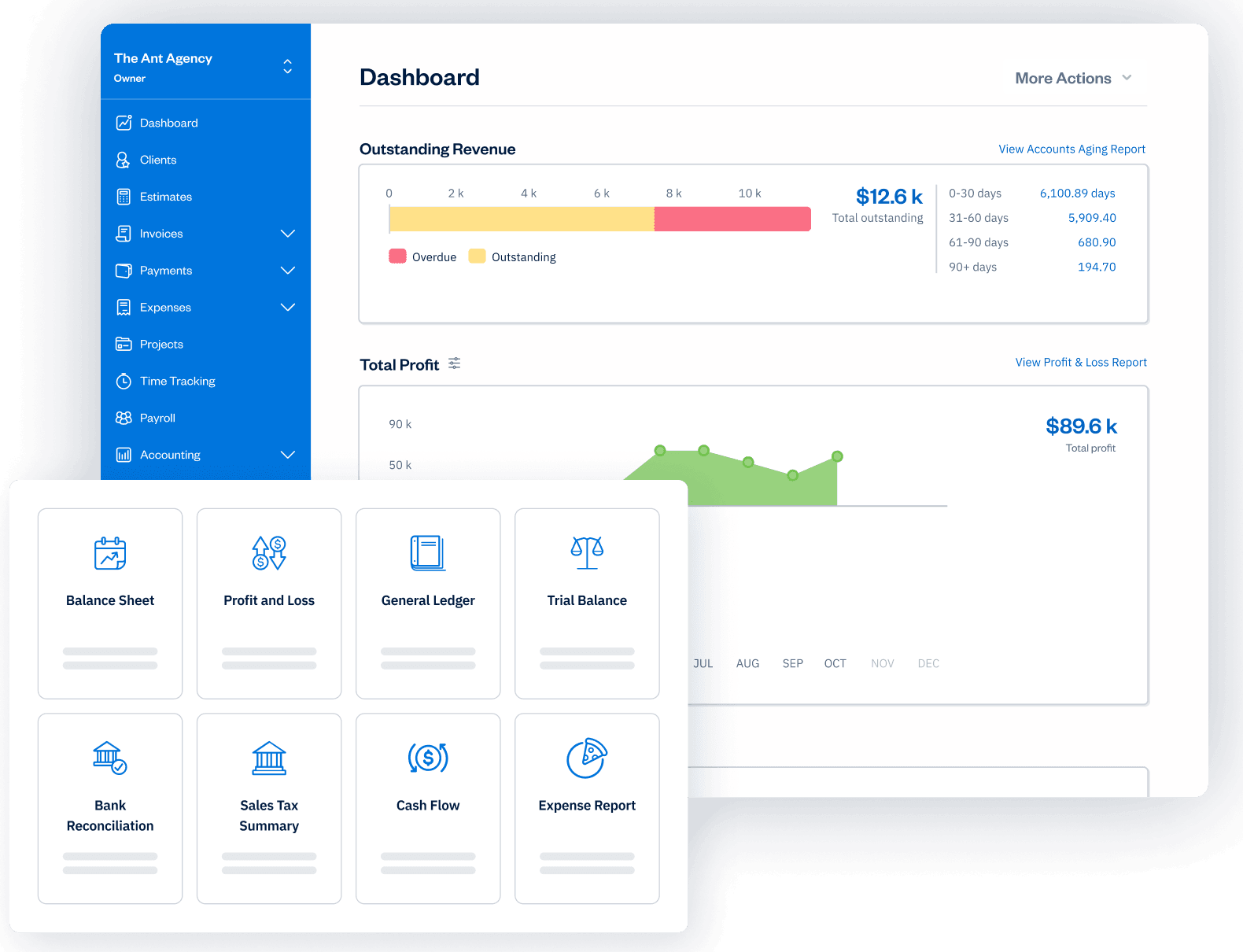
FreshBooks is built around invoicing and billable time, and its plans are capped by the number of billable clients (5, 50, then unlimited) rather than by users. Extra team members cost $11 per month each.
FreshBooks is built around invoicing and billable time, and its plans are capped by the number of billable clients instead of users.
Lite costs $23 a month and bills 5 clients, Plus costs $43 and bills 50, and Premium costs $70 and bills an unlimited number. FreshBooks advertises an 80% discount for the first four months, so the regular prices are the ones to budget. Extra team members cost $11 a month each, and payroll is an add-on at $40 a month plus $6 per user.
The finance-relevant features start on Plus: bank reconciliation, and accountant access for up to 10 accountants per business at no extra cost. Premium adds accounts payable and project profitability. The accountant role is limited to specific sections of the account, so check what your bookkeeper needs before you rely on it.
We found no closing-date or period-lock article in FreshBooks' help center. If locked periods are a requirement, ask FreshBooks directly before you commit.
- you bill clients for services and time and invoicing matters more to you than the ledger
- you want your accountant to have access: up to 10 accountants are included from Plus
- you need bank reconciliation on the entry plan: it starts on Plus
- you need a period lock for the close: we found no closing-date article in FreshBooks' help center
- Users like
- easy invoicing and user-friendliness
- Users dislike
- cost as the business grows and annual price increases
- Source: G2, 981 reviews
What moves over from QuickBooks
FreshBooks offers Easy Switch through a partner, which it says moves invoices, expenses, client records and the chart of accounts. It's a paid add-on on every plan except Select, and we didn't find the fee. Self-serve CSV import covers clients, expenses and items.
- Starting price
- Lite $23, Plus $43, Premium $70 per month at regular prices (intro discounts of 80% for 4 months); Select is quote-only
- Plan cap
- Billable clients: Lite 5, Plus 50, Premium unlimited
- Team members
- $11 per month each on Lite, Plus and Premium
- Payroll
- Add-on, $40 per month plus $6 per user
- QuickBooks switch
- Easy Switch through a partner, a paid add-on except on Select
- Extra team members
- $11 per month each
When you outgrow QuickBooks
Odoo, Sage Intacct and NetSuite suit teams that have outgrown QuickBooks, where the problem is no longer the subscription. It's entities, dimensions, inventory or audit controls. Expect a project, not a switch over a weekend. Our guide to ERP accounting software compares how these ERPs lock periods, what they cost and how long they take to implement.
Odoo Accounting
Odoo Accounting
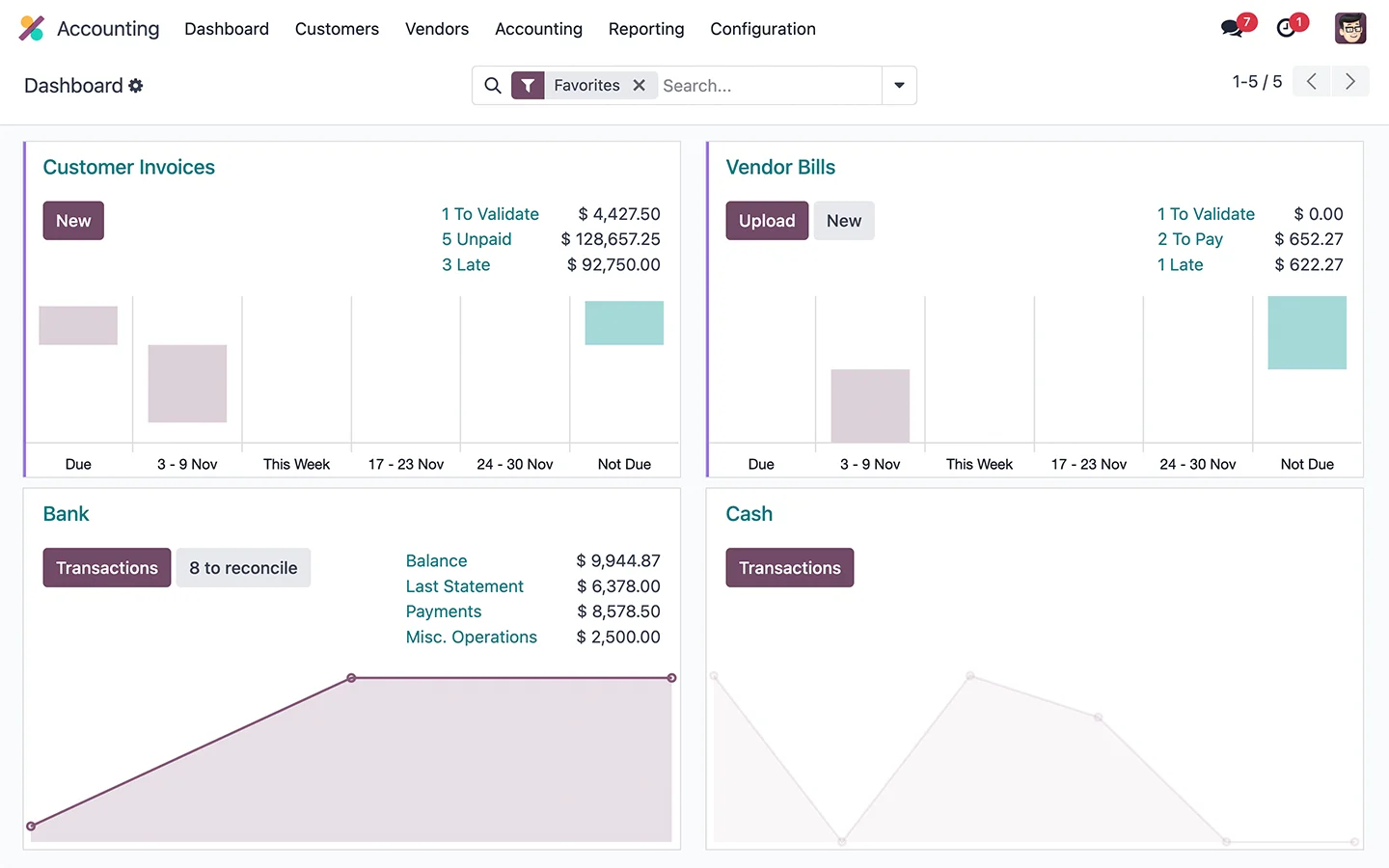
Odoo sells accounting as one app in a modular ERP, priced per user. Its documentation covers bank reconciliation with auto-matching and lock dates, including a Hard Lock date that cannot be reversed.
Odoo sells accounting as one app inside a modular ERP, priced per user, with documentation that goes deeper on lock dates than most small-business tools.
Odoo's pricing page showed euros only when we read it: the Standard plan lists from EUR 19.90 per user per month and Custom from EUR 35.90, and we could not confirm which figures are monthly or yearly. We found no USD price on a first-party page. A free "One App" plan covers one app with unlimited users.
Odoo's documentation describes bank reconciliation that selects matching items automatically and bank synchronization through Plaid in the United States and Canada. For the close, it documents a lock date that prevents changes to posted entries on or before that date, and a Hard Lock date that's irreversible, which is the kind of control an auditor likes. Odoo's year-end guidance is to reconcile bank accounts first and then set the lock date to the last day of the prior fiscal year.
- you want accounting, inventory and other business apps in one system and have someone to configure it
- you want the option to self-host or to customize the system
- you want a ready-made US accounting setup with a one-click QuickBooks import: we found no official QuickBooks import, only a paid third-party app
- you want a published USD price: the pricing page we read showed euros only
- Users like
- accuracy and ease of use (Odoo Accounting listing on G2)
- Users dislike
- limited free version and cost of customization
- Source: G2, 358 reviews
What moves over from QuickBooks
We found no official QuickBooks import in Odoo's documentation. The importer we found is a third-party paid app at EUR 95.70 that brings in customers, vendors, the chart of accounts, items and invoices and bills from an IIF export. G2 lists Odoo ERP at 4.2 from 358 reviews, and the accounting-specific reviews are a smaller subset.
- Starting price
- USD price not published on the pages we read; euro list prices from EUR 19.90 per user per month (Standard) and EUR 35.90 (Custom)
- Lock dates
- Lock date plus an irreversible Hard Lock date
- Bank feeds
- Plaid in the US and Canada
- QuickBooks import
- Third-party paid importer (EUR 95.70), no official tool found
- Free option
- One App Free: one app, unlimited users
Sage Intacct
Sage Intacct
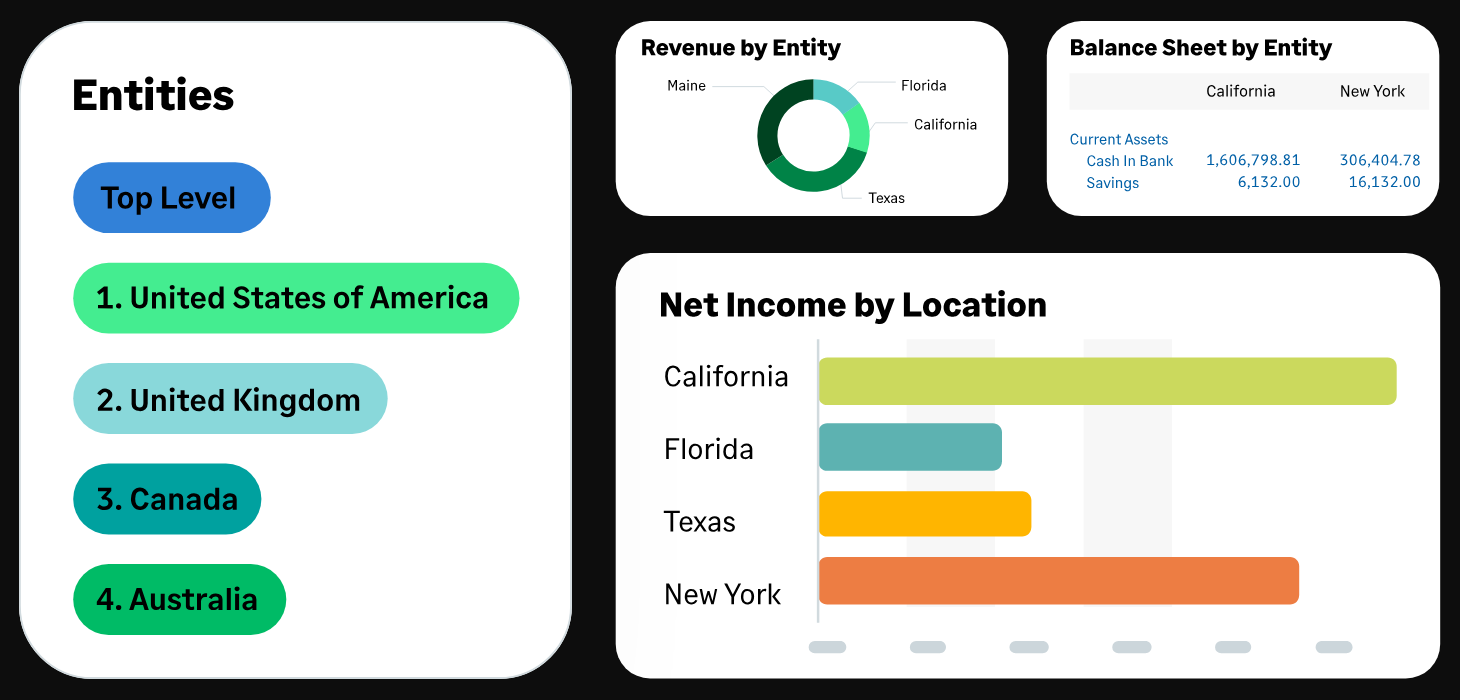
Sage Intacct is a cloud financial system for scaling and mid-sized companies. Entities share one login, reporting runs on dimensions such as location and department, and books close period by period so nothing can be posted into an older period.
Sage Intacct gives you one login across entities and reporting by dimension, which is what teams hit the wall on when they run classes and locations in QuickBooks.
Entities share a single account, so a new entity can be set up without IT, and inter-entity transactions are self-balancing. Reporting runs on dimensions: location and department are built in, and you can add your own. Bank feeds match transactions to reconciliation rules to speed up the close, though Sage notes that some account types and security profiles aren't supported. Consolidation, including multi-currency translation, is an extended capability sold separately. Sage lists more than 350 integrations in its marketplace.
For the close, books are closed period by period: once a period is closed, nothing can be posted into an older period in any application. That's the control QuickBooks only approximates with a closing date.
Sage publishes no plan names or prices and says only that pricing is tailored to your modules. G2 users report about four months to implement and about 17 months to see payback, while Sage itself says as few as 60 days.
- you run several entities or need reporting by department and location that QuickBooks classes cannot give you
- you want a controlled close with books that cannot be posted to once closed
- you are a small team on a small budget: pricing is quote-only and G2 users report about four months to implement
- you need consolidation on day one: consolidation is a separate paid capability
- Users like
- ease of use (1,027 mentions) and reporting (508 mentions)
- Users dislike
- missing features (385 mentions) and a steep learning curve (339 mentions)
- Source: G2, 4,524 reviews
What moves over from QuickBooks
We found no official Sage guide for importing QuickBooks into Intacct. A third-party tool in the Sage marketplace, GUMU from Greytrix, lists QuickBooks as a source and covers the general ledger, banks, receivables, payables, inventory, purchase orders and sales orders. Ask your implementation partner what history they migrate.
- Starting price
- Quote only; Sage publishes no plan names or prices
- Implementation
- As few as 60 days per Sage; about 4 months per G2 users
- Marketplace
- 350+ integrations per Sage
- Consolidation
- Separate extended capability
Oracle NetSuite
Oracle NetSuite
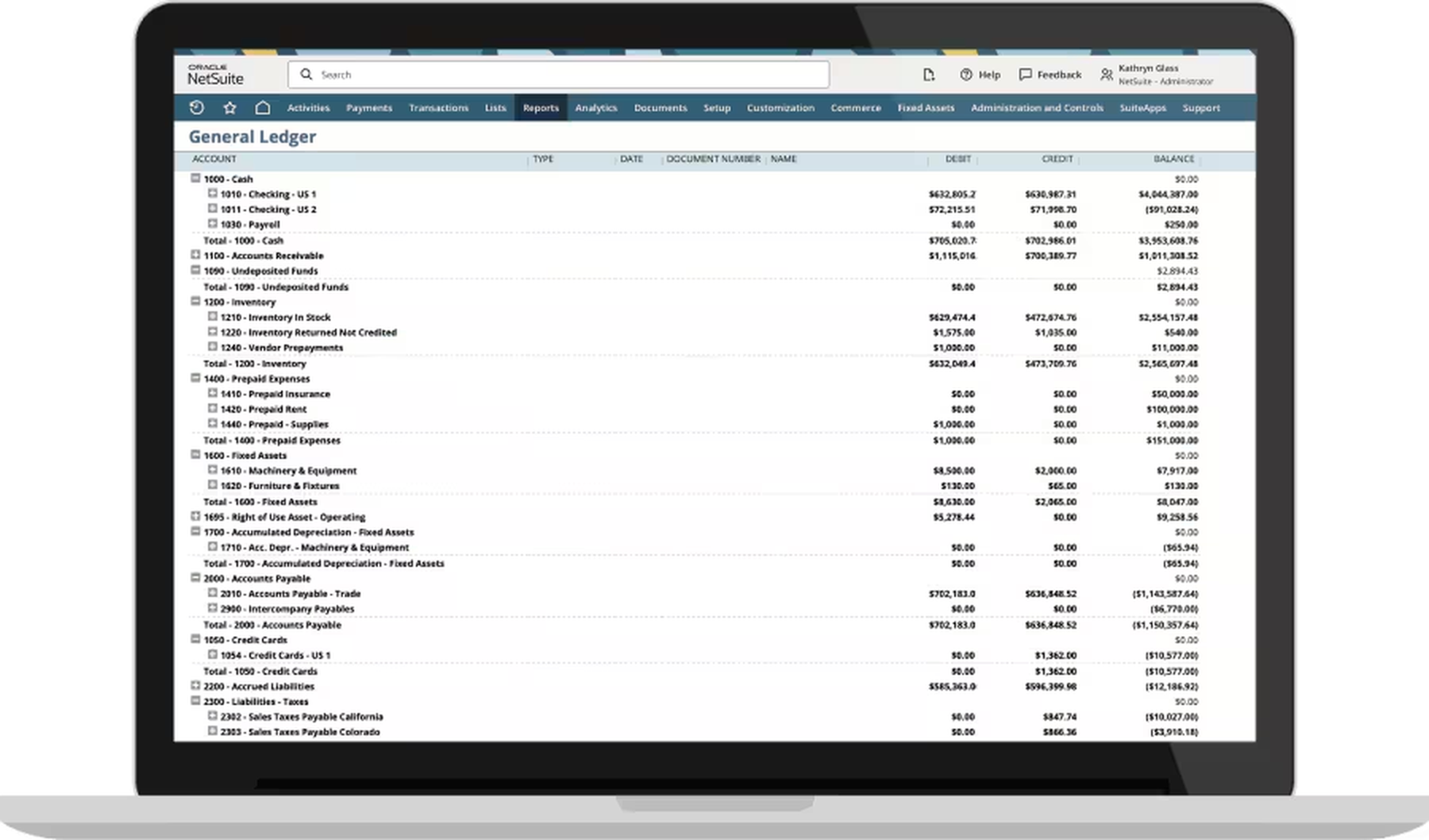
NetSuite is a cloud ERP: financials, inventory, order management and multi-subsidiary accounting in OneWorld. Accounting periods can be locked per subsidiary, and a separate permission lets selected users override a locked period.
NetSuite is an ERP, so it replaces QuickBooks and the operational tools around it, at the price and effort of an ERP project.
NetSuite covers financials, inventory, order management and, with OneWorld, multiple subsidiaries and more than 190 currencies. It describes pricing as tailored and customer-specific and publishes no starting price, so treat any dollar figure from a reseller blog as unverified. Its own cost guide says standard support commonly runs 10% to 20% of the annual license fee, and data migration can add another 15% to 20% to the project.
Period locking is where it fits a controller's needs. In OneWorld you can lock accounting periods at the subsidiary level, users can't enter transactions in a locked period, and only users with the Override Period Restrictions permission can post into one. Only controllers and administrators with the period close permission can lock or unlock subsidiaries.
NetSuite's own timeline for a simple, single-entity project is 8 to 14 weeks, and 4 to 11 months for a moderately complex midmarket project. G2 users report about six months on average.
- you are outgrowing QuickBooks on entities, currencies or inventory and want one ERP for finance and operations
- you need period locks and role-based separation of duties for audit
- you are a small team that needs a ledger and a close checklist: NetSuite's own article puts a simple single-entity project at 8 to 14 weeks
- you need a published price to compare: NetSuite publishes none
- Users like
- integrated platform and customization (search-indexed G2 summaries)
- Users dislike
- implementation cost and learning curve
- Source: G2, 4,984 reviews
What moves over from QuickBooks
NetSuite says migrating from QuickBooks is simple with its SuiteSuccess Financial First program, but we found no page that lists what is imported. NetSuite's own cost guide asks how many years of transaction history come along for the migration, which is the question to settle first.
- Starting price
- Quote only; NetSuite describes its pricing as tailored and customer-specific
- Implementation
- 8 to 14 weeks simple single-entity; 4 to 11 months midmarket (NetSuite)
- Period lock
- Per subsidiary in OneWorld; Override Period Restrictions permission
- Currencies
- More than 190
How do the alternatives handle month-end close controls?
Most alternatives let you lock a closed period, but they differ in who can change the lock and what it blocks. We found a lock or closing date in the vendor documentation for QuickBooks Online, Xero, Zoho Books, Odoo, Sage Intacct and NetSuite, and found none for FreshBooks or Wave.
| Tool | Period lock | What to know |
|---|---|---|
| QuickBooks Online | Closing date protected by a password, plus an Exceptions to Closing Date report | Only admins can change it; role-based permissions start on Advanced |
| Xero | Lock dates | Setting or changing them needs the advisor user role |
| Zoho Books | Transaction locking by module or for all modules | Transactions dated on the lock date can still be edited |
| FreshBooks | None found in the help center | Ask the vendor if you need one |
| Wave | None found on the pages we could read | Help center unreachable during our check |
| Odoo Accounting | Lock date plus an irreversible Hard Lock date | Documented in the year-end guide |
| Sage Intacct | Books close by period | Closed periods can't take new postings |
| NetSuite | Period lock per subsidiary in OneWorld | Override Period Restrictions permission for exceptions |
A lock stops new postings. It doesn't tell you whether every task before the lock was done, who reviewed it and where the proof is. That part of the close lives in a checklist, which we cover in our month-end close checklist and the financial close software roundup.
How much do the alternatives cost?
Cost depends on team size, because plans bundle users differently. The calculator shows the cheapest plan that includes your headcount on monthly billing at list prices, so plan features differ: Zoho Books inventory starts on Professional and QuickBooks Online inventory on Plus.
Monthly billing, US list prices, October 24, 2026. Excludes payroll, payments and introductory discounts. Zoho Books Ultimate is the only plan listed with 15 users.
Conversion fees are small next to subscriptions where they are published. The only one we found is EUR 95.70 for a third-party Odoo importer, and Xero's partner app and FreshBooks' Easy Switch fee are not published on the pages we read. The table below shows what raises the bill after the entry price.
| Tool | Entry price | What grows the bill |
|---|---|---|
| QuickBooks Online | $38 per month (Simple Start) | Plan tier for each extra user group, payroll and payments |
| Xero | $27 per month (Early) | Plan tier for invoice limits and multi-currency, payroll add-on |
| Zoho Books | $20 per month (Standard), or Free | Plan tier for inventory and roles, $3 per extra user |
| FreshBooks | $23 per month (Lite) | Billable clients, $11 per extra team member |
| Wave | $0 (Starter) | Pro at $19 per month, card fees, payroll |
| Odoo Accounting | EUR 19.90 per user per month | Per user, plus customization cost |
| Sage Intacct | Quote only | Modules, entities, consolidation |
| NetSuite | Quote only | Modules, users, subsidiaries, implementation |
How do you move from QuickBooks without breaking the books?
Close the last QuickBooks period first, cut over at a month or year boundary, and run one close in both systems. For the small-team tools that is a few weeks of work around one close. Sage says an Intacct rollout can take as few as 60 days, NetSuite's own guide puts a simple single-entity project at 8 to 14 weeks, and G2 users report about four and six months. The move itself is rarely the hard part. Gaps appear in opening balances, open invoices and bank history.
Close the last QuickBooks period
Reconcile every bank and card account, post your accruals and set the closing date in QuickBooks so the numbers you migrate can't shift.
Export lists and reports
Export the chart of accounts, customers, vendors, items, the trial balance and open invoices and bills. Save the general ledger for the closed periods as a reference.
Import lists, then opening balances
Import contacts and the chart of accounts first. In Zoho Books, for example, opening balances can be imported only for contacts that already exist.
Check the bank history you lose
Zoho Books fetches only the last 90 days of bank transactions, and other tools differ. Decide which statements you'll reconcile from QuickBooks exports.
Run one close in parallel
Reconcile the first month in the new system and compare the trial balance to QuickBooks. Fix the differences before you cancel.
How do you choose a QuickBooks alternative?
Pick by the reason you're leaving, then test two things in a trial: the integration you can't live without and your last month-end close. Five checks cover most decisions.
- Users and roles. Count the people who need access, including your accountant. Xero has no per-user fees, Zoho Books and QuickBooks bundle users into plans, and FreshBooks caps billable clients.
- Total cost, not entry price. Include payroll, payment fees and the tier that unlocks inventory or multi-currency.
- Close controls. Look for a lock date and decide who may change it. Systems with period close or a Hard Lock suit audited teams.
- Your accountant. Ask whether your accountant works in the tool. A cheaper ledger costs more if your bookkeeper charges to learn it.
- Growth. If you expect a second entity within two years, price Sage Intacct or NetSuite now, because a second migration costs more than the first.
- You want the nearest replacement without per-user feesXero
- You want a lower price with several users includedZoho Books
- You bill clients for services and want accountant accessFreshBooks
- You're a freelancer or micro business with a tight budgetWave
- You want accounting inside a modular ERP and have someone to configure itOdoo Accounting
- You run several entities and need dimensions and period closeSage Intacct
- You need an ERP for finance, inventory and operationsOracle NetSuite
Where does the first close after switching get tracked?
The first month in a new system is the riskiest close of the year, and none of the tools above tracks who prepared and who reviewed each step. Teams usually fall back on a spreadsheet. The Finance Lead is a small tool for that gap: recurring close checklists, evidence attached to each task and preparer and reviewer sign-off. It doesn't touch your ledger or bank data and isn't an accounting system, so it works the same in Xero, Zoho Books or QuickBooks.
FAQ
What is the best free alternative to QuickBooks?
Wave Starter is free for invoices, bills and bookkeeping records, but automatic bank connections need the Pro plan at $19 per month. Zoho Books also has a Free plan for 1 user plus an accountant, which stays free under $50,000 in annual revenue.
Is Xero cheaper than QuickBooks?
At list prices, yes: Xero's US plans run from $27 to $97 per month with no per-user license fees, against $38 to $340 per month for QuickBooks Online. The plans aren't feature-for-feature equal, and Xero limits the Early plan to 20 invoices and 5 bills a month.
What are the alternatives to QuickBooks Desktop?
Intuit no longer sells new Desktop Pro Plus, Premier Plus or Mac Plus subscriptions to US customers, though Enterprise is still sold. The usual targets are QuickBooks Online, Xero, Zoho Books for small teams and Sage Intacct or NetSuite for larger ones.
Which QuickBooks alternative is best for a team that outgrew it?
Sage Intacct and NetSuite are built for multiple entities and controlled period close. Both are quote-only, and G2 users report about four to six months to implement.
How long do I keep access to QuickBooks after I cancel?
Intuit says you've read-only access to your QuickBooks Online data for one year after you cancel a subscription, and you can export it to Excel or a desktop version during that time.
Do any alternatives include payroll?
Payroll is usually an add-on. Xero charges $36 a month plus $6 per employee, FreshBooks $40 a month plus $6 per user, and Wave starts payroll at $25 a month. Zoho Payroll is a separate Zoho app.