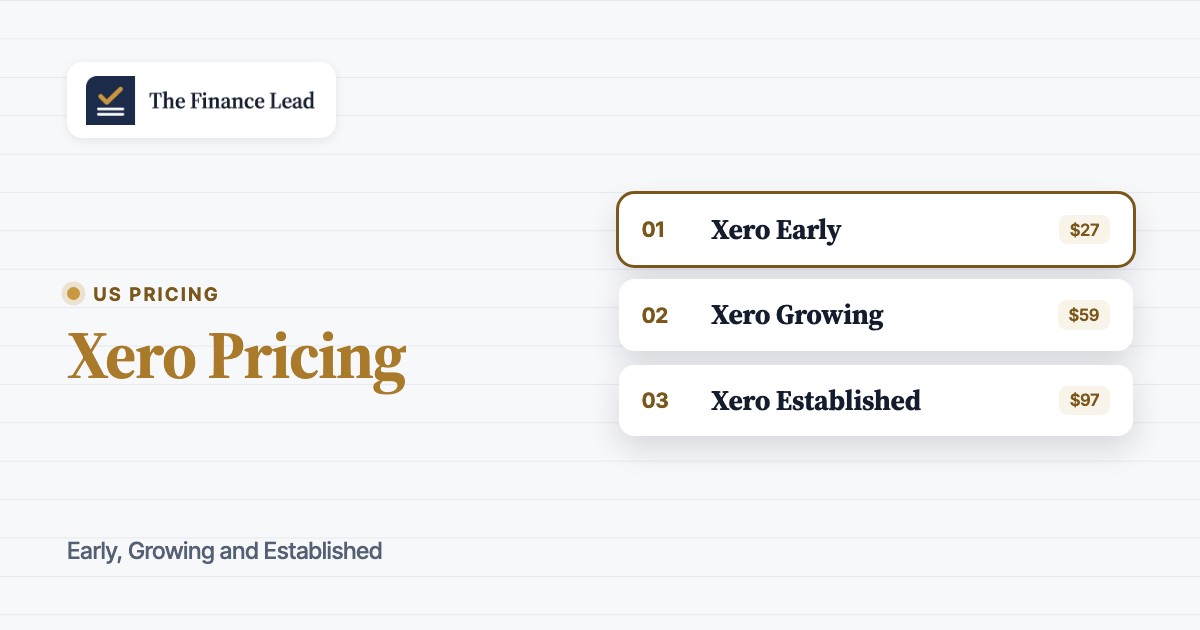
Xero pricing starts at $27 per month for Early, rises to $59 for Growing and reaches $97 for Established in the United States. These aren't per-user rates, they're regular monthly subscription prices. Xero's current new-customer promotion advertises 90% off the base subscription for the first 6 months, with an advertised November 2, 2026 end date. Check the offer at checkout, since what's advertised today may not last.
The cheapest plan isn't automatically the least expensive way to run your books. A controller should compare invoice and bill volume, who needs access, how bank transactions are reconciled and whether payroll, project costs or multiple currencies belong in the same ledger. A lower monthly fee doesn't help if the team outgrows its transaction limits before its first close.
Xero pricing plans at a glance
Xero has three US subscription plans: Early for low-volume bookkeeping, Growing for an active accounting workflow and Established for more complex reporting and transactions. The published list prices exclude sales tax and optional add-ons, while the temporary offer applies only to the base subscription.
- Early$27 per month, regularLow-volume entry
- 20 invoices and 5 bills
- Bank reconciliation and document capture
- 30-day cash flow forecast
- Growing$59 per month, regularActive books
- Invoices and bills without Early caps
- Automated bill entry and auto-reconcile
- 60-day forecast and dashboards
- Established$97 per month, regularComplex operations
- Multiple currencies and project costs
- Employee expense and mileage claims
- 180-day forecast and KPI analysis
US list prices checked October 20, 2026. Xero advertises 90% off the base plan for the first 6 months for eligible new US customers through November 2, 2026. Taxes, add-ons, usage and payment fees are extra.
The headline difference isn't how many people can log in, and it's not the user count at all. Xero states that its US plans have no per-user license fees. The price boundary sits in transaction volume and which workflows are included. That's why Growing makes a sensible starting comparison for a business with a controller, an outside accountant and several staff who need access, but permissions and the review process still need attention.
| Xero plan | Regular price (USD) / month | Annual run rate (USD) | Close-team decision trigger |
|---|---|---|---|
| Xero Early | $27 | $324 | Stay under invoice and bill caps |
| Xero Growing | $59 | $708 | Remove entry caps and add automation |
| Xero Established | $97 | $1,164 | Add currency, projects and employee claims |
The annual figures are twelve months at the regular monthly list price, not a separately advertised annual subscription. They make budgeting easier without implying that Xero sells a discounted annual contract.
What does each Xero plan include for accounting teams?
Xero's tiers share the basic accounting ledger, but their operational fit changes sharply as transaction volume and reporting requirements grow. Early works when activity is sparse, Growing removes its bottlenecks and Established adds workflows that a controller might otherwise track outside the books.
Xero Early: low volume, with a hard ceiling
Xero Early costs $27 per month at the regular US list price. It includes quotes, up to 20 invoices and 5 bills, bank reconciliation, Smart Document Capture, reports, sales tax and W-9 and 1099 management. Its cash flow forecast spans 30 days. Auto-reconcile is optional rather than included in the base plan.
A solo consultant who sends a few monthly invoices and pays a small number of suppliers can work comfortably within those limits. A company with recurring vendor invoices probably won't. You'll want to count every document entering the ledger, not just the ones typed manually, because Xero says invoices initiated by connected apps may count toward Early's invoice cap.
Early can look cheaper on a budget sheet while creating avoidable close work. If staff spend time moving invoices around to stay below the limit, the subscription isn't the only cost. Ask the bookkeeper to count the last normal month's approved invoices and entered bills before choosing it. Leave headroom for a busier month rather than assuming every period will resemble the quietest one.
Xero Growing: the working default for active books
Xero Growing costs $59 per month at the regular US list price. Compared with Early, it removes the listed invoice and bill ceilings, adds automated bill entry and auto-reconcile, supports customizable performance dashboards and provides a 60-day cash flow forecast. The plan also lists tailored financial health scorecards and budgeting suggestions.
Growing fits a finance team that reconciles several accounts, processes recurring payables and needs staff to work in the same books. Bank automation can reduce repetitive matching, but it doesn't remove the need to investigate exceptions or compare the final balance with external bank evidence. Someone still owns the reconciliation and someone else should review material differences.
The distinction matters at month-end. The person who clears transactions in the ledger isn't automatically the person who signs off that the account is complete. Keep an owner, a reviewer, the supporting statement and an exception log for each material account. Those are process decisions, not extra capabilities you should assume the subscription provides.
Xero Established: currencies, projects and expenses
Xero Established costs $97 per month at the regular US list price. It includes Growing's functions and adds multiple currencies, project time and cost tracking, employee expense and mileage claims, KPI analysis, industry benchmarking and a 180-day cash flow forecast.
Established is easier to justify when project profitability or foreign-currency activity is part of the accounting work. If a consulting team needs project costs reflected in its books, the higher tier can reduce the number of separate spreadsheets used to assemble that view. If a business only wants more invoices, Growing already addresses that need. Don't upgrade merely for a longer forecast unless the team will use it in a recurring decision.
For controllers, the right question is which extra transactions and reports must live in the accounting system. A project budget maintained elsewhere may be acceptable, and that's often fine, while foreign-currency receivables in the ledger call for a different workflow. Document the workflow you're relying on before choosing the plan.
Which Xero costs sit outside the subscription?
Xero's monthly plan price isn't the full operating budget when payroll, payment processing or optional automation is involved. Payroll has a base charge plus a per-person component, while payment method, taxes and optional add-ons can change the total.
Xero Payroll and headcount
Xero Payroll, powered by Gusto, is listed at $36 per month plus $6 per employee or contractor. It's an optional add-on, not a benefit included in Early, Growing or Established. The plan discount doesn't automatically reduce payroll charges.
For a business paying five people, the published payroll formula adds $66 per month: the $36 base plus five times $6. On Growing, that makes a regular combined subscription-and-payroll example $125 per month, before sales tax and any other charges. A payroll cost line should be modeled separately from the ledger subscription, because headcount can change while the plan stays the same.
Auto-reconcile, inventory and payment fees
Auto-reconcile on Early is listed as a $5-per-month optional add-on. It's listed in the Growing and Established feature sets. That's a real middle option: a low-volume business may want automatic reconciliation without paying for Growing's additional workflow features.
Inventory Plus is shown as an optional add-on for Growing and Established, but its current price isn't displayed in the primary US plan comparison. Ask for the live checkout total rather than leaning on a number from an older review, because you'll want the real figure. The same goes for card processing and nonstandard bill payments. Xero says standard domestic ACH bill payments are included, while other methods may carry fees.
A close budget should separate subscription fees from transaction fees. For example, the cost of paying a supplier internationally isn't the same thing as the cost of recording the bill. The ledger price belongs in software expense, while the payment fee belongs in the team's expected transaction costs.
How much does Xero cost over a year?
At regular US list prices, a year of Xero costs $324 on Early, $708 on Growing or $1,164 on Established, before tax and add-ons. Under the current 90%-off-for-six-months promotion, an eligible first-year base subscription would instead total $178.20, $389.40 or $640.20 respectively, assuming six discounted months followed by six regular months.
| Xero plan | Regular 12 months (USD) | Promotional first year (USD) | Difference (USD) |
|---|---|---|---|
| Xero Early | $324 | $178.20 | $145.80 |
| Xero Growing | $708 | $389.40 | $318.60 |
| Xero Established | $1,164 | $640.20 | $523.80 |
These are illustrative calculations from the offer visible on October 20, 2026, not a quote or guarantee from Xero. The promotion applies to eligible new US customers purchasing their first organization and is scheduled to end November 2, 2026. A full-year comparison should also include payroll and payment fees if the company uses them.
A payroll-inclusive Xero Growing example
A team using Growing and paying five employees or contractors through Xero Payroll would spend $125 per regular month for those two subscriptions, or $1,500 across twelve regular-priced months. With the current introductory offer on Growing's base plan, the same simplified first-year example totals $1,181.40. Payroll stays at the published base and per-person charges in this example, and the calculation excludes taxes and other usage.
The interactive estimate below uses regular Growing pricing plus the published payroll formula. It assumes payroll is active; it isn't a general-purpose Xero price quote.
Assumes Xero Growing plus active payroll. Before taxes, payment fees and other add-ons. Regular US prices checked October 20, 2026; promotion not included in calculator.
The calculator deliberately excludes an annual-prepay discount because the US pricing page describes monthly billing and doesn't publish a discounted annual rate. If the payroll headcount changes during the year, calculate each month separately rather than multiplying the current total by twelve.
How to choose the right Xero plan for your finance workflow
Choose Xero Early only when both invoice and bill volume stay below its limits; choose Growing for regular activity and automation; choose Established when multiple currencies, projects or employee expense claims must be managed inside Xero. Team size alone isn't the deciding factor because Xero doesn't list per-user license charges.
- A small practice sends few invoices and enters few billsEarly, if the document counts stay within the published caps
- Bills and invoices routinely exceed Early's limitsGrowing, because the entry caps are the constraint
- A controller needs automated reconciliation and dashboardsGrowing, after checking the actual close workflow
- Foreign-currency invoices or project time and costs live in the booksEstablished, if those functions are required
- Several colleagues and an outside accountant need accessCompare workflow permissions, not per-user license fees
- Payroll is requiredAdd the separate payroll base and per-person cost to any plan
Decision example: a service business with a bookkeeper
Imagine a service business with regular client invoices, a bookkeeper preparing the close and a controller reviewing it. The company has no foreign-currency activity and doesn't need project-cost tracking in its accounting ledger. Growing is the first plan to evaluate, because the value comes from removing Early's caps and reducing manual bill and reconciliation work, not from buying the highest tier.
You'll still want to run a short workflow test before committing. Have the bookkeeper import a representative bank statement, process the usual bills and prepare the month-end balance sheet. Then have the reviewer confirm which evidence is available, which exceptions remain and how corrections are approved. The test exposes process gaps that a feature list can't, and it's cheap to run.
Decision example: a multi-entity finance team
A business with several legal entities should budget a subscription for each Xero organization it needs. Xero announced that its multi-organization discount would be phased out from October 1, 2026. You'll want to inspect actual invoices instead of assuming an old group discount still applies.
Entity count also changes the close process. Each ledger needs its own reconciliations, sign-offs and intercompany checks. A consolidated status view is an operational requirement that the finance team should define separately from Xero's plan pricing. Paying for a higher Xero tier doesn't, by itself, establish that approval workflow.
What changed in Xero pricing in October 2026?
Xero raised its US regular monthly prices on October 1, 2026 for new and existing subscribers. Early increased from $25 to $27, Growing from $55 to $59 and Established from $90 to $97, according to Xero's price update notice.
The monthly changes are $2, $4 and $7 respectively. Xero also said existing discounts and promo codes would continue to apply until their own expiration, while the multi-organization discount would begin to be phased out. If you're renewing this quarter, compare the old invoice with the new one and separate the list-price change from any lost discount.
Older comparison articles may still display the previous plan rates or a promotion that has already ended. Use the current US list price as the baseline, then apply only an offer shown at checkout. A temporary introductory price isn't a durable budget assumption.
What are Xero's billing, cancellation and downgrade terms?
Xero's US subscriptions renew monthly and the published offer details require one month's notice to cancel a subscription. Xero also states that moving to a less expensive plan is possible one month after an upgrade. A temporary introductory offer doesn't erase those terms.
The advertised promotion offers 90% off the base plan for the first 6 months for eligible new US customers buying their first organization, with a stated November 2, 2026 deadline. Xero says it can't be combined with another offer, and the discount excludes add-ons, usage and payment fees. A separate one-month-free option is also advertised, so don't assume both apply, and compare the available paths.
For purchase approval, save the plan, promotional code or offer shown at checkout, billing address, effective date and cancellation terms. Put the renewal owner and notice deadline on the finance calendar. The subscription is monthly, but the decision to keep it shouldn't be automatic, so give it a named owner and a review date.
What should a controller verify before buying Xero?
A controller should test transaction volume, access roles, bank reconciliation, reporting and close evidence before selecting a Xero tier. Those checks distinguish software capability from a complete accounting control, which still requires people, review criteria and documented decisions.
Count invoices and bills
Use a representative month, including invoices created by connected apps. Compare the counts with Early's limits and note expected peaks.
Map the close handoff
Name who prepares each reconciliation, who reviews it and where supporting statements and exceptions are retained.
Run the bank reconciliation
Import a real sample, inspect suggested matches and identify how unresolved statement lines are escalated before sign-off.
Test permissions and reports
Give each role only the access needed for its work. Confirm the controller can retrieve the reports and supporting detail required for review.
Build the complete monthly cost
Add payroll, optional reconciliation, payment methods, taxes and any separate inventory add-on to the base plan.
Record renewal and cancellation ownership
Keep the offer details, renewal date and notice requirement with the purchasing record. Assign a person to revisit plan fit.
Xero's help material describes lock dates that may restrict edits to past periods, although the exact behavior should be confirmed in the current account before relying on it as a control. A lock date isn't the same as evidence that a preparer completed the close and an independent reviewer approved it. Treat the ledger state and the sign-off record as separate questions.
What you'll get out of this review is a small decision memo: expected monthly invoice volume, expected bills, required currency and project features, payroll headcount, named preparer and reviewer, and the full estimated cost. If a feature can't be demonstrated in the plan you're buying, keep it as an open item rather than turning a sales description into a control assertion.
Is Xero cheaper than QuickBooks for a finance team?
Xero can be attractive to a team that needs multiple people in the accounting system because its US plan page advertises no per-user license fees. The fair comparison with QuickBooks depends on the required workflows, the QuickBooks tier that supports them and the current offers on both sides, not just the cheapest advertised price.
For a controller, compare the month-end tasks first: who can post journals, how bank statements are matched, what reports are available and how exceptions reach a reviewer. Then compare subscription and add-on costs on the same billing basis. A lower starting fee can lose its advantage if it lacks the function the team needs, while a higher plan can be unnecessary if the work happens outside the ledger.
Our QuickBooks Online pricing breakdown provides the other side of that cost decision. If your immediate problem is who has finished the close rather than which ledger to buy, use the month-end close checklist to define the owners, evidence and approvals first.
Frequently asked questions about Xero pricing
The most common Xero pricing questions concern the regular plan cost, user access, introductory offers and what payroll adds. The answers below use the US plan and offer information checked October 20, 2026.
How much does Xero cost per month in the US?
Xero costs $27 for Early, $59 for Growing and $97 for Established per month at regular US list prices, before tax and optional add-ons.
Does Xero charge for each user?
Xero's US pricing page states that there are no per-user license fees. Plan selection still depends on transaction limits and required features.
Is Xero Early enough for a small business?
Xero Early can fit a small business with no more than 20 invoices and 5 bills per month. Count invoices created through connected apps as well as manual entries before choosing it.
How much does Xero Payroll add?
Xero Payroll, powered by Gusto, is listed at $36 per month plus $6 per employee or contractor. The charge is separate from the base accounting subscription.
Does Xero have an annual subscription discount?
Xero's current US plan page describes monthly billing and doesn't publish a separate annual-prepay price. Multiply the regular monthly fee by twelve for a budgeting run rate, not a vendor annual quote.
Can I cancel Xero whenever I want?
Xero's US offer details require one month's notice for cancellation, and charges may continue during that notice period. Review the terms shown in your account before making a change.