Expense management software automates how a company tracks, submits, approves and reimburses employee spending while it enforces the expense policy. For a finance team, though, the job doesn't end at approval. The same software has to code each expense to the right GL account and department, sync it to QuickBooks, NetSuite or Sage Intacct, and leave a receipt trail that holds up at month end and in the audit.
We compared nine expense management tools from that angle: Ramp, Brex, BILL Spend & Expense, Expensify, Zoho Expense, Sage Expense Management (formerly Fyle), Navan, SAP Concur Expense and Emburse. Most "best expense management software" lists in today's search results are written by a vendor that ranks its own product first. This one isn't. Our own product is a month-end close checklist, not an expense tool, so it isn't ranked. For every tool we read the US pricing page, the expense product page, at least one help center article on how sync, approvals or reimbursement actually work, and its G2 reviews, all in October 2026.
- expense tools compared
- 9
- offer a $0 plan for companies
- 5
- G2 reviews behind the ratings
- 32,182
- document accrual or clearing-account posting
- 4
Our picks by situation
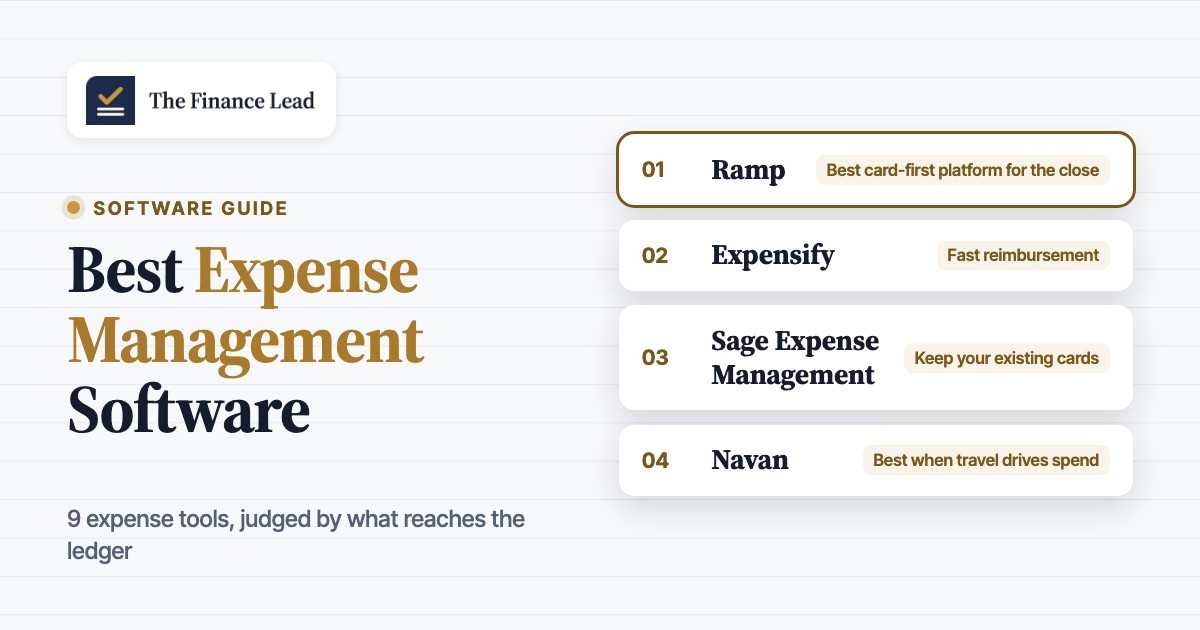
 Best card-first platform for the closeRampFree plan with QuickBooks Online and Xero sync; Plus books an auto-reversing accrual for card spend that hasn't synced by month end.
 Best for policy at the swipe and NetSuite posting choicesBrexOut-of-policy card spend declines at the point of sale, and NetSuite posting is configurable for cards and reimbursements.
 Best free card program for BILL AP usersBILL Spend & Expense$0 software with budgets per card and a period readiness view that counts what still blocks the sync.
 Best report-based tool for fast reimbursementExpensifyNext-business-day ACH for small US payouts, global reimbursement and a choice of export record in QuickBooks Online.
 Best low-cost option for small teamsZoho ExpenseFree for up to 3 users and $3 per user on Standard, with criteria-based approvals and QuickBooks or Xero sync.
 Best if you keep your existing cardsSage Expense ManagementReal-time feeds from your Visa, Mastercard and Amex cards, receipts by text message and per-expense-type posting rules.
 Best when travel drives spendNavanBookings, cards and expenses in one record, free travel and 5 free expensing users for companies up to 300 employees.
 Our product · for the month-end evidence, not the expensesThe Finance LeadClose checklist with evidence, preparer and reviewer sign-off and reminders for accounting teams of 2 to 8.
Expense management software compared
| Tool | Type of tool | What it does best for finance | Pricing (USD) | G2 rating |
|---|---|---|---|---|
| Ramp | Card-first spend platform | Card spend from swipe to coded, synced ERP entry, including month-end card accruals | Free: $0/mo/user; Plus: $15/mo/user + platform fee based on team size (save 20% with annual billing); Enterprise: Custom | 4.8 (2,460) |
| Brex | Card-first global spend platform | Policy-at-swipe card spend and multi-entity sync to the ERP, incl. card and reimbursement accruals | Essentials: $0 user/month; Premium: $12 user/month; Enterprise: Custom pricing; Smart Card: Custom pricing | 4.8 (1,506) |
| BILL Spend & Expense | Card-first spend platform (free software, interchange funded) | Card spend controls, receipt capture and coded card transactions synced to the GL | Spend & Expense: $0 per user per month; no per-user subscription fees. Per-transaction fees apply to some payment types (checks, ACH, instant transfers, international payments). Credit lines from $1,000 to $5M, not guaranteed, set on application approval. | 4.5 (2,241) |
| Expensify | Report-based expense app with own card | Receipt capture, report approval and employee reimbursement, with export to QuickBooks, Xero, NetSuite or Sage Intacct | Submit: free; Collect: $5 per unique member/month (pay-per-use, no annual contract); Control: $18 per member/month on annual subscription (as low as $9 with Expensify Card), $36 per active member/month pay-per-use (as low as $18 with Expensify Card) | 4.5 (5,654) |
| Zoho Expense | Low-cost expense reporting and T&E suite | Report-based expense capture, policy and approvals, with exports to QuickBooks, Xero, Zoho Books and Sage Accounting | Free: $0 (max 3 users); Standard: $4 per user/month billed monthly, $3 billed annually; Premium: $6 per user/month billed monthly, $5 billed annually; Enterprise: custom quote. Prices exclusive of local taxes. | 4.5 (1,542) |
| Sage Expense Management | Card-agnostic expense management for SMBs (Sage-owned) | Real-time capture and receipt matching on existing corporate cards, then coded two-way sync to QuickBooks, Xero or Sage | Growth $11.99 per active user / month billed annually (min. 5 users); Business $14.99 per active user / month billed annually (min. 10 users); Enterprise custom pricing (250+ employees). Monthly billing option shown without prices. Active user = creates at least one expense or has a connected card with at least one transaction that month. | 4.6 (1,782) |
 Emburse Spend Emburse Spend | Bring-your-own-card expense platform (SMB) | Receipt capture and card reconciliation on existing cards, then hourly sync of coded expenses into QuickBooks | Emburse Spend: Basic $8 per user/month; Plus $12 per user/month; Custom: Custom. 30-day free trial for very small organizations (eligibility form). Guided implementation is an optional paid add-on. | 4.5 (1,130) |
| Navan | Travel and expense suite with corporate cards | Travel booking plus card and out-of-pocket expense capture with policy checks, synced to the ERP | Navan Business (up to 300 employees): Travel free; Expense free for the first 5 monthly expensing users, then $15 per user per month. Navan Enterprise: quote (Let's talk). | 4.7 (9,300) |
 SAP Concur Expense SAP Concur Expense | Report-based T&E suite | Expense report submission, policy audit and approval routing ahead of posting to the ERP | Base: Starting at $7 per report, unlimited users. Plus: Starting at $11 per report, unlimited users. Premium: Custom pricing. Price can vary based on monthly commitment; all prices in USD. | 4.0 (6,567) |
| The Finance Lead Our product | Month-end close checklists | Tracks close tasks, evidence and preparer/reviewer sign-off | Team $39/month (up to 8 team members), Plus $79/month (adds MCP agent integration); 14-day free trial, no credit card required | No reviews yet |
Prices in USD from each vendor's US pricing page and G2 data, checked on October 20, 2026. G2 blocks automated access, so ratings and counts come from G2 pages as indexed by search. The Navan and SAP Concur ratings cover the whole product, not only expense management.
What expense management software does
Expense management software replaces the receipt envelope, the spreadsheet expense report and the "can you approve this?" email with one flow. An employee captures a receipt or a card transaction, the software checks it against your policy, routes it to the right approver, pays the employee back if they used their own money, and posts the coded expense to your accounting system. Every tool in this guide covers those five steps, but they differ in where the money comes from and in how much of the posting work they take off your team.
Expense management tools follow two basic models. Card-first platforms such as Ramp, Brex and BILL Spend & Expense issue their own corporate cards and treat out-of-pocket reimbursement as the exception. Their software usually has a $0 plan, and the product is built around the vendor's own card. Report-based tools such as Expensify, Zoho Expense and Sage Expense Management start from the expense report. They import feeds from the cards you already have and reimburse employees by ACH, and you pay per user. Travel and enterprise suites such as Navan and SAP Concur add booking, per diem rules and multi-country reimbursement on top of either model.
Expense management is also a narrower term than spend management. Spend management usually adds accounts payable, purchase requests and vendor cards, which is why Ramp, Brex and BILL sell AP in the same product family. If your pain is supplier invoices rather than employee spend, look at AP automation instead.
- Step 1Capture the receipt or card charge
- Expensify
- Sage Expense Management
- Emburse Spend
Breaks when the receipt never arrives, or the scan reads the wrong amount - Step 2Check policy and approve
- Brex
- Ramp
- Zoho Expense
Breaks when approvals stall with one person, or out-of-policy spend gets waved through - Step 3Pay the card or reimburse
- BILL Spend & Expense
- Expensify
- Navan
Breaks when the employee waits a week, or the payout isn't marked paid in the ledger - Step 4Code and sync to the ERP
- Ramp
- Brex
- Sage Expense Management
- SAP Concur Expense
Breaks when a class or department is missing, or the same report posts twice - At month endAccrue, reconcile, keep evidence
- Ramp
- BILL Spend & Expense
- The Finance Lead
Catches unsynced card spend, late reports and missing support for the close
The two steps that break most often aren't capture and approval, though. They're coding and the month-end cut-off. A coded expense that syncs to the wrong class, a card charge that posts to the ERP in the next period, or a report that an employee submits on the 3rd for last month's travel all land on the accountant's desk during the close.
How each tool gets expenses into your ledger
How a tool gets expenses into your ledger decides more about a finance team's daily work than its receipt scanner does. Before you shortlist, check three things for your ERP: whether the connector is native and on which plan, which record the tool creates (bill, card charge, journal entry), and whether it handles card accruals at month end. The table shows what each vendor documents on its own pricing and help pages.
| Tool | QuickBooks Online | Xero | NetSuite | Sage Intacct | Other ERPs | Month-end card handling |
|---|---|---|---|---|---|---|
| Ramp | Free plan | Free plan | Plus | Plus | Acumatica and Business Central on Plus; Workday, Oracle Fusion, Dynamics F&O on Enterprise | Auto-reversing accrual entry for unsynced card spend (Plus) |
| Brex | Yes | Yes | Yes, journal entries or card transactions | Yes | One ERP connection at a time | Card and reimbursement accrual liability accounts (NetSuite) |
| BILL Spend & Expense | Yes (also Desktop) | Yes | Yes | Yes, nightly | Business Central, Acumatica | Period readiness view; accruals not documented |
| Expensify | Collect | Collect | Control | Control | QuickBooks Desktop, Certinia on Control | Expensify Card settles through clearing and liability accounts |
| Zoho Expense | Yes | Yes | Third-party extension only | No native connector | Zoho Books, QuickBooks Desktop, Sage Accounting | Not documented |
| Sage Expense Management | Growth | Growth | Existing customers only | Business, one-time fee | QuickBooks Desktop, Sage 300 CRE, Sage 50 (beta) | Posts closed-period expenses to the next open period |
| Emburse Spend | Basic, hourly | Basic | Plus | Plus | QuickBooks Desktop; SFTP exports on Plus | Accrual mode posts each expense to a clearing account on its date |
| Navan | Yes | Yes | Yes | Yes | Datev, CSV export | Not documented |
| SAP Concur Expense | Yes, bills on approval | Yes | Yes, journal entries on approval | Yes | SAP, Business Central, QuickBooks Desktop | Failed-posting query; accruals not documented |
A few patterns stand out. QuickBooks Online and Xero are covered by every tool, usually on the cheapest paid or free plan. NetSuite and Sage Intacct, on the other hand, are where plans split: Ramp puts them on Plus, Expensify on Control, Sage Expense Management puts Sage Intacct on Business with a one-time implementation fee, and Zoho Expense has no native NetSuite or Sage Intacct connector at all. Only Ramp and Brex document how they accrue card spend that hasn't synced by month end. Two more document clearing-account posting: Expensify for its own card's settlements, and Emburse Spend, whose accrual mode posts each expense to a clearing account on its expense date.
On QuickBooks Online, the QuickBooks plan matters too. Zoho Expense's one-bill-per-report export, for example, doesn't work on QuickBooks Simple Start. Our QuickBooks Online pricing guide lists what each plan includes.
Card-first spend platforms
Credit card expense management software ties expense tracking to the company's own card program, so every swipe arrives as a transaction waiting for a receipt instead of a line on a report. Ramp, Brex and BILL Spend & Expense issue their own corporate cards, push policy to the moment of purchase and offer a $0 software plan. They fit companies that are willing to move most employee spend onto a new card program. If you want to keep your current bank cards or Amex, skip to the next group.
Ramp
Ramp is a US corporate card and spend management platform that bundles expense management, reimbursements, AP and accounting sync. The Free tier covers cards, receipts and QuickBooks Online/Xero sync; mid-market ERPs and accruals need Plus.
Ramp is the strongest card-first option when the deciding question is what reaches the ledger and when, because it documents the most complete month-end feature here: a ready-made, auto-reversing accrual entry for card spend that hasn't synced.
Every Ramp card and spend limit can carry preset accounting codes, so a transaction often arrives in the ERP already coded to the GL account, department and class. Coded card spend syncs to the accounting system in near real time. Reimbursements sync as bills, plus a bill payment when Ramp pays the employee.
The month-end feature is the reason controllers shortlist it. On Ramp Plus, the accruals feature takes card transactions dated on or before month end that haven't synced yet and posts them as one journal entry to a liability account you choose, one line per transaction or grouped by GL account, set to reverse automatically on a date you pick. Transactions that sync later move to the next open period, so the spend isn't counted twice. Ramp documents this for NetSuite, QuickBooks Online, Sage Intacct, Dynamics 365 Business Central, Workday Financial and CSV.
The catch is the plan line. The free plan syncs only to QuickBooks Online and Xero. NetSuite, Sage Intacct, Acumatica and Business Central, along with accruals and richer approval routing, need Plus at $15 per user per month plus a platform fee that Ramp doesn't publish.
- You want the corporate card to be the main expense channel and are on QuickBooks Online or Xero (free tier) or NetSuite/Sage Intacct (Plus)
- You want month-end accruals for unsynced card spend posted to the ERP as an auto-reversing journal entry
- Your approvers work in Slack or Teams and you want AI pre-review of in-policy expenses
- You only need out-of-pocket expense reports without moving card spend to Ramp, since the product is built around its own card
- You run NetSuite or Sage Intacct and need a free tool, because those ERPs and accruals sit on Plus with an unpublished platform fee
- You need payroll-based reimbursement, which Ramp's reimbursement docs don't describe
- Users like
- Ease of use; expense reports described as fast and intuitive
- Users dislike
- Duplicate-expense bugs and missing card features such as transaction PINs or competitive rewards; some cite rigid approval workflows
- Source: G2, 2,460 reviews
Capture, approvals and reimbursement
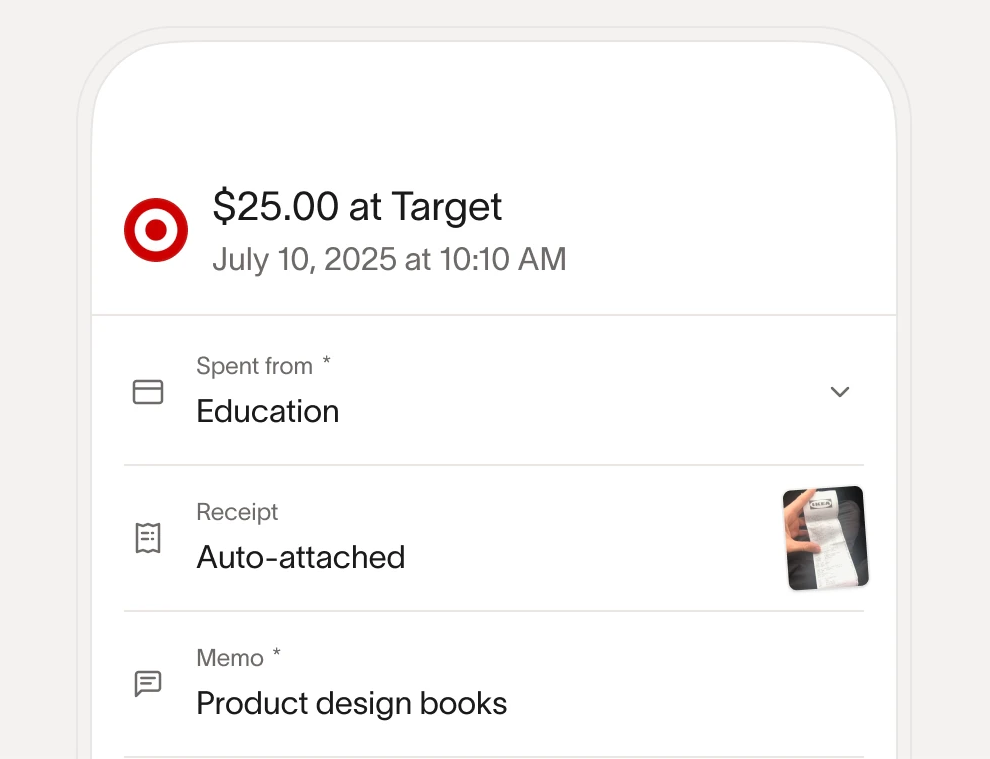
After a swipe, Ramp asks for the receipt by text, Slack, Teams or the app and matches it automatically. Its Policy Agent reviews each expense against your written policy, approves the compliant ones and sends exceptions to a person. On Plus, cards can lock when a required receipt is overdue, and approvals can route by vendor, department, accounting field or payment type.
Out-of-pocket spend and mileage (IRS rate, distance from Google Maps) go through the same app. Ramp's own pages give different reimbursement times: the admin help article says payment within 3 business days of approval, the product page says 1 to 2 business days and the submission guide says 3 to 5 for ACH. Payroll payout isn't documented.
- Starting price
- Free: $0/mo/user; Plus: $15/mo/user + platform fee based on team size (save 20% with annual billing); Enterprise: Custom
- Month end
- Auto-reversing accrual for unsynced card spend (Plus)
- ERPs on Free
- QuickBooks Online, Xero
- Reimbursement
- Within 3 business days of approval (help center)
Brex
Brex is a corporate card and spend management platform, owned by Capital One since April 2026, that enforces expense policy at the point of purchase and syncs coded spend to the ERP. A free Essentials plan exists; advanced policies and auto-approval rules need Premium at $12 per user per month.
Brex enforces the policy at the card itself and gives NetSuite teams the most explicit choice of how card and reimbursement spend posts. It's now owned by Capital One, which closed the acquisition on April 7, 2026.
Brex spend limits carry the policy, so a purchase in a blocked category declines at the point of sale instead of becoming an exception in someone's review queue. In-policy expenses auto-approve, and only flagged items reach a manager.
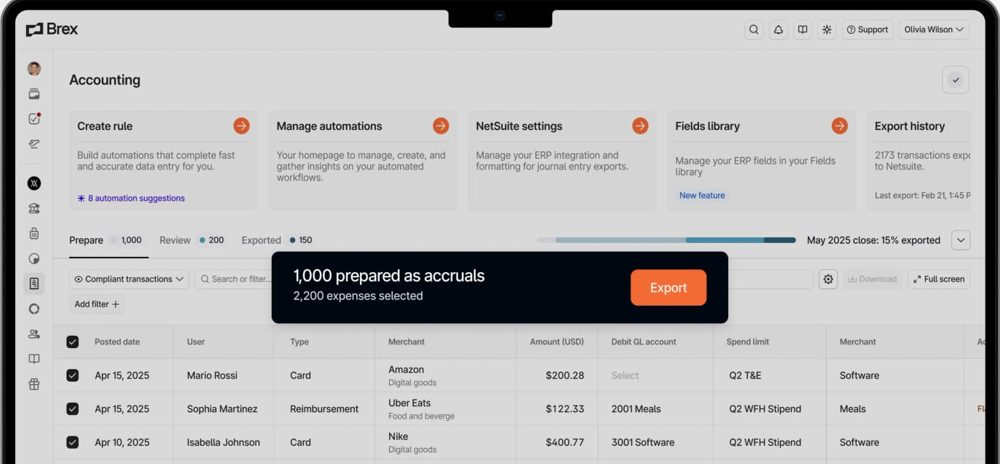
On the ledger side, Brex syncs natively with NetSuite, QuickBooks, Xero and Sage Intacct. Its NetSuite guide lets you post card spend as journal entries (the default) or as credit card transactions, and reimbursements as journal entries or vendor bills, batched daily, weekly or monthly. The setup asks for two liability accounts, one for card accruals and one for reimbursement accruals, and receipts are attached to the NetSuite record on export. Exported transactions can't be exported a second time, which protects you from duplicates but means corrections happen in the ERP.
Two limits matter for a finance team. Brex connects to one ERP at a time, so a group running two ledgers needs a workaround. Multiple expense policies, auto-approval thresholds and customizable ERP and HRIS integrations are on Premium at $12 per user per month, not on the free Essentials plan.
- You want policy enforced at the swipe (out-of-policy card spend declined) so finance reviews only exceptions
- You run NetSuite, Sage Intacct, QuickBooks or Xero across several entities or countries and want local-currency cards and reimbursements
- You want card and reimbursement accruals handled through ERP liability accounts at month end
- Employees need reimbursement money fast: Brex docs say funds usually arrive 4 to 8 business days after batching
- You need auto-approval thresholds or multiple policies on the free plan, which require Premium or Enterprise
- You run two accounting systems at once, since Brex allows only one active ERP connection
- Users like
- Interface, quick setup and support quality (G2 AI review summaries)
- Users dislike
- No single dominant theme verified on G2; scattered G2 reviews (mirrored on AWS Marketplace) mention cumbersome review process, occasional downtime and approval workflow gaps
- Source: G2, 1,506 reviews
Capture, approvals and reimbursement
Employees text or email the receipt after a swipe, or Brex generates one for supported merchants. Brex AI drafts the memo and suggests the GL category. Out-of-pocket and mileage claims are approved by the manager and then finance, and paid in batches to the employee's linked bank account.
Brex debits the company account for the batch on a daily cycle by default. Its help center says funds usually arrive 4 to 8 business days after batching, the slowest documented payout in this guide. Admins can trigger a mid-cycle payment, which typically takes 0 to 3 business days.
- Starting price
- Essentials: $0 user/month; Premium: $12 user/month; Enterprise: Custom pricing; Smart Card: Custom pricing
- NetSuite posting
- Card spend as journal entries or card transactions
- ERP connections
- One at a time
- Owner
- Capital One, since April 7, 2026
BILL Spend & Expense
A free expense management platform built around the BILL Divvy Card, with budgets, receipt capture, reimbursements and two-way ERP sync.
BILL Spend & Expense, formerly Divvy, is the free card program that makes the most sense when your team already runs payables in BILL, because reimbursement sync to QuickBooks Online depends on it.
Spending starts from budgets. Each budget has its own limit, and every physical or virtual BILL Divvy Card sits under a budget, so the department and often the GL coding are known before the purchase. BILL syncs two ways with QuickBooks Online and Desktop, NetSuite, Sage Intacct, Xero, Dynamics 365 Business Central and Acumatica. Sync runs on demand or automatically, nightly in the case of Sage Intacct. New accounts, departments and projects in the ERP are pulled back into BILL automatically.
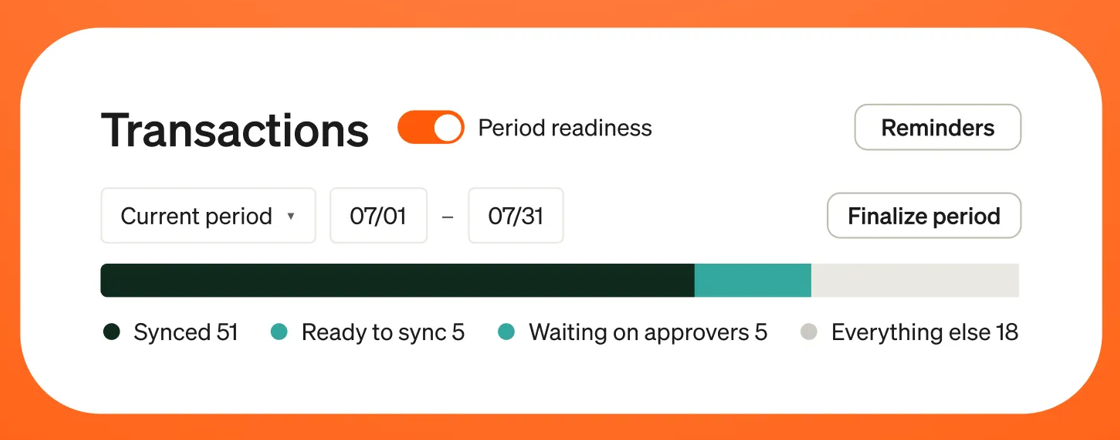
In October 2026 BILL added a period readiness view. You pick a period and see live counts of transactions that are synced, ready to sync, waiting on spenders or approvers, or failing to sync, with automatic reminders to approvers. That's the closest thing in this guide to a built-in month-end checklist for card spend. BILL doesn't document card accruals, though, and the help pages we read don't say which record type lands in the ERP.
Watch the reimbursement sync. It's supported for NetSuite and Sage Intacct, and for QuickBooks Online only if the company also has BILL AP & AR, which starts at $49 per user per month. Everyone else exports reimbursements by CSV.
- You want corporate cards plus expense software at no subscription cost and can qualify for a BILL credit line
- You run QuickBooks Online, NetSuite, Sage Intacct or Xero and want card transactions pre-coded and synced, ideally with BILL AP & AR already in place
- You want budget-based spend control with per-card limits set before money is spent
- Your employees are mostly paid out of pocket abroad: ACH reimbursement only reaches US bank accounts, non-US payouts must go through your payroll
- You don't want or can't get a BILL card credit line: the product is built around its own card program rather than your existing corporate cards
- You're on QuickBooks Online without BILL AP & AR: reimbursement sync to QBO is limited to accounts that have both products, otherwise reimbursements go out by CSV export
- Users like
- Ease of use, simple receipt upload and fast virtual card issuing
- Users dislike
- Accounting integration and sync issues (especially QuickBooks classes and locations), plus approval and budget setup complexity
- Source: G2, 2,241 reviews
Capture, approvals and reimbursement
Employees add receipts by photo in the app or by texting them to a BILL number, and Gmail receipt matching and merchant integrations fill gaps. BILL's Transaction Agent, generally available since April 2026, matches receipts and codes the fields an admin chooses, and cards with incomplete transactions can freeze automatically.
Reimbursements are free. BILL pays them by ACH 5 to 7 business days after approval, capped at $15,000, from one daily debit of the company bank account. ACH only reaches US bank accounts, so staff abroad are paid through payroll. BILL's pages don't say how it earns money on the free product; third-party reviews attribute it to card interchange.
- Starting price
- Spend & Expense: $0 per user per month; no per-user subscription fees. Per-transaction fees apply to some payment types (checks, ACH, instant transfers, international payments). Credit lines from $1,000 to $5M, not guaranteed, set on application approval.
- Credit line
- $1,000 to $5M, subject to approval
- Reimbursement
- Free ACH, 5 to 7 business days, US accounts
- Period close
- Readiness view with sync counts
Expense report and reimbursement tools
Expensify, Zoho Expense, Sage Expense Management and Emburse Spend start from the expense report and work with the cards you already have. They fit teams where a lot of spend is still out of pocket (mileage, travel paid on personal cards, field staff) or where the company won't switch card issuers.
Expensify
Expensify is a receipt-scanning and expense reporting app with its own Visa commercial card, ACH and global reimbursement, and accounting exports. Since April 2025 new workspaces pay $5 per unique member on Collect, and a free Submit plan exists for individual employees.
Expensify is the report-based tool with the fastest small reimbursements, a choice of export record in QuickBooks Online, and a card that reconciles itself in the GL.
An approved report can export to QuickBooks Online in three ways for reimbursable spend (check, vendor bill or journal entry) and as credit or debit card records or vendor bills for card spend. Categories come from your chart of accounts, and classes, customers or projects and locations map to tags or report fields. You also pick the export date: the last expense date, the submission date or the export date. That choice decides which period a late report lands in, so set it before go-live.
The Expensify Card adds what Expensify calls continuous reconciliation on QuickBooks Online, Xero, NetSuite and Sage Intacct. With daily settlement, the card amount sits in a clearing account and moves to a liability account and then to the expense account as each expense exports. Expensify creates those accounts itself, and a reconciliation dashboard shows settled and unsettled card spend.
Plans decide the ERP. Collect, at $5 per unique member per month with no annual contract, connects to QuickBooks Online and Xero. NetSuite, Sage Intacct, QuickBooks Desktop and Certinia need Control at $18 per member per month on an annual plan, or $9 with the Expensify Card. Expensify's help center also warns that re-exporting a report creates duplicates in QuickBooks Online.
- Small teams on QuickBooks Online or Xero that mainly need receipts captured, reports approved and employees reimbursed by ACH (Collect plan)
- NetSuite or Sage Intacct shops that want report-based expenses plus the Expensify Card with continuous reconciliation (Control plan)
- Employees who need a free way to scan receipts and submit reports to an approver before the company commits (Submit plan)
- Teams with many occasional users on Collect: billing counts every unique member, active or not
- Companies wanting per-member approval routing, ERP sync or SSO on a budget: these sit in Control at $18 per member annual without the card
- Buyers who dislike shifting pricing: Expensify has changed plan structure several times and legacy Collect customers (pre April 2025) are on different terms
- Users like
- Ease of use, quick receipt uploads and the mobile app
- Users dislike
- Receipt scanning inaccuracies that need manual fixes, plus complaints about a complicated or changing billing model
- Source: G2, 5,654 reviews
Capture, approvals and reimbursement
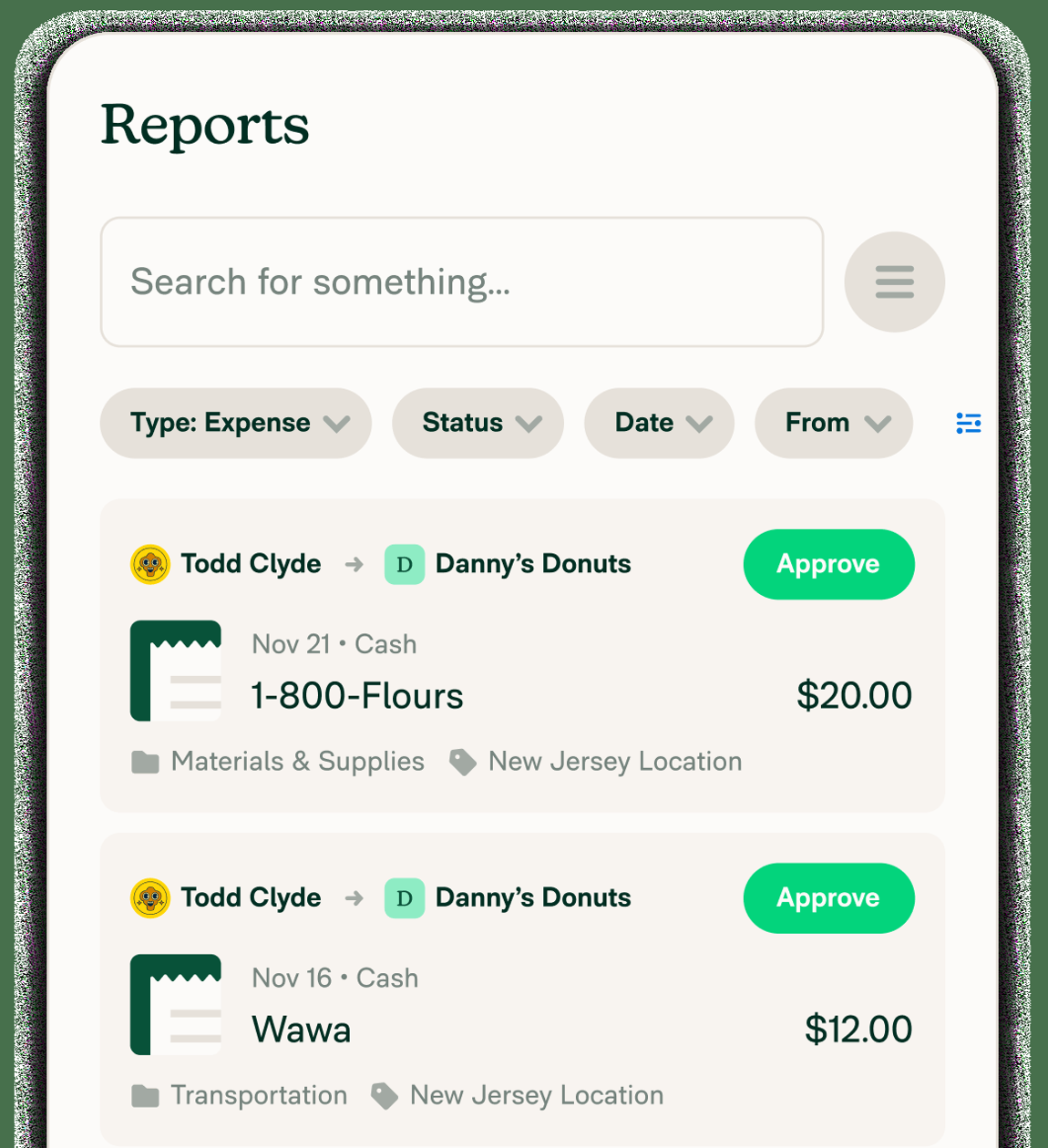
SmartScan reads the merchant, date, amount and currency from a receipt photo on every plan, including the free Submit plan. Expenses are grouped into a report that goes to the default approver. Collect adds a second approver above an amount threshold, while Control adds custom approval workflows per member.
Reimbursement is where Expensify stands out. Rapid Reimbursement usually pays US employees within one business day for payments under $100, as long as the business account has sent less than $10,000 in 24 hours, and standard ACH takes 4 to 5 business days. Global reimbursement reaches members in more than 190 countries, usually in 2 to 3 business days.
- Starting price
- Submit: free; Collect: $5 per unique member/month (pay-per-use, no annual contract); Control: $18 per member/month on annual subscription (as low as $9 with Expensify Card), $36 per active member/month pay-per-use (as low as $18 with Expensify Card)
- Free option
- Submit, for individual employees
- Rapid ACH
- Next business day under $100 (US)
- Card reconciliation
- Clearing and liability accounts
Zoho Expense
Zoho Expense is Zoho's travel and expense app for receipt capture, policy checks, report approvals, card reconciliation and reimbursement. Its US pricing starts with a free plan for up to 3 users and paid plans from $3 per user per month billed annually.
Zoho Expense is the lowest per-user price in this guide for report-based expenses with approval rules and a QuickBooks or Xero sync, as long as you don't run NetSuite or Sage Intacct.
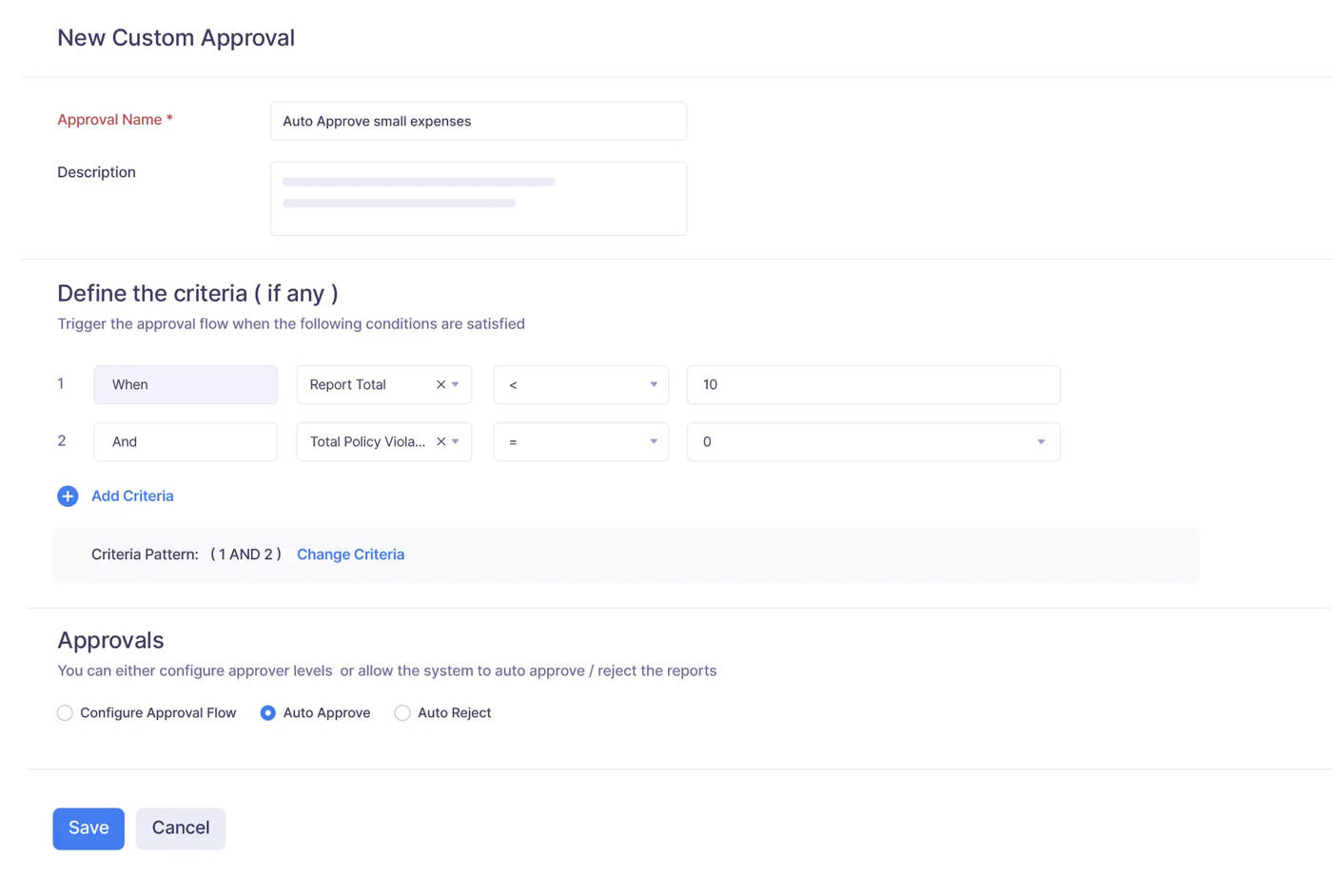
Zoho Expense is built around the expense report. Expenses are coded to a category, a customer or project, tags (QuickBooks classes) and report fields (QuickBooks locations), then grouped into a report that follows either a simple hierarchy or a custom multi-stage flow. A custom flow can trigger on criteria such as the report total or the number of policy violations, and it can auto-approve or auto-reject.
For QuickBooks Online, an approved report exports as one bill per report with the employee as vendor, or as a journal entry. Card spend that isn't reimbursable exports as expenses against the mapped card or bank account. Lists sync from QuickBooks once a day, and an instant sync button is there for the day you add a new account. Native connectors cover Zoho Books, QuickBooks Online and Desktop, Xero and Sage Accounting.
The limit is the ERP list. NetSuite is available only through a third-party extension on the Zoho Marketplace, Zoho lists no native Sage Intacct, SAP or Dynamics connector, and the Standard plan lists ERP and HRMS integrations as a paid add-on without a published price.
- Small teams on QuickBooks Online, QuickBooks Desktop, Xero or Zoho Books that want cheap, report-based expense management with real approval rules
- Companies that already run other Zoho apps (Books, People, Payroll, Projects) and want expenses inside that suite
- Teams that keep their existing corporate cards and only need feeds and receipt matching rather than a new card program
- NetSuite, Sage Intacct, SAP or Dynamics shops: Zoho lists no native connector for these on its US integrations page; NetSuite is a third-party Marketplace extension and ERP integrations are a paid add-on
- Companies wanting a full corporate card program with credit lines: Zoho's own card is a prepaid Mastercard, not a charge or credit card
- Teams outside the US and Canada that want fast in-app reimbursement: the documented ACH route via CSG Forte covers US and Canada and settles in 3 to 5 business days
- Users like
- Ease of use, intuitive setup and affordability, plus a good mobile app
- Users dislike
- Smaller but recurring mentions of a learning curve or unintuitive screens and integration issues
- Source: G2, 1,542 reviews
Capture, approvals and reimbursement
Employees scan receipts with AI OCR (20 scans per user per month on Free, 200 on Standard), forward them, log GPS mileage or per diem, or pull card transactions from real-time Visa and Mastercard feeds or the Amex direct feed. Corporate card management needs Standard.
Approved out-of-pocket spend is paid by ACH through CSG Forte for companies in the US and Canada, settling in 3 to 5 business days, or through Zoho Payroll with the salary. Zoho's own card is a prepaid Mastercard issued by Pathward, not a charge card with a credit line.
- Starting price
- Free: $0 (max 3 users); Standard: $4 per user/month billed monthly, $3 billed annually; Premium: $6 per user/month billed monthly, $5 billed annually; Enterprise: custom quote. Prices exclusive of local taxes.
- Reimbursement
- ACH in the US and Canada, 3 to 5 business days
- NetSuite
- Third-party extension only
- Own card
- Prepaid Mastercard
Sage Expense Management
Fyle is a US-focused expense management tool that layers real-time receipt capture and reconciliation on top of a company's existing Visa, Mastercard and Amex cards. Sage acquired Fyle effective 28 July 2025 and rebranded it Sage Expense Management from August 2025; the product, plans and integrations continue, including non-Sage ledgers.
Sage Expense Management, sold as Fyle until Sage acquired it in July 2025, is the tool to pick if you want to keep your current bank or Amex cards and still get coded, two-way sync.
It has no card program of its own. Instead it reads real-time feeds from the Visa, Mastercard and Amex business cards you already have, and a statement parser covers other cards. When an employee swipes, they get a text message and reply with a photo of the receipt, which Sage Expense Management matches to the card charge.
The QuickBooks Online settings are the most granular in this guide. For each expense type you choose the record: reimbursable spend as an expense, bill, journal entry or check, and card spend as a bill, credit card purchase, debit card expense or journal entry. Class, department and project map from the ledger, exports run on a schedule with failure alerts, and payment status syncs both ways. One setting is built for the close: an expense dated in a closed period can post to the first day of the next open period instead of failing.
The ledgers are QuickBooks Online and Xero on Growth ($11.99 per active user per month, billed annually), with QuickBooks Desktop, Sage Intacct and Sage 300 CRE on Business ($14.99). Sage Intacct and Sage 300 CRE carry a one-time implementation fee. NetSuite is the open question: Sage's rebrand FAQ says existing NetSuite customers stay supported, but NetSuite no longer appears on the pricing or integrations pages.
- You want to keep your current bank or Amex corporate cards (and their rewards) instead of switching to a new card issuer
- You close the books in QuickBooks Online, QuickBooks Desktop, Xero, Sage Intacct, Sage 300 CRE or Sage 50 and want two-way coded sync with dimensions
- You pay US employees back by ACH and want 1 to 2 business day payouts for reports under $1,000 (Express ACH, Business plan)
- You want an issued corporate card program with spend controls on physical cards: Fyle has no card of its own beyond Amex virtual cards issued on your existing Amex account
- You're a new NetSuite customer: the help center says existing NetSuite integrations stay supported, but NetSuite no longer appears on the current pricing or integrations pages, so confirm availability with sales
- You need built-in reimbursement outside the US: ACH reimbursement is US only, other countries need an external payment app or export
- Users like
- Ease of use (G2 Ease of Use sub-score 9.2)
- Users dislike
- Occasional receipt-scanning accuracy issues
- Source: G2, 1,782 reviews

Capture, approvals and reimbursement
Receipts arrive by text message, the mobile or web app, Gmail and Outlook add-ons or email forwarding. Policy checks run in real time. Approvals are single-stage on Growth and multi-level, by project or department, on Business, and approvers can act from Slack or email. An approval log records every change by approver, finance and employee.
ACH reimbursement is a Business plan feature, US only, run through Dwolla. Standard ACH takes 3 to 5 business days, and the optional Express ACH pays reports under $1,000 in 1 to 2 business days. Sage says customers can switch in under 30 days.
- Starting price
- Growth $11.99 per active user / month billed annually (min. 5 users); Business $14.99 per active user / month billed annually (min. 10 users); Enterprise custom pricing (250+ employees). Monthly billing option shown without prices. Active user = creates at least one expense or has a connected card with at least one transaction that month.
- Owner
- Sage, since July 2025 (formerly Fyle)
- Cards
- Existing Visa, Mastercard and Amex
- Express ACH
- 1 to 2 business days under $1,000 (Business)
Emburse Spend
Emburse Spend (formerly Abacus) is Emburse's SMB expense product that connects to a company's existing Amex, Visa or Mastercard programs, matches receipts to card transactions, routes approvals, pays out-of-pocket expenses by ACH and syncs coded expenses to QuickBooks, Xero, NetSuite or Sage Intacct. Emburse's larger products are Emburse Expense Professional (formerly Certify, mid-market) and Emburse Expense Enterprise (formerly Chrome River, global enterprise), both quote-only.
Emburse Spend, formerly Abacus, is Emburse's product for small and mid-size US companies. It connects to the cards you already have and lets you choose cash or accrual basis for its QuickBooks Online sync.
Emburse has renamed its line-up. Emburse Spend is the self-serve product with published prices, Emburse Expense Professional is the former Certify for the mid-market, and Emburse Expense Enterprise is the former Chrome River. The last two are quote only, while Spend publishes its prices. This entry covers Emburse Spend.
Employees must pick the required coding fields (category, project, department, location, job or customer) while they complete each expense, so incomplete coding never reaches the approver. QuickBooks Online syncs every hour, and you choose the accounting basis. In cash mode, each ACH reimbursement creates a bill and a bill payment. In accrual mode, each expense posts to a clearing account dated on the expense date, so it lands in the right period even if it's paid later. Card spend posts as an expense to the card's account on the transaction date.
Basic ($8 per user per month) covers QuickBooks Online, QuickBooks Desktop and Xero and includes up to 50 ACH reimbursements. Plus ($12) adds NetSuite, Sage Intacct, SFTP exports and unlimited reimbursements, and the premium NetSuite and Sage Intacct connectors come only with the Custom plan. Both the QuickBooks Online sync and reimbursements are documented for US companies only.
- You want to keep your current corporate or business cards and add receipt matching, policy checks and reconciliation on top
- You're a US company on QuickBooks Online or Xero and want published per-user pricing with a self-guided setup in about a week
- You want nightly ACH reimbursement batches that post to QuickBooks as Bill and Bill Payment automatically
- You're outside the US or need to reimburse employees in other countries: payouts and the QuickBooks Online sync are documented as US-only
- You run NetSuite or Sage Intacct on a tight budget: those connectors start at Plus ($12), and the premium ERP connectors only come with Custom
- You need fast employee payouts: ACH lands 4 to 6 business days after the payout day
- Users like
- Ease of use and quick, efficient expense submission
- Users dislike
- Card transactions can take 2 to 3 days to show up, and some users find the wallet feature confusing
- Source: G2, 1,130 reviews
Capture, approvals and reimbursement
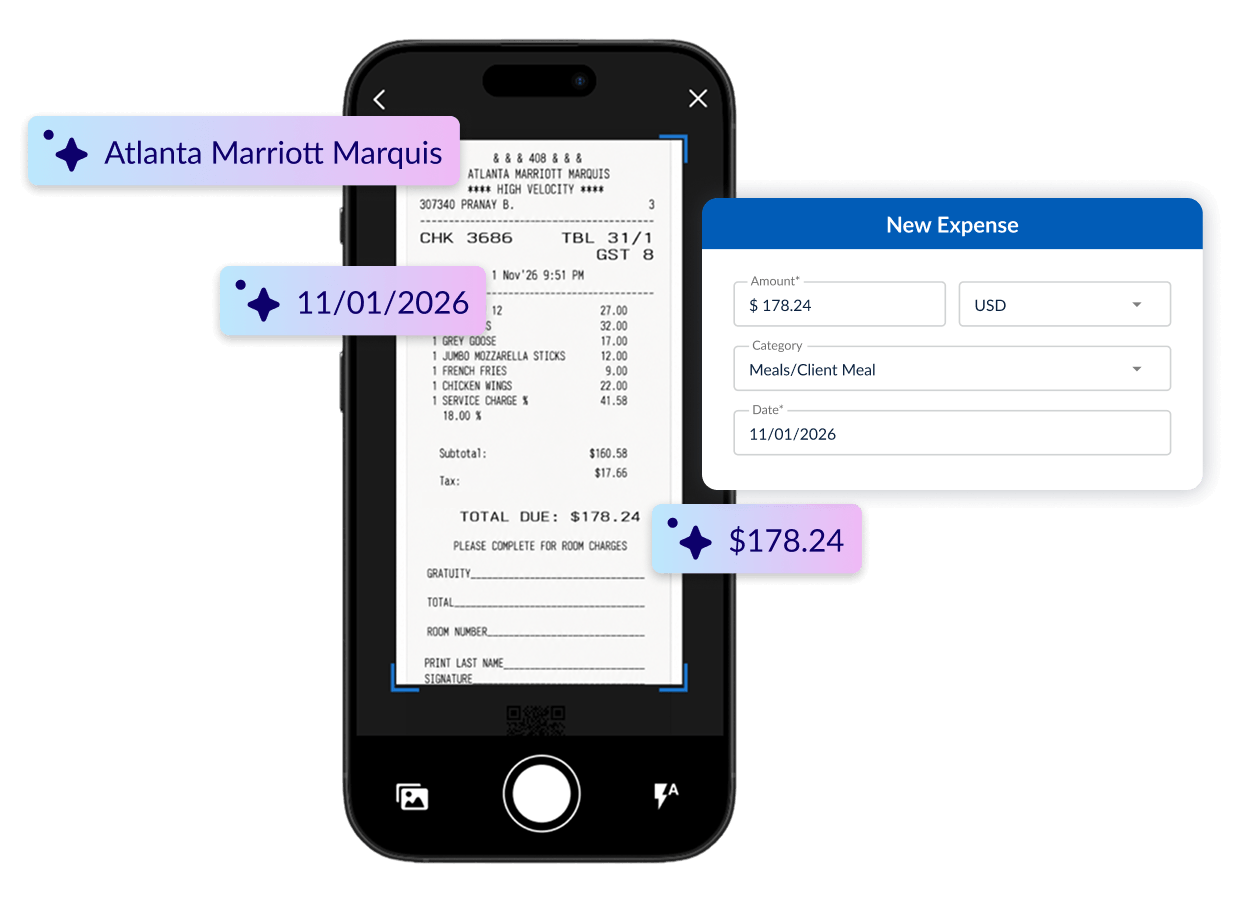
Emburse AI reads receipts and matches them to card transactions, and for supported card programs the purchase appears before it posts, prompting the employee for the receipt right away. Policies and role-based approval workflows run before an expense reaches finance. Optional Emburse Cards are prepaid physical and virtual cards issued by Celtic Bank.
Out-of-pocket expenses approved before 5 p.m. ET are paid by ACH in a nightly batch by default, or weekly, twice a month or monthly. Employees get the money 4 to 6 business days after the payout day. G2 reviewers mention that card transactions can take 2 to 3 days to appear. Emburse says many small businesses go live in about a week.
- Starting price
- Emburse Spend: Basic $8 per user/month; Plus $12 per user/month; Custom: Custom. 30-day free trial for very small organizations (eligibility form). Guided implementation is an optional paid add-on.
- QuickBooks Online sync
- Hourly, cash or accrual basis
- ACH payout
- 4 to 6 business days after the payout day
- Availability
- US companies only
Travel and enterprise expense suites
Navan and SAP Concur bundle expense management with travel booking or with enterprise-grade policy, audit and ERP coverage. They fit companies with heavy travel, many entities or a large-ERP back office, and they're usually more than a 50-person company needs. If your concern is expense fraud rather than policy, AI audit tools such as AppZen and Oversight review every report before reimbursement; our guide to fraud detection software compares them with vendor payment and ledger tools.
Navan
Navan (formerly TripActions) combines corporate travel booking with Navan Expense, which handles Navan corporate cards, linked existing Visa, Mastercard and Amex cards, and out-of-pocket reimbursements with policy checks and ERP sync. For companies up to 300 employees travel is free and Expense is free for 5 expensing users, then $15 per user per month.
Navan, formerly TripActions, is the choice when travel is the biggest share of employee spend, because bookings, cards and expenses share one record and in-policy trips approve themselves.
Travel booked in Navan flows straight into Navan Expense, so the flight or hotel arrives with its receipt and policy status attached. Employees can use a Navan corporate card or keep their existing Visa, Mastercard or Amex cards through Navan Connect. Visa and Mastercard transactions arrive in real time and Amex daily.
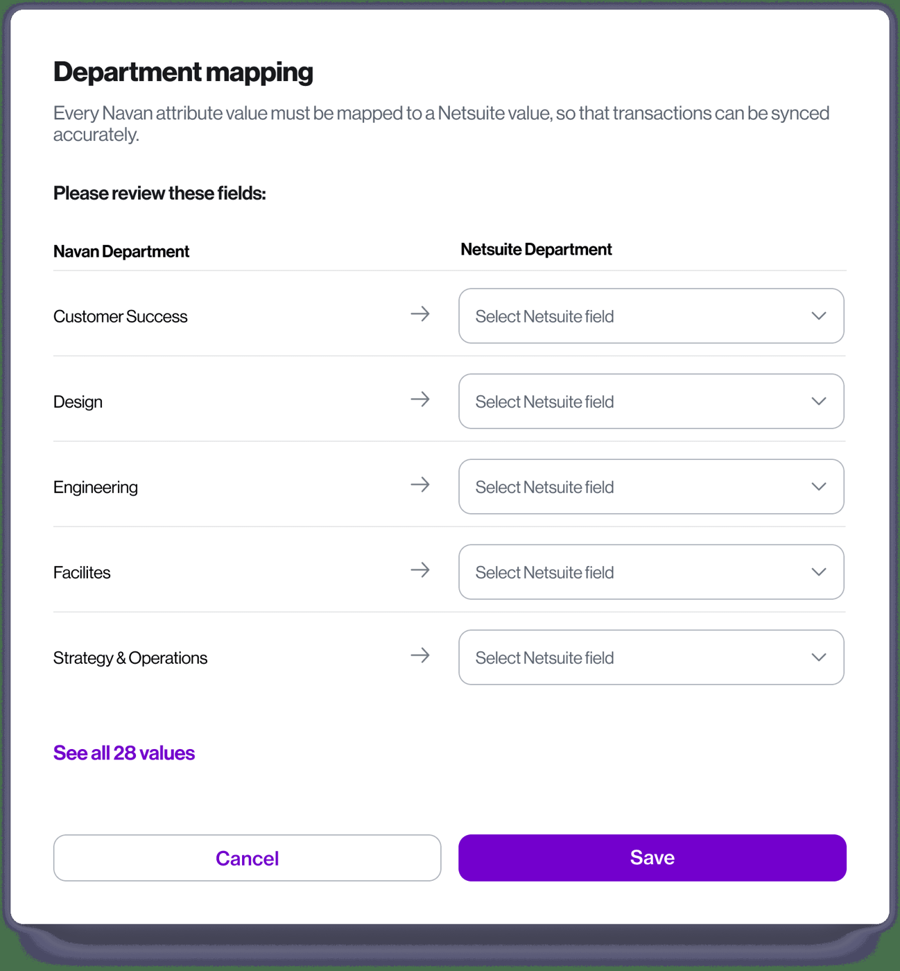
On the ledger side, Navan names direct integrations with NetSuite, QuickBooks Online, Xero, Sage Intacct and Datev, plus CSV export. Expense categories map to GL accounts, and its NetSuite setup asks you to map every Navan department to a NetSuite department before transactions sync. Every expense carries the receipt, approval history, policy status and payment details as its audit trail.
What Navan doesn't publish is the posting detail a controller needs: which record type it creates, how often it syncs, and how card spend is handled at the cut-off. Ask for that in the demo. Pricing is simple for smaller companies. On Navan Business, for up to 300 employees, travel is free, and Expense is free for the first 5 expensing users a month and $15 per user per month after that.
- Travel is a large share of your employee spend and you want bookings, cards and expenses in one system
- You want to keep existing Visa, Mastercard or Amex corporate cards (Navan Connect) instead of switching card issuers
- You reimburse employees in many countries: direct reimbursement covers bank accounts in 50 countries
- You barely travel and need only basic card plus receipt software: free card-first tools cover that without per-user Expense fees beyond 5 users
- You need documented detail on how entries post to the ERP (record type, frequency, accruals) before buying: Navan's public pages don't describe it, so you would need a demo
- You have more than 300 employees and want public pricing: Enterprise is quote only
- Users like
- Integrated travel and expense workflow, policy auto-approval and receipt photo auto-fill
- Users dislike
- Receipt auto-fill sometimes misreads details; expenses booked outside Navan need manual work; mixed support responsiveness and approval issues
- Source: G2, 9,300 reviews
Capture, approvals and reimbursement
Each transaction is categorized by merchant type and checked against the built-in policy. In-policy spend is approved automatically, and out-of-policy spend goes to approvers in the Approver Dashboard on web or mobile. Receipts come from photos with autofill, a receipts email address or personal card import, and per diem and mileage are logged in the app.
Approved out-of-pocket items are paid in a weekly batch by direct deposit, typically arriving within days, or through payroll. Navan's help center lists bank accounts in 50 countries for direct reimbursement. G2 reviewers praise the combined travel and expense flow and say autofill sometimes misreads receipts.
- Starting price
- Navan Business (up to 300 employees): Travel free; Expense free for the first 5 monthly expensing users, then $15 per user per month. Navan Enterprise: quote (Let's talk).
- Cards
- Navan card or existing Visa, Mastercard and Amex
- Reimbursement
- Weekly batch, 50 countries
- Business plan
- Up to 300 employees
SAP Concur Expense
SAP Concur Expense is SAP's cloud expense reporting product that captures receipts and card transactions, checks them against policy, routes reports for approval and posts approved reports to the accounting system. US list pricing is per expense report (Base from $7, Plus from $11), with travel bundled only in the quote-based Premium plan.
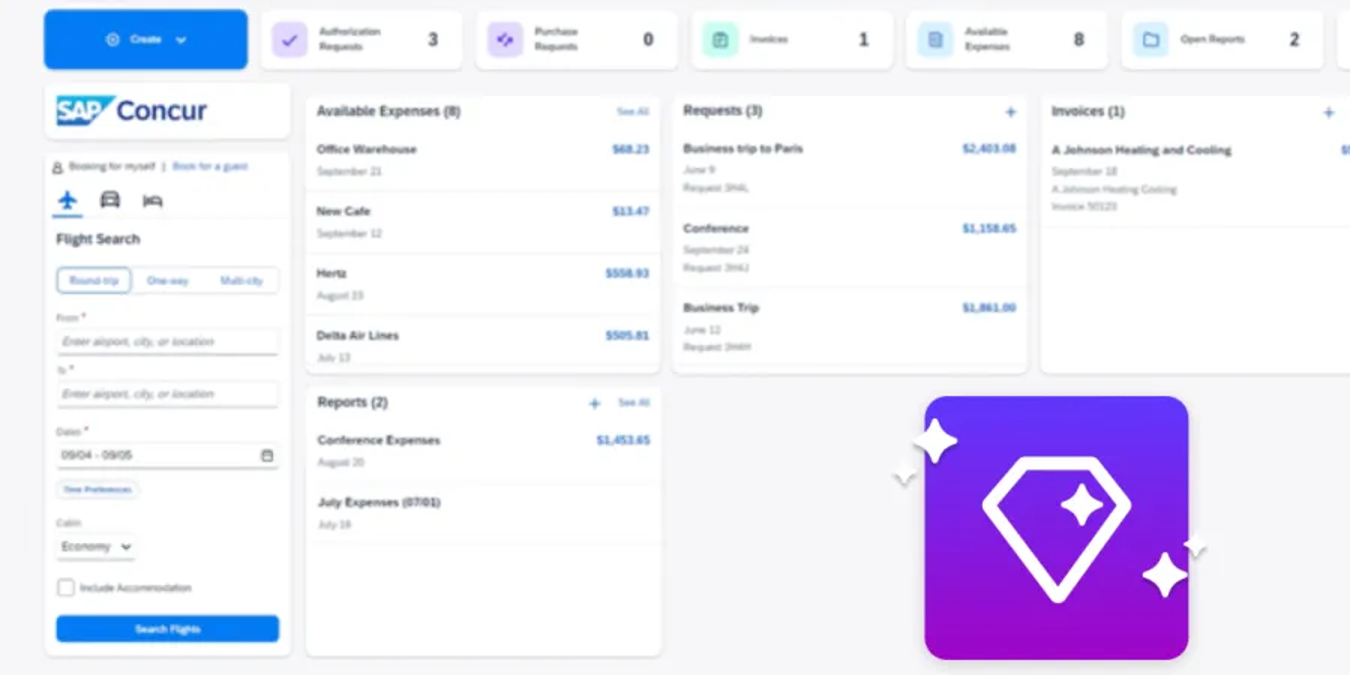
SAP Concur Expense is the enterprise standard for report-based expenses, and its US pricing is per expense report, not per user, which changes the math for companies with many occasional claimants.
The workflow is the classic one. Employees build a report from receipts, imported card transactions and travel e-receipts, policy checks run while they build it, and the report goes through manager approval and then an expense processor who approves it for payment.
In Concur, the processor's approval triggers the posting. With the QuickBooks Online integration, the report goes to QuickBooks immediately rather than in a batch: reimbursements post as a bill, and company card expenses post as a bill or to a QuickBooks credit card account. The chart of accounts, classes, locations, customers and employee vendors sync from QuickBooks as master data. The posting status, including the document ID or the failure reason, is written back to the report's audit trail, and a saved query lists every report that failed to post, which is useful in the last days of the close. For NetSuite, Concur creates journal entries as soon as expenses are approved. It also connects to Xero, Sage Intacct, Dynamics 365 Business Central, SAP and QuickBooks Desktop.
Base starts at $7 per report and Plus at $11 per report, both with unlimited users. Premium, which adds Concur Travel, is quote only. You can't sign up yourself, and SAP documents the bank card feed setup alone at about 4 to 6 weeks.
- You want classic report-based expense submission with granular policy rules and audit, priced per report rather than per user
- You run SAP or need Concur Travel and Concur Invoice in the same system
- You need multi-country tax handling and reimbursement in several currencies
- You want a card-first tool with its own corporate card: Concur imports bank card feeds but doesn't issue cards
- You want a fast self-serve start: the Buy now buttons lead to a sales contact form, and the bank card feed setup alone is documented at about 4 to 6 weeks
- Your team is put off by interface complexity: the most repeated G2 complaints are an unintuitive interface, learning curve and slow loading
- Users like
- Easy receipt scanning and upload through the mobile app, and policy checks that flag out-of-policy items before submission
- Users dislike
- Outdated, unintuitive interface with a learning curve, many clicks and slow loading
- Source: G2, 6,567 reviews
Capture, approvals and reimbursement
Receipts come in through the mobile app, where ExpenseIt extracts the data on Plus and Premium. Concur doesn't issue cards. It imports corporate card transactions through bank card feeds.
Admins set up to three reimbursement methods per country and currency: Expense Pay by Concur (direct deposit funded from a company bank account), a company check through accounts payable, or ADP payroll. Payment Manager creates one batch per currency and method on a schedule. SAP's pages don't state how many days a payout takes. G2 reviewers like the mobile receipt capture and complain most about a dated interface, a learning curve and slow loading.
- Starting price
- Base: Starting at $7 per report, unlimited users. Plus: Starting at $11 per report, unlimited users. Premium: Custom pricing. Price can vary based on monthly commitment; all prices in USD.
- QuickBooks Online
- Reports post as bills on processor approval
- Card feed setup
- About 4 to 6 weeks
- Users
- Unlimited on every plan
Expense reporting software: when reports still beat cards
Expense reporting software is the part of expense management that turns individual expenses into a report an employee submits and a manager approves, mostly for spend the employee paid out of pocket. Card-first platforms have shrunk the expense report, since a card transaction already knows the merchant, date and amount, but they haven't removed it.
Report-based tools still fit better in the four situations below.
- A lot of spend is out of pocket. Mileage, per diems, field technicians on personal cards and conference travel booked before the employee got a company card all need a report.
- You won't change card issuers. Expensify, Zoho Expense, Sage Expense Management and Navan import feeds from existing Visa, Mastercard or Amex cards, so you keep the card rewards and credit lines you already have.
- Approvers think in trips and projects, not transactions. A report groups a trip's flights, hotel and meals so the manager approves one package, and the accountant gets one bill per report in QuickBooks Online (Zoho Expense) or a choice of check, bill or journal entry (Expensify, Sage Expense Management).
- Reimbursement volume is the main cost. If most of your expense lines are reimbursements, a per-user report tool with fast ACH can cost less than running a card program you barely use.
For a finance team, though, the report itself matters less than what happens when it's approved. Check whether the export date follows the expense date or the approval date. Zoho Expense and Expensify let you choose, and the choice decides which period a late report lands in. Also check whether a report exported once can be re-exported. Expensify's help center warns that re-exporting creates duplicates in QuickBooks Online.
Employee expense reimbursement software: how fast people get paid
Employee expense reimbursement software pays employees back for approved out-of-pocket spend, usually by ACH to their bank account, and records the payment in the ledger. What separates the tools is speed, reach and how the payout syncs, not whether they can reimburse at all. The table lists what each vendor's help center documents.
| Tool | How employees are paid | Documented speed | Where |
|---|---|---|---|
| Ramp | ACH, or wire abroad | Within 3 business days of approval per the help center; other Ramp pages say 1 to 2 or 3 to 5 | US, plus wires to 50+ countries |
| Brex | Batched transfer to a linked bank account | Usually 4 to 8 business days after batching | Local currency for subsidiaries |
| BILL Spend & Expense | ACH or payroll, free, up to $15,000 | 5 to 7 business days after approval | US bank accounts; others via payroll |
| Expensify | ACH, or global reimbursement | Next business day under $100; otherwise 4 to 5 days; global 2 to 3 days | US, plus 190+ countries |
| Zoho Expense | ACH through CSG Forte, or payroll | 3 to 5 business days | US and Canada |
| Sage Expense Management | ACH through Dwolla (Business plan) | 3 to 5 business days; 1 to 2 for reports under $1,000 with Express ACH | US only |
| Emburse Spend | ACH in a nightly batch by default | 4 to 6 business days after the payout day | US companies only |
| Navan | Weekly batch by direct deposit, or payroll | Within days of the weekly batch | Bank accounts in 50 countries |
| SAP Concur Expense | Direct deposit, company check or ADP payroll | Not documented | Methods set per country and currency |
Still, two details matter more than the headline speed. First, where the payout comes from: BILL debits your bank account once a day for the batch, Brex pulls one bulk amount and pays in batches, and Navan bills reimbursements on the next weekly statement. Second, whether the payment status flows back to the ledger. If it doesn't, someone marks bills paid by hand, and the employee liability account stops tying out.
What expense management software costs
Expense management software is priced in three ways: $0 plans built around a vendor's card program, per-user subscriptions, and enterprise quotes. The sticker price is rarely the full cost, however, because ERP connectors, multi-entity support and advanced approvals often sit one tier up.
| Pricing model | Tools | What you pay (USD) |
|---|---|---|
| $0 plan built around the vendor's card | Ramp, Brex, BILL Spend & Expense | Ramp Free and Brex Essentials cost $0 per user; BILL Spend & Expense has no per-user fee at all |
| Free tier for a few users | Zoho Expense, Navan | Zoho is free for up to 3 users; Navan Expense is free for 5 expensing users a month on its Business plan |
| Per user per month | Zoho Expense, Expensify, Emburse Spend, Brex Premium, Sage Expense Management, Ramp Plus, Navan | From $3 (Zoho Standard, annual) to $15 (Navan after 5 users; Ramp Plus plus a platform fee) |
| Per expense report | SAP Concur Expense | From $7 per report on Base, unlimited users |
| Quote only | Concur Premium, Emburse Expense Professional and Enterprise, Brex and Ramp Enterprise | Sales conversation |
Expensify's plan structure shows how one vendor splits these features. It's also the answer to a common question, whether Expensify is still free: it is for an individual employee, but not for a company that needs approvals and accounting sync.
Expensify- Submit (free)Receipt scanning, mileage and reports an individual employee sends to an approver; no approval workflows, payments, company cards or accounting sync
- Collect, $5 per memberApprovals, ACH reimbursement, card feeds, QuickBooks Online and Xero
- Control, $18 per member (annual)Custom approval workflows, NetSuite, Sage Intacct, QuickBooks Desktop, SSO; $9 with the Expensify Card
How to choose expense management software
To choose expense management software, pick the model first (card-first, report-based or travel suite), then test the tools in that group against these criteria. They're ordered by how often they cause trouble after go-live for an accounting team, not by how prominent they are in the demo.
- Receipt capture that employees actually use. Text, email and app capture all work. The question, though, is how often the scan is wrong, and G2 reviewers raise receipt-scanning accuracy for Expensify, Zoho Expense, Sage Expense Management and Navan alike. Ask for a trial with your own messy receipts.
- A native connector for your ERP on the plan you'll buy. Use the sync table above. "Integrates with NetSuite" on a homepage can mean a higher tier, an implementation fee or a third-party extension.
- The record type and dimensions it posts. Decide whether you want card spend as card charges, bills or journal entries, and confirm that class, department, location and project map to your chart of accounts without a manual step.
- Month-end handling. Ask how the tool deals with card spend that isn't coded by the cut-off, reports submitted after the period closes, and posting into a closed period.
- Approval rules that match your policy. Amount thresholds, department heads, a second approver above a limit and auto-approval for small in-policy expenses. Several tools reserve multi-level or rule-based approvals for paid tiers.
- Reimbursement speed and reach. US-only ACH is fine for a domestic team and a blocker for staff abroad.
- Audit trail and auditor access. You need the receipt, the approval history and every edit attached to the expense, ideally visible to the auditor without a full user license.
- Show a card transaction going from swipe to a coded entry in our ERP
- Which record type does it create in our ERP, and can we change it per expense type?
- How are class, department, location and project mapped?
- What happens to card spend that isn't coded at month end?
- Can a late report post into the next open period instead of failing?
- Which approval rules are on the plan we'd buy?
- How fast is ACH reimbursement, and to which countries?
- Can our auditor see receipts and approval history read-only?
Which expense management software fits a small business?
For a small business, expense management software should cost little or nothing at low user counts and connect to QuickBooks Online or Xero on its entry plan. Four tools in this guide meet both conditions. Ramp's Free plan and BILL Spend & Expense cost nothing if you take their cards, Zoho Expense is free for up to 3 users and $3 per user per month on Standard billed annually, and Expensify Collect costs $5 per member with no annual contract. If you'd rather keep your current cards, Zoho Expense, Emburse Spend Basic at $8 per user and Sage Expense Management Growth at $11.99 per active user (5-user minimum) import their feeds instead.
The heavier options are a slower start. SAP Concur is sold through sales, and its bank card feed alone takes about 4 to 6 weeks to set up. Navan pays off when travel is a large share of spend, and its Expense product is free for only the first 5 expensing users a month.
Month-end checklist for expenses
Whichever tool you choose, expenses touch the close in the same places. Use this checklist as a recurring task list for the first days after month end. Our month end close checklist covers the rest of the close.
- Remind employees to submit open expense reports for the closing month
- Match receipts to every card transaction dated in the period, or list the missing ones
- Accrue card spend that hasn't synced to the ERP by the cut-off date
- Accrue approved but unpaid reimbursements, or confirm they sit in the employee liability account
- Reconcile the card statement balance to the card liability account in the GL
- Reconcile the reimbursement clearing account to zero
- Review out-of-policy and flagged expenses that were approved, with the approver's note
- Save the sync log or export report as support for the period's expense entries
Most of these steps leave evidence behind: a card statement, an accrual schedule, a sync report. Attaching that evidence to the close task, with a preparer and a reviewer who signs off, is what makes the expense side of the close easy to audit. If other parts of the close slip as well, our comparison of financial close software covers tools for reconciliations, matching and sign-off.
FAQ
Is Expensify still free?
Expensify is still free only for individuals. The free Submit plan lets an employee scan receipts, track mileage and send reports to an approver, but the company gets no approval workflows, payments, company cards or accounting integrations. Company plans start with Collect at $5 per unique member per month.
Does QuickBooks do expense management?
QuickBooks Online records expenses and receipts, but it doesn't run employee expense reports, approval workflows or reimbursements. Every tool in this guide syncs to QuickBooks Online and adds those steps; Ramp's free plan, Zoho Expense, Expensify Collect and Emburse Spend Basic all include the QuickBooks Online connector.
Is there free expense management software?
Yes, free expense management software exists. Ramp's Free plan, Brex Essentials and BILL Spend & Expense cost $0 per user and are built around their own corporate cards. Zoho Expense is free for up to 3 users, and Navan Expense is free for 5 expensing users a month on its Business plan.
What is the difference between expense management and spend management?
Expense management covers employee spending: receipts, policy, approvals, reimbursement and the sync to the ledger. Spend management usually adds supplier payments, purchase requests and vendor cards, which is why Ramp, Brex and BILL sell accounts payable in the same product family.
Should we switch to a card-first platform or keep our existing cards?
Choose a card-first platform such as Ramp, Brex or BILL if you're willing to move spend to its card and want the software free. Keep your current cards, and their rewards and credit lines, with Sage Expense Management or Emburse Spend, which are built around existing cards, or with Zoho Expense, Expensify or Navan, which import existing card feeds next to their own cards.
How do expense tools handle month-end accruals?
Few expense tools document month-end accruals. Ramp Plus posts an auto-reversing accrual for card spend that hasn't synced by month end, Brex's NetSuite setup uses card and reimbursement accrual accounts, and Emburse Spend can post each expense to a clearing account on its date. For the others, plan a manual accrual for unsynced card spend.