Accounts receivable software sends your invoices, reminds customers to pay, collects the payment and matches it back to the invoice. For most teams of 2 to 8 accountants on QuickBooks Online or Xero, the invoicing and reminders built into the ledger are the right starting point. A receivables layer such as Chaser or Upflow earns its fee when chasing late invoices takes real hours every week, and a full platform such as Versapay, Billtrust or HighRadius pays off when cash application, credit and customer portals are a team's daily work.
We compared eight tools and sorted them by how much of the invoice-to-cash chain they own: invoicing inside the accounting system, a collections layer on top of the ledger, or an order-to-cash platform. Most pages that rank for this keyword are written by a payments or AR vendor, and they put the publisher's own product first. For each tool we read the pricing page where one exists, a product page, the integration list and the help or documentation pages we could open, and we checked review sites in October 2026.
- accounts receivable tools compared
- 8
- publish a plan price (the other four are quote-only)
- 4 of 8
- cheapest dedicated collections plan we found (Chaser Compact, per month)
- $259
Our picks by situation
The best accounts receivable software for most small finance teams is the invoicing and reminder feature set of the ledger they already run. When late payments, cash application or customer portals take real time, pick the tool below that matches that job.
 Best for invoicing in the ledger you already useQuickBooks OnlineEvery plan sends invoices and reminders and takes card and ACH payments. Batch invoicing needs Advanced at $340 a month, and progress invoicing needs Plus or Advanced.
 Best published price with reminders on every planXeroPlans run $27 to $97 a month with no per-user fees. Automatic reminders and repeat invoices come with the product, and payments run through Stripe and GoCardless.
 Best when AP and AR should live in one toolBILLInvoicing, reminders and ACH or card collection are on every plan at $49 to $89 per user a month. Automatic QuickBooks Online and Xero sync starts on Team.
 Best for a flat-priced chasing layer on QuickBooks Online or XeroChaserPlans run $259 to $1,169 a month. Email, SMS, automated call and letter reminders sit on top of your synced invoices.
 Best for teams that want to grow from reminders to rules and AI agentsUpflowFive quote-only plans sized by annual invoiced revenue. A branded portal starts on Grow, Smart Rules on Scale and cash application on Accelerate.
 Best for midmarket teams on NetSuite, Sage Intacct or Dynamics 365VersapayCollections, cash application, a customer portal and payments on one platform with native connectors for those ERPs.
 Best for customers that require AP portal submissionBilltrustInvoice delivery by email, buyer portal, AP portals, Peppol or print, with credit, collections and cash application on the same platform.
 Best for a dedicated collections and cash application teamHighRadiusA module suite with a prioritized collections worklist and dunning emails, connected to 50+ ERPs. Quote only, with outcome-based pricing.
Accounts receivable software compared
| Tool | Type of tool | What it gives you | Pricing | G2 rating |
|---|---|---|---|---|
| QuickBooks Online | Cloud accounting ledger with inventory and closing-date controls | Invoices, reminders, recurring invoices and card or ACH payments | Simple Start $38/mo; Essentials $85/mo; Plus $140/mo; Advanced $340/mo at US regular list rates (pricing page on 2026-10-27 showed 50% off for 3 months and a 30-day free trial) | 4.0 (3,898) |
| Xero | Accounting ledger with built-in bank reconciliation | Invoices, automatic reminders, repeat invoices and Stripe or GoCardless payments | Early $27, Growing $59, Established $97 per month (US plans); new customers get 90% off for 6 months until Nov 2, 2026; no per-user license fees | 4.4 (1,846) |
| BILL | Invoicing and payments inside an AP and AR platform | Invoices, reminders, auto-charge and ACH or card collection | Essentials $49, Team $65, Corporate $89 per user per month; Enterprise custom; customers pay ACH $0.59 and cards 2.9% per payment | 4.4 (G2 BILL AP/AR (whole product, search result), 1,560) |
| Chaser | Receivables follow-up layer for your ledger | Multi-channel reminders, payment portal, payment plans and credit monitoring | Compact $259, Core $779, Complete $1,169 per month (annual billing is 10% off); Custom is quote-only | 4.3 (G2 (via search summary), 68) |
| Upflow | Collections and cash application platform | Collections workflows, branded portal and cash application on higher plans | Quote only on all five plans (Starter, Grow, Scale, Accelerate, Entreprise); Upflow Payments is an add-on with card 3.5% + $0.30, ACH 0.8% capped at $5 and a $390 monthly platform fee | 4.8 (G2 (via search summary), 230) |
| Versapay | Order-to-cash platform with a customer portal | Collections, cash application, customer portal and B2B payments | Not published; the site offers Talk with an expert and an interactive demo, and /pricing returns a 404 | 4.1 (G2 (via search summary), 95) |
| Billtrust | Order-to-cash platform for mid-market and enterprise | Invoice delivery, payments, credit, collections and cash application | Not published; the site offers Talk to an expert and an interactive demo, and /pricing returns a 404 | 4.4 (G2 (via search summary), 510) |
| HighRadius | Enterprise order-to-cash suite | Collections, cash application, credit, e-invoicing and deductions | Quote only; the homepage describes outcome-based pricing with $0 implementation, no fee until go-live and a gain share afterwards (percentage not published) | 4.3 (G2 Accounts Receivables (search result), 237) |
 The Finance Lead Our product The Finance Lead Our product | Month-end close checklists | Tracks close tasks, evidence and preparer/reviewer sign-off | Team $39/month (up to 8 team members), Plus $79/month (no member limit, read-only MCP server); card required at checkout | No reviews yet |
QuickBooks Online, Xero and BILL ratings describe the whole product, not only the receivables features. Review figures marked as search summaries could not be read on the review site itself.
What is accounts receivable software?
Accounts receivable software is a program that manages what customers owe you: it creates and delivers invoices, tracks which are open and overdue, sends reminders, takes payments and records each payment against the right invoice. It replaces the part of the job done with a spreadsheet of open invoices and a recurring calendar reminder to call people.
The tools fall into three kinds, and the kind matters more than any feature list.
| Kind | Where receivables work happens | Typical user | Examples here |
|---|---|---|---|
| Ledger-native | Invoicing, reminders and payments inside the accounting system | One entity with a modest invoice count | QuickBooks Online, Xero, BILL |
| Collections layer | A separate product that reads open invoices from the ledger and chases them | Teams that spend hours a week on late payers | Chaser, Upflow |
| Order-to-cash platform | Invoice delivery, credit, collections, cash application and portals on one platform | Midmarket and enterprise teams with high invoice volume | Versapay, Billtrust, HighRadius |
Accounts receivable software here means managing and collecting invoices, not recording them in the general ledger. The subledger itself lives in your accounting system, and our guide to account reconciliation software covers the tools that tie it back to the ledger each month. Software for paying your own suppliers is a different category, covered in accounts payable software.
Is AR a revenue account?
No. Accounts receivable is an asset account. It records money customers owe you for work already delivered, and it appears under current assets on the balance sheet. Revenue is the income statement account that recorded the sale in the first place, and the receivable sits on the balance sheet until the customer pays.
What is 3-way invoicing?
Three-way matching is the check a customer's accounts payable team runs before paying: it compares the purchase order, the goods receipt and your invoice, and pays only when all three agree. For a seller, the practical point is that an invoice that does not match the customer's purchase order will be held. Sellers see this as disputes and short payments, which is why some of the platforms below handle disputes and customer portals. On the buyer side, BILL ties three-way matching to its Enterprise plan, which we cover in our accounts payable guide.
What are the 5 C's of accounts receivable management?
The 5 C's usually refer to the classic credit framework applied before you extend terms: character, capacity, capital, collateral and conditions. Sources word them slightly differently, and none of the software here replaces the judgment. Billtrust and HighRadius sell credit modules that score customers and monitor credit lines, and Chaser adds credit monitoring on every plan.
How we compared accounts receivable software
We picked the tools that finance teams of 2 to 50 people shortlist, covering the ledgers that send invoices themselves, the layers that chase late payers and the platforms above those. For each tool we read the pricing page, a product page on receivables and the integration list. Where we could open it, we also read the help center or documentation. We checked review sites in October 2026 and say next to each rating whether we read the page or a search summary of it.
Four limits are worth knowing. G2 and Capterra blocked our automated reader, so most review figures are search-summary figures, labeled as such. Intuit's payments page lists no fee rates, and the rates we found come from an Intuit community answer dated December 2022. Xero's help articles did not render, so we do not state which plans include the aged receivables report. And vendor claims about faster payment or lower days sales outstanding are reported as claims, never as results.
Invoicing and reminders inside your accounting system
If your invoice count is modest, the cheapest receivables tool is the ledger you already own. The three tools below send invoices, remind customers and take payments without a sync step. They differ in how far the reminders go before you need something else.
QuickBooks Online
QuickBooks Online
QuickBooks Online is Intuit's cloud accounting ledger. Plans include 1, 3, 5 or 25 users, integrated inventory tracking on Plus and Advanced, and a closing date with an Exceptions to Closing Date report.
QuickBooks Online fits a bookkeeper-led team that sends invoices from the same file it keeps the books in and chases late payers by hand when the automatic reminder is not enough.
Team it fits: one company file with a modest number of invoices a month, where the person who sends the invoice also records the payment.
How it handles receivables: Intuit's invoicing page lists automated payment reminders and recurring invoices (daily, weekly, monthly or yearly), and says customers can pay by card, ACH, PayPal, Venmo or Apple Pay without a QuickBooks account. Intuit's page does not say which plan includes the reminders. Payments AI, which learns payment patterns and drafts reminders, is listed from Essentials. Batch invoicing is an Advanced feature, and progress invoicing needs Plus or Advanced.
Limits: we did not find the aged receivables report on Intuit's pricing or invoicing pages, so check it in a trial. The QuickBooks Payments page lists no rates. An Intuit community answer from December 2022 gave ACH at 1% (maximum $10) and cards on online invoices at 2.9% plus 25 cents, and third-party sources suggest the card rate has since moved, so confirm the current rate before you decide.
- You send invoices from the same file you keep the books in and chase late payers yourself
- You want recurring invoices and card or ACH payment links without a second subscription
- You need escalating reminders by SMS, call and letter: Intuit's pages describe email reminders
- You need batch invoicing below $340 a month: it is an Advanced feature
- Users like
- ease of use (254 mentions on G2)
- Users dislike
- missing features (81 mentions) and cost (70 mentions)
- Source: G2, 3,898 reviews
How it works in practice
These are US list prices read on Intuit's pricing page on October 30, 2026; Intuit also showed 50% off for the first three months. G2 reviewers rate QuickBooks Online 4.0 out of 5 from 3,898 reviews for the whole product. For plan detail see our QuickBooks Online pricing guide, and for a head-to-head with Xero read QuickBooks vs Xero.
- Starting price
- Simple Start $38/mo; Essentials $85/mo; Plus $140/mo; Advanced $340/mo at US regular list rates (pricing page on 2026-10-27 showed 50% off for 3 months and a 30-day free trial)
- Users per plan
- Simple Start 1, Essentials 3, Plus 5, Advanced 25 (plus accountant seats)
- Inventory
- Available in Plus and Advanced
- Period control
- Closing date with Exceptions to Closing Date report
- Bill Pay tiers
- Basic $0 (included), Premium $15, Elite $45 per month; Elite included with Advanced from Aug 1, 2026
- Bill approvals
- Need Bill Pay Elite (or Advanced); up to 5 sequential layers and 7 approvers per group
- Bill Pay fees
- Standard ACH free (limits may apply), faster ACH $10, check $1.50, instant 1% (max $100)
- Batch size
- 20 bills on Basic, 50 on Premium and Elite
- Plans
- Simple Start $38, Essentials $85, Plus $140, Advanced $340 per month
- Batch invoicing
- Advanced only
Xero
Xero
Xero is a cloud accounting ledger whose bank feeds flow into a reconcile screen. Its JAX feature reconciles transactions automatically using four methods (Rule, Match, Memory, Prediction) and asks you to review only what it is unsure about.
Xero fits a small team that wants automatic reminders and repeat invoices from a published price per plan, without per-user fees.
Team it fits: a team on one or a few Xero organizations that sends a steady run of invoices to repeat customers.
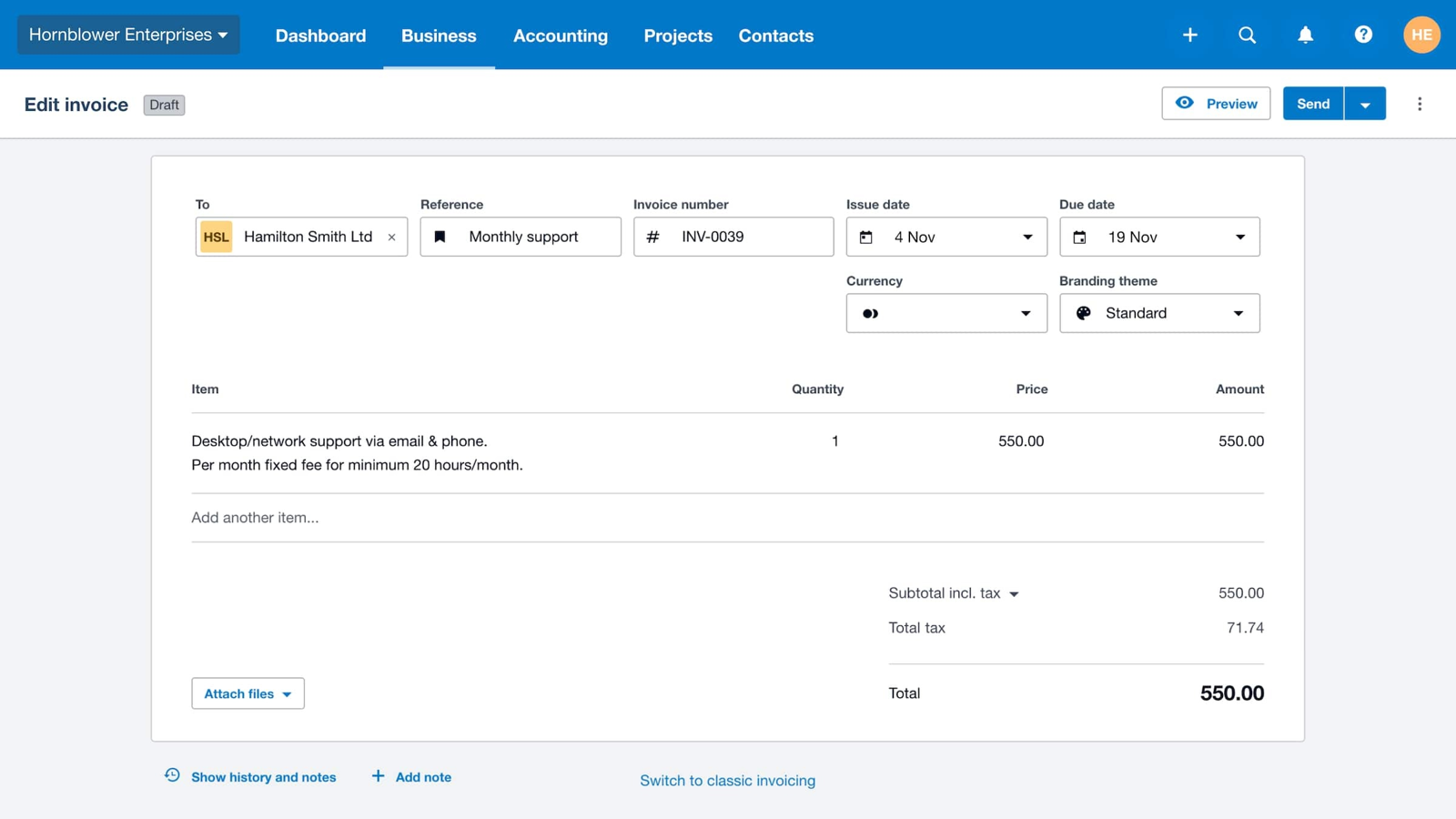
How it handles receivables: Xero's invoicing page describes automatic reminder emails sent before or after the due date with custom wording, and the reminders stop once the payment is matched through the bank feed. Repeat invoices cover regular customers. Customers pay through Stripe or GoCardless with cards, ACH debit, Apple Pay or Google Pay, and PayPal is named on the receivables page. Xero states no fee rates for these services.
Limits: the Early plan allows 20 invoices a month, which a growing team outgrows quickly. We could not read Xero's help center, so we do not say which plans include the aged receivables report.
- You want reminders and repeat invoices on every plan at a flat monthly price
- You are happy with Stripe or GoCardless as the payment rail
- You send more than 20 invoices a month: the Early plan is capped
- You need collections workflows with several channels and escalation
- Users like
- Ease of use; reviewers often single out automatic bank reconciliation as fast and accurate (G2 comparison pages as indexed by search)
- Users dislike
- Missing features and limited options (G2 comparison pages as indexed by search)
- Source: G2, 1,846 reviews
How it works in practice
These are US list prices read on Xero's pricing page on October 30, 2026; new customers were offered 90% off for six months until November 2, 2026. The Xero rating of 4.4 from 1,846 G2 reviews describes the whole product. For plan detail see our Xero pricing guide.
- Starting price
- Early $27, Growing $59, Established $97 per month (US plans); new customers get 90% off for 6 months until Nov 2, 2026; no per-user license fees
- JAX methods
- Rule, Match, Memory, Prediction
- Plan gating
- Reconcile bank transactions on every plan; auto-reconcile transactions listed on Growing and Established
- Per-user fees
- None; prices are per plan
- Plan limits
- Early: 20 invoices and 5 bills per month; multi-currency on Established only
- Lock dates
- Advisor role required to set or change them
- Payroll
- Add-on, $36 per month plus $6 per employee
- Bills
- Early: 5 bills per month; Growing and Established: unlimited
- Bill pay
- Free standard ACH on all plans (Melio-powered); check $1.50; same-day ACH 1% (max $75); cross-border USD $20
- Approvals
- Role-based (who can create and approve bills); no multi-step routing documented
- 1099
- W-9 collection and 1099 report on all plans
- Plans
- Early $27, Growing $59, Established $97 per month
- Early plan
- 20 invoices a month
BILL
BILL
BILL's receivables side sends invoices by email or US mail, schedules sending, runs automated reminders and recurring invoices, tracks status and DSO, and collects by ACH or card. All plans include invoicing and reminders. Automatic two-way sync with QuickBooks Online and Xero starts on Team; Essentials is CSV only.
BILL fits a team on QuickBooks Online or Xero that wants invoicing, reminders and ACH or card collection in the same tool it already uses to pay suppliers.
Team it fits: a small team that already runs approvals and payments in BILL and wants receivables in the same inbox.
How it handles receivables: BILL's pricing page says every plan includes custom invoicing, automated payment reminders, ACH and card collection, and auto-charge. The receivables page adds scheduled sending, delivery by email or US mail, recurring invoices and status filtering with DSO tracking. Customers pay $0.59 per ACH payment and 2.9% on cards. Automatic two-way sync with QuickBooks Online and Xero starts on Team at $65 per user a month, and Essentials is CSV only.
Limits: the receivables page lists reminders, not a collections workflow with calls or letters, and we did not find an aging report on it. Pricing is per user.
- You run QuickBooks Online or Xero and want AP and AR in one tool
- You want auto-charge and scheduled sending without a separate collections product
- You need escalating collections across several channels or cash application
- You want one flat price for a team: pricing is per user
- Users like
- Not read: G2 review text was blocked
- Users dislike
- Not read: G2 review text was blocked
- Source: G2 BILL AP/AR (whole product, search result), 1,560 reviews
How it works in practice
These are US list prices read on BILL's pricing page on October 30, 2026. The G2 rating of 4.4 is for BILL AP/AR as one product, and the review count differs between two G2 pages (1,778 and 1,560), so we show the product page figure. For the payables side see accounts payable software.
- Starting price
- Essentials $49, Team $65, Corporate $89 per user per month; Enterprise custom; customers pay ACH $0.59 and cards 2.9% per payment
- Plans
- Essentials $49, Team $65, Corporate $89 per user per month
- Sync
- Automatic two-way QuickBooks Online and Xero from Team; CSV only on Essentials
- Customer fees
- ACH $0.59, cards 2.9%
- Aging report
- Not found on the AR product page
A collections layer on top of your ledger
A collections layer reads open invoices from the ledger and does the chasing: reminders on a schedule, a customer portal, and a list of who owes what and who has gone quiet. You keep the accounting system as the book of record. Chaser publishes monthly prices, and Upflow is quote-only.
Chaser
Chaser
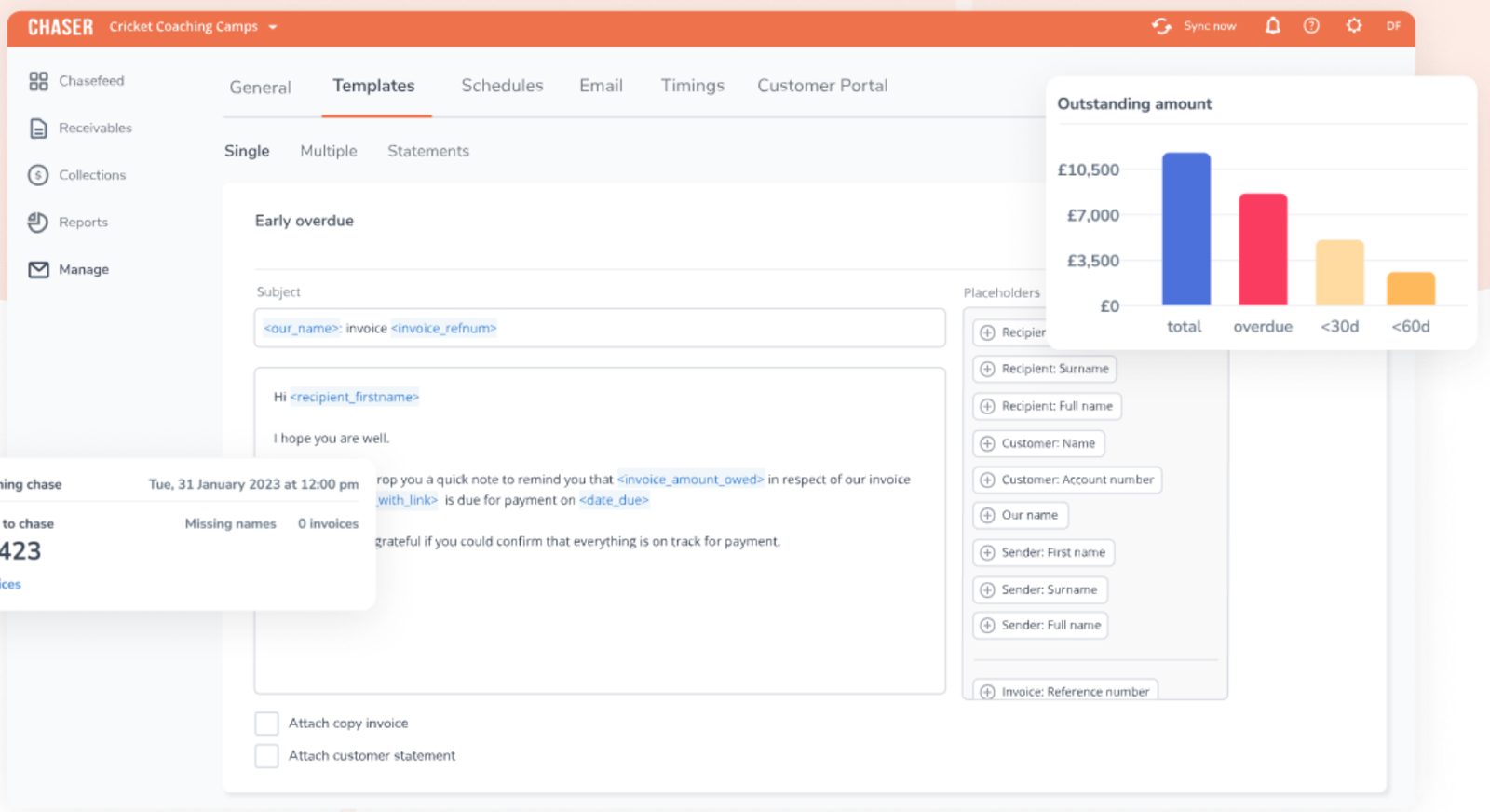
Chaser syncs open invoices from QuickBooks Online, Xero, Sage Intacct or NetSuite and chases them by email, SMS, automated call and letter on schedules you set. It adds a payment portal, payment plans, late fees, disputes and credit monitoring. Compact caps at 4 users, 4 schedules and 30 templates; Core and Complete remove those caps.
Chaser fits a team on QuickBooks Online, Xero, Sage Intacct or NetSuite that wants late invoices chased by email, SMS, automated call and letter on a schedule, at a flat monthly price.
Team it fits: a finance team where one person spends a large share of the week writing chase emails, with invoices that live in the accounting system.
How it handles receivables: Chaser syncs invoices from the integrations on its list (QuickBooks Online, Xero, NetSuite, Sage Intacct, Dynamics 365 Business Central and others) and runs reminders on schedules. Its homepage lists email, SMS and automated phone reminders, letters, an AI email generator, recommended chasing times, disputes and credit monitoring. Chaser Pay adds a customer payment portal, payment plans, early payment discounts and late fees.
Plan gating: Compact at $259 a month allows 4 users, 30 templates, 4 schedules and 100 SMS and 100 call credits. Core at $779 and Complete at $1,169 remove the user, template and schedule caps and add multi-entity and call recording. The AR forecast is an $11 monthly add-on on Compact and Core and is included on Complete. Annual billing takes 10% off.
Limits: Chaser's help pages say instant bank transfer works only between UK bank accounts, so US teams rely on cards and standard bank transfer. For Sage Intacct and NetSuite we did not find whether payments write back to the ledger.
- You run Xero, QuickBooks Online, Sage Intacct or NetSuite and want multi-channel dunning with unlimited schedules from Core
- You want chasing, a payment portal, payment plans and late fees in one tool at a flat monthly price
- You need US-native instant payments: instant bank transfer is UK-only
- You want a low-cost start: Compact is $259 a month with tight caps and no multi-entity
- Users like
- Automation takes the effort out of chasing, integrates well with accounting software, ease of use
- Users dislike
- Limited customization for specific workflows (one recurring theme found)
- Source: G2 (via search summary), 68 reviews
How it works in practice
These are the USD prices on Chaser's detailed pricing page, read on October 30, 2026. The G2 figure of 4.3 from about 68 reviews comes from a search summary because G2 blocked our reader, and the one recurring complaint we found was limited workflow customization.
- Starting price
- Compact $259, Core $779, Complete $1,169 per month (annual billing is 10% off); Custom is quote-only
- Compact
- 4 users, 30 templates, 4 schedules, 100 SMS and 100 call credits a month, no multi-entity, no call recording
- Core and Complete
- Unlimited users, templates and schedules; multi-entity and call recording
- AR forecast
- Paid add-on ($11 a month) on Compact and Core, included on Complete
- Integrations
- QuickBooks Online, Xero, NetSuite, Sage Intacct, Dynamics 365 Business Central, others
- Chaser Care
- Outsourced credit-control specialist, from $1,199 a month on top of Compact
- Plans
- Compact $259, Core $779, Complete $1,169 per month
- Compact limits
- 4 users, 4 schedules, 30 templates
Upflow
Upflow
Upflow runs collections from a synced invoice list with email, SMS, call and letter reminders, a branded customer portal and, on higher plans, rules, AI agents and cash application. Plans are sized by annual invoiced revenue, from up to $10M on Starter to over $100M on Entreprise. NetSuite, Sage Intacct, QuickBooks Online and Xero are on the homepage integration list.
Upflow fits a team that wants collections to run from a live invoice list and expects to move from reminders to rules, a branded portal and cash application as invoice volume grows.
Team it fits: a finance team on NetSuite, Sage Intacct, QuickBooks Online or Xero, sized by annual invoiced revenue.
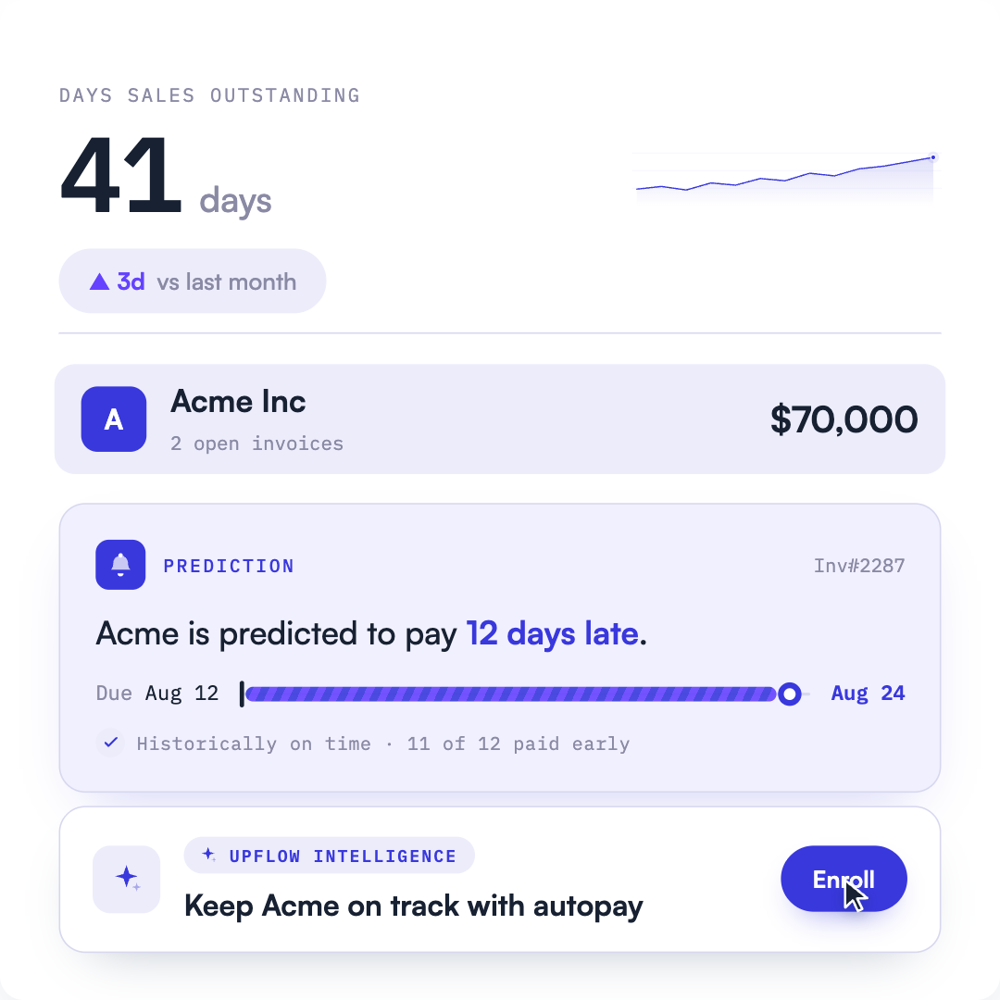
How it handles receivables: Upflow's pricing page sizes its five plans by invoiced revenue, from up to $10M on Starter to over $100M on Entreprise. Starter includes unlimited seats and email, SMS, call and letter reminders. Grow adds branded customer portals, Slack, a REST API and multi-entity dashboards. Scale adds a Smart Rules engine and a Collections Agent, and Accelerate adds a Cash Application Agent. The homepage lets you set the Collections Agent from suggestion-only to fully autonomous. Sage Intacct's documentation says the sync runs every two hours and that payments collected through Upflow are written back.
Cost: every plan is quote-only. Upflow Payments is an add-on at 3.5% plus $0.30 per card payment and 0.8% capped at $5 for ACH, with a $390 monthly platform fee.
Limits: we did not find the QuickBooks Online or Xero sync depth, and the vendor figures on DSO reduction and auto-match rates are the vendor's own.
- You run NetSuite, Sage Intacct, QuickBooks Online or Xero and want a two-way receivables sync
- You want to grow from reminders to rules and AI agents on one platform
- You need published pricing: every plan is quote-only and payment fees come on top
- You need cash application on a lower plan: it starts on Accelerate
- Users like
- Ease of use, real-time receivables visibility, reminder automation
- Users dislike
- Limited customization of reports and email templates; setup may need extra resources
- Source: G2 (via search summary), 230 reviews
How it works in practice
Pricing and features were read on Upflow's pricing page and homepage on October 30, 2026. The G2 rating of 4.8 from about 230 reviews comes from a search summary because G2 blocked our reader. Reviewers praise ease of use and visibility, and the complaints are limited customization of reports and email templates.
- Starting price
- Quote only on all five plans (Starter, Grow, Scale, Accelerate, Entreprise); Upflow Payments is an add-on with card 3.5% + $0.30, ACH 0.8% capped at $5 and a $390 monthly platform fee
- Starter
- Up to $10M invoiced a year; unlimited seats; email, SMS, call and letter reminders
- Grow
- Adds branded portals, Slack, REST API, multi-entity dashboards
- Scale
- Adds Smart Rules, Collections Agent, HubSpot sync
- Accelerate
- Adds Cash Application Agent, Salesforce sync, SSO
- Payments add-on
- Cards 3.5% + $0.30; ACH 0.8% capped at $5; $390 a month platform fee
- Sizing
- Starter up to $10M invoiced a year, Entreprise over $100M
- Cash application
- Accelerate and above
Order-to-cash platforms
Order-to-cash platforms cover everything from invoice delivery to cash application, and they are built for teams where receivables is a department, not a task. None of the three below publishes a price, and all three are sold through a conversation and a demo.
Versapay
Versapay
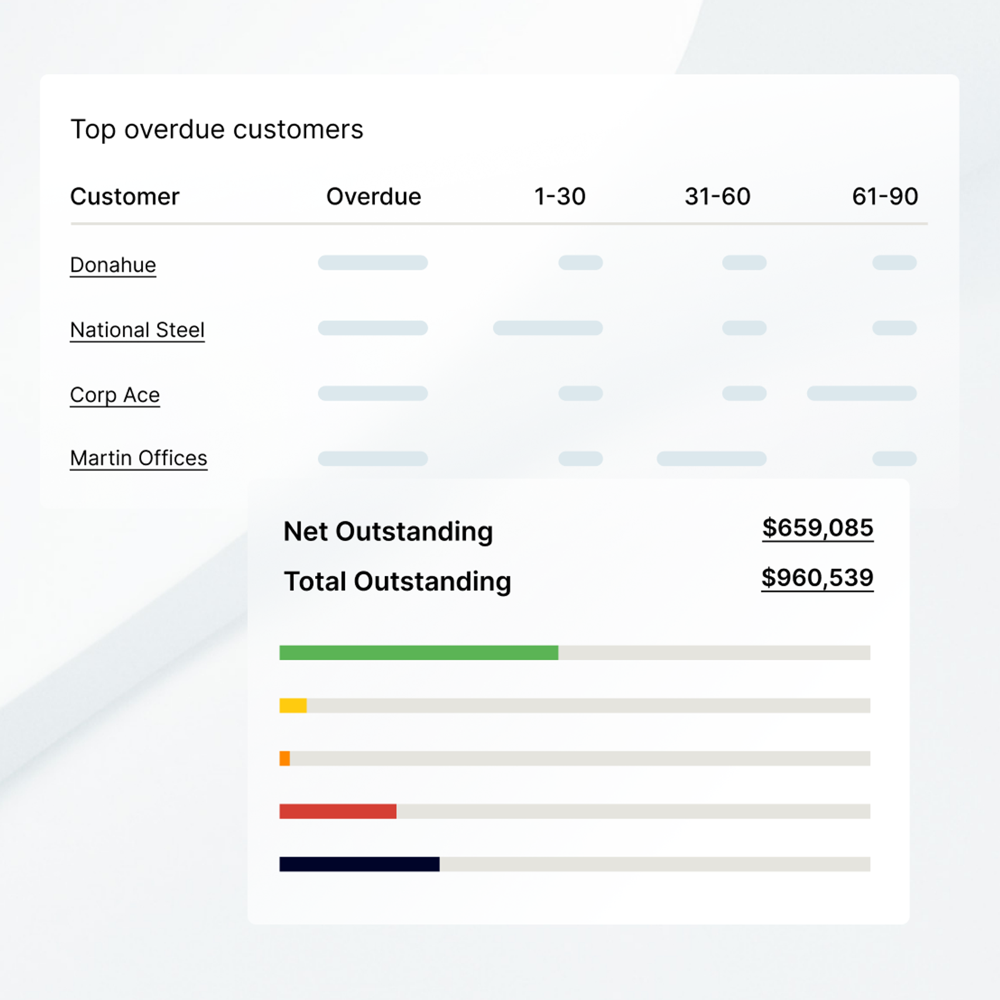
Versapay is a unified receivables platform covering invoicing, collections with risk ranking, AI cash application, a branded customer portal with dispute handling and B2B payments by ACH, card and wire. Native ERP connectors are NetSuite, Sage Intacct and two Dynamics 365 products; other ERPs connect through APIs or flat files. The FAQ calls it a top choice for midmarket finance teams.
Versapay fits a midmarket team in manufacturing, wholesale distribution or professional services that wants customers to view, pay and dispute invoices in one portal.
Team it fits: a midmarket finance team on NetSuite, Sage Intacct or Dynamics 365 with a receivables group and customers who pay by ACH, card or wire.
How it handles receivables: Versapay's site describes one platform for invoicing, collections, cash application, payments and reporting. Collections ranks accounts by risk and predicts delinquencies, cash application uses AI to match payments to open invoices, and the digital invoicing portal lets customers see invoices, pay, check history and resolve disputes. B2B payments cover ACH, card and wire with fraud monitoring and early-payment discount options.
ERPs: native connectors are NetSuite, Sage Intacct and two Dynamics 365 products. The integrations page also says it works with JD Edwards, SAP, IBM, Epicor and Yardi, and offers open APIs or flat files for any other ERP.
Limits: pricing is not published, the help center is mostly payer-facing, and we did not verify how deep the SAP connection goes.
- You run NetSuite, Sage Intacct or Dynamics 365 and want native connectors
- Your customers should pay and raise disputes in a portal
- You need published pricing
- You need a fast, light setup or an ERP outside its native list
- Users like
- Ease of use, easy payments
- Users dislike
- Payment issues, customer support, difficult initial setup
- Source: G2 (via search summary), 95 reviews
How it works in practice
Features were read on Versapay's site on October 30, 2026. The G2 rating of 4.1 from about 95 reviews comes from a search summary because G2 blocked our reader. Reviewers praise ease of use and easy payments, and they cite payment issues, support and a difficult initial setup.
- Starting price
- Not published; the site offers Talk with an expert and an interactive demo, and /pricing returns a 404
- Native ERPs
- NetSuite, Sage Intacct, Dynamics 365 Business Central and Finance
- Payments
- ACH, card and wire
- Verticals named
- Manufacturing, wholesale distribution, professional services
Billtrust
Billtrust
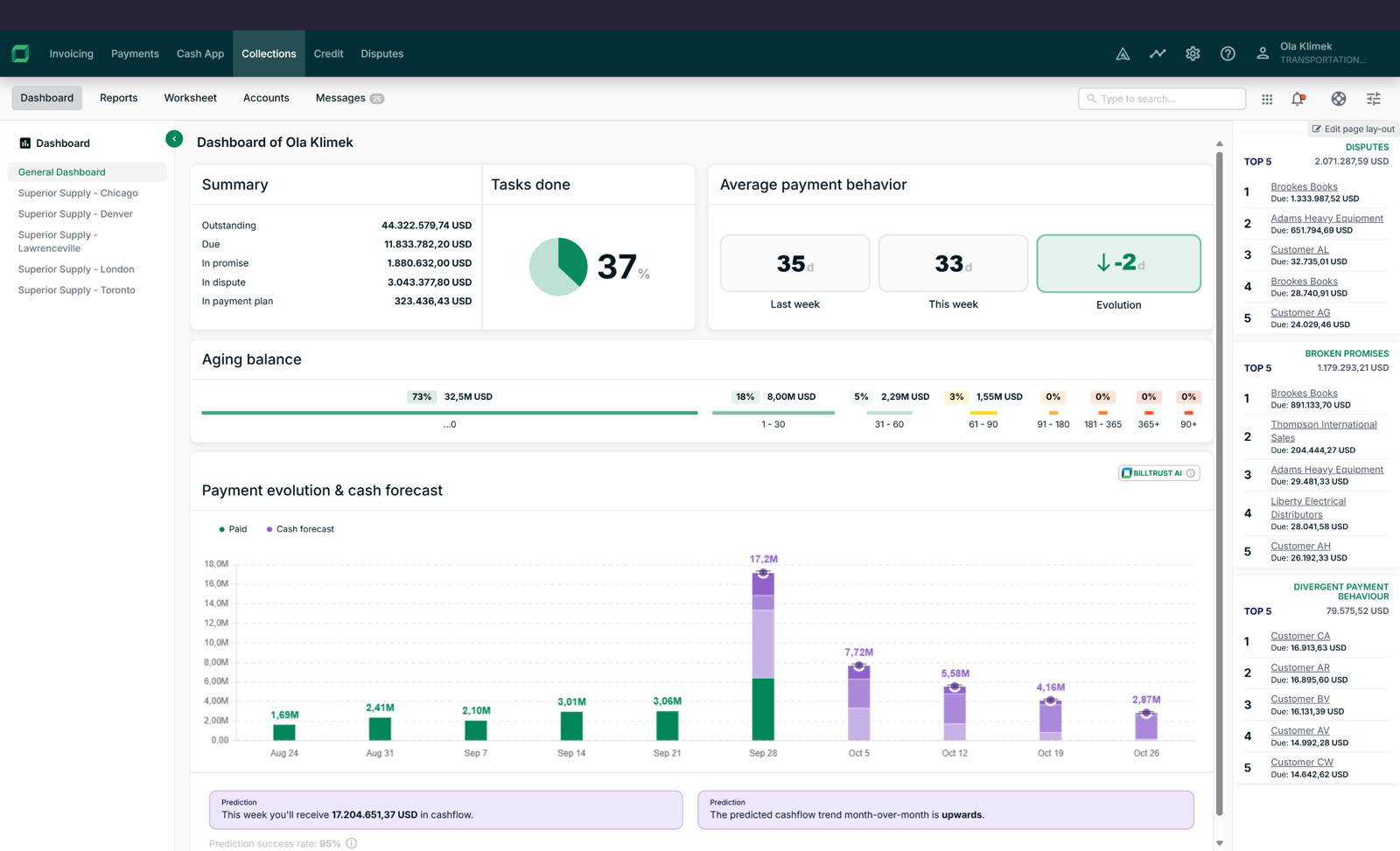
Billtrust splits its platform into Cash Engine (invoicing and payments) and Cash Accelerator (credit, collections and cash application). Invoices go out by email, buyer portal, AP portals, Peppol or print, and AI matches incoming payments. Its integrations page names ERPs such as Infor, SAP, Oracle, JD Edwards, Epicor and Microsoft.
Billtrust fits a mid-market or enterprise team that wants the whole invoice-to-cash chain on one platform, especially when customers insist on AP portal submission.
Team it fits: a receivables department with high invoice volume, customers on large AP portals and an ERP such as Infor, SAP, Oracle, JD Edwards or Epicor.
How it handles receivables: Billtrust splits its platform into Cash Engine for invoicing and payments, and Cash Accelerator for credit, collections and cash application. Invoices go out by email, a buyer payment portal, AP portals, Peppol or print. Cash application uses AI matching with confidence scores, and the vendor says straight-through rates are often above 90%. Collections adds disputes cases and predictive collections, and credit adds auto-decisioning and monitoring.
Integrations: the integrations page calls the platform ERP-agnostic and names Infor, SAP, Oracle, JD Edwards, Epicor, QAD and Microsoft. NetSuite and Sage Intacct are not named on the official page, although third-party listings claim them.
Limits: no pricing is published, and the customer list skews enterprise. The company size is not stated on the pages we read.
- You want delivery, payments, credit, collections and cash application on one platform
- Your customers require AP portal submission
- You want published pricing or a self-serve purchase
- You are a small team that wants quick setup and simple navigation
- Users like
- Support quality, online payments, self-service portal
- Users dislike
- Navigation (13 G2 reviews), email automation issues
- Source: G2 (via search summary), 510 reviews
How it works in practice
Features were read on Billtrust's site on October 30, 2026. The G2 rating of 4.4 from about 510 reviews comes from a search summary because G2 blocked our reader. Reviewers praise support and online payments, and 13 G2 reviews cite poor navigation.
- Starting price
- Not published; the site offers Talk to an expert and an interactive demo, and /pricing returns a 404
- Platform
- Cash Engine and Cash Accelerator
- Cash application
- AI matching with confidence scores; vendor says straight-through rates are often above 90%
- Invoice delivery
- Email, buyer payment portal, AP portals (page says 260+ in one place and over 200 in another), Peppol, print
- Integrations
- ERP-agnostic per the site; Infor, SAP, Oracle, JD Edwards, Epicor, QAD, Microsoft named; NetSuite and Sage Intacct not named on the official page
- Delivery
- Email, buyer portal, AP portals, Peppol, print
HighRadius
HighRadius
HighRadius sells receivables as modules: Collections Management with a prioritized worklist and dunning emails with payment links, Cash Application, Credit Management, e-invoicing (EIPP) and Deductions. It lists 50+ ERP integrations, with SAP, NetSuite, Microsoft Dynamics and Sage Intacct out of the box and QuickBooks through an API. The vendor states implementation takes 3 to 6 months.
HighRadius fits a team with dedicated collectors and a cash application group that wants a prioritized worklist and AI matching in one suite.
Team it fits: a large receivables team on SAP, NetSuite, Microsoft Dynamics or Sage Intacct, where collectors work from a daily list.
How it handles receivables: HighRadius sells modules: Collections Management, Cash Application, Credit Management, e-invoicing (EIPP) and Deductions. Its collections page describes a prioritized worklist, dunning emails with payment links, in-app calls, an AR email inbox and invoice upload to AP portals (it cites 600+). The vendor lists 50+ ERP integrations, with SAP, Oracle NetSuite, Microsoft Dynamics and Sage Intacct out of the box and QuickBooks through an API.
Cost and timing: the price is a quote. The homepage describes outcome-based pricing with no implementation fee, nothing owed until go-live and a gain share afterwards, and it does not state the percentage. The vendor states implementation takes 3 to 6 months.
Limits: the claims of 20% lower past-due balances and 30% higher collector productivity are the vendor's own, and we did not read G2 review text.
- You have a dedicated collections and cash application team
- You run SAP, NetSuite, Dynamics or Sage Intacct and want an out-of-the-box connector
- You are a team of 2 to 8 on QuickBooks Online or Xero: QuickBooks connects through an API and the rollout is 3 to 6 months
- You want a published price
- Users like
- Ease of use (8.4 on G2)
- Users dislike
- Not read: G2 review text was blocked, so no complaint themes are quoted
- Source: G2 Accounts Receivables (search result), 237 reviews
How it works in practice
Features were read on HighRadius's site on October 30, 2026. The G2 rating of 4.3 from 237 reviews is for the Accounts Receivables product and comes from a search result because G2 blocked our reader.
- Starting price
- Quote only; the homepage describes outcome-based pricing with $0 implementation, no fee until go-live and a gain share afterwards (percentage not published)
- Modules
- Collections, Cash Application, Credit, e-invoicing, Deductions
- ERPs
- 50+; SAP, Oracle NetSuite, Microsoft Dynamics and Sage Intacct out of the box; QuickBooks via API
- AP portals
- Collections page cites 600+ portals for invoice upload
- Implementation
- 3 to 6 months (vendor statement)
Where each tool sits in the invoice-to-cash chain
Invoice-to-cash has four jobs: send the invoice, chase it, collect the payment and match the payment. The tools above cover different stretches of it, and a smaller tool that covers your two painful stretches beats a platform that covers all four.
- Step 1Send the invoice
- QuickBooks Online
- Xero
- BILL
Breaks when the invoice goes to a contact who is no longer there - Step 2Chase late payers
- Chaser
- Upflow
- HighRadius
Breaks when reminders stop because nobody owns the list - Step 3Collect the payment
- Versapay
- Billtrust
Breaks when a customer portal rejects the invoice for a purchase order mismatch - Step 4Match and close
- The Finance Lead
Tracks who tied out the aging report and where the evidence sits
The AR capabilities that separate these tools
| Tool | Reminder channels we found | Customer portal | Cash application | Published price |
|---|---|---|---|---|
| QuickBooks Online | Email reminders | Payment links | Not described | Yes |
| Xero | Email reminders | Pay now links | Bank feed matching | Yes |
| BILL | Email reminders | Payment links | Not described | Yes |
| Chaser | Email, SMS, call, letter | Chaser Pay portal | Not described | Yes |
| Upflow | Email, SMS, call, letter | Branded portal from Grow | Accelerate and above | No |
| Versapay | Collections outreach | Branded portal with disputes | AI matching | No |
| Billtrust | Collections outreach | Buyer portal and AP portals | AI matching | No |
| HighRadius | Dunning emails, in-app calls | E-invoicing portal | AI matching | No |
Read the table as a floor, not a score. A blank means we found no statement on the pages we read, not that the feature is missing. The ledger tools do not describe cash application as a feature, because payment matching happens when the payment lands in the bank feed. Xero's own page says the reminders stop once the payment is matched through the bank feed.
How to choose accounts receivable software
Start with the job that costs you hours, not the feature list.
- Late invoices are chased by hand each week. Try the reminders in QuickBooks Online, Xero or BILL for a month first. If one person still spends a day a week chasing, a collections layer such as Chaser or Upflow is the next step.
- Customers pay by check, ACH and card and you match them by hand. That is a cash application problem. Upflow (Accelerate and above), Versapay, Billtrust and HighRadius list AI matching.
- Customers reject invoices for purchase order mismatches. Look for a customer portal with disputes and AP portal delivery: Versapay and Billtrust describe both.
- Your ERP is NetSuite, Sage Intacct or Dynamics 365. Check native connectors first. Versapay lists all three, and Upflow and Chaser list NetSuite and Sage Intacct.
- You cannot get a price. Four of the eight tools are quote-only. Ask each for the price at your invoice volume and for the payment fees in writing.
- Invoices, reminders and payments on the ledger you already useQuickBooks Online or Xero
- AP and AR in one tool on QuickBooks Online or XeroBILL
- Multi-channel chasing at a published monthly priceChaser
- Chasing that can grow into rules and cash applicationUpflow
- Customer portal with disputes on NetSuite, Sage Intacct or Dynamics 365Versapay
- AP portal delivery and a long ERP listBilltrust
- A prioritized worklist for a dedicated collections teamHighRadius
Review the aging report before the books close
Collecting cash is only half of the receivables job. At month end someone has to tie the aging report to the receivables balance in the ledger, review the allowance for doubtful accounts and attach the evidence. None of the tools above runs that step, and most teams keep it in a spreadsheet and chase it by email. Our month-end close checklist lists where it sits in the close, and financial close software covers the tools that run the close itself. The Finance Lead tracks those close tasks, the evidence behind them and the preparer and reviewer sign-off. It does not send invoices, chase customers or touch your ledger.
FAQ
What is the best accounts receivable software?
No single tool is best for every team. For one entity on QuickBooks Online or Xero, the invoicing and reminders built into the ledger are the best starting point. A collections layer such as Chaser or Upflow fits teams that spend hours a week chasing late invoices, and Versapay, Billtrust or HighRadius fit midmarket and enterprise teams that handle cash application, credit and customer portals every day.
How much does accounts receivable software cost?
It ranges from the price of your accounting subscription to a quote. QuickBooks Online runs $38 to $340 a month and Xero $27 to $97. BILL costs $49 to $89 per user a month, and Chaser runs $259 to $1,169 a month. Upflow, Versapay, Billtrust and HighRadius do not publish prices. Payment processing fees come on top for most tools.
Is accounts receivable software the same as invoicing software?
No. Invoicing software creates and sends the invoice. Accounts receivable software also tracks what is overdue, chases it, collects the payment and matches it to the invoice. The ledger tools here do some of both, and the collections layers and platforms cover the chasing and matching in depth.
Do I need a collections tool if I already use QuickBooks Online or Xero?
Not at first. Both send automatic reminders and take card or ACH payments. A collections layer earns its fee when late payers need escalation by SMS, call or letter, when you want a portal and payment plans, or when you want one list of who owes what.
Is AR a revenue account?
No. Accounts receivable is a current asset on the balance sheet. It records money customers owe you, and the revenue from the sale sits on the income statement.
What is cash application?
Cash application is the step that matches an incoming payment to the open invoice or invoices it pays. Upflow lists a Cash Application Agent on Accelerate and above, and Versapay, Billtrust and HighRadius describe AI matching.