Revenue recognition software turns customer contracts into revenue schedules and journal entries under ASC 606 or IFRS 15, so revenue lands in the period it is earned and not the period it is billed. It matters most once contracts include annual prepayments, usage, bundles or mid-term changes, since those are the cases a spreadsheet gets wrong without anyone noticing.
We compared eight tools and sorted them by where the rule engine lives: four billing platforms, two ERP modules and two newer revenue-first platforms. For each one we looked at four facts: how its rules build a schedule, how it handles contract changes and allocation, where the journal entry goes and what the price is based on. We read vendor pricing, product and documentation pages and did not run these products ourselves.
- revenue recognition tools compared
- 8
- publishes a USD entry price (Maxio, from $599 a month)
- 1 of 8
- setup time Zenskar quotes, by company size
- 2 to 16 weeks
- median implementation G2 users report for Zuora overall
- 6 months
Our picks by situation
The best revenue recognition software depends on where your contracts are billed and which ledger receives the journal entry. Match your setup to one of these.
 Best for complex mixed contractsZuora RevenueConfigurable allocation, variable consideration rules and three treatments for contract modifications. Sold by quote and reported at a median of six months to implement.
 Best for B2B SaaS with a published entry priceMaxioRevenue schedules, contract changes and a month-end journal entry sit next to billing. The Grow plan starts at $599 a month.
 Best if you bill in ChargebeeChargebee RevRecRevenue arrangements with an SSP library, and journal entries for NetSuite, Sage Intacct, QuickBooks or Xero.
 Best if NetSuite is already your ledgerOracle NetSuiteRevenue arrangements, relative fair value allocation and monthly reclassification inside the NetSuite ledger.
 Best for usage and milestone pricingZenskarRules apply contract by contract, with standalone selling prices you can change mid-contract and entries synced to your ERP.
 Best for replacing an entry-level ERPRilletRecognition runs inside the ledger itself, with AI-assisted contract analysis that you review and approve.
What is revenue recognition software?
Revenue recognition software is a system that applies the ASC 606 or IFRS 15 rules to customer contracts and produces the revenue schedules and journal entries that move money from deferred revenue into revenue as each promise to the customer is fulfilled. It replaces the spreadsheet that holds a row per contract and a formula per month, and it doesn't break when a contract changes.
Both standards use the same five steps, in the order the IFRS Foundation lists them.
- The company identifies the contract with the customer.
- It identifies the performance obligations in the contract, which are the distinct goods or services promised.
- It determines the transaction price, including any variable amount.
- It allocates the transaction price to each performance obligation on the basis of relative stand-alone selling prices.
- It recognizes revenue when each performance obligation is satisfied.
It's steps 3 to 5 where software earns its place. Step 4 needs a price list of stand-alone selling prices and a rule for bundles. Step 5 needs a schedule per obligation that changes when the contract does. The table lists what to check in each tool.
| Capability | What to check | Why it matters |
|---|---|---|
| Recognition rules | Whether a rule can be set per item or per contract: straight-line, by days, milestone, usage | One pattern for every contract misstates anything that isn't straight-line |
| Allocation | Whether a bundle is split on stand-alone selling prices and who maintains the price list | Allocation changes revenue by period even when the total is the same |
| Contract changes | How an upgrade, downgrade or early termination reschedules revenue, and whether closed periods stay untouched | Changes are where manual schedules drift from the contract |
| Ledger handoff | Whether the journal entry posts automatically, on a schedule or as a file export, and to which ledger | A file export adds a manual step to every close |
| Audit trail | Whether you can trace a ledger entry back to the schedule, the allocation and the contract | Auditors test this chain first |
How does deferred revenue work for a subscription?
Deferred revenue is money received or billed for something not yet delivered, held as a liability until the obligation is satisfied. Take a customer billed $12,000 for an annual subscription on January 1. The invoice creates $12,000 of deferred revenue, and each month $1,000 moves into revenue.
| Event | Debit | Credit | Amount (USD) |
|---|---|---|---|
| Annual invoice issued | Accounts receivable | Deferred revenue | $12,000 |
| Month-end recognition, each month | Deferred revenue | Subscription revenue | $1,000 |
| Customer upgrades in month 5 | Schedule recalculated | Remaining deferred revenue reallocated | Depends on the contract terms |
The first two rows are mechanical, so any ledger can post them, but the third row is why this software exists. The new amount, the new term and any change to allocation have to produce a revised schedule without rewriting periods that are already closed.
Do you need revenue recognition software or is your ERP enough?
Your ERP is often enough while contracts are single-element, billed in the same period they are delivered or recognized on one straight-line pattern. Look at dedicated software, though, when one of these applies: contracts bundle several obligations at different prices, customers change plans mid-term, usage or milestones drive revenue, or your auditors ask for the allocation behind each entry. Teams on ERP accounting software often start with the ledger's own revenue module and add a specialist later.
Revenue recognition software compared
| Tool | Where the rule engine lives | What it hands the controller | Pricing | G2 rating |
|---|---|---|---|---|
| Zuora Revenue | Revenue recognition subledger (Zuora Revenue, formerly RevPro) alongside Zuora Billing | Contract-level ASC 606 allocations, recognition schedules and journal entries ready to transfer to your general ledger. | Quote only: Zuora publishes no price for Zuora Revenue or for Zuora Billing plans | 3.9 (310) |
| Maxio | SaaS billing platform with built-in revenue recognition (Maxio Revenue) | Revenue schedules, waterfall reports and a consolidated month-end journal entry ready to book to your general ledger. | Grow plan from $599/month for up to $100k in monthly billings, default agreements paid annually; Scale plan for over $100k in monthly billings is quote only; Advanced revenue management is an unpriced optional module. | 4.3 (829) |
| Chargebee RevRec | Revenue recognition subledger for billing and ERP data | ASC 606 revenue schedules and summarized journal entries posted to your general ledger on your fiscal calendar. | Quote only. RevRec is part of the Performance plan (available to Chargebee Billing customers, demo required) and the Enterprise plan; no amounts are published | 4.3 (32) |
 Stripe Revenue Recognition | Revenue recognition module inside Stripe Dashboard | Dashboard reports (trial balance, income statement, balance sheet, debits and credits) and journal entries you export to your ledger. | Volume-based: a monthly fee plus a percentage of billing volume, with a 30-day trial; no USD price list confirmed | 3.8 (4) |
| Oracle NetSuite | Revenue module inside an ERP (Advanced Revenue Management) | Revenue arrangements, revenue plans and month-end recognition and reclassification journals inside the NetSuite ledger | Quote only; NetSuite publishes no list prices | 4.1 (4,831) |
 Sage Intacct | Contracts module inside an ERP (Revenue Management) | Contract lines with billing and revenue schedules, posted to the Contracts subledger and the general ledger | Quote only; Sage publishes no plan names or prices | 4.3 (4,283) |
| Zenskar | Contract-based billing and revenue recognition platform | Zenskar hands the controller contract-level revenue schedules and balanced journal entries that sync to your ERP, with a timestamped audit trail. | Quote only: Starter, Standard and Enterprise are all custom priced. Zenskar says it does not charge a percentage of revenue | 4.9 (69) |
| Rillet | AI-native ERP with built-in revenue recognition | Rillet hands the controller ASC 606 schedules and journal entries booked in the same general ledger that produces the financials, with no separate rev rec subledger to reconcile. | Quote only: no subscription price is published. The pricing page cites an implementation cost of $10K to $30K (one-time or recurring is not stated) | 5.0 (65) |
 The Finance Lead Our product | Month-end close checklists | Tracks close tasks, evidence and preparer/reviewer sign-off | Team $39/month (up to 8 team members), Plus $79/month (no member limit, read-only MCP server); card required at checkout | No reviews yet |
Pricing and review data checked in November 2026. Only Maxio publishes a USD entry price. Zuora, Chargebee, NetSuite, Sage Intacct, Zenskar and Rillet are quote only, and Stripe prices by volume. Ratings for NetSuite and Sage Intacct are product-level G2 ratings, and Zuora's rating covers Zuora overall.
How we compared the tools
Controllers should compare rules and the ledger handoff before features, because they are what a team can't change after go-live. For every tool we looked for four facts: how rules turn a contract into a schedule, how contract changes and allocation work, where the journal entry goes and what the price is based on. Setup time is shown only where the vendor or G2 users report one. We left out tools that analyze pipeline or forecast revenue, because they don't produce the entry.
Existing guides on this site cover the steps around recognition. The guide to financial reporting software covers what comes after the entry is posted, and general ledger software covers the ledger that receives it.
Billing platforms
Billing platforms run the rule engine next to billing, so rules follow the subscription, usage and invoice data the platform already holds. Zuora Revenue and Chargebee RevRec are separate revenue subledgers that sit beside billing. Maxio and Stripe build recognition into the billing product.
Zuora Revenue
Zuora Revenue
Zuora Revenue is a revenue subledger that applies performance obligation assignment, SSP-based allocation and contract modification rules to each revenue contract. It posts accounting entries that are transferred to your general ledger.
Zuora Revenue fits a company with complex contracts that mix subscriptions, one-time fees and usage and needs configurable allocation and modification treatments.
Team it fits: a finance team with a systems owner and contracts that don't fit one pattern. Zuora also sells billing, and Zuora Revenue is the revenue subledger beside it.
Rules and allocation: Zuora's documentation walks the ASC 606 steps inside the product. Performance obligation assignment rules identify the obligations in each revenue contract, SSP values are derived through an assigned SSP hierarchy, and revenue is allocated on those values. Variable consideration rules can adjust prices before allocation.
Contract changes: a modification can be treated retrospectively, as a cumulative catch-up on revenue already recognized, prospectively, which leaves recognized revenue unchanged, or with no reallocation. For prospective allocation, amounts posted in closed periods aren't taken into account.
Ledger handoff: accounting journal entries are created in Zuora Revenue and transferred to your general ledger. The documentation names no specific ERP connectors, so ask which ones are supported.
- you run complex contracts mixing subscriptions, one-time fees and usage and need configurable SSP allocation and modification treatments
- you want a dedicated revenue subledger with configurable audit trail settings and a controlled period close
- you already bill in Zuora and want billing and revenue under one vendor
- you have a small, simple subscription book, because G2 reviewers report a median implementation of 6 months and Zuora sells by quote only
- you need a figure to budget quickly, because Zuora quotes Zuora Revenue and each Billing plan individually
- Users like
- Reviewers praise flexibility in managing subscription billing and revenue recognition, and useful financial reports for tracking recurring revenue.
- Users dislike
- Reviewers describe the product as complex, with implementation that is non-trivial and dependent on services.
- Source: G2, 310 reviews
How it works in practice
Zuora publishes no price for Zuora Revenue, and its Billing pricing page lists pricing models such as flat fee, per unit, tiered, volume, overage and prepaid drawdown without plan prices. The G2 rating of 3.9 from 310 reviews covers Zuora as a whole, not Zuora Revenue alone. Reviewers praise flexibility in managing billing and revenue recognition and useful financial reports, and they describe the product as complex, with implementation that depends on services. Skip it if you run a small, simple subscription book, since the rollout is a project and the price comes only by quote.
- Starting price
- Quote only: Zuora publishes no price for Zuora Revenue or for Zuora Billing plans
- ASC 606 coverage
- Zuora's documentation says the dark blue steps in its process diagram highlight the five steps to perform revenue recognition based on ASC 606.
- Performance obligations
- Configured POB assignment rules are applied to identify the performance obligations within each revenue contract.
- SSP and allocation
- SSP values are derived for eligible line items via an assigned SSP hierarchy, and revenue allocation occurs based on the derived SSP values.
- Variable consideration
- Before allocation, the system can adjust prices to determine the transaction price based on configured variable consideration rules.
- Contract modifications
- Retrospective treatment adjusts already recognized revenue (cumulative catch-up), prospective treatment leaves recognized revenue unchanged, and a no-allocation treatment leaves amounts unchanged.
- Closed periods
- For prospective allocation, amounts posted in closed periods are not taken into account.
- Revenue release
- Per performance obligation, manual or automatic
- Journal entries and GL
- Accounting journal entries can be created by Zuora Revenue and then transferred to your general ledger; specific ERP connectors are not named in the sources read.
- Reporting
- The docs state a variety of reports are provided by the Reporting capability; a deferred revenue waterfall or rollforward is not named in the sources read.
- Audit trail
- Audit trail behavior is configurable through a dedicated audit trail settings step in the setup documentation.
- Pricing basis
- Sold by quote; Zuora Billing pricing page lists models (flat fee, per unit, tiered, volume, overage, prepaid drawdown) but no plan prices.
- Implementation time
- G2 lists a median time to implement of 6 months for Zuora overall.
- What it does not do
- It is a revenue subledger, not a general ledger or ERP; the sources read do not state support for Salesforce or non-Zuora billing feeds beyond uploading data from upstream systems.
- Price basis
- Quote only
- Typical rollout
- Median 6 months per G2 users (Zuora overall)
Maxio
Maxio
Maxio combines Chargify billing with SaaSOptics-style revenue and financial reporting for B2B SaaS companies. Revenue recognition schedules are generated per transaction, with an optional advanced module for multiple revenue books and performance obligations.
Maxio fits a B2B SaaS company that wants billing, revenue schedules and SaaS reporting in one platform and a published entry price.
Team it fits: a SaaS finance team that bills subscriptions in Maxio and doesn't want a separate revenue system.
Rules: each transaction gets a revenue schedule built from a start date, an end date and a recognition method, generated when the transaction is created. The help center lists about 20 methods, such as daily, evenly with prorated partial months, and all on the start date.
Contract changes and allocation: Contract Changes edit the amount or dates of active transactions, with options for item exchanges, early termination and mid-term changes, and a preview before you submit. Advanced revenue management adds multiple revenue books, pricing models and performance obligations, and Maxio says it handles standalone selling prices and negotiated transaction prices.
Ledger handoff: Maxio can create a consolidated journal entry at month end, ready to book to the general ledger, and says it syncs invoices and payments to NetSuite, Sage, QuickBooks and similar systems. A closing date blocks edits to revenue and invoicing data on or before it.
- you are a B2B SaaS company that wants billing, revenue schedules and SaaS metrics in one platform
- you want published entry pricing with no per-seat fees
- you need contract changes previewed and schedules adjusted without overwriting original data
- you need a standalone rev rec engine for non-SaaS or non-Maxio billing data, because the product is built around its own billing and transactions
- you need deep multi-element SSP allocation out of the box, because the sources read describe SSP handling only briefly and Advanced Revenue is a separately priced module
- Users like
- Reviewers say support and onboarding are top notch and that setup and ongoing management are easy.
- Users dislike
- Reviewers cite limits around billing types and adjustments, and want reporting enhanced for mid-month or specific-day reporting.
- Source: G2, 829 reviews
How it works in practice
Grow is $599 a month for up to $100k in monthly billings, with agreements paid annually by default. Scale, for more than $100k in monthly billings, is quoted. Advanced revenue management is an optional module with no listed price. G2 shows 4.3 from 829 ratings. Reviewers praise support and onboarding and ease of setup, and they cite limits around billing types and adjustments. Skip it if your billing data lives outside Maxio, since the product is built around its own billing and transactions, or if you need deep multi-element allocation out of the box.
- Starting price
- Grow plan from $599/month for up to $100k in monthly billings, default agreements paid annually; Scale plan for over $100k in monthly billings is quote only; Advanced revenue management is an unpriced optional module.
- ASC 606/IFRS 15 coverage
- Maxio states its tailored recognition rules can align with ASC 606, IFRS 15 and internal policies.
- Rev rec schedules
- Each transaction gets a revenue schedule built from start date, end date and a chosen recognition method, generated automatically when the transaction is created.
- Recognition methods
- The help center lists about 20 recognition methods, such as Daily, Evenly with prorated partial months, All on Start date and No Revenue.
- Contract changes
- Contract Changes edit amount or dates of active transactions, with advanced options for item exchanges, early termination and mid-term changes, and a preview before submitting.
- Performance obligations and SSP
- Advanced revenue management lets you create multiple revenue books, pricing models and performance obligations, and the FAQ says it handles standalone selling prices and negotiated transaction prices.
- Journal entries
- A consolidated journal entry can be created at month end, ready for booking to the general ledger.
- ERP sync
- Maxio says it syncs invoices and SaaS payments to NetSuite, Sage, QuickBooks and similar systems.
- Reporting
- Automated revenue schedules and waterfall reports aligned to accounting policies, plus roll forwards, ARR summaries and A/R aging.
- Audit trail
- A detailed audit trail section breaks revenue down by customer, contract, transaction or item; a Closing Date blocks edits to revenue and invoicing data on or before it.
- Balance control
- An out-of-balance condition occurs unless transaction amounts, invoice line items and revenues are all equal.
- Pricing basis
- Grow is $599/month for up to $100k monthly billings; Scale is quoted; no per-seat fees; default agreements paid annually.
- What it does not do
- Advanced revenue management has no listed price and the plan-to-level mapping of standard vs advanced rev rec is not shown; implementation time is not published.
- Plans
- Grow, Scale; no per-seat fees
- Billing basis
- Monthly billings volume
Chargebee RevRec
Chargebee RevRec
Chargebee RevRec is a revenue recognition subledger that builds a revenue arrangement per sales order, allocates the price with an SSP library and posts summarized journal entries to the ledger. It pulls billing data from Chargebee, Stripe and several ERPs and accounting systems.
Chargebee RevRec fits a team that bills in Chargebee, or mixes recurring, variable and credit-based pricing, and wants ASC 606 schedules posted to its ledger.
Team it fits: a finance team on Chargebee Billing, or one that feeds sales order data from Stripe or an ERP into a revenue subledger.
Rules and allocation: each sold item is linked to a revenue plan determined by a rule, and RevRec creates a revenue schedule for each sales order. It builds a revenue arrangement per sales order with a configurable SSP library tied to your price book and shows the performance obligations under it.
Contract changes: Chargebee says RevRec automates the treatment of upsells, co-terms, credit notes, early renewals and other modifications, and that one rules engine covers recurring, variable, credit-based and hybrid models.
Ledger handoff: RevRec posts summarized journal entries to the right general ledger accounts on your fiscal calendar. Direct integrations are listed for Chargebee, Stripe, NetSuite, Sage Intacct, QuickBooks and Xero, with billing data synced on a 24-hour cycle. Reports include deferred revenue waterfalls, forecasts and roll-forwards, and Chargebee describes an audit trail from signed contract to journal entry.
- you already bill in Chargebee or run a mix of recurring, variable and credit-based pricing and want rules, SSP allocation and modification handling in one engine
- you post to NetSuite, Sage Intacct, QuickBooks or Xero and want summarized journal entries on your fiscal calendar
- you want an audit trail from signed contract to journal entry without maintaining spreadsheets
- you need a published price before talking to sales, because Chargebee shows no RevRec amount and gates the Performance plan behind a demo
- you need highly flexible custom reporting, because G2 reviewers cite limited report customization and a setup learning curve
- Users like
- Reviewers say it cuts spreadsheet work, automates complex ASC 606 and IFRS 15 treatment and helps month-end close.
- Users dislike
- Reviewers cite limited reporting flexibility and setup difficulty.
- Source: G2, 32 reviews
How it works in practice
Chargebee shows no RevRec amount: the Performance plan says to book a demo and request pricing, and RevRec is available to Chargebee Billing customers. The G2 rating is 4.3 from 32 reviews. Reviewers say it cuts spreadsheet work and helps month-end close, and they cite limited reporting flexibility and setup difficulty. No implementation timeline is published. Skip it if you need a published price before a sales call, or if you need highly customized reports.
- Starting price
- Quote only. RevRec is part of the Performance plan (available to Chargebee Billing customers, demo required) and the Enterprise plan; no amounts are published
- ASC 606/IFRS 15
- Chargebee states the workflow is based on the five-step model of ASC 606 and IFRS 15 and that RevRec is compliant with both.
- Rules and schedules
- Each sold item is linked to a revenue plan determined by a rule, and RevRec automatically creates a revenue schedule for each sales order.
- Contract modifications
- The vendor says RevRec automates treatment of upsells, co-terms, credit notes, early renewals and other modifications.
- Usage and variable
- A single rules engine is said to recognize revenue across recurring, variable, credit-based and hybrid models.
- SSP allocation
- RevRec builds a revenue arrangement per sales order using a configurable SSP library tied to your price book and shows the performance obligations under it.
- Journal entries
- RevRec posts summarized journal entries to the right general ledger accounts on your fiscal calendar.
- ERP and GL sync
- Direct integrations are listed for Chargebee, Stripe, NetSuite, Sage Intacct, QuickBooks and Xero, with billing data synced on a 24-hour cycle.
- Reporting
- The vendor lists deferred revenue waterfall reports, forecasts and roll-forward reports generated natively.
- Audit trail
- Chargebee describes a complete audit trail from signed contract to journal entry plus versioned accounting policies and SSP documentation.
- Deployment and pricing
- Pricing is quote-based and RevRec is offered under the Performance plan for Chargebee Billing customers and under Enterprise.
- Setup time
- No implementation timeline is published, and G2 reviewers mention setup challenges.
- What it does not do
- Chargebee's built-in billing revenue reports follow ASC 605 rather than ASC 606, so ASC 606 treatment requires RevRec.
- Price basis
- Quote only
- Availability
- Performance and Enterprise plans
- Data sync
- 24-hour cycle
Stripe Revenue Recognition
Stripe Revenue Recognition
Stripe Revenue Recognition turns Stripe transactions into accrual-basis journal entries, revenue schedules and financial statements inside the Stripe Dashboard. It treats each invoice line item as its own performance obligation and lets you override timing with rules or imported data.
Stripe Revenue Recognition fits a business that collects most of its revenue through Stripe Billing or Invoicing and wants accrual reports without a separate system.
Team it fits: a Stripe-first company with straightforward subscriptions and invoices that needs accrual reporting for its accountants.
Rules: by default a line item with a service period is recognized evenly over that period, and one without a period is recognized in full when the invoice finalizes. Custom rules can apply to products, customers, invoice line items, other payments and credit notes. Only one rule applies per transaction, and rules usually reach reports within 24 hours.
Allocation and changes: each invoice line item is treated as its own performance obligation, and its documentation describes no standalone selling price allocation. Upgrades, downgrades, proration, refunds and disputes run through the subscription and invoice data model, and usage-based revenue is recognized in full at invoice close or at the end of the billing period.
Ledger handoff: every billing activity generates debit and credit entries against a default chart of accounts that you map to your ledger. Data is exported as CSV, including a QuickBooks Online import format, and its documentation names no native NetSuite or Sage Intacct posting connector. Reports include a revenue waterfall, trial balance, income statement, balance sheet and a debits and credits report.
- you collect most revenue through Stripe Billing or Invoicing and want accrual reports without a separate system
- you want pricing tied to payment volume with a self-serve trial instead of a sales cycle
- you need dashboard-level audit drill-down plus CSV exports or a QuickBooks-format file for your ledger
- you need contract-level SSP allocation or multi-element bundles, because the documented model treats each invoice line item as its own performance obligation
- you run billing outside Stripe, because reports are built from Stripe-processed transactions and other data must be imported
- Users like
- Users find it beneficial once configured.
- Users dislike
- Reviewers call setup difficult.
- Source: G2, 4 reviews
How it works in practice
Stripe prices the product by volume. Check the current Stripe page for the amounts that apply to your account. The G2 rating is 3.8 from 4 reviews, too few to rely on. Non-Stripe revenue needs a data import before it appears in reports. Skip it if your contracts have multiple obligations that need allocation, or if you bill outside Stripe.
- Starting price
- Volume-based: a monthly fee plus a percentage of billing volume, with a 30-day trial; no USD price list confirmed
- ASC 606/IFRS 15
- Stripe markets month-end close in the Dashboard under IFRS 15 and ASC 606, and its docs say it targets companies that must follow ASC 606 and GAAP or IFRS.
- Rules and schedules
- By default a line item with a service period is recognized evenly over that period, and with no period it is recognized in full when the invoice finalizes.
- Custom rules
- Custom rules can apply to products, customers, invoice line items, other payments and credit notes, only one rule applies per transaction, and rules usually reach reports within 24 hours.
- Contract modifications
- Upgrades, downgrades, proration, refunds and disputes are handled through the subscription and invoice data model, not through a contract-modification decision workflow.
- Usage and variable
- Usage-based revenue is recognized in full at invoice close or at the end of the billing period.
- Multi-element and SSP
- Each invoice line item is treated as its own performance obligation, and no SSP allocation feature is documented in the pages read.
- Journal entries
- Every billing activity generates debit and credit journal entries against a default chart of accounts that you can map to your ledger.
- ERP and GL sync
- Data is exported as CSV, including a QuickBooks Online import format, and mapped to your chart of accounts; no native NetSuite or Sage Intacct posting connector was found.
- Reporting
- Reports include a revenue waterfall, trial balance, period summary, income statement, balance sheet, AR aging and a debits and credits report.
- Audit trail
- Interactive audit numbers drill down to transactions, and rule creation, edits, deletions and reorder are written to activity logs.
- Deployment and pricing
- It is part of the Stripe Dashboard with volume-based pricing and a 30-day trial; pricing tiers are shown in EUR on the German-locale page.
- What it does not do
- Data shows in the Dashboard after about 4 hours, and non-Stripe revenue needs data import before it appears in reports.
- Price basis
- Monthly fee plus a percentage of volume
- Trial
- 30 days
- Data delay
- About 4 hours in the Dashboard
ERP modules
NetSuite and Sage Intacct sell recognition as a module of the ledger. That removes the handoff between a revenue subledger and the general ledger, and it limits the tool to one ERP.
Oracle NetSuite Advanced Revenue Management
Oracle NetSuite
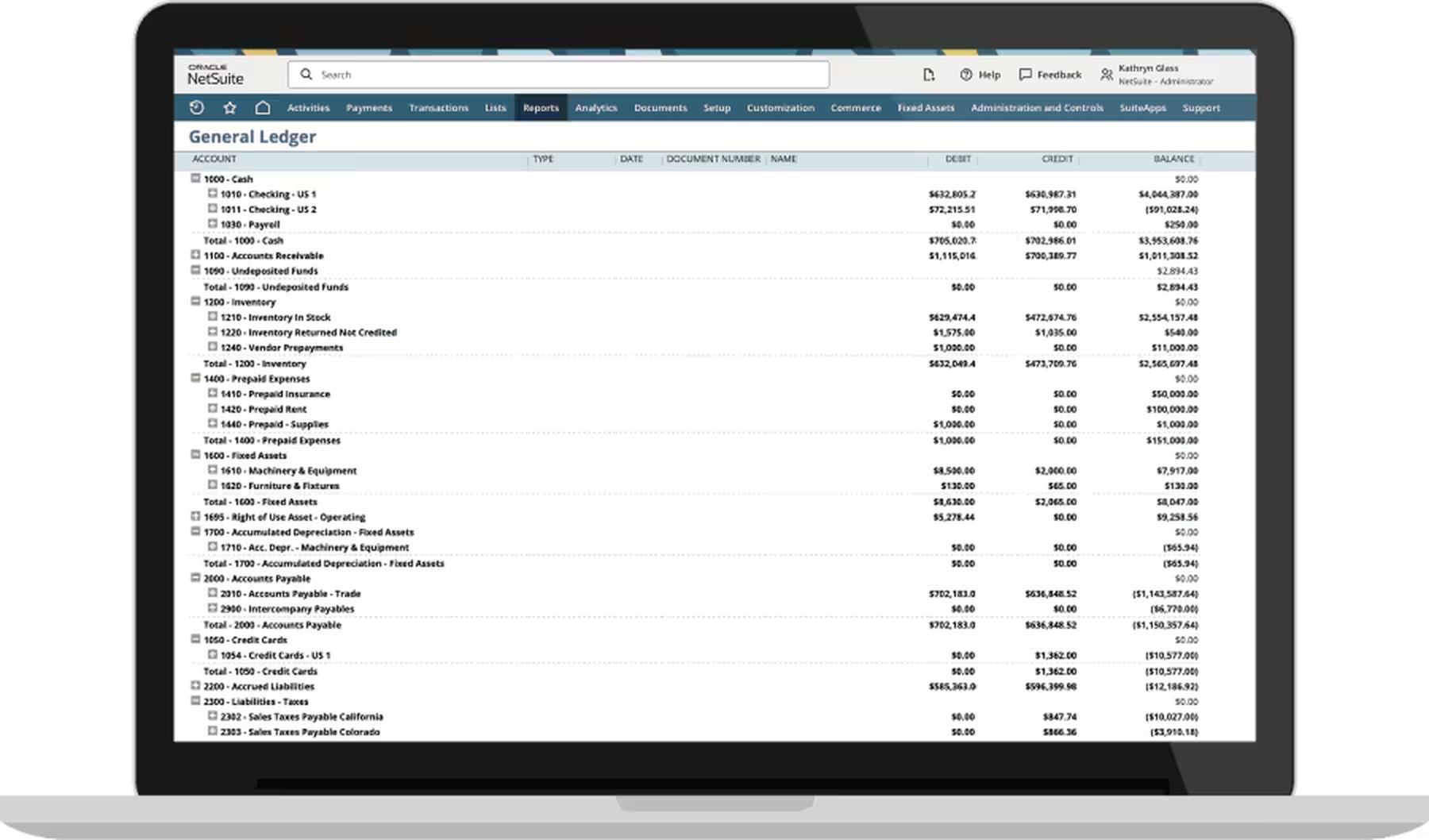
NetSuite is a cloud ERP: financials, inventory, order management and multi-subsidiary accounting in OneWorld. Accounting periods can be locked per subsidiary, and a separate permission lets selected users override a locked period.
NetSuite Advanced Revenue Management fits a company that already runs NetSuite as its ledger and wants recognition, allocation and reclassification in the same system.
Team it fits: a NetSuite customer with a partner or an in-house administrator who can configure and test rules, plans and close steps.
Rules and arrangements: recognition rules are selected on item records, and the Create Revenue Plans On field controls when plans are created. Revenue plans hold the recognition information, and a separate step posts it. A revenue arrangement is a non-posting record that groups revenue elements, and each element represents a distinct line or obligation with its amount, rule, dates, accounts and fair value details.
Allocation and changes: Revenue Allocation distributes the sale amount in proportion to fair value amounts from a fair value price list, which matches the relative standalone selling price approach in Topic 606. Source changes can cause reallocation and a plan update, and Oracle's guidance cautions that not every amendment is treated the same way, so modifications need an accountant's review.
Close: recognition journal entries are a month-end task and can run more than once a month. Reclassification entries must be created each month after recognition entries, are cumulative and post to the next open period, never to a closed or locked one. Only approved arrangements flagged as compliant are reclassified.
- you already run NetSuite as your general ledger and want recognition, allocation and reclassification in one system
- you need relative standalone selling price allocation across bundled items and subscriptions, with rules set per item
- you have a NetSuite partner or administrator who can configure and test rules, plans and close steps
- you don't run NetSuite, because the module works on NetSuite transactions and doesn't post to other ledgers
- you want a self-serve tool live in days, because Oracle says migrating to the new configuration needs NetSuite Professional Services or a qualified partner
- Users like
- ease of use for reporting and navigation, customization
- Users dislike
- learning curve and outdated interface
- Source: G2, 4,831 reviews
How it works in practice
NetSuite publishes no price for the module, and the typical rollout time for revenue recognition isn't published. The G2 rating of 4.1 is for NetSuite as a whole, not the module. Reviewers praise ease of use for reporting and navigation and customizability, and they cite a steep learning curve and an interface they call outdated during setup.
- Starting price
- Quote only; NetSuite publishes no list price
- Price basis
- Quote only, licensed on top of a NetSuite subscription
- Batch limit
- Up to 50,000 revenue arrangements per reclassification submission
Sage Intacct
Sage Intacct
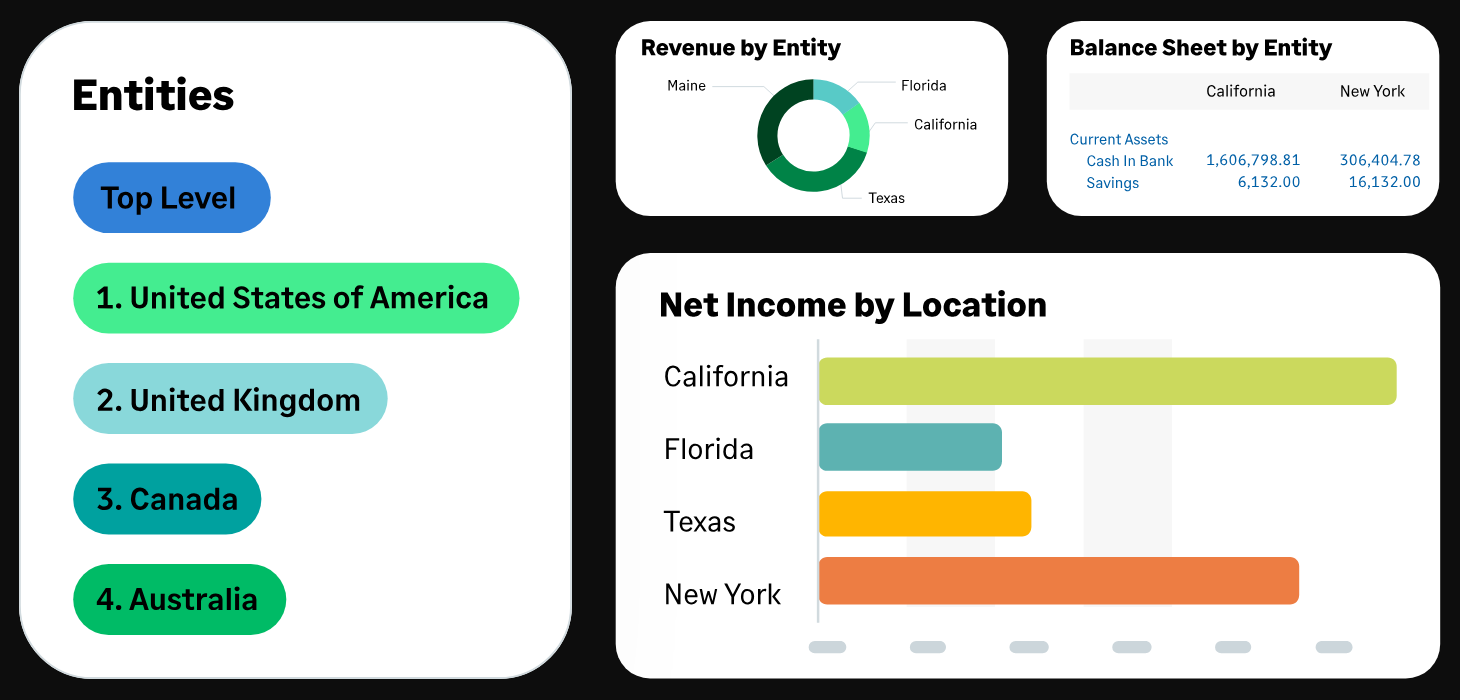
Sage Intacct is a cloud financial system for scaling and mid-sized companies. Entities share one login, reporting runs on dimensions such as location and department, and books close period by period so nothing can be posted into an older period.
Sage Intacct fits a finance-led team that runs Intacct as its ledger and bills subscriptions or multi-period contracts.
Team it fits: a controller with a small team running a multi-entity company on Intacct, where contracts drive both invoices and revenue.
Rules: in Intacct's Contracts application a contract line represents the performance obligation and holds the billing and revenue recognition information. When you add a line, Intacct automatically schedules the billing and the revenue from the data you enter, and the two schedules can be held or resumed independently. Canceling a line cancels both.
Ledger handoff: Process Contract Schedules posts billing, revenue and expense schedule entries to the Contracts subledger. Schedules are processed offline, with an email reporting the number processed and any errors, and processing runs at the entity level in multi-entity setups. During an import, schedule entries dated before go-live are flagged as Historical, which helps build up past contract balances for disclosures.
Limits: Sage's help pages document neither a standalone selling price setup nor a contract modification workflow, so confirm both with Sage or a partner before you shortlist it.
- you run Sage Intacct for the general ledger and want contract billing and revenue schedules in one system
- you bill subscriptions or multi-period contracts and want revenue schedules kept separate from invoice schedules
- you work in several entities and want schedules processed at the entity level
- you don't use Sage Intacct, because the module posts only to Sage Intacct
- you need documented standalone selling price and contract modification workflows, because Sage's help pages cover neither
- Users like
- ease of use and reporting
- Users dislike
- steep learning curve, limited customization and missing features
- Source: G2, 4,283 reviews
How it works in practice
Sage publishes no price for the module, and no implementation time for revenue recognition. The G2 rating of 4.3 is for Sage Intacct as a whole, not the module. Reviewers praise ease of use and reporting, and they cite a steep learning curve and limited customization. For the ledger itself, see our comparison of NetSuite vs Sage Intacct.
- Starting price
- Quote only; Sage publishes no price
- Price basis
- Quote only
- Schedule processing
- Offline, by entity
Newer revenue-first platforms
Zenskar and Rillet are newer. Zenskar puts contract-level rules at the center and syncs to the ERP you already have. Rillet is a cloud ERP in which recognition is part of the ledger.
Zenskar
Zenskar
Zenskar is a contract-driven billing and revenue recognition platform that turns contract terms into performance obligations, revenue schedules and journal entries. Rev rec is a separate module, so it can sit next to or replace your billing tool and posts to ERPs such as NetSuite, QuickBooks, Sage, Xero and Zoho Books.
Zenskar fits a company that bills on subscriptions plus usage or milestones and wants rules applied contract by contract, with entries synced to its ERP.
Team it fits: a finance team with usage-based or milestone contracts that has outgrown spreadsheets and keeps its existing ERP.
Rules: you set recognition rules and apply them to individual contracts or the whole customer base. Methods include straight-line, exact days, milestone or usage-based, and the product builds deferred, unbilled and unearned revenue schedules automatically.
Allocation and changes: you can apply a standalone selling price to performance obligations and adjust SSPs and weightage mid-contract. The product page promises to recalculate revenue, future and past, for contract modifications with manual override options, and the docs say adjustments flow into open periods while closed periods stay untouched.
Ledger handoff: balanced entries for unbilled revenue, accounts receivable and expenses flow to your ERP. The product page lists QuickBooks, NetSuite, Sage, Xero and Zoho Books as two-way integrations. Entries carry timestamps, and the docs describe a rationale, approval workflow and audit trail for each adjustment.
- you bill on subscriptions plus usage or milestones and want rev rec rules applied per contract rather than in spreadsheets
- you need SSP allocation and mid-contract changes recalculated without rebuilding schedules by hand
- you want rev rec, billing and metering from one vendor but with the option to adopt the modules separately
- you need published list prices to budget, because all three plans are quote only and no rate is shown
- you need a deferred revenue waterfall or rollforward you can confirm up front, because the product page describes a sub-ledger and general revenue reports but names no dedicated rollforward report
- Users like
- Reviewers describe quick, easy setup, full configurability beyond usage-only billing tools, and support for multiple pricing models that scale over time.
- Users dislike
- Few written dislikes surfaced; one review is titled "Overpromise, under-deliver" but its body was not visible.
- Source: G2, 69 reviews
How it works in practice
All three plans, Starter, Standard and Enterprise, are custom priced. G2 shows 4.9 from 69 reviews, and the reviewers describe quick setup and support for several pricing models. The product page describes a subledger and general revenue reports but names no dedicated deferred revenue rollforward, and the vendor pages mention no independent audit testing of the ASC 606 logic. Skip it if you need a published price to budget, or a rollforward report confirmed up front.
- Starting price
- Quote only: Starter, Standard and Enterprise are all custom priced. Zenskar says it does not charge a percentage of revenue
- ASC 606 / IFRS 15 coverage
- The vendor says the product "automatically implements the 5-step revenue recognition method required by ASC 606 & IFRS 15 standards" and derives compliant performance obligations from contracts.
- Rules and schedules
- You set up recognition rules and apply them to individual contracts or the whole customer base, with straight-line, exact days, milestone or usage-based methods and automatic deferred, unbilled and unearned revenue schedules.
- Distribution rulesets
- Docs define distribution methods as "the rulesets that systematically convert that deferred balance into recognized revenue", based on time, metered usage or entitlement consumption.
- Contract modifications
- The product page promises to "Recalculate revenue (future and past) for contractmodifications with manual override options", and docs say adjustments flow into open periods while closed periods stay untouched.
- Usage and variable pricing
- The vendor says it can recognize revenue "for any pricing - from simple subscriptions to complex usage-based pricing"; variable consideration is not addressed by name on the product page.
- SSP allocation
- You can apply standalone selling price to performance obligations, adjust SSPs and weightage mid-contract, and automate transaction price calculation across contracts and obligations.
- Journal entries and ERP sync
- Balanced entries for unbilled revenue, accounts receivable and expenses "flow directly to your ERP"; the product page lists QuickBooks, NetSuite, Sage, Xero and Zoho Books as two-way ERP integrations.
- Reporting
- The product page lists general revenue reports and a sub-ledger that holds deferred revenue, collections, credit notes and refunds entries; docs name period-end summaries and variance analysis.
- Audit trail and controls
- Entries carry detailed timestamps, locked periods stay intact, and docs say each adjustment is documented with rationale, approval workflow and audit trail.
- Deployment and pricing basis
- All three plans (Starter, Standard, Enterprise) are custom priced, not tied to a percentage of revenue, and the page states no feature is gatekept across plans.
- Implementation time
- The vendor FAQ says setup typically takes 2-4 weeks for small teams, 4-10 weeks for medium businesses and 8-16 weeks for enterprises; pilots typically take about 2 to 6 weeks.
- What it does not do
- The pages read do not show a published list price, a named deferred revenue rollforward report, or independent audit testing of the ASC 606 logic.
- Price basis
- Quote only; no percentage of revenue
- Setup time (vendor)
- 2 to 4 weeks small teams, 4 to 10 medium, 8 to 16 enterprise
Rillet
Rillet
Rillet is a cloud ERP and general ledger for SaaS finance teams that includes ASC 606 and IFRS 15 revenue recognition natively. It syncs closed-won contracts from the CRM, generates recognition patterns, and posts the entries directly to the ledger.
Rillet fits a company replacing an entry-level ERP that wants revenue recognition inside the ledger instead of a separate subledger.
Team it fits: a growing SaaS company that syncs deals from Salesforce or HubSpot, bills through a billing tool and wants one system for the ledger and the revenue schedule.
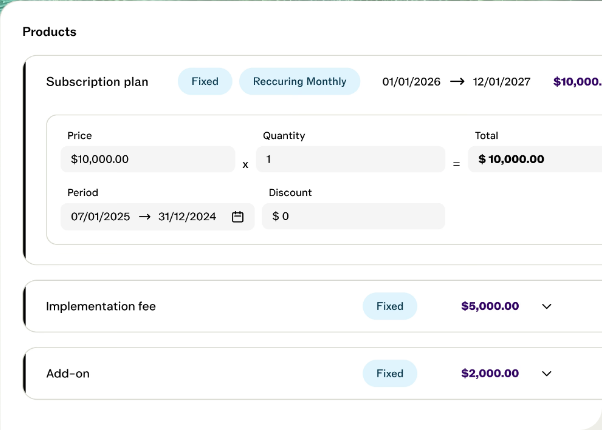
Rules and AI analysis: when your CRM syncs closed-won contracts, Rillet generates a recognition pattern from the product and service periods, and you review and approve contract details before they post. Its AI reads contracts, identifies performance obligations and applies the ASC 606 framework to produce an analysis for review. The vendor says the agent proposes and you approve.
Changes: in-flight contracts can be amended directly in Rillet, and the vendor says changes flow into the general ledger and are recalculated prospectively or cumulatively under ASC 606 modification guidance.
Ledger handoff: journal entries go into the same ledger that produces the financial statements. Rillet integrates with billing platforms including Stripe, Chargebee and Maxio. The revenue waterfall, deferred revenue, prepaid and fixed asset schedules are built into the ledger, and the ASC 606 analysis can be downloaded for audit support.
- you are replacing a legacy or entry-level ERP and want rev rec inside the ledger instead of a separate subledger
- you sync deals from Salesforce or HubSpot and bill through Stripe, Chargebee or a similar billing tool
- you want a CPA-led implementation measured in weeks rather than a months-long ERP project
- you want to keep your current ERP and add only a rev rec module, because Rillet's rev rec is built into its own ledger
- you need the subscription cost to shortlist, because Rillet's pricing page shows only a $10K to $30K implementation cost
- Users like
- Reviewers highlight strong customer support, ease of use and automation efficiency, with one reporting Salesforce integration and order processing working within the first week.
- Users dislike
- Some users note a learning curve and want more granular user permissions; missing features and integration issues are the top con tags.
- Source: G2, 65 reviews
How it works in practice
Rillet publishes no subscription price. Its pricing page cites an implementation cost of $10K to $30K, without saying whether it is one-time or recurring. G2 shows 5.0 from 65 reviews. Reviewers praise support, ease of use and automation, and some cite a learning curve and want more granular permissions. Rillet's pages don't detail how standalone selling prices are set. Skip it if you want to keep your current ERP and add only a revenue module, since recognition is built into Rillet's own ledger.
- Starting price
- Quote only: no subscription price is published. The pricing page cites an implementation cost of $10K to $30K (one-time or recurring is not stated)
- ASC 606 / IFRS 15 coverage
- The vendor states "Rillet handles ASC 606 and IFRS 15 out of the box" and posts ASC 606 allocations based on your revenue policy.
- Rules and schedules
- Connect your CRM to sync closed-won contracts and Rillet generates a revenue recognition pattern from product and service periods; you review and approve contract details before they post to the ledger.
- Contract modifications
- In-flight contracts can be amended directly in Rillet and changes flow into the general ledger; the vendor's blog says the system recalculates prospectively or cumulatively per ASC 606 modification guidance.
- Usage and variable consideration
- The product page says Rillet supports digital products, services or usage-based transactions, and Rillet's blog says usage data flows in from billing systems with variable consideration adjusting accordingly (generic description).
- Multi-element and SSP allocation
- Rillet's docs describe an AI Contract Analysis with identification of obligations and allocation of the transaction price across them; the SSP method is not detailed on the pages read.
- Journal entries and sync
- Rillet books journal entries in the same ledger that produces the financial statements, syncs closed-won deals from Salesforce or HubSpot, and integrates with billing platforms including Stripe, Chargebee, Maxio, Tabs, Sequence, Measure, HubiFi and Upflow.
- Reporting
- The revenue waterfall, deferred revenue, prepaid and fixed asset schedules are built into the ledger, and the deferred revenue roll-forward is described as a ledger artifact, not an export.
- Audit trail and controls
- The vendor says Rillet preserves lineage from source record to revenue schedule to journal entry to the general ledger, and the 606 analysis can be downloaded for audit support.
- Deployment and pricing basis
- Rillet is a full cloud ERP, so rev rec is part of the platform, and no subscription pricing is published beyond an implementation cost range of $10K-$30K.
- Implementation time
- The vendor blog cites CPA-led implementation in 4-8 weeks with accounting support after go-live, and G2 lists an average time to implement of 2 months.
- AI role
- Aura AI reads contracts, identifies performance obligations and applies the ASC 606 framework to produce an analysis for review, and the vendor says the agent proposes while you approve.
- What it does not do
- Rev rec is not sold as a standalone module for another ERP on the pages read, and the docs page read does not describe SSP or modification handling in the AI analysis.
- Price basis
- Quote only; implementation cost cited at $10K to $30K
- Implementation (vendor)
- 4 to 8 weeks, CPA-led
- Implementation (G2)
- 2 months on average
What happens to the journal entry each month
The monthly journal entry chain has four steps in every tool above, but each step breaks in a different way. The flow shows which tools document the step.
- Step 1Load the contract
- Chargebee RevRec
- Zenskar
What breaks a contract arrives without a service period or product, so no schedule is built - Step 2Allocate the price
- Zuora Revenue
- Oracle NetSuite
What breaks a bundle is split on an outdated price list - Step 3Post the entry
- Maxio
- Sage Intacct
- Stripe Revenue Recognition
What breaks the entry is posted twice, late or into the wrong period - Step 4Review and lock
- Rillet
- Maxio
What breaks a late contract change rewrites a closed period
Step 4 is where the controller's review happens. Three questions cover it: does the deferred revenue rollforward tie to the balance sheet, which contract changes were processed this month, and who approved every manual override. The month end close process shows where this review sits among the other close tasks.
Which revenue recognition software fits your team?
Match your situation to the tool whose documented strengths fit it, but read the skip-if in each entry before you book demos.
- Complex contracts that mix subscriptions, one-time fees and usage, with configurable allocationZuora Revenue
- B2B SaaS that wants billing, schedules and a published entry priceMaxio
- You bill in Chargebee and post to NetSuite, Sage Intacct, QuickBooks or XeroChargebee RevRec
- Most revenue runs through Stripe and contracts are simpleStripe Revenue Recognition
- NetSuite is your ledgerNetSuite Advanced Revenue Management
- Sage Intacct is your ledgerSage Intacct
- Usage or milestone pricing, contract-level rules, and your own ERPZenskar
- Replacing an entry-level ERP and you want recognition inside the ledgerRillet
What does revenue recognition software cost?
Revenue recognition software is mostly priced by quote. Only Maxio publishes a USD entry price, $599 a month for up to $100k in monthly billings, with the Scale plan above that quoted. Stripe charges a monthly fee plus a percentage of volume. The other six are quote only. The table pairs the price basis with the setup time each source reports. Vendor and G2 figures differ, and both are shown.
| Tool | Price basis | Published price (USD) | Setup time (weeks or months) |
|---|---|---|---|
| Zuora Revenue | Quote | None | Median 6 months per G2 users (Zuora overall) |
| Maxio | Monthly billings tier | Grow from $599 a month; Scale quoted | Not published |
| Chargebee RevRec | Quote; Performance and Enterprise plans | None | Not published |
| Stripe Revenue Recognition | Monthly fee plus a percentage of volume | No USD list confirmed | Not published |
| NetSuite Advanced Revenue Management | Quote; module on a NetSuite subscription | None | Partner project; no timeline published |
| Sage Intacct | Quote | None | Not published |
| Zenskar | Quote | None | 2 to 4 weeks small teams, 4 to 16 weeks larger, per Zenskar |
| Rillet | Quote | None; implementation cost cited at $10K to $30K | 4 to 8 weeks per Rillet; 2 months per G2 users |
Two cautions apply. A subscription price is only part of the cost: implementation, data migration and the work of loading contracts come on top, and most vendors don't publish them. And quote-only tools can cost less for a small contract book than their reputation suggests, so ask for a quote before you rule one out.
Questions to ask a vendor before you shortlist
Take this list to every demo. It won't tell you who is best, but the answers separate tools that look alike on a feature page.
- Can you show a mid-term upgrade, a downgrade and an early termination, with the schedule before and after each?
- How is the transaction price allocated across a bundle, and who maintains the standalone selling price list?
- What happens when a change lands in a closed period?
- Which ledger does the journal entry post to, and is posting automatic, scheduled or a file export?
- Which report ties deferred revenue to the balance sheet each month?
- What is logged when someone overrides a schedule, and who approves it?
- What do implementation, data migration and training cost beyond the license?
Where the revenue review fits into the month-end close
A revenue tool posts schedules and entries. It won't tell you whether the deferred revenue rollforward was reviewed this month or where the support for a manual adjustment sits. That's close-management work, and it stays a manual chore after any of these implementations, however good the tool is. The Finance Lead runs recurring month-end close checklists with an evidence link on each task and preparer and reviewer sign-off, for $39 a month on the Team plan (up to 8 members) or $79 a month on Plus. It doesn't recognize revenue, post journals or connect to your ledger or bank. Our month end close checklist and the guide to financial close software show where that fits.
FAQ
What is revenue recognition software?
Revenue recognition software applies the ASC 606 or IFRS 15 rules to customer contracts and produces the revenue schedules and journal entries that move amounts from deferred revenue into revenue as each performance obligation is satisfied. Billing platforms such as Zuora, Maxio and Chargebee, ERP modules such as NetSuite Advanced Revenue Management, and newer platforms such as Zenskar and Rillet all offer it.
What are the five steps of ASC 606 and IFRS 15?
ASC 606 and IFRS 15 use the same five steps: identify the contract, identify the performance obligations, determine the transaction price, allocate the price to each obligation on relative stand-alone selling prices, and recognize revenue when each obligation is satisfied. Software mostly automates the last three steps.
How much does revenue recognition software cost?
Revenue recognition software is priced by quote at most vendors, and the list isn't short. Maxio is the one tool here with a published USD entry price, $599 a month for up to $100k in monthly billings, and Stripe charges a monthly fee plus a percentage of volume. Zuora, Chargebee, NetSuite, Sage Intacct, Zenskar and Rillet publish no price. Implementation and data migration come on top.
Can an ERP handle revenue recognition on its own?
For simple contracts, yes: any ledger can post a straight-line deferred revenue release. Contracts with bundles, mid-term changes, usage or milestones need allocation and rescheduling, which NetSuite sells as the Advanced Revenue Management module and Sage Intacct handles in its Contracts application.
How long does it take to implement revenue recognition software?
Implementation time for revenue recognition software depends on contract complexity and the number of systems involved. Zenskar quotes 2 to 4 weeks for small teams and 8 to 16 weeks for enterprises, Rillet quotes 4 to 8 weeks, and G2 users report a median of 6 months for Zuora overall. Most other vendors publish no timeline.