Financial reporting software turns the numbers in your ledger into the statements and the monthly pack your owner, board or lender reads. For most teams of 2 to 8 accountants on one entity, the reports inside QuickBooks Online or Xero are the right starting point, and a reporting layer such as Fathom, Spotlight Reporting or Syft Analytics earns its fee when you need a branded pack, a forecast or consolidation across entities. Datarails, Prophix and Workiva sit above that, for groups with many entities, Excel-built packs or SEC filings.
We compared nine tools and sorted them by where the reporting lives: inside the accounting system, as a layer on top of it, or on an enterprise platform. Most pages that rank for this keyword are written by a reporting or FP&A vendor and put the publisher's own product first. For each tool we read the pricing page, a product page and the help or documentation pages we could open, and we checked review sites in October 2026. None of the vendors paid for a placement. Our own product tracks the month-end close and produces no statements, so it sits outside the ranking as a marked row.
- financial reporting tools compared
- 9
- publish a plan price (the other four are quote-only)
- 5 of 9
- document consolidation with eliminations on the pages we read
- 6 of 9
Our picks by situation
The best financial reporting software for most teams of 2 to 8 people is the report set of the ledger they already run. When you need a branded pack, a forecast or several entities in one report, pick the tool below that matches that need.
 Best for one entity that already lives in QuickBooksQuickBooks OnlineStandard reports come with every plan. The Custom Report Builder, KPI scorecards, AI summaries and scheduled management reports need Advanced at $340 a month.
 Best published price with reporting on every planXeroPlans run $27 to $97 a month with no per-user fees. Dashboards start at Growing, KPI ratios at Established, and there is no native consolidation.
 Best for branded board packs from QuickBooks Online or XeroFathomPriced per connected company from $59 a month with unlimited users. Consolidation, KPIs and a three-way forecast come with every Pro tier.
 Best low-cost consolidation with eliminationsSyft AnalyticsA free Basic plan, then $23, $47 and $95 a month for up to 10 entities. Eliminations are on every paid plan, GAAP and IFRS statements need Plus.
 Best published per-entity price for a small groupSpotlight Reporting$35 a month for one organization or $329 for ten, with reporting, forecasting and dashboards included. Data arrives by manual import.
 Best when the monthly pack is built in ExcelDatarailsKeeps Excel as the working tool and feeds it from mapped ledger data. Every tier is a quote.
 Best for dimensional reporting inside the ledgerSage IntacctReports by 10 predefined dimensions with drill-down to transactions. Quote-only, and the interactive report writer and planning are separate subscriptions.
 Best for mid-market consolidation plus planningProphix OneConsolidation for 10 to 100+ entities and an Excel add-in on one platform. Quote-only, and Prophix's team sets up the connection to your ledger.
 Best for SEC filers and document-heavy packsWorkivaLinks numbers across documents, spreadsheets and presentations, and files SEC forms. Quote-only, with unlimited seats.
Financial reporting software compared
| Tool | Type of tool | What it gives you | Pricing | G2 rating |
|---|---|---|---|---|
| QuickBooks Online | Cloud accounting ledger with inventory and closing-date controls | Standard reports on every plan, custom builder and report packs on Advanced | Simple Start $38/mo; Essentials $85/mo; Plus $140/mo; Advanced $340/mo at US regular list rates (pricing page on 2026-10-27 showed 50% off for 3 months and a 30-day free trial) | 4.0 (3,898) |
| Xero | Accounting ledger with built-in bank reconciliation | Standard reports on every plan, dashboards from Growing, KPIs on Established | Early $27, Growing $59, Established $97 per month (US plans); new customers get 90% off for 6 months until Nov 2, 2026; no per-user license fees | 4.4 (1,846) |
| Sage Intacct | Mid-market cloud financials with multi-entity | 150 built-in reports by 10 dimensions, drill-down, consolidation as an extended capability | Quote only; Sage publishes no plan names or prices | 4.3 (4,525) |
| Fathom | Reporting layer for QuickBooks Online and Xero | Report editor, KPIs, three-way forecast and consolidation | Pro: $59 per month for 1 company, $315 for 10, $450 for 25, $805 for 50 (USD, per company file, unlimited users); 14-day free trial | 4.6 (158) |
| Spotlight Reporting | Reporting and forecasting layer for cloud ledgers | Management reports, consolidation and forecasts from imported data | Business: $35 per month for 1 organization, $329 for up to 10; Advisor plans from $329 to $995 for 10 to 75 organizations (USD, per organization, billing term not stated) | 4.7 (24) |
| Syft Analytics | Reporting and consolidation layer with a free plan | Report templates, live views and consolidation with eliminations | Free Basic plan (dashboards); Standard $23, Plus $47, Advanced $95 per month (USD, up to 10 entities, more on request); 14-day free trial, no card | 4.8 (76) |
| Datarails | Excel-based reporting and FP&A platform | Mapped ledger data into Excel, PDF and PowerPoint packs | Quote only (three tiers: Professional 2 users and 1 integration, Premium 5 users and 2 integrations, Expert 15 users plus 50 viewers and 3 integrations) | 4.6 (392) |
| Prophix One | FP&A suite with close and consolidation modules | Reporting, consolidation and planning from GL and ERP data | Price not published (quote only); AWS Marketplace lists $50,000 per 12-month unit for Close Management | 4.4 (223) |
| Workiva | SOX plus SEC reporting platform | Linked documents, spreadsheets and SEC filings | Quote only (unlimited seats on all plans) | 4.5 (2,268) |
 The Finance Lead Our product The Finance Lead Our product | Month-end close checklists | Tracks close tasks, evidence and preparer/reviewer sign-off | Team $39/month (up to 8 team members), Plus $79/month (no member limit, read-only MCP server); card required at checkout | No reviews yet |
Prices are USD list prices read on vendor pages on October 29, 2026. Ratings are G2 scores with the review count.
What is financial reporting software?
Financial reporting software is a program that pulls the figures from your accounting system and produces the financial statements and management reports people read, such as a monthly pack with commentary, comparisons to budget and charts. It replaces the part of the job done by copying trial balances into a spreadsheet, formatting them by hand and emailing the result.
The tools fall into three kinds, and the kind matters more than any feature list.
| Kind | Where reporting happens | Typical user | Examples here |
|---|---|---|---|
| Ledger-native | Standard and custom reports inside the accounting system | One entity whose ledger is also its reporting system | QuickBooks Online, Xero, Sage Intacct |
| Reporting layer | A separate product that reads the ledger and builds the pack, KPIs, forecast and consolidation | Teams that report on several entities or want a branded pack | Fathom, Spotlight Reporting, Syft Analytics, Datarails |
| Enterprise platform | A planning or filing platform fed from the ERP | Groups with many entities, SEC filing or a services-led rollout | Prophix, Workiva |
Financial reporting software here means reporting, not analysis or planning. Business intelligence tools such as Power BI and Tableau answer questions about data, and FP&A suites build budgets and forecasts. Several tools here include forecasting, and we show it as a column rather than a category. Our guide to financial close software covers the tools that run the close itself.
What are the four main financial reports?
The four main financial reports are the balance sheet, the income statement, the cash flow statement and the statement of changes in equity, although some guides count only the first three. The balance sheet shows what the company owns and owes on one date, the income statement shows revenue and costs over a period, the cash flow statement explains the change in cash, and the statement of changes in equity shows how owners' equity moved. The tools in this list cover the first three in every case, and the equity statement is the one that is easy to miss, so check it if your lender or auditor expects the full set.
| Report | Question it answers | Who asks for it |
|---|---|---|
| Balance sheet | What do we own and owe on this date? | Lenders, auditors, buyers |
| Income statement (P&L) | Did we make money this period? | Owners, boards, managers |
| Cash flow statement | Where did the cash come from and go? | Lenders, CFOs, investors |
| Statement of changes in equity | How did owners' equity change? | Auditors, investors |
Can AI make a balance sheet?
AI can draft the words around a balance sheet, but the balance sheet itself comes from your ledger. The vendors we read describe the same split. QuickBooks Online says its Advanced plan adds AI-generated narrative summaries to management reports, and Spotlight Reporting says its AI executive summaries calculate your figures first and then layer insights on top. Datarails and Prophix describe reporting agents that answer questions in plain language, and Workiva offers an AI assistant inside its documents. In every case a person still reviews the numbers and the commentary. One Fathom reviewer on G2 noted that the AI-written commentary is hard to roll forward into next month's report, so plan to reread it each period.
How we compared financial reporting software
We compared financial reporting software by picking the tools that finance teams of 2 to 50 people shortlist, covering the ledgers that ship with reports, the layers that build packs on top of them and the platforms above those. For each tool we read the pricing page, a product page on reporting, and the help center or documentation where one was open to us. We used the review site we could read and say so next to each score: G2 ratings and counts were read on the G2 page, and the themes come from G2's own aggregates where the review text did not load. Search-result snippets were never used for ratings or prices.
Four limits are worth knowing. Intuit's and Sage's pages block automated readers, so we read them in a browser and some details come from help articles dated this month. Xero Central articles did not render, so Xero's scheduled-email and report-pack details aren't confirmed. Spotlight Reporting has only 24 G2 reviews and the ones we read date from 2023. And vendor claims about hours saved are reported as claims, never as results.
Reporting inside your accounting system
If you report on one entity, the cheapest reporting tool is the ledger you already own. The three tools below produce the statements without a sync step, a second login or a second invoice. They differ in how far the reports go before you need something else.
QuickBooks Online
QuickBooks Online
QuickBooks Online is Intuit's cloud accounting ledger. Plans include 1, 3, 5 or 25 users, integrated inventory tracking on Plus and Advanced, and a closing date with an Exceptions to Closing Date report.
QuickBooks Online fits one entity whose accountant already keeps the books in it and whose reporting needs stop at statements and a simple pack.
Team it fits: a bookkeeper-led team on a single company file that sends the owner a P&L, a balance sheet and a few aging reports every month. All four plans run the standard reports on cash or accrual basis and export them to Excel, CSV or PDF.
The monthly pack: Intuit's help center says Simple Start, Essentials and Plus get three management report templates (Company Overview, Sales Performance and Expenses Performance) with financial tables and text boxes, and sharing is a manual export. Advanced adds all templates, chart widgets, KPI scorecards, AI-generated narrative summaries and automated recurring delivery. The Custom Report Builder and Excel Spreadsheet Sync are also Advanced features, so the jump from a basic pack to a custom one is the jump from $140 to $340 a month.
Limits: the four plans list no multi-entity consolidation. Intuit points groups to Intuit Enterprise Suite, which shows consolidated statements with intercompany eliminations. Classes and locations are capped at 40 below Advanced.
- You report on one company file and want statements plus a simple management pack
- You can justify Advanced for the custom builder, KPI scorecards and scheduled delivery
- You consolidate several entities: the four plans list no consolidation
- You want a custom report builder below $340 a month: it is an Advanced feature
- Users like
- ease of use (254 mentions on G2)
- Users dislike
- missing features (81 mentions) and cost (70 mentions)
- Source: G2, 3,898 reviews
How it works in practice
These are US list prices read on Intuit's pricing page on October 29, 2026; Intuit was also showing a time-limited 50% discount for new customers. G2 reviewers rate QuickBooks Online 4.0 out of 5 from 3,898 reviews. For plan detail see our QuickBooks Online pricing guide, and for a head-to-head with Xero read QuickBooks vs Xero.
- Starting price
- Simple Start $38/mo; Essentials $85/mo; Plus $140/mo; Advanced $340/mo at US regular list rates (pricing page on 2026-10-27 showed 50% off for 3 months and a 30-day free trial)
- Users per plan
- Simple Start 1, Essentials 3, Plus 5, Advanced 25 (plus accountant seats)
- Inventory
- Available in Plus and Advanced
- Period control
- Closing date with Exceptions to Closing Date report
- Bill Pay tiers
- Basic $0 (included), Premium $15, Elite $45 per month; Elite included with Advanced from Aug 1, 2026
- Bill approvals
- Need Bill Pay Elite (or Advanced); up to 5 sequential layers and 7 approvers per group
- Bill Pay fees
- Standard ACH free (limits may apply), faster ACH $10, check $1.50, instant 1% (max $100)
- Batch size
- 20 bills on Basic, 50 on Premium and Elite
- Plans
- Simple Start $38, Essentials $85, Plus $140, Advanced $340 per month
- Custom reports
- Advanced only
Xero
Xero
Xero is a cloud accounting ledger whose bank feeds flow into a reconcile screen. Its JAX feature reconciles transactions automatically using four methods (Rule, Match, Memory, Prediction) and asks you to review only what it is unsure about.
Xero fits a small team that wants statements, budget variance and a clean pack from a published price per plan, without per-user fees.
Team it fits: a team on one or a few separate Xero organizations that wants reporting included in the subscription. Xero says reporting is available on every plan, and its report list includes the Profit and Loss, Balance Sheet, Cash Flow Statement, aged receivables and payables and Budget Variance reports.
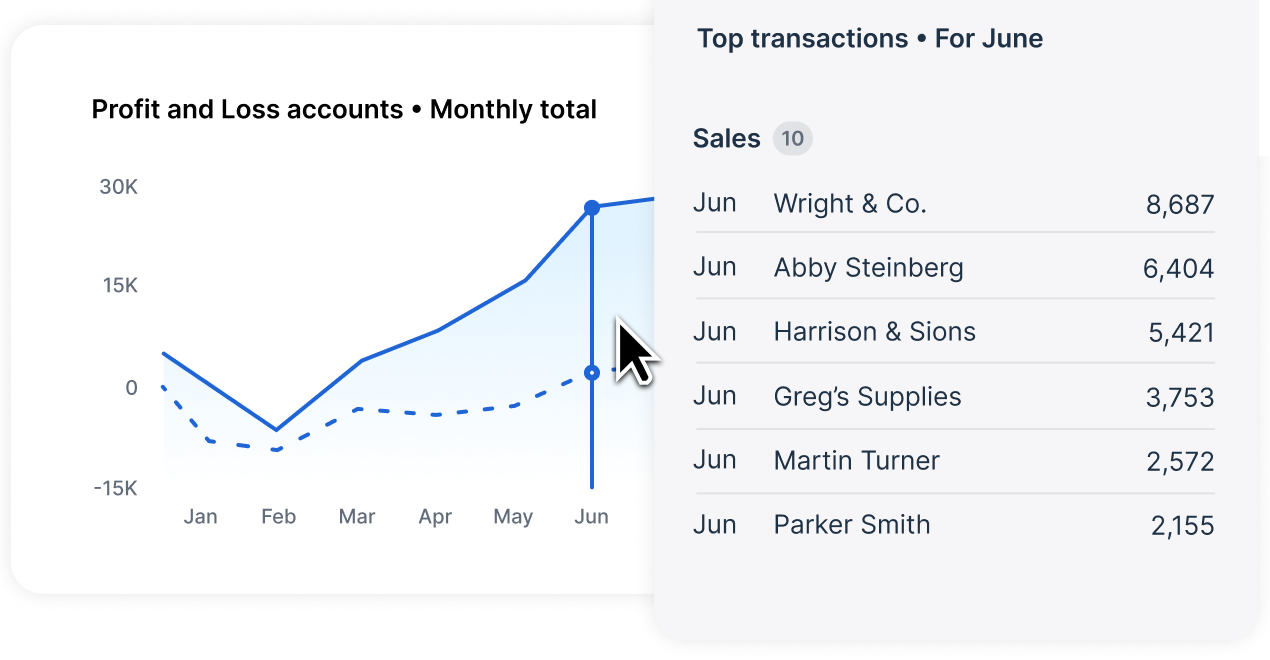
The monthly pack: you can customize report layouts, add formulas, notes and links to schedules, and slice divisions with tracking categories. Dashboards and scorecards start at Growing, and KPI ratios and industry benchmarks start at Established. A Xero blog post from October 2025 describes customizable management report packs, available in the US first. Analytics pages mention scheduled report emails, but we couldn't read the help article that explains how they work or which plan includes them.
Limits: we found no native consolidation on Xero's pages. Xero's own App Store lists Fathom, Spotlight Reporting and Syft for that job, and Xero announced in 2024 that it would acquire Syft.
- You want a published price per plan with reporting on every plan and unlimited users
- You split results by division with tracking categories rather than by entity
- You consolidate entities: Xero lists no consolidation and points to add-on apps
- You need KPI ratios or benchmarking on a low plan: they start at Established
- Users like
- Ease of use; reviewers often single out automatic bank reconciliation as fast and accurate (G2 comparison pages as indexed by search)
- Users dislike
- Missing features and limited options (G2 comparison pages as indexed by search)
- Source: G2, 1,846 reviews
How it works in practice
Xero lists $27, $59 and $97 per month for its US plans, with a time-limited introductory offer for new customers, and no per-user license fees. G2 reviewers rate Xero 4.4 out of 5 from 1,846 reviews. For the plan-by-plan detail, read our Xero pricing guide.
- Starting price
- Early $27, Growing $59, Established $97 per month (US plans); new customers get 90% off for 6 months until Nov 2, 2026; no per-user license fees
- JAX methods
- Rule, Match, Memory, Prediction
- Plan gating
- Reconcile bank transactions on every plan; auto-reconcile transactions listed on Growing and Established
- Per-user fees
- None
- Plan limits
- Early: 20 invoices and 5 bills per month; multi-currency on Established only
- Lock dates
- Advisor role required to set or change them
- Payroll
- Add-on, $36 per month plus $6 per employee
- Bills
- Early: 5 bills per month; Growing and Established: unlimited
- Bill pay
- Free standard ACH on all plans (Melio-powered); check $1.50; same-day ACH 1% (max $75); cross-border USD $20
- Approvals
- Role-based (who can create and approve bills); no multi-step routing documented
- 1099
- W-9 collection and 1099 report on all plans
- Plans
- Early $27, Growing $59, Established $97 per month
Sage Intacct
Sage Intacct
Sage Intacct is a cloud financial system for scaling and mid-sized companies. Entities share one login, reporting runs on dimensions such as location and department, and books close period by period so nothing can be posted into an older period.
Sage Intacct fits a multi-entity finance team that wants to report by department, location or project without bloating the chart of accounts.
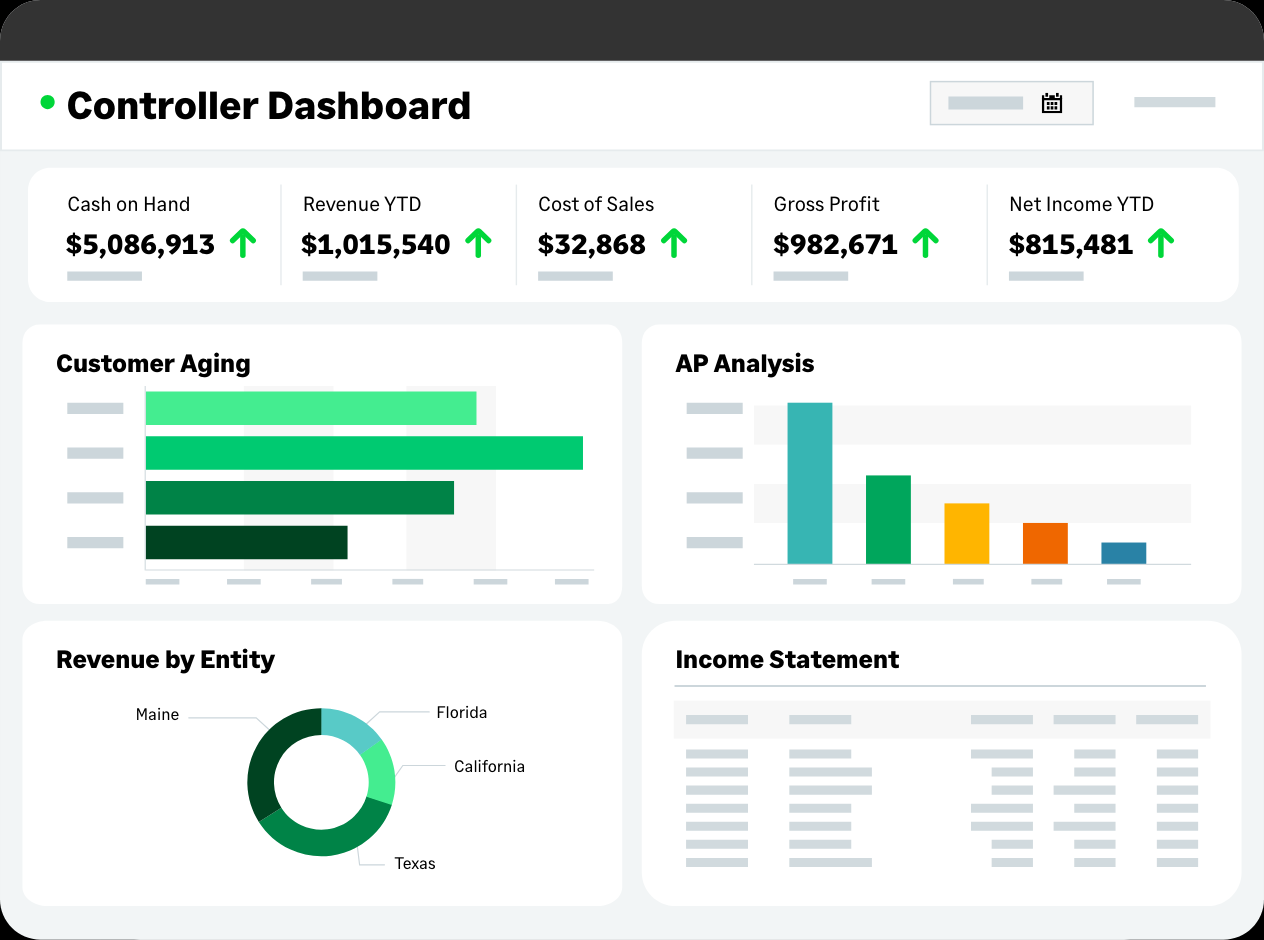
Team it fits: a mid-sized company or group that outgrew QuickBooks classes. Sage's general ledger carries 10 predefined dimensions, and its financial reporting page cites 150 built-in financial reports. Finance builds and edits reports through configuration, without code, and can drill from a figure down to the source transactions.
The monthly pack: the Financial Report Writer, the Custom Report Writer and role-based dashboards are the standard tools. The Interactive Custom Report Writer, which adds drag-and-drop design and pivot tables, is a separate subscription, and Sage Intacct Planning for budgets and forecasts is sold separately with its own user license. Consolidation sits under Sage's extended capabilities: it keeps ownership percentages, an elimination entity and auto-generated elimination entries. Sage doesn't say on that page whether it is a paid add-on.
Limits: native Excel reporting is an early-adopter feature in Sage's 2026 Release 3 notes, so Excel-first teams may need a third-party add-in. G2 users report about four months to implement.
- You report by department, location, project or customer and want drill-down to transactions
- You run several entities and want eliminations generated in the ledger
- You want a published price or a short rollout: pricing is quote-only and G2 users report about four months
- You live in Excel: native Excel reporting is early-adopter only
- Users like
- ease of use (1,027 mentions) and reporting (508 mentions)
- Users dislike
- missing features (385 mentions) and a steep learning curve (339 mentions)
- Source: G2, 4,525 reviews
How it works in practice
Sage publishes no plan names or prices; plans are built from modules and quoted. G2 reviewers rate Sage Intacct 4.3 out of 5 from 4,525 reviews, praising ease of use and reporting and naming missing features and a steep learning curve. Our guide to ERP accounting software compares it with NetSuite and others.
- Starting price
- Quote only; Sage publishes no plan names or prices
- Implementation
- As few as 60 days per Sage; about 4 months average per G2 users
- Marketplace
- 350+ integrations per Sage
- Consolidation
- Separate extended capability
- AP automation
- AI bill capture, duplicate flagging, three-way matching generally available since May 2026
- Payments
- Check, ACH or virtual card
- 1099
- Tracked in Intacct; e-filing through a Marketplace partner
- Dimensions
- 10 predefined, more can be added
- Built-in reports
- 150, per Sage
Reporting layers on top of your ledger
A reporting layer reads the ledger you already have and builds the pack, the KPIs, the forecast and the consolidation. You keep QuickBooks Online or Xero as the book of record and add a monthly fee for a better output. Three of the four tools below are priced per entity or at a flat low monthly rate, and the fourth is a quote.
Fathom
Fathom
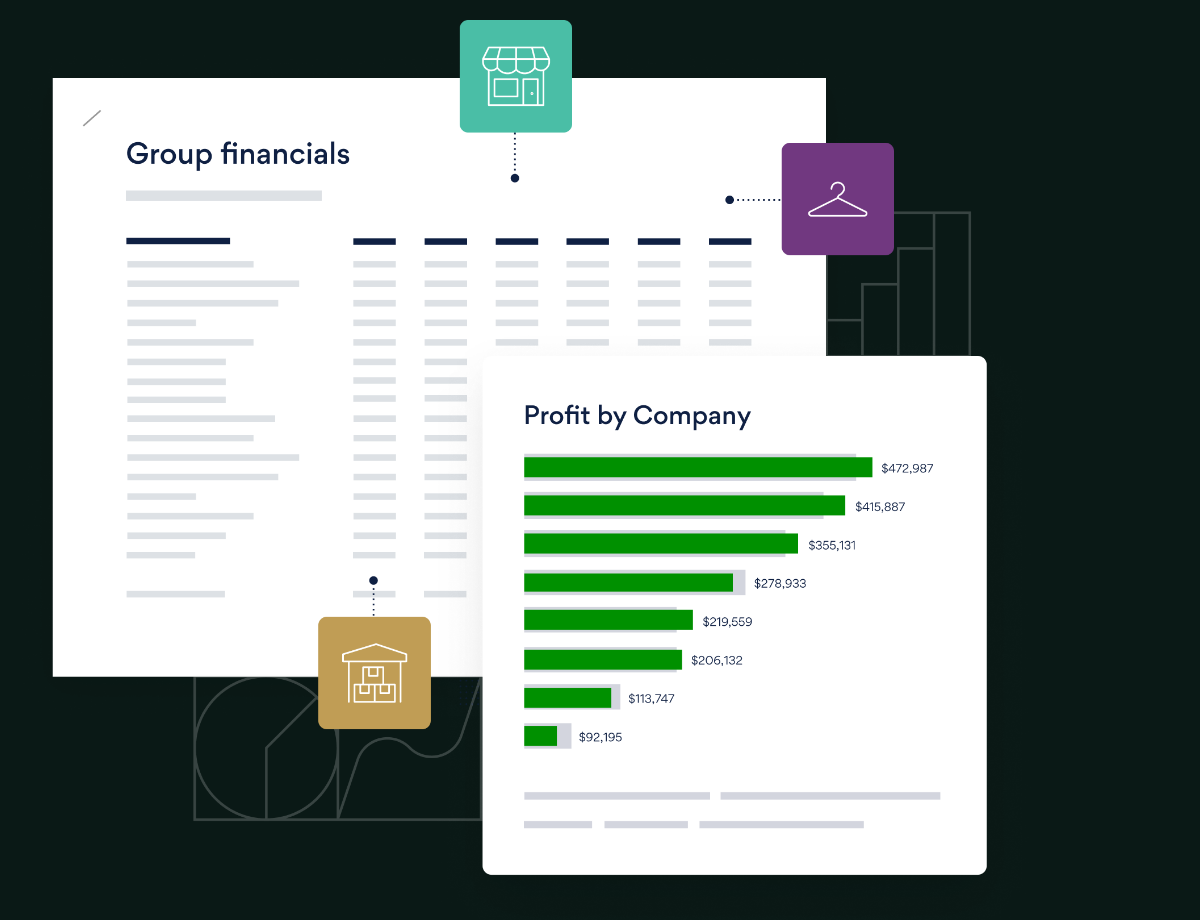
Fathom turns the P&L and balance sheet synced from QuickBooks Online, Xero and a few other systems into branded management reports with a report editor, KPIs, a three-way forecast and multi-entity consolidation. It is priced per connected company, not per user.
Fathom fits a finance team or outsourced accountant running 1 to 25 entities on QuickBooks Online or Xero that wants a branded pack, KPIs and a forecast without an FP&A project.
Team it fits: teams whose ledger is QuickBooks Online, QuickBooks Desktop, Xero, MYOB or one of a few others. Fathom syncs daily or on demand, imports the standard P&L and balance sheet, and builds reports in a report editor with templates, charts, commentary, scheduled delivery and white-label branding. It lists 50 or more KPIs, an AI commentary writer and a three-way forecast with scenarios.
The monthly pack: reports export to PDF and Excel. We found no PowerPoint export. Consolidation covers up to 300 entities across platforms and currencies, with eliminations and a custom chart of accounts for the group, and it is included on every Pro tier.
Limits: Fathom works from account-level P&L and balance sheet data, and we found no drill-down to transactions. Its own FAQ says the consolidated statements aren't audit-ready and that partial ownership and minority interests aren't natively supported. Fathom lists no NetSuite or Sage Intacct connector and takes Excel or Google Sheets imports for those. Fathom belongs to The Access Group, according to the footer of its site.
- Your ledger is QuickBooks Online or Xero and you want a branded monthly pack with KPIs and a forecast
- You report on several entities and want eliminations and multi-currency priced per company
- Your ledger is NetSuite or Sage Intacct: there is no direct connector
- You need audit-ready consolidation or transaction drill-down: Fathom positions itself as management reporting
- Users like
- Reporting, ease of use and customer support
- Users dislike
- Missing features and import problems
- Source: G2, 158 reviews
How it works in practice
Fathom Pro costs $59 a month for 1 company, $315 for 10, $450 for 25 and $805 for 50, in USD before sales tax, with a 14-day free trial; beyond 50 companies it is a quote. G2 reviewers rate Fathom 4.6 out of 5 from 158 reviews and praise reporting, ease of use and support; the complaints are missing features and import problems, and the reviews we read came mostly from advisors rather than in-house controllers.
- Starting price
- Pro: $59 per month for 1 company, $315 for 10, $450 for 25, $805 for 50 (USD, per company file, unlimited users); 14-day free trial
- Priced by
- Connected company, unlimited users
- Ledgers
- QuickBooks Online, QuickBooks Desktop, Xero, MYOB, FreeAgent, Sage (UK), Access Financials, Google Sheets; others by Excel import
- Sync
- Daily or on demand
- Consolidation
- Up to 300 entities, eliminations, multi-currency
- Export
- PDF and Excel
- Trial
- 14 days
Spotlight Reporting
Spotlight Reporting
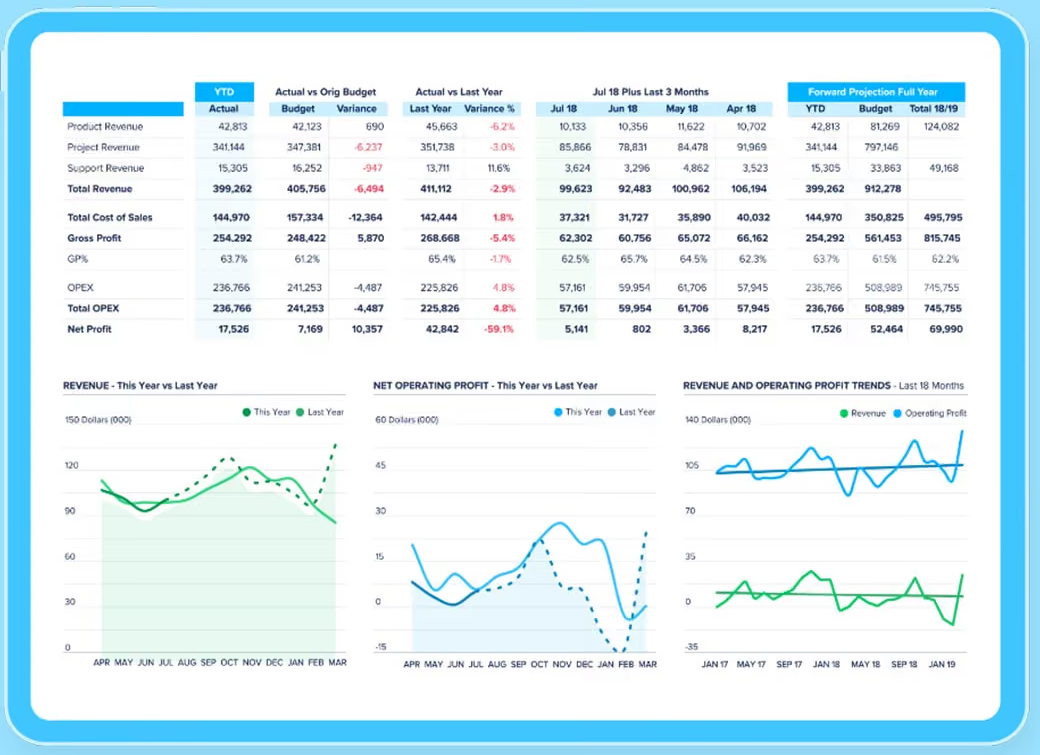
Spotlight Reporting builds management reports, dashboards and three-way forecasts from data imported from Xero, QuickBooks Online and a few other sources. Its consolidation handles multiple currencies and inter-entity eliminations, and it is priced per organization.
Spotlight Reporting fits a small group that consolidates a handful of QuickBooks Online or Xero entities and wants a low published price per entity.
Team it fits: a controller or advisor with several small entities. Spotlight imports actuals, budgets and tracking data from Xero, QuickBooks Online, MYOB, Sage 50 and Excel, builds reports from templates with a chart gallery and white-labelling, and adds a three-way forecast with up to 30 budget or forecast copies for scenarios.
The monthly pack: consolidation handles multiple currencies and inter-entity eliminations, and partial ownership can be recorded. The product page says up to 75 organizations, while the US pricing FAQ says 50, so ask before you plan a larger group. Reports export to Excel and PDF, and the help center notes the Excel version has no charts.
Limits: the help pages describe a manual import for each period, not an automatic sync. G2 reviewers mention limited report customization and a harder forecasting module, and one says consolidation gets harder past about five subsidiaries. Spotlight's team page lists the two founders as CEO and CFO and we found no acquisition, though we couldn't confirm the legal owner.
- You consolidate several QuickBooks Online or Xero entities and want a published price per entity
- You want budgets and a three-way forecast in the same tool as the monthly reports
- You need an automatic data refresh: the docs describe a manual import
- You need deep custom report building or large-group consolidation: reviewers flag both
- Users like
- Multi-entity consolidation, replacing Excel, onboarding and support
- Users dislike
- Limited report customization and a harder forecasting module
- Source: G2, 24 reviews
How it works in practice
Business costs $35 a month for one organization and $329 for up to 10, in USD before sales tax, and Advisor plans run from $329 to $995 for 10 to 75 organizations. Spotlight's pricing pages mention a 14-day free trial, while its team page says 28 days. G2 reviewers rate Spotlight Reporting 4.7 out of 5 from 24 reviews; the ten we read date from 2023.
- Starting price
- Business: $35 per month for 1 organization, $329 for up to 10; Advisor plans from $329 to $995 for 10 to 75 organizations (USD, per organization, billing term not stated)
- Priced by
- Organization (entity)
- Data sources
- Xero, QuickBooks Online and Desktop, MYOB, Sage 50, Sumday, Excel, Google Sheets
- Refresh
- Manual import
- Consolidation
- Up to 75 organizations per the product page, 50 per the US pricing FAQ
- Export
- Excel and PDF (Excel has no charts)
- Trial
- 14 days per the pricing page
Syft Analytics
Syft Analytics
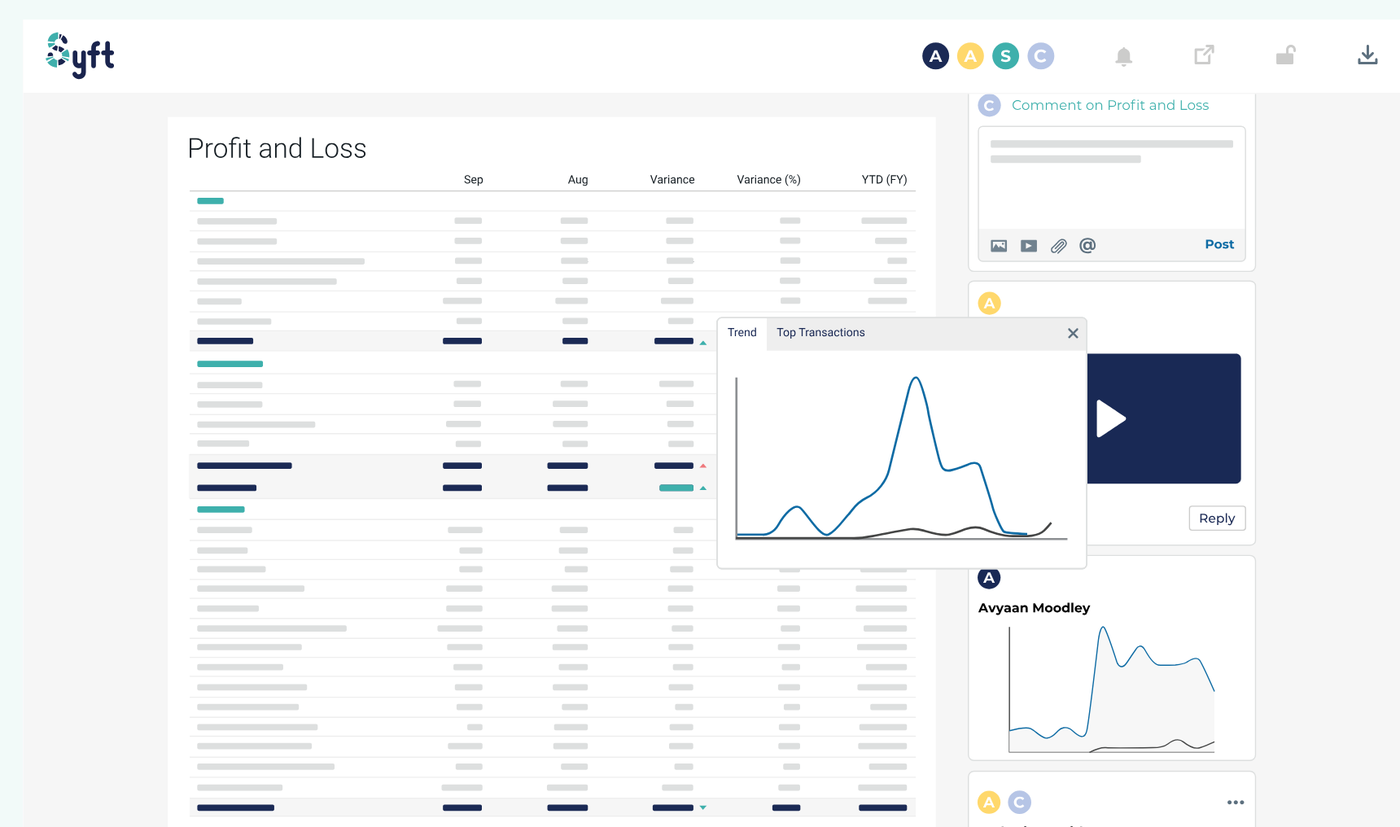
Syft Analytics builds reports, dashboards, forecasts and consolidations from QuickBooks Online, Xero, Sage and other sources. Xero announced it was acquiring Syft in September 2024 and said Syft would stay a standalone product.
Syft Analytics fits a team that wants consolidation across many entities at a low monthly price and output in Excel, PDF, Word or Google Sheets.
Team it fits: teams on QuickBooks Online, Xero or Sage, and on a wider list of ERPs with the Advanced plan. Syft builds reports from templates or from scratch, with content blocks for summaries, charts, financials, analysis and forecasts, and shares them as styled files or live views. Scheduled email delivery is available on every paid plan.
The monthly pack: Syft says consolidation has no fixed entity limit, and eliminations are on every paid plan. Plus adds GAAP and IFRS statements, currency management, consolidated budgets and forecasts and driver-based modelling. Exports include PDF, Excel, Word and Google Sheets. The help center lists reports under Standard, Plus and Advanced, so the free Basic plan is for dashboards.
Limits: QuickBooks Online data refreshes about every 24 hours and Sage every 48 hours, and a connection stops refreshing if the Syft user who authorized it loses access. G2 reviewers mention limited customization compared with Power BI or Tableau. Xero announced in September 2024 that it would acquire Syft and said Syft would stay a standalone product.
- You want unlimited-entity consolidation with eliminations at a low published price
- You want scheduled emailed reports and Word, Excel, PDF or Google Sheets output
- You need BI-grade report customization: G2 reviewers name that limit
- Your ERP isn't on the list: ERP data sources are an Advanced plan feature
- Users like
- Versatile reporting, easy QuickBooks Online integration and time saved at month-end
- Users dislike
- Limited report customization compared with BI tools and sync problems that force Excel uploads
- Source: G2, 76 reviews
How it works in practice
Standard costs $23 a month, Plus $47 and Advanced $95, in USD, for up to 10 entities; beyond that Syft asks you to contact sales. Every paid plan has a 14-day free trial with no card. Syft's own reporting page still says reports start at $19 and G2 shows older prices, so we used the pricing page. G2 reviewers rate Syft Analytics 4.8 out of 5 from 76 reviews and praise the QuickBooks Online integration and time saved at month-end.
- Starting price
- Free Basic plan (dashboards); Standard $23, Plus $47, Advanced $95 per month (USD, up to 10 entities, more on request); 14-day free trial, no card
- Owner
- Xero announced the acquisition on 2024-09-17 and said Syft would stay standalone; closing date not verified
- Users
- Unlimited on paid plans
- Sync
- QuickBooks Online refreshes about every 24 hours; Sage every 48 hours
- Consolidation
- No fixed entity limit; eliminations on all paid plans
- Reports
- Standard plan and up per the help center
- Trial
- 14 days, no credit card
- Plans
- Basic free, Standard $23, Plus $47, Advanced $95 per month
- Refresh
- About 24 hours for QuickBooks Online
Datarails
Datarails
Datarails keeps Excel as the working tool and connects it to a central database fed from ERPs and accounting systems. It builds P&L, balance sheet and cash flow reports for Excel, PDF and PowerPoint, and consolidates entities with currency translation and intercompany eliminations.
Datarails fits a finance team that builds the monthly pack in Excel and wants it fed from mapped ledger data instead of copy and paste.
Team it fits: teams that live in Excel and report on several entities or currencies, on NetSuite, Sage Intacct, Business Central, QuickBooks or Xero among others. Datarails keeps Excel as the working tool and connects it to a central database. A Data Mapper aligns accounts, departments and cost centers once, and formulas pull any number for any period or entity into a report.
The monthly pack: Datarails documents P&L, balance sheet and cash flow reports that export to Excel, PDF, a dashboard or PowerPoint. Consolidation covers multiple entities and currencies, intercompany eliminations and multiple charts of accounts. Its AI features include reporting agents and board-ready storyboards built from dashboards. The FinanceOS AI Connector links governed data to ChatGPT and Claude.
Limits: every tier is a quote, with caps of 2, 5 or 15 users and 1, 2 or 3 integrations. We couldn't reach a public help center. Datarails says most implementations finish in 4 to 6 weeks, while G2 users report about 4 months on average.
- Your team builds the pack in Excel and wants live links to mapped ledger data
- You consolidate entities and currencies and want PowerPoint output
- You want a published price: every tier is a quote
- You run one entity with simple reports: setup and the learning curve G2 reviewers describe are heavy for that
- Users like
- Ease of use, reporting efficiency and Excel integration
- Users dislike
- Learning curve, setup effort and missing features
- Source: G2, 392 reviews

How it works in practice
Datarails publishes no dollar figures. G2 reviewers rate it 4.6 out of 5 from 392 reviews and praise ease of use, reporting efficiency and Excel integration; the complaints are a learning curve, setup effort and missing features, and one reviewer says some dashboards needed Datarails support.
- Starting price
- Quote only (three tiers: Professional 2 users and 1 integration, Premium 5 users and 2 integrations, Expert 15 users plus 50 viewers and 3 integrations)
- Export
- Excel, PDF, dashboard, PowerPoint
- Consolidation
- Multi-entity, multi-currency, intercompany eliminations, multiple charts of accounts
- Integrations
- 600+ per Datarails; 66 verified on G2
- Implementation
- 4 to 6 weeks per Datarails; about 4 months per G2 users
- Docs
- No public help center found
- Tiers
- Professional, Premium, Expert
Enterprise reporting and filing platforms
Prophix and Workiva are built for groups with many entities, planning cycles or filing duties. They are quote-only and set up with the vendor's team, which is the main reason a 2-person team on one ledger should skip them.
Prophix One
Prophix One
Prophix One is a cloud financial performance platform built around budgeting and planning, with separately priced modules for close management (account reconciliation, close tasks, audit trail), financial consolidation and intercompany. The close work sits in the Close Management module (Account Reconciliation, generally available since September 2024) plus the Financial Consolidation module for multi-entity groups.
Prophix fits a mid-market finance team that wants management reporting, consolidation and planning on one platform and works in Excel.
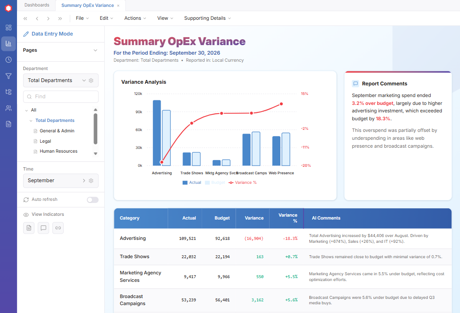
Team it fits: Excel-heavy mid-market teams with several departments, entities or regions. Prophix says reporting pulls actuals from the GL and ERP at period close and generates management reports, P&L, balance sheet and cash flow summaries, board packages, KPI scorecards and budget-versus-actual reports. Finance builds the dashboards without IT, and an Excel add-in pulls data into Excel and presents it in PowerPoint.
The monthly pack: consolidation covers 10 to 100+ entities with sub-consolidations, intercompany eliminations and currency translation under IFRS 10 and ASC 810, and Prophix lists 140 or more out-of-the-box audit reports. Its ERP list names NetSuite, Sage Intacct, SAP, Oracle, Dynamics, Workday, QuickBooks Online and Xero. Every report and data change is logged with user, timestamp and source.
Limits: Prophix says its implementation team maps the connection to your GL structure as part of the first engagement, so setup is a project, not a signup. We found no SEC or XBRL tagging on the pages we read, so public filers should look at Workiva.
- You run multiple entities and want consolidation, reporting and planning on one platform
- You work in Excel and want an add-in that reads and writes the platform's data
- You are a single-entity team that only needs statements from QuickBooks Online or Xero: pricing is quote-only and setup is a project
- You file with the SEC: we found no XBRL tagging
- Users like
- Ease of use, flexible reporting and responsive support
- Users dislike
- Steep learning curve for advanced features and slow performance or report load times
- Source: G2, 223 reviews
How it works in practice
Prophix publishes no price; its pricing page is a buyer guide, and AWS Marketplace lists $50,000 per 12-month unit for the Close Management module alone. G2 reviewers rate Prophix 4.4 out of 5 from 223 reviews, praising ease of use, flexible reporting and support, and naming a steep learning curve for advanced features and slow report loads.
- Starting price
- Price not published (quote only); AWS Marketplace lists $50,000 per 12-month unit for Close Management
- Close module
- Close Management (account reconciliation, generally available since September 2024) plus Financial Consolidation
- ERPs named
- NetSuite, SAP, Oracle, Dynamics 365, Workday, Sage Intacct, Epicor, Acumatica
- Auditor package
- One-click close package export to Excel
- Consolidation
- 10 to 100+ entities
- Setup
- Mapped by Prophix's implementation team
Workiva
Workiva
A cloud platform for financial reporting, SEC filing and GRC. Its SOX solution manages controls, testing, issues and remediation on the same platform many filers use to build the 10-K.
Workiva fits SEC filers and teams with document-heavy packs, such as annual reports, lender packages and board decks, that must stay consistent across files.
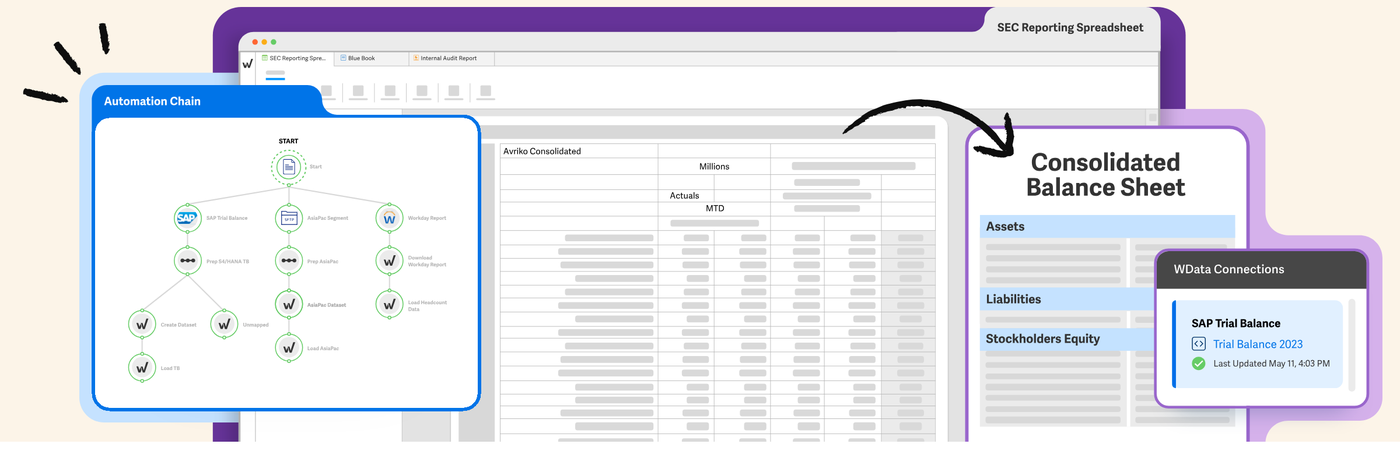
Team it fits: public companies and private companies with complex reporting. Workiva links data points across its own cloud documents, spreadsheets and presentations, so when a number changes at the source every linked instance updates after the link is published. The Help Center says link changes aren't applied automatically and must be published, and anyone can publish their own links while only the document owner can publish all.
The monthly pack: Workiva's pages describe financial statement automation that connects to ERPs and ledgers, with section, page and cell-level permissions, revision history and comment threads. For SEC work it prepares more than 350 form types, tags iXBRL and files through its EDGAR integration. Its connector list names NetSuite, Sage Intacct, SAP S/4HANA, Oracle, Workday and others, and doesn't name QuickBooks or Xero.
Limits: there is no published price or entry tier, and G2 users report about four months to implement, so a small private team on QuickBooks Online has little reason to start here. Whether it imports Word or Excel files isn't stated on the pages we read.
- You file with the SEC or want linked documents, spreadsheets and presentations in one controlled place
- You have a supported ERP and recurring packs for lenders, boards or auditors
- You only need monthly statements from QuickBooks Online or Xero: neither is on the connector list
- You want a published price or a quick start
- Users like
- user-friendly interface and real-time collaboration
- Users dislike
- missing features and a learning curve
- Source: G2, 2,268 reviews
How it works in practice
Workiva quotes by need and says all offerings include unlimited seats. G2 reviewers rate it 4.5 out of 5 from 2,268 reviews; the themes we have are praise for real-time collaboration and a user-friendly interface, and complaints about missing features and a learning curve, carried over from our earlier read of G2.
- Starting price
- Quote only (unlimited seats on all plans)
- Seats
- Unlimited on all plans
- Connectors
- 70+ prebuilt, incl. NetSuite, SAP, Oracle, Workday
- AI
- Testing and remediation agents with reviewer override
- SEC
- More than 350 form types
What each tool does beyond the statements
Every tool above produces a P&L and a balance sheet. The differences are in where the numbers come from, whether several entities roll into one report, whether a forecast is included and how the pack leaves the tool. We list only what each vendor documents, and write "not documented" where we found nothing.
| Tool | Data source | Consolidation with eliminations | Budgets or forecasts | Output |
|---|---|---|---|---|
| QuickBooks Online | Its own ledger, one company file | None on the four plans | Budgets on Plus and Advanced | Excel, CSV, PDF; Spreadsheet Sync on Advanced |
| Xero | Its own ledger | None native, add-on apps | Budgets and short-term cash flow | PDF, Excel |
| Sage Intacct | Its own ledger | Yes, an extended capability | Planning is a separate product | Excel reporting is early-adopter |
| Fathom | QuickBooks, Xero, MYOB and others, daily sync | Yes, up to 300 entities | Three-way forecast and budgets | PDF, Excel |
| Spotlight Reporting | Xero, QuickBooks, MYOB, Sage 50, Excel, by manual import | Yes | Three-way forecast and budgets | Excel, PDF |
| Syft Analytics | QuickBooks, Xero, Sage, ERPs on Advanced | Yes, no fixed entity limit | Budgets and forecasts, driver-based on Plus | PDF, Excel, Word, Google Sheets |
| Datarails | NetSuite, Sage Intacct, QuickBooks, Xero and others | Yes | Planning and forecasting | Excel, PDF, dashboard, PowerPoint |
| Prophix One | GL and ERP list including QuickBooks Online and Xero | Yes, 10 to 100+ entities | Budgeting and forecasting | Excel add-in, PowerPoint, PDF, Word |
| Workiva | ERP connectors such as NetSuite and Sage Intacct | Not documented on the pages we read | Not documented on the pages we read | Linked documents, spreadsheets, SEC filings |
Which financial reporting software fits your team?
Choose financial reporting software by the number of entities and where your ledger lives, then add the output you owe other people. The table maps common situations to the smallest tool that covers them.
- One entity on QuickBooks Online, statements for the ownerQuickBooks Online's own reports; Advanced only if you need the custom builder or scheduled packs
- One entity on Xero, dashboards and budget varianceXero Growing or Established
- Branded monthly pack with KPIs and a forecast from QuickBooks Online or XeroFathom, from $59 a month per company
- Several small entities, lowest published priceSyft Analytics or Spotlight Reporting
- Eliminations and GAAP or IFRS statements across entities at a small-team priceSyft Analytics Plus at $47 a month
- Pack is built in Excel and sent as PowerPointDatarails, by quote
- Reports by department, location and project with drill-downSage Intacct, by quote
- Mid-market consolidation plus planningProphix One, by quote
- SEC filings or linked board and lender documentsWorkiva, by quote
What does financial reporting software cost?
Five of the nine financial reporting tools publish a plan price, and the other four are quote-only. The published prices below are USD list prices read on October 29, 2026. Promotional discounts for new customers change often and are left out.
| Tool | Published price (USD) | What the price is based on |
|---|---|---|
| QuickBooks Online | $38, $85, $140, $340 per month | Plan; 1, 3, 5 or 25 users |
| Xero | $27, $59, $97 per month | Plan; no per-user fees |
| Fathom | $59 (1 company), $315 (10), $450 (25), $805 (50) per month | Connected companies; unlimited users |
| Spotlight Reporting | $35 (1 organization), $329 (up to 10) per month | Organizations |
| Syft Analytics | Free, $23, $47, $95 per month | Plan; up to 10 entities, unlimited users |
| Sage Intacct | Quote | Modules |
| Datarails | Quote | Tier: 2, 5 or 15 users |
| Prophix One | Quote | Modules and users |
| Workiva | Quote | Need; unlimited seats |
Two points change the real cost. Add-on layers charge per entity or per tier, so a group of ten entities costs $315 a month on Fathom and $329 on Spotlight Reporting at list price, and a single entity costs $59 and $35. And ledger-native reporting looks free until you need the feature that sits one plan up: on QuickBooks Online that is $140 versus $340 a month for the custom builder and scheduled management reports.
Review the pack before it goes out
A reporting tool produces the pack, and it doesn't check it. Before the statements leave finance, someone other than the preparer should tie the balance sheet to the reconciliations, read the variances and sign off. Whatever tool you choose, the same four steps apply.
- PreparerRefresh the ledger data in the reporting tool and confirm the period is closed in the ledger Business day 1
- PreparerTie the balance sheet to account reconciliations and explain each variance against budget and last month Business days 2 to 3
- ReviewerRead the commentary and numbers, including any AI-written text, and approve the pack or send it back with a comment Business day 4
- ControllerRelease the pack to the owner, board or lender and keep the signed-off version with its evidence Business day 5
The tie-out and sign-off are the steps most teams keep in a spreadsheet and chase by email. The Finance Lead tracks those close tasks, the evidence behind them and the preparer and reviewer sign-off; it doesn't produce statements or connect to your ledger. Our month end close checklist lists the tasks, and the month end close process guide assigns the owners.
FAQ
What is the best financial reporting software?
No single tool is best for every team. For one entity on QuickBooks Online or Xero, the built-in reports are the best starting point. Fathom, Spotlight Reporting and Syft Analytics fit teams that need a branded pack or consolidation, and Datarails, Prophix and Workiva fit larger groups, Excel-built packs or SEC filings.
Is QuickBooks Online enough for financial reporting?
QuickBooks Online is enough for one entity that needs statements and a simple pack. The Custom Report Builder, KPI scorecards, AI summaries and scheduled management reports need the Advanced plan at $340 a month, and the four plans list no multi-entity consolidation.
What is a financial reporting tool?
A financial reporting tool reads the figures in your accounting system and produces the balance sheet, income statement, cash flow statement and management reports. Some are part of the ledger, some are separate products that add packs, KPIs, forecasts and consolidation.
Can AI make a balance sheet?
AI can draft commentary and answer questions about the numbers, but the balance sheet comes from your ledger. Vendors such as Intuit, Spotlight Reporting, Datarails and Prophix describe AI as a layer on top of the figures, and a person still reviews them.
Which financial reporting software is cheapest?
The cheapest financial reporting software is the free Basic plan of Syft Analytics, which covers dashboards, and its paid plans start at $23 a month. Spotlight Reporting starts at $35 a month for one organization, Xero at $27, QuickBooks Online at $38 and Fathom at $59 per company.
Do I need consolidation software?
You need consolidation when you report on several entities as one group and must remove transactions between them. QuickBooks Online and Xero list none on their standard plans, while Fathom, Spotlight Reporting, Syft Analytics, Datarails and Prophix document consolidation with eliminations.