Financial statement software produces the three core statements, the balance sheet, the income statement and the cash flow statement, from your ledger or from the data your ledger exports, and keeps the figures traceable back to the entries behind them. Some tools are the ledger itself, such as QuickBooks Online, Xero, Sage Intacct and NetSuite. Others sit on top of a ledger and build the monthly pack, such as Fathom and Datarails. Workiva is a different kind of tool: it builds the finished report with notes and filings that auditors, lenders and regulators read.
We compared seven tools and grouped them by where the statements come from, because that decides what each one can and can't do for a controller. We read vendor pricing, feature and help pages for each tool and checked review ratings in November 2026. We read vendor material and did not run these products, and none of the vendors paid for a placement. Our own product tracks the month-end close and doesn't produce statements, so it appears only as a marked row.
- financial statement tools compared
- 7
- that are the ledger itself and print the statements directly
- 3
- that publish a price
- 4
- G2 rating range across the seven
- 4.0 to 4.7
What is financial statement software?
Financial statement software is a tool that builds a company's balance sheet, income statement and cash flow statement for a period and presents them in a form that a reader outside the finance team can use. The balance sheet shows what the company owns and owes on one date. The income statement shows revenue and expenses over a period. The cash flow statement explains why cash moved, in operating, investing and financing activities.
Three jobs separate it from a spreadsheet.
- Producing the statements. The figures come from the ledger by account mapping, not from a pasted trial balance, so a posted entry changes the statement without anyone retyping it.
- Consolidating and comparing. Several entities, currencies and periods roll into one set of statements, with prior-period and budget columns next to the actuals.
- Proving the numbers. A reviewer can follow a statement line back to the entries behind it, and a log shows who changed what before the pack went out.
Does QuickBooks create financial statements? Yes, QuickBooks Online lists the Statement of Cash Flows under its Business Overview reports next to the Profit and Loss and the Balance Sheet, so a single-entity company can print all three from the ledger. The harder cases are several entities, a reader who expects notes and comparatives, and a regulator who expects a filing, and that's where the other tools below come in. If your question is about the reporting layer in general, our guide to financial reporting software covers it.
Our picks by situation
Start from where your statements are produced today, then check what your ledger connects to.
 Best for one company whose accountant already works in QuickBooksQuickBooks OnlineBalance Sheet, Profit and Loss and Statement of Cash Flows come straight from the ledger at a published price.
 Best for several entities that need statements by department and locationSage IntacctA multi-entity ledger with drill-down to the source transactions, sold by quote.
 Best for a group that outgrew QuickBooks on entities and currenciesOracle NetSuiteIncome statement, balance sheet and cash flow per subsidiary, with automated elimination journals.
 Best for a monthly pack on QuickBooks Online or XeroFathomBranded management reports and consolidation priced per company, not per user.
 Best for a team that builds the statements in ExcelDatarailsKeeps the Excel workbook but feeds it from mapped ledger data, with consolidation.
 Best for statements with notes, tagging and filingsWorkivaLinks numbers from the source system into the report and the disclosures, with an audit trail.
Financial statement software compared
| Tool | Type | Core strength | Price (USD) | G2 rating |
|---|---|---|---|---|
| QuickBooks Online | Cloud accounting ledger with inventory and closing-date controls | General ledger with a closing date, 250-account cap below Advanced | Simple Start $38/mo; Essentials $85/mo; Plus $140/mo; Advanced $340/mo at US list rates (pricing page on 2026-11-04 showed 50% off for 3 months) | 4.0 (3,900) |
 Xero | Accounting ledger with built-in bank reconciliation | Ledger with two lock-date types and tracking categories | Early $27/mo, Growing $59/mo, Established $97/mo at US list rates (pricing page on 2026-11-04 showed introductory prices for the first 3 months) | 4.4 (1,855) |
| Sage Intacct | Mid-market cloud financials with multi-entity | Dimension-based GL with entity-level close and lock | Quote only; Sage publishes no plan names or prices | 4.3 (4,536) |
| Oracle NetSuite | Cloud ERP with financials | OneWorld ledger with subsidiary-level period locks and intercompany journals | Quote only; NetSuite publishes no list prices | 4.1 (5,253) |
| Fathom | Reporting layer for QuickBooks Online and Xero | Three-way cash flow forecast, scenarios and budgets built from synced QuickBooks Online or Xero data | Pro is priced per company: $450 per month for 25 companies plus $17 per extra company, Portfolio $67 per month for 100 companies (USD); 14-day free trial; no one-company USD price is public | 4.7 (102) |
| Datarails | Excel-based reporting and FP&A platform | Mapped ledger data feeding Excel and PowerPoint report packs, with consolidation | Quote only (three tiers: Professional 2 users and 1 integration, Premium 5 users and 2 integrations, Expert 15 users plus 50 viewers and 3 integrations) | 4.6 (392) |
| Workiva | SOX plus SEC reporting platform | SOX testing and remediation next to the 10-K and SEC filings | Quote only (unlimited seats on all plans) | 4.5 (2,268) |
 The Finance Lead Our product | Month-end close checklists | Tracks close tasks, evidence and preparer/reviewer sign-off | Team $39/month (up to 8 team members), Plus $79/month (no member limit, read-only MCP server); card required at checkout | No reviews yet |
Prices read from vendor pages in October and November 2026. Quote means the vendor publishes no price.
The tools produce different statements in different ways, so a feature grid hides more than it shows. This table lists what the vendors state for the statements themselves.
| Tool | Balance sheet, income statement, cash flow | Several entities | Drill-down or audit trail |
|---|---|---|---|
| QuickBooks Online | Balance Sheet, Profit and Loss and Statement of Cash Flows as standard reports | No native multi-entity feature found | Audit log, admin only |
| Xero | Balance Sheet, Profit and Loss and a Statement of Cash Flows report | Each organization is a separate ledger | History and Notes, described by users as limited |
| Sage Intacct | Standard financial reports plus a Financial Report Writer | Shared multi-entity company; consolidation is a separate capability | Drill from line items to individual transactions |
| NetSuite | Income statement, balance sheet and cash flow statement under Reports | OneWorld subsidiaries with automated elimination journals | System Notes on period lock changes |
| Fathom | Profit and loss and balance sheet from the synced ledger | Up to 300 entities with eliminations | Account-level data, no transaction drill-down |
| Datarails | P&L, balance sheet and cash flow reports | Multi-entity with currency conversion and eliminations | Approvals with an audit trail |
| Workiva | Linked financial statements, notes and filings | Multi-entity reporting | Audit trails and data lineage |
The ledger decides which of these tools can work for you at all, so check it before you compare features.
| Tool | Ledgers the vendor lists |
|---|---|
| QuickBooks Online | Is a ledger |
| Xero | Is a ledger |
| Sage Intacct | Is a ledger |
| NetSuite | Is a ledger |
| Fathom | QuickBooks Online, QuickBooks Desktop, Xero, MYOB, FreeAgent, Sage (UK); Excel or Google Sheets import for others |
| Datarails | NetSuite, Sage Intacct, Business Central, QuickBooks, Xero, Dynamics 365, SAP Business One, Acumatica |
| Workiva | 70+ prebuilt connectors, including NetSuite, SAP, Oracle and Workday |
How do you choose financial statement software?
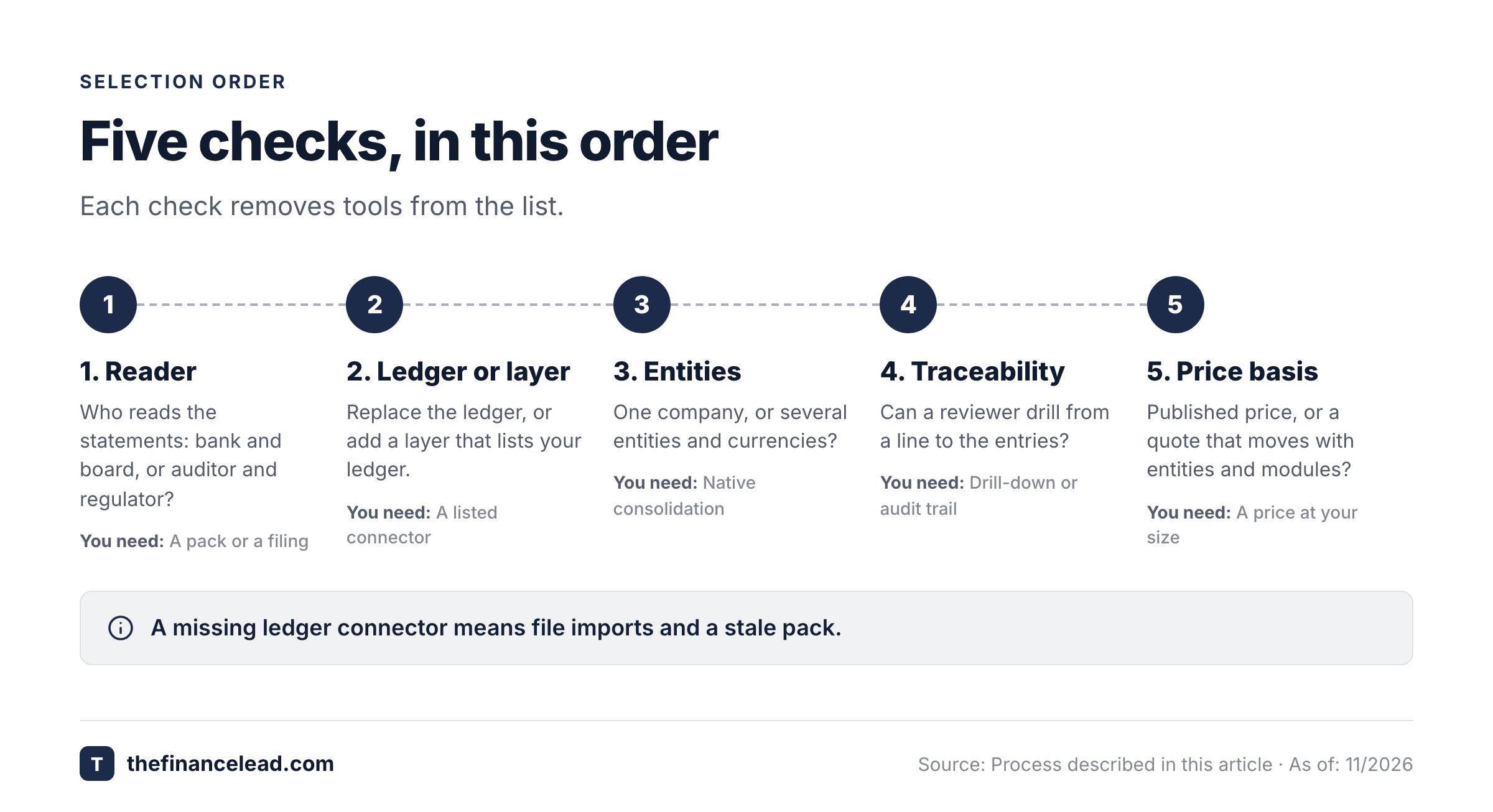
Choose in this order, because each step removes tools from the list.
- Who reads the statements. Your bank, your board and your accountant need a clean pack. A regulator, an auditor or an investor needs notes, comparatives and a filing. The first group is served by the first six tools. The second group points to Workiva.
- Ledger or layer. If your ledger can't print what you need, you either replace the ledger or add a layer on top. A layer such as Fathom or Datarails costs less than a migration, but it only works if it lists your ledger.
- Entities and currencies. QuickBooks Online and Xero have no native multi-entity feature, so a group needs a consolidation tool or a different ledger. Our guide to financial consolidation software covers that step.
- Traceability. Ask whether a reviewer can click from a statement line to the entries behind it. Sage Intacct documents drill-down to individual transactions. Fathom calls itself a management reporting tool and works from account-level data.
- Price basis. Four of the seven publish a price. Sage Intacct, NetSuite, Datarails and Workiva quote after a demo, and the quote moves with entities, modules and users.
Then ask each vendor the questions that decide the project.
- Which of our ledgers do you connect to, and is the sync native or a file import?
- Which statements are standard, and which need a report builder or an add-on?
- Can a reviewer drill from a statement line to the source transactions?
- How are prior-period and budget columns shown next to the actuals?
- How do you handle several entities, currencies and eliminations, and is that a separate purchase?
- What do we pay at our entity count and user count, in USD, with add-ons?
Ledgers that print the statements
QuickBooks Online, Xero, Sage Intacct and NetSuite are ledgers first. The statements come out of the same system that holds the entries, so there's no sync to break. What changes with size is how many entities the ledger handles and how much work the reports need.
QuickBooks Online
QuickBooks Online
QuickBooks Online is Intuit's cloud accounting ledger. The chart of accounts is capped at 250 accounts on every plan except Advanced, classes and locations are capped at 40 combined on Plus, and a closing date with an Exceptions to Closing Date report controls past periods.
QuickBooks Online suits one company whose accountant already works in QuickBooks and who needs a standard set of statements at a published price.
Team it fits: an owner or a small finance team with a single legal entity and an outside accountant who prepares the year-end.
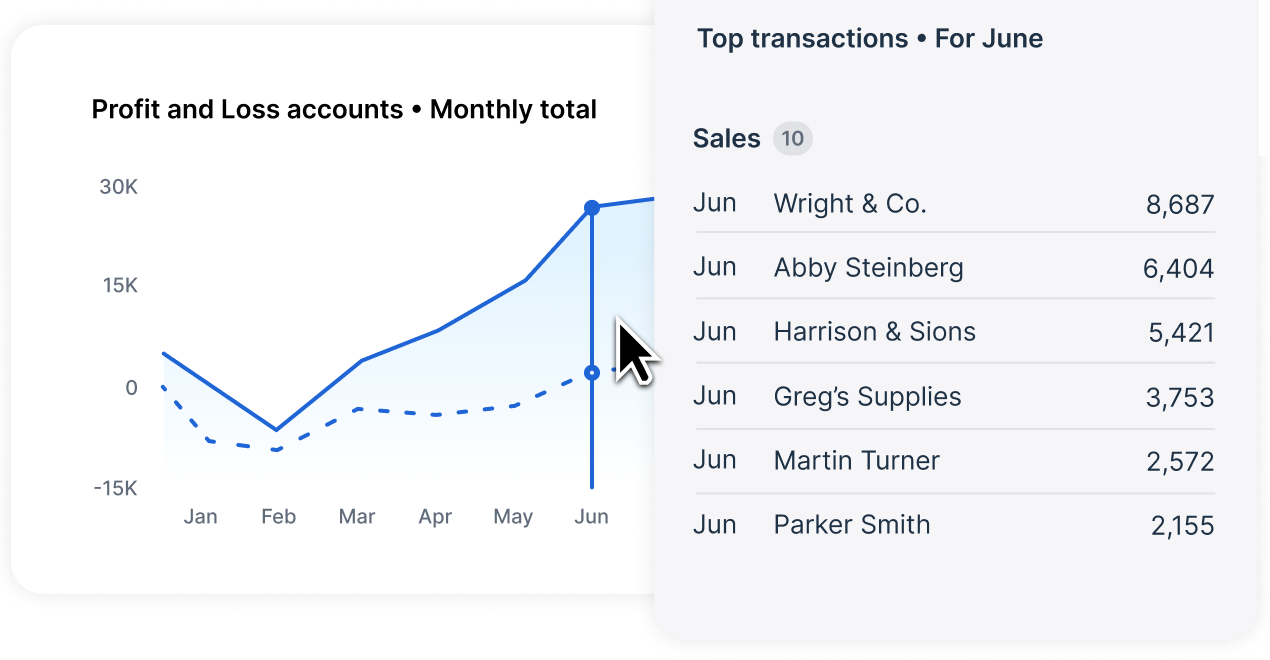
How it works: Intuit lists the Statement of Cash Flows under Business Overview reports, next to the Profit and Loss and the Balance Sheet. Intuit's help describes how to customize a report: filter by accounts or customers, change the accounting method, choose the rows and columns, and edit the header and footer. A customized report can be saved, shared, emailed, scheduled and exported to PDF or Excel. Profit and Loss can compare periods by dollar or percentage change. A closing date, with an optional password, stops anyone but an admin from changing past periods.
Limits: only the Advanced plan includes the Custom Report Builder for building a report from scratch. The chart of accounts is capped at 250 accounts on every plan except Advanced, and its feature pages list no native multi-entity or intercompany feature. G2 reviewers name cost, repeated price increases and reports that need customization as the recurring complaints.
- Your accountant or bookkeeper already runs the books in QuickBooks
- You have one company and need the three statements at a published price
- You run more than one legal entity
- You need a statement built from scratch without the Advanced plan
- Users like
- ease of use, cloud access and integrations
- Users dislike
- cost and repeated price increases, support quality and reports that need customization
- Source: G2, 3,900 reviews
How it works in practice
G2 reviewers rate QuickBooks Online 4.0 from about 3,900 reviews. Praise centers on ease of use, cloud access and integrations. Intuit's pricing page advertised 50 percent off for the first three months in November 2026, so check the current rate before you budget. See our QuickBooks Online review and QuickBooks Online pricing for the plan detail.
- Starting price
- Simple Start $38/mo; Essentials $85/mo; Plus $140/mo; Advanced $340/mo at US list rates (pricing page on 2026-11-04 showed 50% off for 3 months)
- Users per plan
- Simple Start 1, Essentials 3, Plus 5, Advanced 25 (plus accountant seats)
- Inventory
- Available in Plus and Advanced
- Period control
- Closing date, optional password
- Bill Pay tiers
- Basic $0 (included), Premium $15, Elite $45 per month; Elite included with Advanced from Aug 1, 2026
- Bill approvals
- Need Bill Pay Elite (or Advanced); up to 5 sequential layers and 7 approvers per group
- Bill Pay fees
- Standard ACH free (limits may apply), faster ACH $10, check $1.50, instant 1% (max $100)
- Batch size
- 20 bills on Basic, 50 on Premium and Elite
- Chart of accounts
- 250 accounts below Advanced
- Classes and locations
- Not on Simple Start or Essentials; 40 combined on Plus; unlimited on Advanced
- Audit log
- Admin only, cannot be turned off, two-year availability per Intuit help
- Journals
- Manual entries with memo and attachments; reverse action creates a new entry
- Fixed assets: plan
- Advanced and Intuit Enterprise Suite only
- Fixed assets: depreciation methods
- Straight-line, double-declining and 150% accelerated with a mid-month convention; MACRS, Section 179 and bonus not documented
- Fixed assets: workflow
- Depreciation posts automatically on the 1st of each month; disposal shows profit or loss but the journals are posted manually; disposed assets cannot be restored
- Fixed assets: import
- Paste from a spreadsheet
- Plans
- Simple Start $38, Essentials $85, Plus $140, Advanced $340 per month at US list rates
Xero
Xero
Xero is a cloud accounting ledger priced per plan with no per-user fee listed. Lock dates can only be set by the Advisor role, tracking categories carry two active dimensions, and multi-currency sits on the top Established plan.
Xero suits a small company that wants the three statements from a ledger with a flat per-plan price and no per-user fee.
Team it fits: a founder, a bookkeeper or a small accounting team on a single organization, often with an outside accountant who has advisor access.
How it works: Xero reports the Balance Sheet and Profit and Loss, and it has a Statement of Cash Flows report that groups cash into operating, investing and financing activities, with a layout the user can rearrange. Lock dates block edits to closed periods: a standard lock date blocks everyone except Advisors, and an advisor lock date blocks everyone including Advisors, according to third-party help. Prices are per plan with no per-user fee.
Limits: each organization is a separate ledger, so no native consolidation is listed. Xero's own idea forum has requests to keep non-cash accounts out of the cash flow statement, so review that statement before it goes to a lender. G2 reviewers name price increases and limited reporting customization.
- Xero is already your ledger and the statements go to your accountant and your bank
- You want a published per-plan price with no per-user fee
- You need consolidation across several legal entities
- You need to customize the statements beyond what the standard reports allow
- Users like
- ease of use, invoicing and bank reconciliation
- Users dislike
- price increases, limited reporting customization and email-based support
- Source: G2, 1,855 reviews
How it works in practice
G2 reviewers rate Xero 4.4 from about 1,850 reviews, with ease of use and bank reconciliation as the praise. Xero's pricing page advertised introductory prices for the first three months in November 2026. See our Xero review and QuickBooks vs Xero for the comparison.
- Starting price
- Early $27/mo, Growing $59/mo, Established $97/mo at US list rates (pricing page on 2026-11-04 showed introductory prices for the first 3 months)
- JAX methods
- Rule, Match, Memory, Prediction
- Plan gating
- Reconcile bank transactions on every plan; auto-reconcile transactions listed on Growing and Established
- Per-user fees
- None; prices are per plan
- Plan limits
- Early: 20 invoices and 5 bills per month; multi-currency on Established only
- Lock dates
- A lock date blocks everyone except Advisors; an Advisor lock date blocks everyone including Advisors (per third-party help)
- Payroll
- Add-on, $36 per month plus $6 per employee
- Bills
- Early: 5 bills per month; Growing and Established: unlimited
- Bill pay
- Free standard ACH on all plans (Melio-powered); check $1.50; same-day ACH 1% (max $75); cross-border USD $20
- Approvals
- Role-based (who can create and approve bills); no multi-step routing documented
- 1099
- W-9 collection and 1099 report on all plans
- Tracking
- Two active tracking categories (community and third-party sources, not an official page)
- Multi-currency
- Established plan only
- Auto-reconcile
- $5/mo add-on on Early; included on Growing and Established
- Journals
- Manual journals with auto-reversing date; native approval workflow not found
- Fixed assets: depreciation methods
- Straight line, declining balance (150% and 200%), and full depreciation on purchase (Section 179 or 100% bonus); no MACRS
- Fixed assets: workflow
- Add from a bill or directly; depreciation runs on demand and can be rolled back; a sale posts gain or loss
- Fixed assets: import
- CSV template
- Plans
- Early $27, Growing $59, Established $97 per month at US list rates
- Users
- No per-user fee
Sage Intacct
Sage Intacct
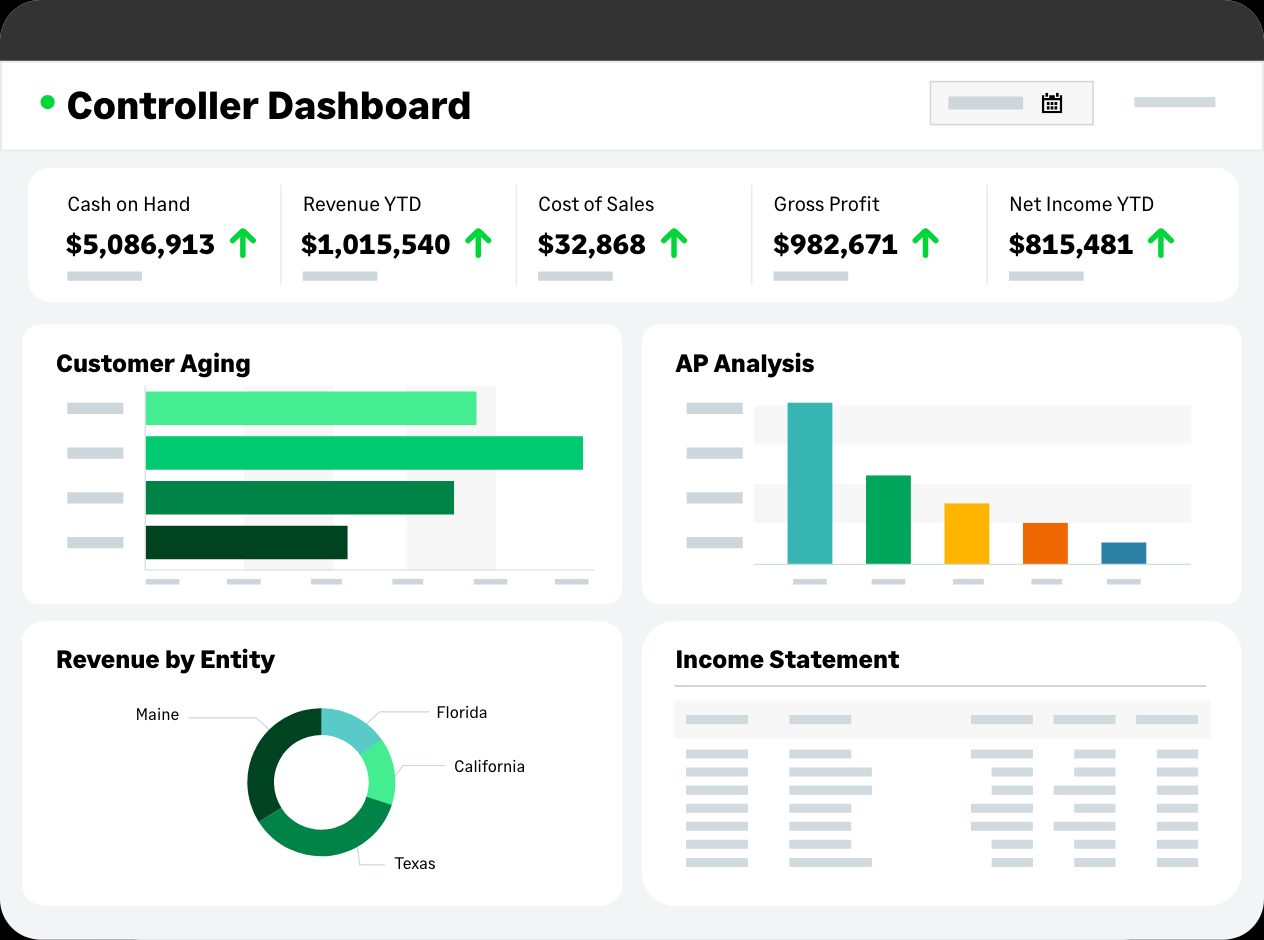
Sage Intacct is a cloud financial system for scaling and mid-sized companies. Entities share one login, reporting runs on dimensions such as location and department, and books close period by period so nothing can be posted into an older period.
Sage Intacct suits a mid-sized company with several entities whose statements must be split by department, location or project and traced to the transactions.
Team it fits: a controller and an accounting team that outgrew QuickBooks on entities or on reporting by dimension.
How it works: Entities share one login and one multi-entity company, and reporting runs on dimensions such as location, department, project, customer and vendor. Sage describes standard financial reports that can be used as they are or copied and modified, and a Financial Report Writer for dimensional reports from the general ledger. In the consolidation reports, line items and totals carry links that you can follow down to individual transactions, and the data can be output as CSV, PDF or Excel. Books close period by period, and a closed statutory period can be locked.
Limits: Sage publishes no plan names or prices, consolidation is a separate paid capability, and G2 users report about four months to implement against Sage's own figure of as few as 60 days.
- You run several entities or need statements by department and location
- You want a controlled close with books that can't be posted to once closed
- You are a small team on a small budget: Sage Intacct is quote-only with no named plans, and G2 users report about 4 months to go live
- You need consolidation on day one without buying the extended capability
- Users like
- ease of use and reporting
- Users dislike
- steep learning curve, limited customization and missing features
- Source: G2, 4,536 reviews
How it works in practice
G2 reviewers rate Sage Intacct 4.3 from about 4,500 reviews. Praise centers on ease of use and reporting, and the recurring complaint is a steep learning curve and limited customization. See our Sage Intacct pricing guide for what is known about the cost.
- Starting price
- Quote only; Sage publishes no plan names or prices
- Implementation
- As few as 60 days per Sage; about 4 months per G2 users
- Marketplace
- 350+ integrations per Sage
- Consolidation
- Separate extended capability
- AP automation
- AI bill capture, duplicate flagging, three-way matching generally available since May 2026
- Payments
- Check, ACH or virtual card
- 1099
- Tracked in Intacct; e-filing through a Marketplace partner
- Dimensions
- Location, department, project, customer, vendor, employee, item plus user-defined dimensions
- Journals
- Draft, submit for approval, attachments, allocations and automatic reversal
- Period control
- Close books by period with a Close books permission; closed statutory periods can be locked
- Entities
- Shared multi-entity company; inter-entity journal entries create balancing entries in both entities
- Audit trail
- Standard Audit Trail on records and transactions with an Audit History report
- Fixed assets: depreciation methods
- Straight-line, daily, 150% and 200% declining, custom declining balance with and without true-up; full-month, half-year and full-year conventions
- Fixed assets: workflow
- Assets are created manually or from AP bills and purchasing; gain or loss is calculated on disposal (Sale, Casualty loss, Theft, Other); bulk disposal through import
- Intercompany booking
- One inter-entity journal entry adds offsetting entries in each affected entity; admin maps inter-entity accounts once
- Intercompany mapping
- Basic plan: two accounts per entity. Advanced plan: separate accounts per entity pair
- Intercompany eliminations
- Auto-elimination of inter-entity receivable and payable in the Consolidation module, a separately subscribed capability
- Integrations
- 350+ in the Sage marketplace
NetSuite
Oracle NetSuite
NetSuite is a cloud ERP: financials, inventory, order management and multi-subsidiary accounting in OneWorld. Accounting periods can be locked per subsidiary, and a separate permission lets selected users override a locked period.
NetSuite suits a group that outgrew QuickBooks on entities, currencies or inventory and wants finance and operations in one ERP.
Team it fits: a controller and a finance team at a mid-sized or multi-subsidiary company, with a partner or an administrator to configure the reports.
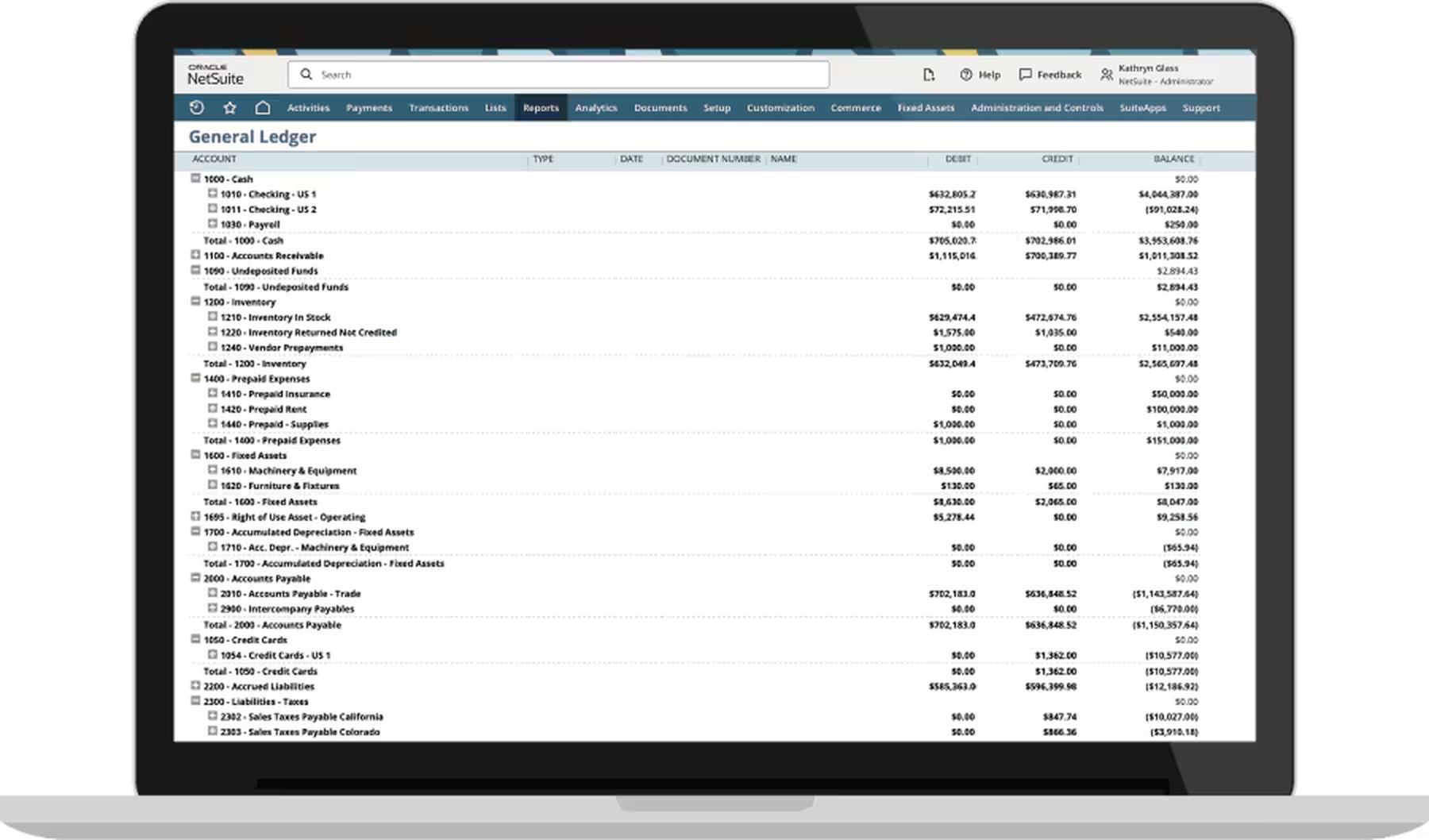
How it works: Oracle's help places the income statement, the balance sheet and the cash flow statement under the Reports menu, with the Financial Report Builder as the customization tool. In OneWorld, a user can run and customize a separate set of statements for each subsidiary. The cash flow statement starts operating activities from net income and adjusts for balance changes, and the consolidated version adds an exchange-rate row tied to the cumulative translation adjustment. Elimination journals for intercompany balances run from the period close checklist, and accounting periods can be locked per subsidiary.
Limits: NetSuite publishes no list prices, NetSuite's own article puts a simple single-entity project at 8 to 14 weeks, and G2 users report about six months on average. G2 reviewers describe a learning curve and an outdated interface.
- You are outgrowing QuickBooks on entities, currencies or inventory
- You need period locks and role-based separation of duties for the audit
- You are a small team that needs a ledger and statements: the project is heavy
- You need a price to compare: NetSuite sells by quote and puts midmarket rollouts at 4 to 11 months
- Users like
- ease of use for reporting and navigation, customization
- Users dislike
- learning curve and outdated interface
- Source: G2, 5,253 reviews
How it works in practice
G2 reviewers rate NetSuite 4.1 from about 5,250 reviews. Praise centers on reporting, navigation and customization. See our NetSuite pricing guide for what is known about the cost.
- Starting price
- Quote only; NetSuite publishes no list prices
- Implementation
- 8 to 14 weeks simple single-entity per NetSuite; about 6 months per G2 users
- Period lock
- Per subsidiary in OneWorld; Override Period Restrictions permission
- Currencies
- 190+
- Journals
- 1,000 lines per entry; reversal date links the reversal to the original; approval by preference or SuiteFlow workflow
- Period control
- Lock per period and per subsidiary; a permission overrides the lock
- Entities
- OneWorld subsidiaries; intercompany and advanced intercompany journals; automated elimination journals
- Classifications
- Departments, Classes and Locations plus custom segments
- Audit
- System Notes record period lock changes; record-level coverage not separately verified
- Fixed assets: depreciation methods
- Straight Line, Fixed Declining, Sum of Years Digits, Asset Usage and user-defined; tax methods kept separately and do not post to journals
- Fixed assets: workflow
- Depreciation, disposal by sale or write-off, partial disposal, revaluation, split and transfer are documented
- Intercompany booking
- Automated Intercompany Management in OneWorld pairs intercompany purchase and sales orders; advanced intercompany journals use an Auto Balance button
- Intercompany eliminations
- Elimination run in the period close checklist creates elimination journals; Intercompany Reconciliation Report flags unlinked or mismatched amounts
Reporting layers on top of your ledger
Fathom and Datarails don't replace the ledger. They read it, map the accounts and build the pack. That makes them the cheaper route when the ledger is fine and the monthly pack is the problem.
Fathom
Fathom
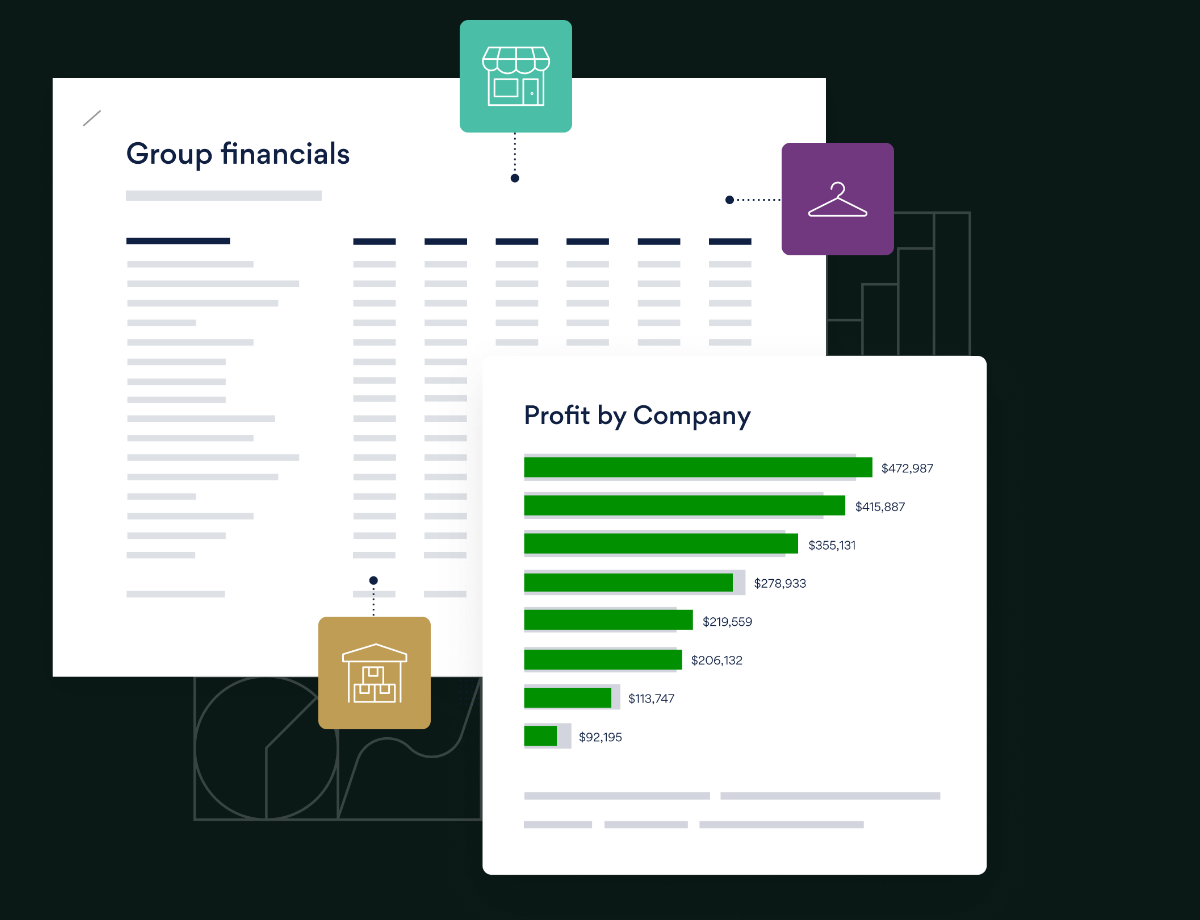
Fathom turns the P&L and balance sheet synced from QuickBooks Online, Xero and a few other systems into branded management reports with a report editor, KPIs, a three-way forecast and multi-entity consolidation. It is priced per connected company, not per user.
Fathom suits a company or an accounting firm on QuickBooks Online or Xero that wants a branded monthly pack with KPIs and consolidation, priced per company.
Team it fits: an advisor or a finance manager who reports to owners and lenders each month and doesn't want a planning project.
How it works: Fathom syncs the profit and loss and the balance sheet from the ledger once a day or on demand, then builds branded management reports in a report editor, with KPIs and a three-way cash flow forecast. Consolidation covers up to 300 entities with eliminations and multi-currency. Reports export to PDF and Excel. It's priced per connected company with unlimited users.
Limits: Fathom lists no connector for NetSuite or Sage Intacct and takes Excel or Google Sheets imports for those. It calls itself a management reporting tool and works from account-level data, so it isn't the tool for audit-ready consolidated statements or drill-down to transactions.
- Your ledger is QuickBooks Online or Xero and you want a branded monthly pack
- You report on several entities and want eliminations priced per company
- Your ledger is NetSuite or Sage Intacct
- You need drill-down to transactions or audit-ready consolidated statements
- Users like
- Reporting, ease of use and customer support
- Users dislike
- Missing features and import problems
- Source: G2, 102 reviews
How it works in practice
G2 reviewers rate Fathom 4.7 from about 100 reviews, with reporting, ease of use and support as the praise and missing features and import problems as the complaints. The Pro plan was listed at $450 per month for 25 companies plus $17 per extra company, and no one-company price is public.
- Starting price
- Pro is priced per company: $450 per month for 25 companies plus $17 per extra company, Portfolio $67 per month for 100 companies (USD); 14-day free trial; no one-company USD price is public
- Priced by
- Connected company, unlimited users
- Ledgers
- QuickBooks Online, QuickBooks Desktop, Xero, MYOB, FreeAgent, Sage (UK), Access Financials, Google Sheets; others by Excel import
- Sync
- Daily automatic sync with cloud accounting systems, or on demand
- Consolidation
- Up to 300 entities
- Export
- PDF and Excel
- Trial
- 14 days
- Forecast method
- Three-way cash flow forecast, driver-based planning, rolling forecasts, scenarios and Microforecasts, budget saved for variance analysis (Fathom)
Datarails
Datarails
Datarails keeps Excel as the working tool and connects it to a central database fed from ERPs and accounting systems. It builds P&L, balance sheet and cash flow reports for Excel, PDF and PowerPoint, and consolidates entities with currency translation and intercompany eliminations.
Datarails suits a finance team that builds the statements in Excel and wants the workbook fed from mapped ledger data instead of copy and paste.
Team it fits: a controller or an FP&A lead at a company with several entities and a monthly Excel pack, on NetSuite, Sage Intacct, Business Central or QuickBooks.
How it works: Datarails connects the ledger and other systems to a central database and builds P&L, balance sheet and cash flow reports from it. Reports can be built from scratch or from templates, assigned as tasks, approved with a full audit trail and exported to Excel, PDF, a dashboard or PowerPoint. Consolidation includes currency conversion, intercompany eliminations and allocations.
Limits: every tier is a quote, and the vendor says implementation takes 4 to 6 weeks while G2 users report about four months. No public help center is listed. G2 reviewers name the learning curve and the setup effort.
- Your team builds the monthly pack in Excel and wants it fed from mapped ledger data
- You consolidate several entities and currencies on NetSuite, Sage Intacct, Business Central or QuickBooks
- You want a price before a demo: Datarails quotes its Professional, Premium and Expert tiers, which differ by users and integrations
- You are a single-entity team with simple reports: the setup is heavy for that job
- Users like
- Ease of use, reporting efficiency and Excel integration
- Users dislike
- Learning curve, setup effort and missing features
- Source: G2, 392 reviews

How it works in practice
G2 reviewers rate Datarails 4.6 from about 390 reviews. Praise centers on ease of use, reporting efficiency and the Excel integration. The product also sells a separate Month-End Close add-on.
- Starting price
- Quote only (three tiers: Professional 2 users and 1 integration, Premium 5 users and 2 integrations, Expert 15 users plus 50 viewers and 3 integrations)
- Export
- Excel, PDF, dashboard and PowerPoint
- Consolidation
- Multi-entity, multi-currency, intercompany eliminations, multiple charts of accounts
- Integrations
- 600+ per Datarails; 66 verified on G2
- Implementation
- 4 to 6 weeks per Datarails; about 4 months per G2 users
- Docs
- No public help center found
- Forecast method
- Rolling forecasts and scenarios in Excel models; cash forecasting in the separate Cash add-on (Datarails)
- Ledgers
- NetSuite, Sage Intacct, Business Central, QuickBooks, Xero, Dynamics 365, SAP Business One, Acumatica and others
- Trial
- Demo only
- Tiers
- Professional (2 users, 1 integration), Premium (5 users, 2 integrations), Expert (15 users plus 50 viewers, 3 integrations)
Platforms for notes, tagging and filings
Workiva
Workiva
A cloud platform for financial reporting, SEC filing and GRC. Its SOX solution manages controls, testing, issues and remediation on the same platform many filers use to build the 10-K.
Workiva suits a company whose financial statements must carry notes, comparatives and a filing, so that every number in the report stays linked to its source.
Team it fits: a controller or reporting team at a public company, a company preparing for an IPO or a private group with lenders or auditors who read a full report.
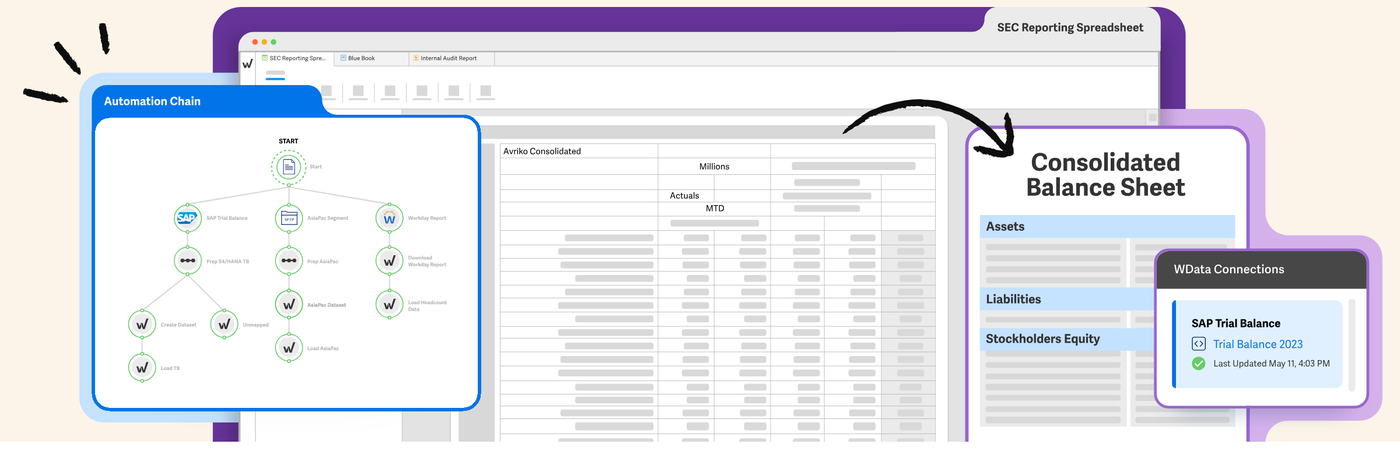
How it works: Workiva links data from source systems such as ERPs or consolidation tools into reports, spreadsheets and presentations, and when something changes every instance updates. It tags content with built-in XBRL tools, supports frameworks such as EDGAR, ESEF and IFRS, and keeps audit trails, version tracking and data lineage. Multi-entity reporting works from a single source, and disclosures can be translated in the platform. All plans include unlimited users.
Limits: Workiva publishes no price, and Vendr purchase data puts the average near $60,000 a year, which is far above what a company with one entity and a bank as the reader needs.
- You already prepare SEC filings in Workiva, or plan to
- You need the notes, the statements and the audit trail in one place
- You need a monthly pack for a bank or a board: a reporting layer costs far less
- You are a small team with one entity: third-party purchase data on Vendr puts typical Workiva spend close to $60,000 a year
- Users like
- real-time collaboration (G2 review themes)
- Users dislike
- missing features and a learning curve
- Source: G2, 2,268 reviews
How it works in practice
G2 reviewers rate Workiva 4.5 from about 2,270 reviews. Praise centers on real-time collaboration, and the complaints are missing features and a learning curve.
- Starting price
- Quote only (unlimited seats on all plans)
- Seats
- Unlimited users on all plans
- Connectors
- 70+ prebuilt, including NetSuite, SAP, Oracle, Workday
- AI
- Testing and remediation agents with reviewer override
- Standards
- XBRL tagging; EDGAR, ESEF and IFRS frameworks
How does the monthly statement cycle run?
The statements are the last step of a cycle, and the tool can only print what the ledger holds on the day you run it.
- AccountantPost accruals, depreciation and adjusting entries and reconcile the bank and card accounts Business days 1 to 3
- ReviewerReview the trial balance and lock the period Business day 4
- AccountantRun the balance sheet, income statement and cash flow statement for the closed period Business day 5
- ControllerCompare with the prior period and the budget and explain each large movement Business day 6
- ControllerCheck that the cash flow statement ties to the change in cash on the balance sheet Business day 6
- CFOApprove the pack and send it to the board, the bank or the auditor Business day 7
The cycle fails at the first row when a reconciliation or accrual is still open. See our month-end close process and month-end close checklist for the steps, and our guide to financial close software for the tools that run them.
What does financial statement software cost?
Financial statement software has a published price on four of the seven tools, and three of those are ledgers. QuickBooks Online lists $38, $85, $140 and $340 per month, Xero lists $27, $59 and $97 per month, and Fathom lists a per-company price with a 14-day trial. Sage Intacct, NetSuite, Datarails and Workiva sell by demo and quote, and the quote moves with entities, modules and users. Datarails prices by tier, with user and integration limits, and Workiva includes unlimited users on every plan.
- One company, statements for an accountant and a bankQuickBooks Online or Xero
- Several entities, statements by department and locationSage Intacct
- A group with subsidiaries and many currenciesNetSuite
- A branded monthly pack on QuickBooks Online or XeroFathom
- Excel stays the front end, with consolidationDatarails
- Statements with notes, tagging and a filingWorkiva
Where does the month-end close fit?
The month-end close comes before every tool above, because each one prints the books as they stand. If a reconciliation, accrual or depreciation entry is still open, the statements are accurate for the wrong numbers. Statement software doesn't show which close task is still waiting for a sign-off. Our product tracks that part of the close, so the numbers the statements start from have an owner, a reviewer and their evidence. It doesn't build statements, and it doesn't touch ledgers or bank data.
FAQ
What is financial statement software?
Financial statement software is a tool that builds a company's balance sheet, income statement and cash flow statement for a period from the ledger, with prior-period comparisons and a way to trace each line back to the entries behind it.
Does QuickBooks create financial statements?
Yes, QuickBooks creates financial statements: QuickBooks Online lists the Statement of Cash Flows under its Business Overview reports next to the Profit and Loss and the Balance Sheet. It has no native multi-entity feature, and the Custom Report Builder is limited to the Advanced plan, so a group or a company with special layouts may need another tool.
What is the best financial statement software for a small business?
For one company, QuickBooks Online and Xero print the three statements from the ledger at a published price. If your ledger is QuickBooks Online or Xero and you want a branded monthly pack with KPIs, Fathom adds a reporting layer priced per company.
Can ChatGPT do financial analysis?
A chatbot can read figures that you paste in and explain movements, but it doesn't keep a ledger, post entries or keep an audit trail. Use it to draft commentary on statements that a ledger produced, and have a person check every number before the pack goes out.
Which tools handle financial statements for several entities?
Sage Intacct and NetSuite are ledgers with multi-entity support, with NetSuite running automated elimination journals. Fathom consolidates up to 300 entities and Datarails consolidates with currency conversion and eliminations. QuickBooks Online and Xero have no native consolidation.
Do I need Workiva for financial statements?
Only if the statements must carry notes, XBRL tagging or a regulatory filing. A private company with one entity and a bank or a board as the reader is served by the ledger or a reporting layer at a fraction of the cost.