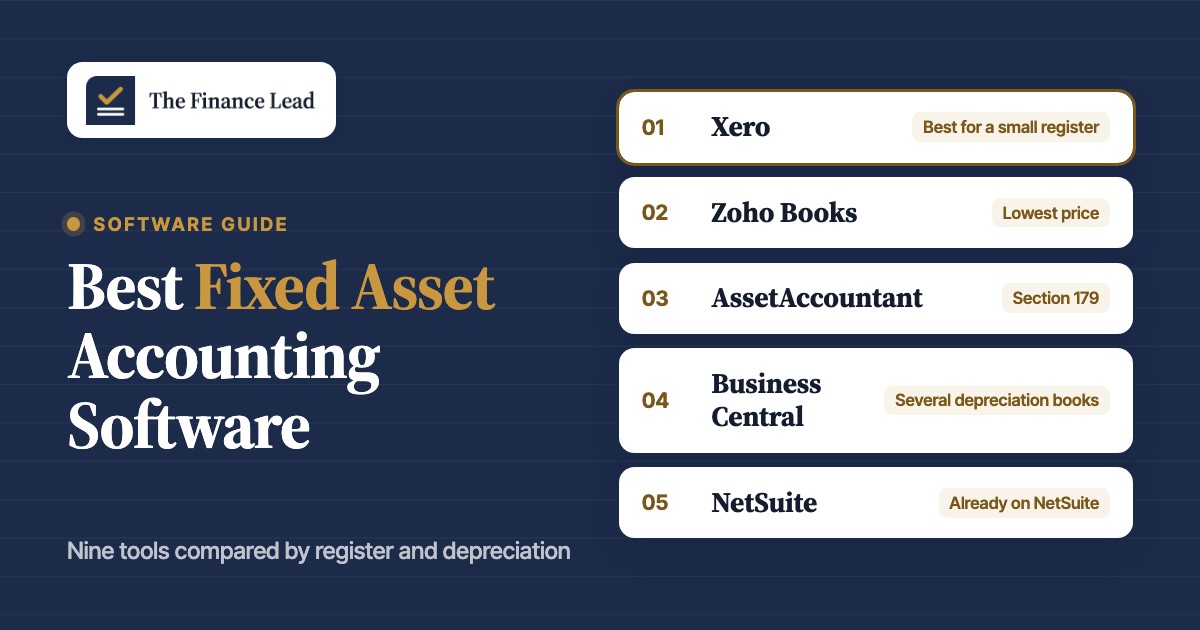
Fixed asset accounting software keeps the register of your long-lived assets, calculates depreciation on each one and posts the journals and disposals to the general ledger. Xero, Zoho Books and QuickBooks Online have a basic register inside the ledger. Odoo, Business Central, Sage Intacct and NetSuite offer fixed asset modules inside larger ERPs. AssetAccountant and Bloomberg Tax Fixed Assets are standalone registers that push journals to your ledger.
We compared nine tools and sorted them by where the register lives: inside an accounting suite, inside an ERP or next to the ledger as its own product. We read vendor pricing, product and help pages for each tool and checked review sites in November 2026. G2 and Capterra block automated readers, so some ratings and review counts come from our tool database and search results and can lag the live listing. We read vendor material and did not run these products, and none of the vendors paid for a placement. Our own product tracks the month-end close and keeps no asset register, so it appears only as a marked row.
- fixed asset tools compared
- 9
- more per month for QuickBooks Online Advanced, the only plan with fixed asset tracking, than Plus
- $200
- per 100 assets per month for AssetAccountant's published plans
- $6 to $18
What is fixed asset accounting software?
Fixed asset accounting software is software that records each long-lived asset your business owns, such as a vehicle, a server or a machine, spreads its cost over its useful life as depreciation and posts the resulting journal entries to the general ledger. A good one also handles the end of an asset's life: a sale, a write-off or a partial disposal, with the gain or loss calculated for you.
Every tool in this list covers the same basic cycle, and the differences sit in the details.
- The register holds one record per asset with its cost, in-service date, useful life, depreciation method and the ledger accounts it posts to.
- The depreciation run turns the register into monthly journal entries, either automatically or through a batch you start and post yourself.
- Disposals remove an asset from the register and book the gain or loss against the sale proceeds.
- Tax depreciation, such as MACRS or Section 179 in the US, is a separate schedule from book depreciation. Some tools keep both on the same asset and some cover book depreciation only.
Which assets belong in the register at all is a policy decision. The IRS de minimis safe harbor lets a business deduct qualifying items up to $2,500 per invoice or item, or $5,000 with an applicable financial statement, instead of capitalizing them, provided the books treat them as expenses too. Most teams set the same threshold in their capitalization policy so that a $300 monitor never reaches the register. Our guide to lease accounting software covers right-of-use assets, which follow different rules, and our guide to general ledger software covers the ledger the register posts to.
Our picks by situation
The right tool depends on how many assets you hold, whether you need tax depreciation next to book depreciation and which ledger the journals have to land in.
 Best for a small register inside the ledgerXeroStraight line, declining balance and full write-off on purchase, with a CSV import. $27 to $97 a month, no per-asset fee, no MACRS.
 Lowest price for a register with automatic journalsZoho BooksFixed assets start on Premium at $70 a month billed monthly. Depreciation journals post automatically; no MACRS is documented.
 Best for tax and book depreciation on a Xero or QuickBooks ledgerAssetAccountantMACRS, Section 179 and bonus depreciation run next to book depreciation from $6 per 100 assets a month, with journals pushed to the ledger.
 Best for several depreciation books in an ERPMicrosoft Dynamics 365 Business CentralUnlimited depreciation books per asset, a user-defined method table and maintenance and insurance tracking, from $80 per user a month.
 Best for a tax team with a large registerBloomberg Tax Fixed AssetsGAAP, federal tax and AMT books with tax forms, sold by quote.
 Best for companies already on NetSuiteOracle NetSuiteA fixed assets module with tax methods kept apart from book depreciation. Quote only.
Fixed asset accounting software compared
| Tool | Where the register lives | Depreciation methods | Price (USD) | G2 rating |
|---|---|---|---|---|
| Xero | Cloud ledger, built-in register | Straight line, declining balance (150% and 200%), full write-off on purchase; no MACRS | $27 to $97 per month | 4.4 (1,855) |
| Zoho Books | Cloud ledger, built-in register (Premium and up) | Straight line, declining balance, 150% and 200% declining; no MACRS documented | Premium $70 per month; Elite $150; Ultimate $275 | 4.4 (331) |
 QuickBooks Online | Cloud ledger, register on Advanced only | Straight line, double declining, 150% accelerated; MACRS and Section 179 not documented | Advanced $340 per month | 4.0 (3,900) |
 Odoo Accounting | Modular ERP, assets in the accounting app | Straight line, declining, declining then straight line; one board per asset | From EUR 19.90 per user per month (euro prices only) | 4.3 (78) |
| Microsoft Dynamics 365 Business Central | Cloud ERP, Fixed Assets in Finance | Straight line, DB1, DB2, DB1/SL, DB2/SL, half-year, user-defined; many books per asset | $80 to $110 per user per month | 4.0 (918) |
 Sage Intacct | Mid-market financials, native module | Straight line, daily, 150% and 200% declining, custom declining balance | Quote only | 4.3 (4,536) |
| Oracle NetSuite | ERP, Fixed Assets Management SuiteApp | Straight line, fixed declining, sum of years digits, asset usage, tax methods kept apart | Quote only | 4.1 (5,253) |
| AssetAccountant | Standalone register with ledger sync | MACRS, GDS, ADS, DDB, SL, units of use; Section 179 and bonus | $6 to $18 per 100 assets per month | 5.0 (2) |
| Bloomberg Tax Fixed Assets | Standalone tax-focused subledger | GAAP, federal tax, AMT, ACE, E&P and user-defined books | Quote only | 4.2 (31) |
 The Finance Lead Our product | Month-end close checklists | Tracks close tasks, evidence and preparer/reviewer sign-off | Team $39/month (up to 8 team members), Plus $79/month (no member limit, read-only MCP server); card required at checkout | No reviews yet |
Prices are list prices read in November 2026. Odoo lists euro prices only. AssetAccountant's page shows a dollar sign without naming the currency. Quote-only tools publish no price.
Which type of fixed asset software do you need?
Start with where the register lives, because that decides your tax options, your price and who can maintain it.
| Product class | How it works | Fits | Tools here |
|---|---|---|---|
| Accounting suite with a built-in register | The register is a feature of the ledger and uses its chart of accounts | Small registers, book depreciation, one ledger | Xero, Zoho Books, QuickBooks Online |
| ERP or mid-market module | The register is a module with depreciation books, classes and journals in the same system | Several depreciation books, many assets, an audit | Odoo, Business Central, Sage Intacct, NetSuite |
| Standalone register | A separate product keeps the assets and exports journals to the ledger | Tax depreciation on a small-business ledger, or a tax team with a large register | AssetAccountant, Bloomberg Tax Fixed Assets |
Then ask each shortlisted vendor to show the answers on screen instead of in a slide.
- Which plan or module includes the fixed asset register, and what does it cost on top of the ledger?
- Which depreciation methods are built in, and is MACRS or Section 179 among them or does it need a workaround?
- Can one asset carry a book schedule and a tax schedule at the same time?
- Does the depreciation run post journals automatically, or do you review and post a batch?
- How does a sale or write-off calculate and post the gain or loss, and can you undo a disposal?
- How do existing assets come in: a CSV template, a paste from a spreadsheet or a migration service, and does it carry past depreciation?
- Which reports does the auditor get: depreciation schedule, roll-forward, disposal report and per-asset history?
Which depreciation methods do these tools support?
Depreciation methods decide whether the register can replace the schedule your tax preparer keeps. Straight line spreads cost evenly, declining balance front-loads it and MACRS is the schedule US tax law prescribes for most business property. The table lists what each vendor documents. A blank method means the vendor's published material does not name it, so ask for a demo before you assume it exists.
| Tool | Straight line | Declining balance | MACRS | Section 179 or bonus | Separate tax book on one asset |
|---|---|---|---|---|---|
| Xero | Yes | 150% and 200% | No | Full depreciation on purchase | Not documented |
| Zoho Books | Yes | 150% and 200% | Not documented | Not documented | Not documented |
| QuickBooks Online | Yes | Double declining and 150% | Not documented | Not documented | Not documented |
| Odoo | Yes | Yes, plus declining then straight line | Third-party module only | Not documented | One board per asset |
| Business Central | Yes | DB1 and DB2, plus half-year | No built-in method; user-defined tables | User-defined tables | Yes, unlimited books |
| Sage Intacct | Yes | 150%, 200% and custom | Not listed in the rules page | Not documented | Not documented |
| NetSuite | Yes | Fixed declining, plus sum of years digits | Not named in the documentation | Not named | Yes, tax methods kept apart |
| AssetAccountant | Yes | DDB | Yes, GDS and ADS | Yes, with bonus | Yes, tax and accounting side by side |
| Bloomberg Tax Fixed Assets | Not itemized | Not itemized | Not itemized | Bonus modeling tool | Yes, GAAP, federal, AMT and more |
Fixed asset accounting software with a built-in register
The three accounting suites below keep the register inside the ledger. That is the cheapest route, and it works while the register stays small and book depreciation is enough.
Xero
Xero
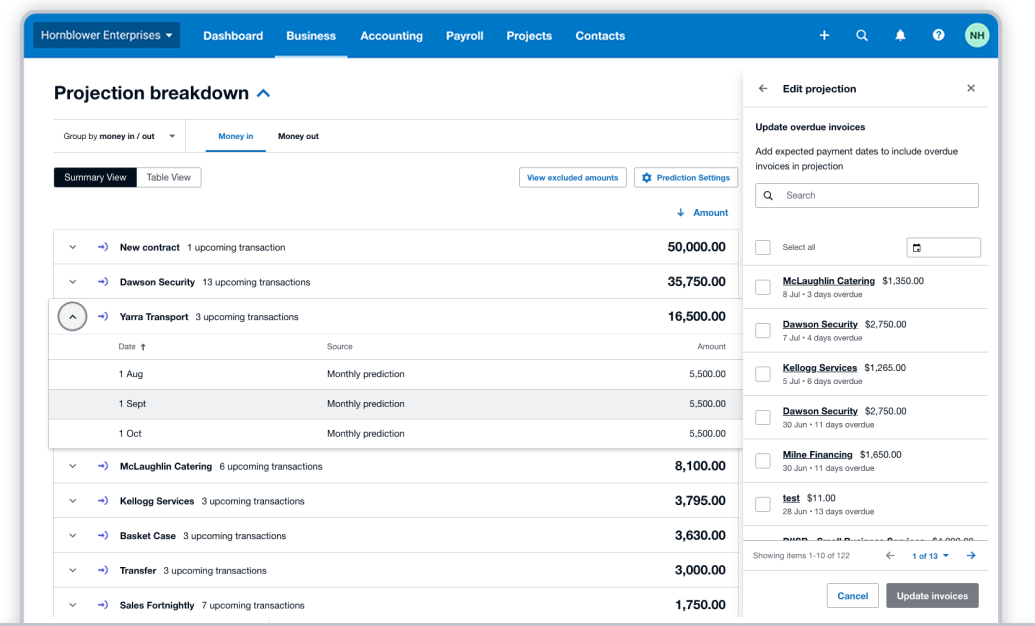
Xero is a cloud accounting ledger priced per plan with no per-user fee listed. Lock dates can only be set by the Advisor role, tracking categories carry two active dimensions, and multi-currency sits on the top Established plan.
Xero fits a small business that wants a built-in register with simple methods and no extra product.
Team it fits: an owner or bookkeeper with a few dozen assets who already runs the books in Xero and keeps tax depreciation with their accountant.
How the register works: you add an asset directly or from a bill, pick a method and set a rate or an effective life and a residual value. Straight line and declining balance at 150% or 200% are available, and an asset can be fully depreciated on purchase for a Section 179 or 100% bonus deduction. Depreciation runs when you start it and can be rolled back. Recording a sale makes Xero calculate the gain or loss and post the journal, and a disposal can be undone.
Limits: Xero documents no MACRS table and no separate tax book, so a tax schedule lives outside the register. Existing assets come in through a CSV template.
- Your register is small and book depreciation is all you need in the ledger
- You want a published price per plan and no per-user fee
- You need MACRS or a separate tax book on each asset
- You manage a large register and want a per-asset audit trail
- Users like
- ease of use, invoicing and bank reconciliation
- Users dislike
- price increases, limited reporting customization and email-based support
- Source: G2, 1,855 reviews
How it works in practice
Introductory prices apply for the first months of a new subscription. G2 reviewers rate Xero 4.4 out of 5 from 1,855 reviews and praise ease of use, invoicing and bank reconciliation, and name price increases and limited report customization.
- Starting price
- Early $27/mo, Growing $59/mo, Established $97/mo at US list rates (pricing page on 2026-11-04 showed introductory prices for the first 3 months)
- JAX methods
- Rule, Match, Memory, Prediction
- Plan gating
- Reconcile bank transactions on every plan; auto-reconcile transactions listed on Growing and Established
- Per-user fees
- None; prices are per plan
- Plan limits
- Early: 20 invoices and 5 bills per month; multi-currency on Established only
- Lock dates
- A lock date blocks everyone except Advisors; an Advisor lock date blocks everyone including Advisors (per third-party help)
- Payroll
- Add-on, $36 per month plus $6 per employee
- Bills
- Early: 5 bills per month; Growing and Established: unlimited
- Bill pay
- Free standard ACH on all plans (Melio-powered); check $1.50; same-day ACH 1% (max $75); cross-border USD $20
- Approvals
- Role-based (who can create and approve bills); no multi-step routing documented
- 1099
- W-9 collection and 1099 report on all plans
- Tracking
- Two active tracking categories (community and third-party sources, not an official page)
- Multi-currency
- Established plan only
- Auto-reconcile
- $5/mo add-on on Early; included on Growing and Established
- Journals
- Manual journals with auto-reversing date; native approval workflow not found
- Fixed assets: depreciation methods
- Straight line, declining balance (150% and 200%), and full depreciation on purchase (Section 179 or 100% bonus); no MACRS
- Fixed assets: workflow
- Add from a bill or directly; depreciation runs on demand and can be rolled back; a sale posts gain or loss
- Fixed assets: import
- CSV template
- Plans
- Early $27, Growing $59, Established $97 per month at list rates
- Methods
- Straight line, declining balance, full write-off on purchase
- Import
- CSV template
Zoho Books
Zoho Books
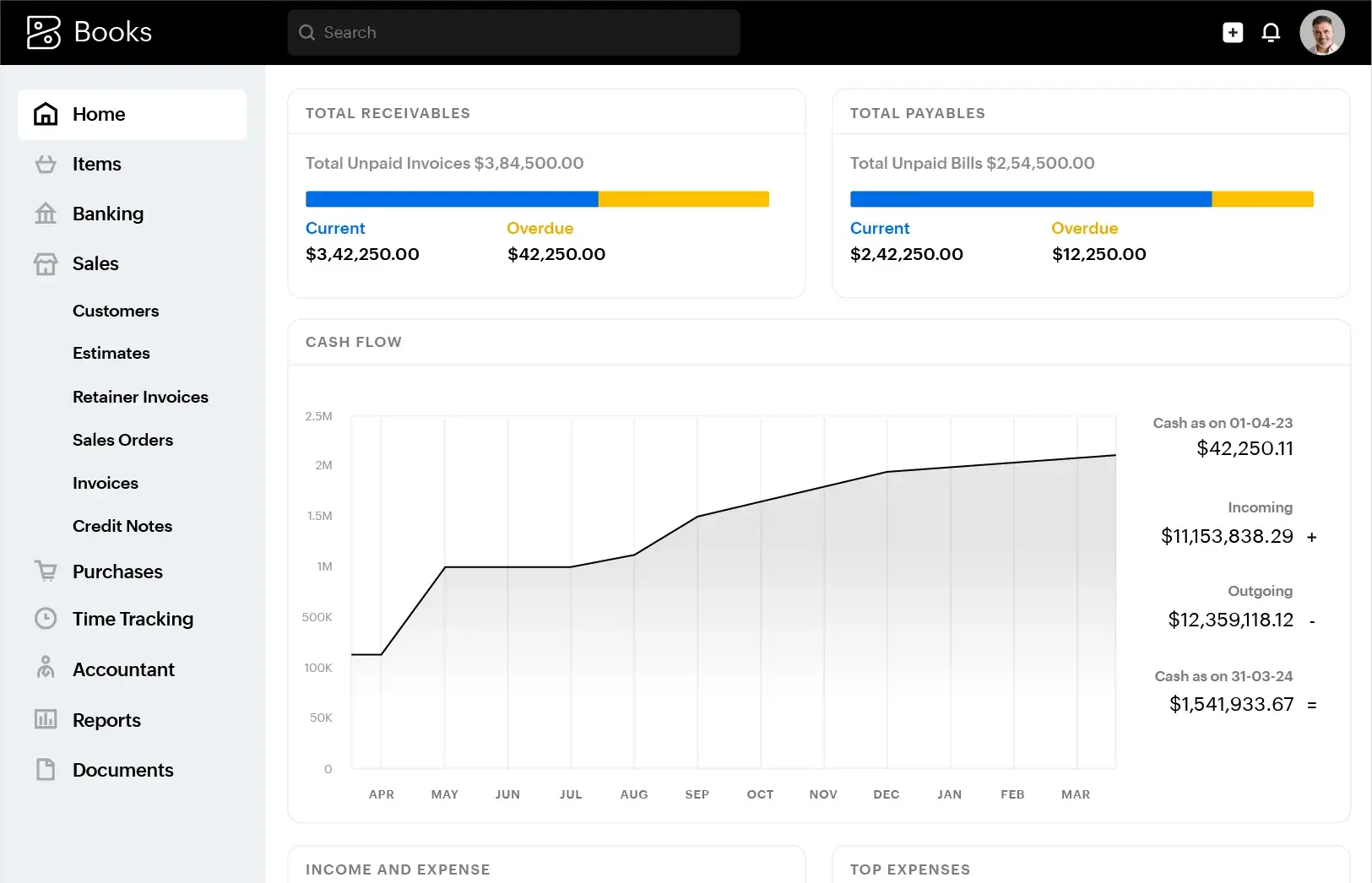
Zoho Books prices per organization with users included (Standard 3, Professional 5, Premium and Elite 10, Ultimate 15). Its ledger offers manual, recurring and reversing journals, lock dates per module and an admin-only audit trail report; classes and consolidation were not documented in the published vendor pages.
Zoho Books fits a small business that wants automatic depreciation journals at the lowest price in this group.
Team it fits: a small company with a modest register that already runs Zoho apps and is ready to move up to the Premium plan for fixed assets.
How the register works: fixed assets start on the Premium plan. Each asset takes straight line, declining balance, 150% declining or 200% declining depreciation, monthly or yearly, pro rata or not, and Zoho creates the depreciation journals automatically once an asset is active, with a forecast of future depreciation. Selling an asset needs an invoice linked to the asset account and a gain or loss account, and Zoho calculates the result. You can also write an asset off or cancel it. Only draft assets can be edited.
Limits: no MACRS or Section 179 treatment is documented, and fixed assets sit two plan tiers above the entry plan.
- You want depreciation journals to post without a manual batch
- Premium at $70 a month is acceptable for a register plus the ledger
- You are on Standard or Professional and do not want to upgrade for the register
- You need MACRS or Section 179 tracking in the register
- Users like
- invoicing tools, cloud access and ease of use
- Users dislike
- limited customization and advanced analytics, subscription cost and slow support
- Source: G2, 331 reviews
How it works in practice
G2 reviewers rate Zoho Books 4.4 out of 5 from 331 reviews and praise invoicing, cloud access and ease of use, and name limited customization, subscription cost and slow support.
- Starting price
- Free $0; Standard $20, Professional $50, Premium $70, Elite $150, Ultimate $275 per month billed monthly (annual billing $15, $40, $60, $120, $240); extra users $3/month
- Users per plan
- Free 1 plus accountant; Standard 3; Professional 5; Premium 10; Elite 10; Ultimate 15
- Gates
- Bank feeds from Standard; multi-currency, inventory and custom roles from Professional
- Transaction lock
- By module or all at once; transactions dated on the lock date can still be edited
- QuickBooks import
- Chart of accounts, contacts, items and bills
- Feed history
- Up to one year via Plaid, subject to availability (Zoho blog, February 2, 2026); manual import of CSV, TSV, XLS, OFX, QIF and CAMT.053
- Users included
- Standard 3, Professional 5, Premium and Elite 10, Ultimate 15; extra users $3/month
- Journals
- Manual, recurring profiles and reverse journals with a reverse date; approvals (up to 10 levels) by request through support
- Period control
- Transaction locking from Standard, per module or all; admins can unlock; no password
- Audit trail
- Activity Logs & Audit Trail report with version compare; admin only
- Multi-currency
- From Professional
- Fixed assets: plan
- Premium and higher
- Fixed assets: depreciation methods
- Straight line, declining balance, 150% and 200% declining; monthly or yearly, pro rata or not; no MACRS or Section 179 documented
- Fixed assets: workflow
- Depreciation journals are created automatically once an asset is active; a sale needs an invoice linked to the asset account
- Fixed assets: import
- Import and export supported
- Plans
- Premium $70 per month billed monthly ($60 annual); Elite $150; Ultimate $275
- Methods
- Straight line, declining balance, 150% and 200% declining
- Import
- Import and export supported
QuickBooks Online
QuickBooks Online
QuickBooks Online is Intuit's cloud accounting ledger. The chart of accounts is capped at 250 accounts on every plan except Advanced, classes and locations are capped at 40 combined on Plus, and a closing date with an Exceptions to Closing Date report controls past periods.
QuickBooks Online fits a business that already runs on Advanced and wants a monthly depreciation journal without a second tool.
Team it fits: a controller or bookkeeper on QuickBooks Online Advanced, or on Intuit Enterprise Suite, with a modest register of equipment and vehicles.
How the register works: fixed asset tracking is available on Advanced and Intuit Enterprise Suite only. Each asset takes a price, a useful life, a method, a start date and three accounts. Straight-line, double-declining and 150% accelerated methods are available with a mid-month convention. You can paste many assets in from a spreadsheet. Depreciation posts automatically on the first of each month, and historical depreciation is not posted for assets that were already in service.
Limits: disposing of an asset shows the profit or loss, but you post the journals yourself, and a disposed asset cannot be restored. MACRS, Section 179 and bonus depreciation are not documented.
- You are already on Advanced and want the register in the same ledger
- You want the monthly depreciation journal to post on its own
- You are on Plus or below: the register costs $200 a month more than Plus
- You need built-in tax depreciation or a way to restore a disposed asset
- Users like
- ease of use, cloud access and integrations
- Users dislike
- cost and repeated price increases, support quality and reports that need customization
- Source: G2, 3,900 reviews
How it works in practice
Introductory discounts apply to new subscriptions. G2 reviewers rate QuickBooks Online 4.0 out of 5 from about 3,900 reviews and praise ease of use, cloud access and integrations, and name cost, repeated price increases and reports that need customization.
- Starting price
- Simple Start $38/mo; Essentials $85/mo; Plus $140/mo; Advanced $340/mo at US list rates (pricing page on 2026-11-04 showed 50% off for 3 months)
- Users per plan
- Simple Start 1, Essentials 3, Plus 5, Advanced 25 (plus accountant seats)
- Inventory
- Available in Plus and Advanced
- Period control
- Closing date with optional password; only admins can change it
- Bill Pay tiers
- Basic $0 (included), Premium $15, Elite $45 per month; Elite included with Advanced from Aug 1, 2026
- Bill approvals
- Need Bill Pay Elite (or Advanced); up to 5 sequential layers and 7 approvers per group
- Bill Pay fees
- Standard ACH free (limits may apply), faster ACH $10, check $1.50, instant 1% (max $100)
- Batch size
- 20 bills on Basic, 50 on Premium and Elite
- Chart of accounts
- 250 accounts on Simple Start, Essentials and Plus; unlimited on Advanced
- Classes and locations
- Not on Simple Start or Essentials; 40 combined on Plus; unlimited on Advanced
- Audit log
- Admin only, cannot be turned off, two-year availability per Intuit help
- Journals
- Manual entries with memo and attachments; reverse action creates a new entry
- Fixed assets: plan
- Advanced and Intuit Enterprise Suite only
- Fixed assets: depreciation methods
- Straight-line, double-declining and 150% accelerated with a mid-month convention; MACRS, Section 179 and bonus not documented
- Fixed assets: workflow
- Depreciation posts automatically on the 1st of each month; disposal shows profit or loss but the journals are posted manually; disposed assets cannot be restored
- Fixed assets: import
- Paste from a spreadsheet
- Plans
- Simple Start $38, Essentials $85, Plus $140, Advanced $340 per month at list rates
- Plan with the register
- Advanced and Intuit Enterprise Suite
- Methods
- Straight-line, double-declining, 150% accelerated
- Import
- Paste from a spreadsheet
Fixed asset modules in ERPs and mid-market systems
The four systems below keep the register as a module with depreciation books, classes and journals. They cost more and take longer to set up. For the wider category, see our guide to ERP accounting software.
Odoo Accounting
Odoo Accounting
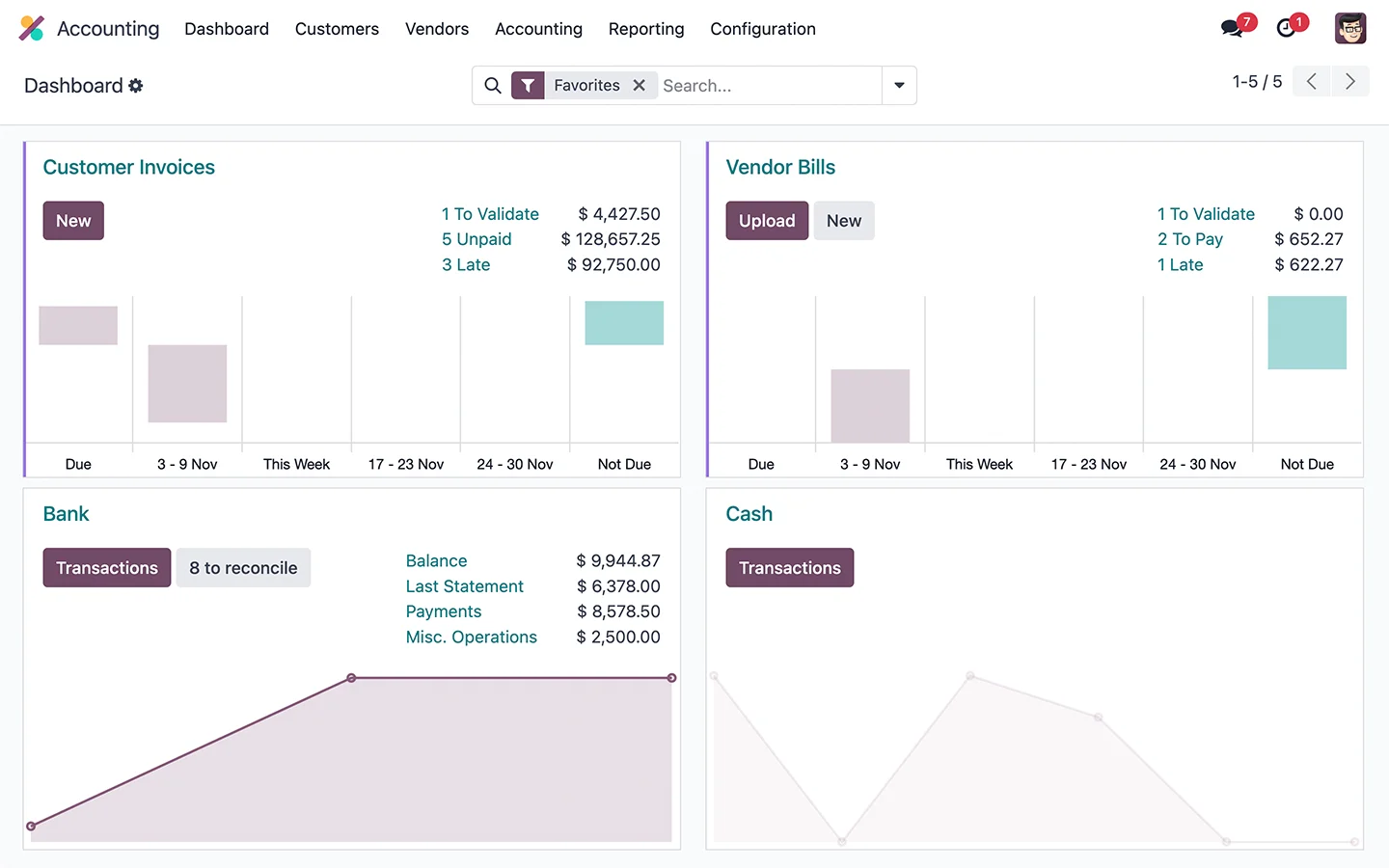
Odoo sells accounting as one app in a modular ERP, priced per user. Its documentation covers bank reconciliation with auto-matching and lock dates, including a Hard Lock date that cannot be reversed.
Odoo fits a business that wants assets inside a modular ERP and has someone to configure it.
Team it fits: a company that already runs or plans to run several Odoo apps and wants assets in the same database as bills and invoices.
How the register works: you post a vendor bill to an assets account or create an asset from a purchases journal item, and saved asset models can create and validate assets automatically. Straight line, declining and declining then straight line are available, with one depreciation board per asset. Depreciation entries are created in draft and posted automatically, and the server checks once a day, so posting can lag by up to 24 hours. Sell or Dispose generates the gain or loss entries after the customer invoice is posted.
Limits: MACRS is not native. A third-party module adds it for about EUR 119.85, and Odoo's documentation does not say which plan includes the assets feature. Odoo lists euro prices only.
- You want assets, bills and invoices in one modular system
- You have an Odoo partner or an in-house admin for setup
- You need MACRS next to book depreciation on one asset
- You want a published USD price
- Users like
- not available (aggregate summary figure only)
- Users dislike
- not found
- Source: G2, 78 reviews
How it works in practice
G2 lists Odoo Accounting at 4.3 out of 5 from 78 reviews.
- Starting price
- EUR 19.90 per user per month (Standard) and EUR 35.90 (Custom); One App Free EUR 0; multi-company needs Custom; Odoo lists euro prices only, so no USD price
- Lock dates
- Lock date plus an irreversible Hard Lock date
- Bank feeds
- Plaid in the US and Canada
- QuickBooks import
- Third-party paid importer (EUR 95.70), no official tool found
- Analytic plans
- Plans group analytic accounts such as project or department; applicability Optional, Mandatory or Unavailable per document type; distribution models split automatically
- Period control
- Lock Everything date plus an irreversible Hard Lock date; only Accounting administrators can create exceptions
- Multi-company
- Custom plan; inter-company transactions can auto-create bills and orders
- Reports
- Custom reports through the report editor, which needs developer mode
- Bank sync
- Third-party providers (Plaid for US and Canada); needs an Enterprise subscription
- Fixed assets: depreciation methods
- Straight Line, Declining, and Declining then Straight Line; one depreciation board per asset
- Fixed assets: workflow
- Assets come from vendor bills or asset models; depreciation entries are created in draft and posted automatically, checked once a day; Sell or Dispose generates the gain or loss entries
- Fixed assets: MACRS
- Not native; a third-party US tax-books module lists MACRS at EUR 119.85
- Price
- From EUR 19.90 per user per month; One App Free is EUR 0
- Methods
- Straight line, declining, declining then straight line
- Books
- One depreciation board per asset
Microsoft Dynamics 365 Business Central
Microsoft Dynamics 365 Business Central
Business Central is Microsoft's cloud ERP with a general ledger, dimension-based analysis, bank reconciliation and multi-company consolidation, tied closely to Excel, Outlook, Teams and Power BI. It is sold and supported through Microsoft partners, so implementation is a project rather than a self-serve signup.
Business Central fits a Microsoft-centered business that needs several depreciation books per asset at a published per-user price.
Team it fits: a finance team that works in Excel and Outlook and has a Microsoft partner. Fixed Assets sits in the Finance area of Business Central.
How the register works: you create assets on the fixed asset card, in Excel through Edit in Excel, from a purchase order line of type Fixed Asset or by copying an asset. Methods include straight-line, DB1, DB2, DB1/SL, DB2/SL, half-year convention, manual and user-defined, where depreciation tables cover sum-of-digits and units-based schedules. Each asset can carry unlimited depreciation books, for example one for tax and one for internal reporting. The Calculate Depreciation batch job fills the fixed asset G/L journal, and you review and post it. A disposal posts through the same journal, and a partial disposal needs a split first. Classes and subclasses group assets, and maintenance and insurance tracking are built in.
Limits: there is no built-in MACRS method, so a tax schedule needs a user-defined table, and depreciation does not post by itself.
- You need a tax book and a book schedule on the same asset
- You want maintenance and insurance tracked with the asset
- You want MACRS out of the box
- You expect depreciation to post without a review step
- Users like
- ease of use and customization, Microsoft integration and financial control
- Users dislike
- steep learning curve, missing features that need paid add-ons and license cost for smaller companies
- Source: G2, 918 reviews
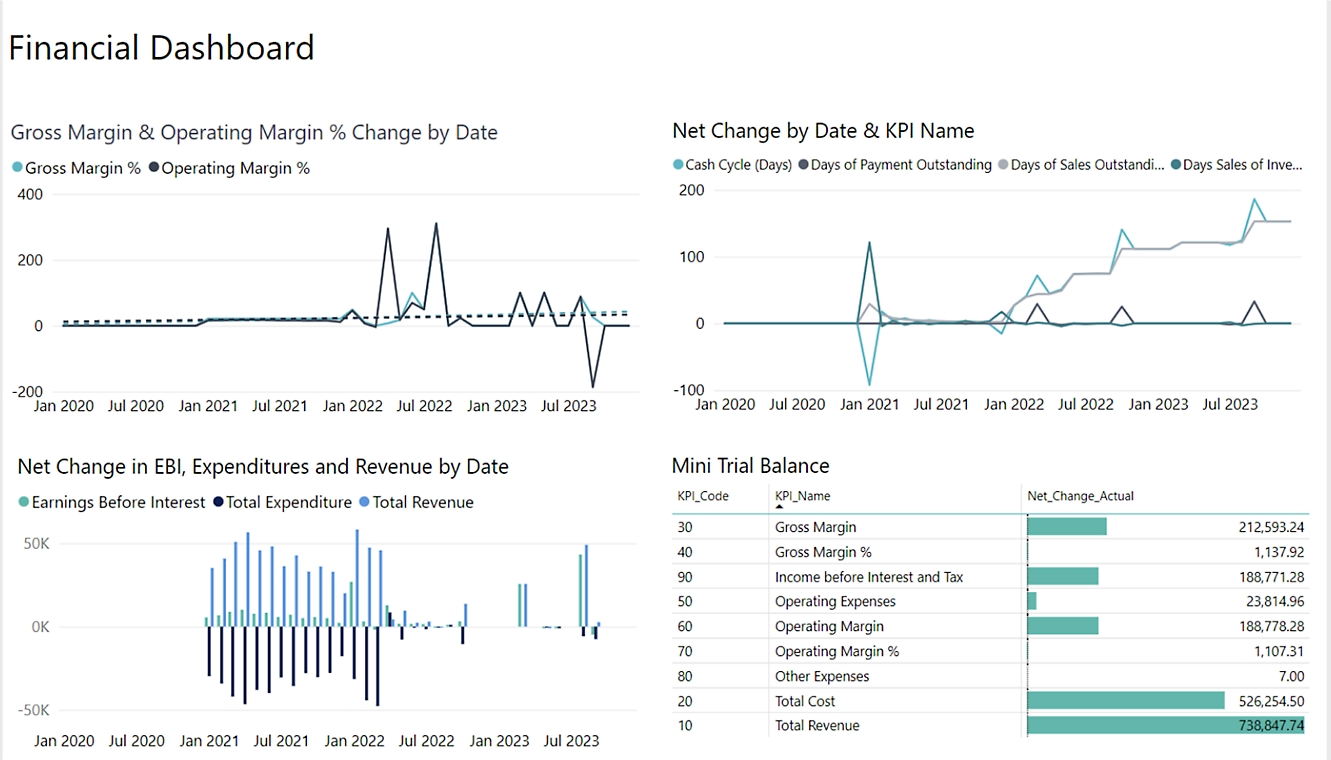
How it works in practice
G2 reviewers rate Business Central 4.0 out of 5 from 918 reviews and praise ease of use and Microsoft integration, and name a steep learning curve and license cost.
- Starting price
- Essentials $80, Premium $110, Team Members $8 per user per month, paid yearly (USD, informational; bought through Microsoft or a partner)
- Billing term
- Paid yearly, per user per month
- Cheapest seat
- Team Members at $8 per user per month with limited access (read data, approve workflows, update select information)
- Manufacturing and service
- Premium adds enhanced service management and manufacturing on top of Essentials
- Free trial
- 30 days
- Dimensions
- 2 global (filters) and 8 shortcut (journal and ledger fields); default dimensions per account and Code Mandatory rules
- Recurring journals
- Fixed, Variable, Balance, reversing variants and Balance by Dimension; allocations by percentage
- Period control
- Allow Posting From/To dates per company and per user; closing a year does not stop posting into it
- Consolidation
- Container company; eliminations are manual journal lines
- Audit
- Change Log for chosen tables; Microsoft advises against logging ledger entries
- Fixed assets: depreciation methods
- Straight-Line, DB1, DB2, DB1/SL, DB2/SL, Half-Year Convention, Manual and User-defined; no built-in MACRS
- Fixed assets: books
- Unlimited depreciation books per asset, for example one for tax and one for internal reporting
- Fixed assets: workflow
- Calculate Depreciation batch job fills the FA G/L journal and you post it; disposal posts through the FA G/L journal; maintenance and insurance tracking are native
- Plans
- Essentials $80, Premium $110, Team Members $8 per user per month, paid yearly
- Books
- Unlimited depreciation books per asset
- Posting
- Batch job fills the journal; you post it
Sage Intacct
Sage Intacct
Sage Intacct is a cloud financial system for scaling and mid-sized companies. Entities share one login, reporting runs on dimensions such as location and department, and books close period by period so nothing can be posted into an older period.
Sage Intacct fits a mid-sized company that wants fixed assets in the same dimensional ledger as the rest of its financials.
Team it fits: a controller at a growing company that already runs or is choosing Sage Intacct and wants assets to post through AP bills and purchasing.
How the register works: assets are created manually, with no ledger entry, or from AP bills and purchasing, which post to the general ledger. Depreciation rules include straight-line, daily, 150% and 200% declining and custom declining balance with and without true-up, with full-month, half-year and full-year conventions. A disposal calculates the gain or loss automatically and creates one disposal journal per depreciation schedule. Disposal types are sale, casualty loss, theft and other, and bulk disposals run through an import. Imports use a template-based service.
Limits: Sage's depreciation rules page lists no MACRS method, so ask for a demo of a tax book before you rely on one. Sage publishes no price.
- You want assets created from AP bills and posted through the same ledger
- You need disposal types such as casualty loss and theft tracked separately
- You want a price before a demo: Sage quotes Intacct without naming plans or prices
- You need a documented MACRS tax book without a custom setup
- Users like
- ease of use and reporting
- Users dislike
- steep learning curve, limited customization and missing features
- Source: G2, 4,536 reviews
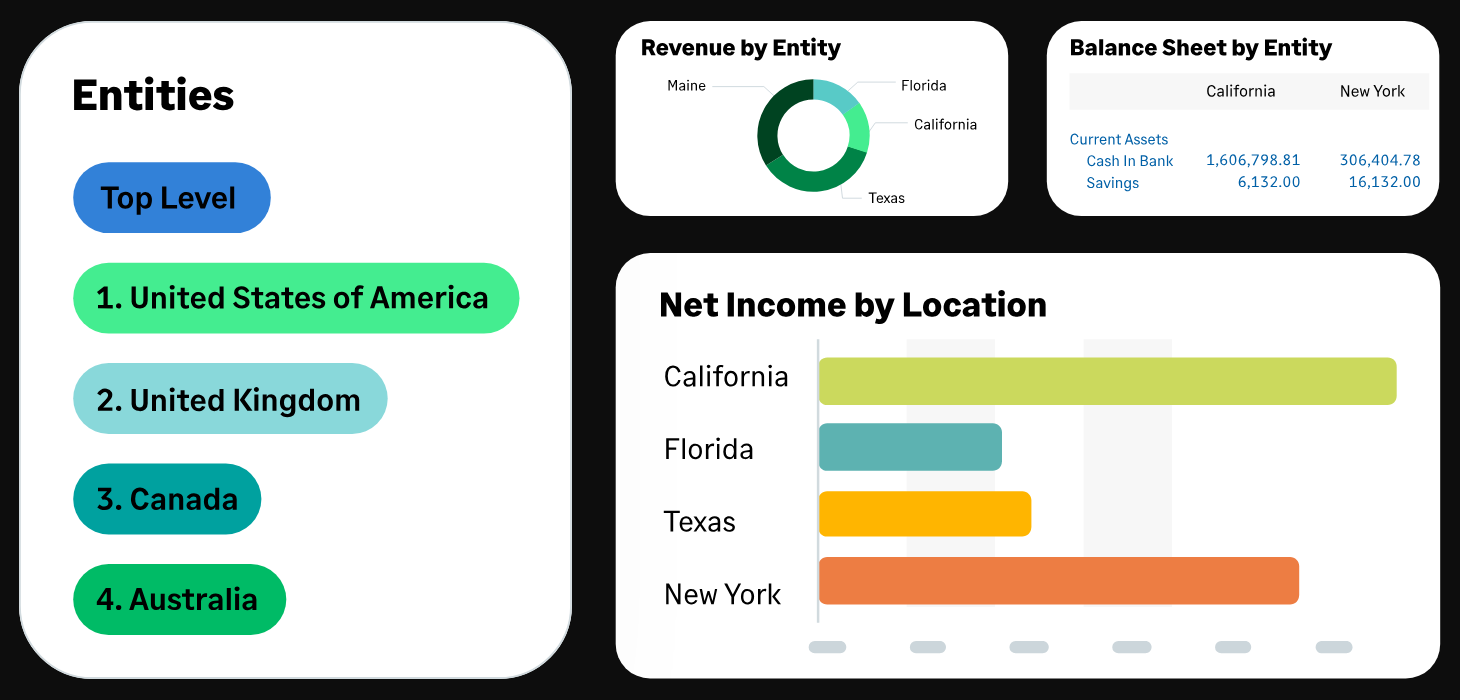
How it works in practice
G2 reviewers rate Sage Intacct 4.3 out of 5 from 4,536 reviews and praise ease of use and reporting, and name a steep learning curve and limited customization.
- Starting price
- Quote only; Sage publishes no plan names or prices
- Implementation
- As few as 60 days per Sage; about 4 months average per G2 users
- Marketplace
- 350+ integrations per Sage
- Consolidation
- Separate extended capability
- AP automation
- AI bill capture, duplicate flagging, three-way matching generally available since May 2026
- Payments
- Check, ACH or virtual card
- 1099
- Tracked in Intacct; e-filing through a Marketplace partner
- Dimensions
- Location, department, project, customer, vendor, employee, item plus user-defined dimensions
- Journals
- Draft, submit for approval, attachments, allocations and automatic reversal
- Period control
- Close books by period with a Close books permission; closed statutory periods can be locked
- Entities
- Shared multi-entity company; inter-entity lines create balancing entries in both entities
- Audit trail
- Standard Audit Trail on records and transactions with an Audit History report
- Fixed assets: depreciation methods
- Straight-line, daily, 150% and 200% declining, custom declining balance with and without true-up; full-month, half-year and full-year conventions
- Fixed assets: workflow
- Assets are created manually or from AP bills and purchasing; gain or loss is calculated on disposal (Sale, Casualty loss, Theft, Other); bulk disposal through import
- Price
- Quote only
- Methods
- Straight-line, daily, 150% and 200% declining, custom declining balance
- Disposal types
- Sale, casualty loss, theft, other
Oracle NetSuite
Oracle NetSuite
NetSuite is a cloud ERP: financials, inventory, order management and multi-subsidiary accounting in OneWorld. Accounting periods can be locked per subsidiary, and a separate permission lets selected users override a locked period.
NetSuite's Fixed Assets Management fits a company already on NetSuite that wants depreciation inside the ERP.
Team it fits: a controller at a NetSuite customer that holds a large number of assets across departments and wants them in the same system as purchasing and the ledger.
How the register works: Fixed Assets Management is a SuiteApp inside NetSuite. Assets are created manually or from purchase bills, and mid-life assets can be imported with their depreciation history. Standard methods are straight line, fixed declining, sum of years digits and asset usage, plus user-defined methods that can be chained. Book depreciation posts to the general ledger. Tax methods are kept separately, can be several per asset, can be group methods for a pool and do not post to journals. Documented operations include depreciation, disposal by sale or write-off, partial disposal, revaluation, split, transfer and an error-recovery script, with saved searches and asset reports.
Limits: Oracle's pages do not name MACRS, Section 179 or bonus depreciation, and the module does not support the Multiple Calendar feature. NetSuite publishes no price.
- You already run NetSuite and want tax methods kept apart from book depreciation
- You need transfers, splits and partial disposals in the register
- You are not on NetSuite: the module only exists inside it
- You use multiple fiscal calendars
- Users like
- ease of use for reporting and navigation, customization
- Users dislike
- learning curve and outdated interface
- Source: G2, 5,253 reviews
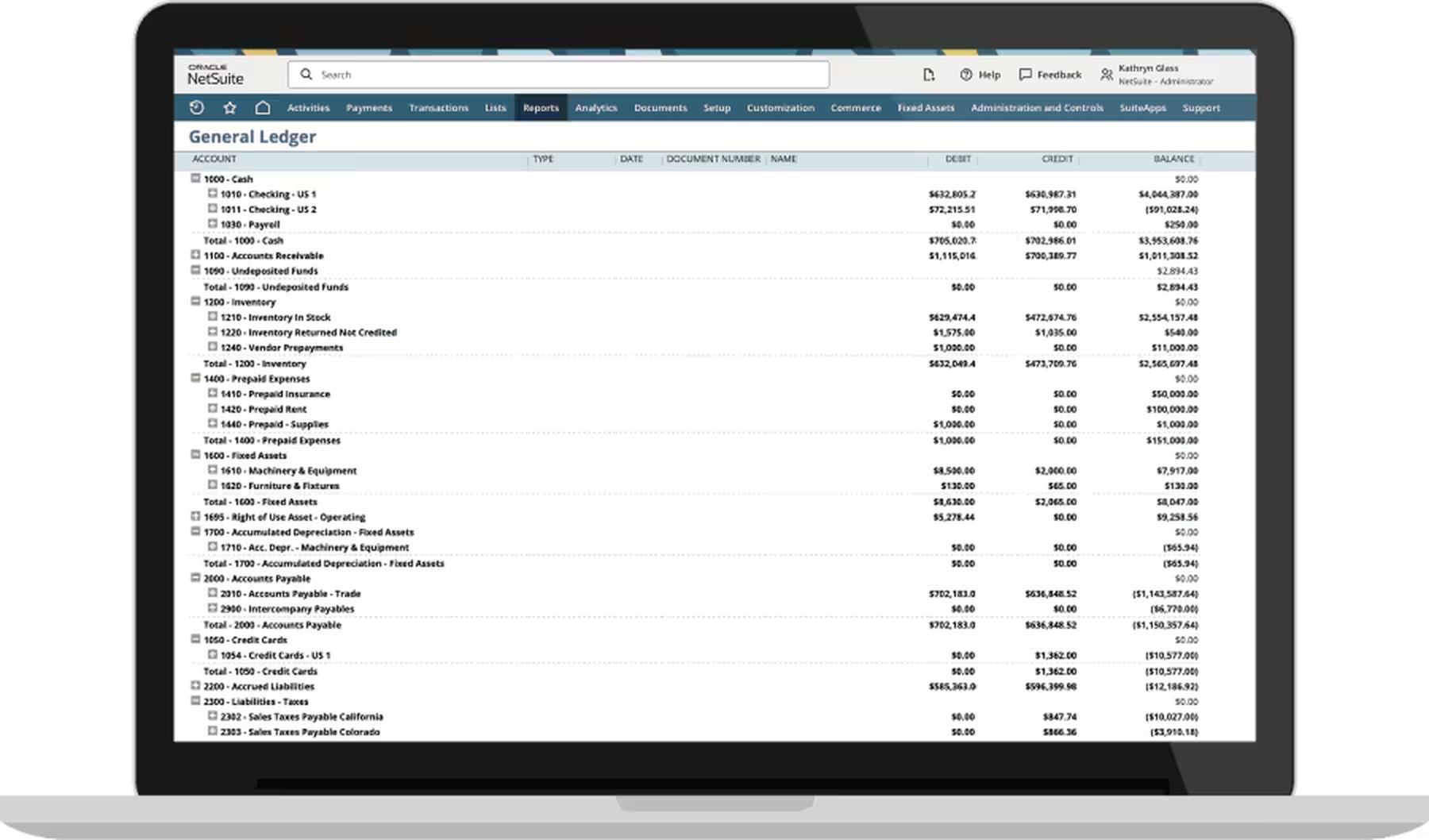
How it works in practice
G2 has no standalone listing for the module. NetSuite overall is rated 4.1 out of 5 from 5,253 reviews, praised for reporting and navigation and criticized for its learning curve and outdated interface.
- Starting price
- Quote only; NetSuite publishes no list prices
- Implementation
- 8 to 14 weeks simple single-entity; 4 to 11 months midmarket (NetSuite); about 6 months average per G2 users
- Period lock
- Per subsidiary in OneWorld; Override Period Restrictions permission
- Currencies
- 190+
- Journals
- 1,000 lines per entry; reversal date links the reversal to the original; approval by preference or SuiteFlow workflow
- Period control
- Lock AP, AR and GL postings per period, per subsidiary in OneWorld; Override Period Restrictions permission
- Entities
- OneWorld subsidiaries; intercompany and advanced intercompany journals; automated elimination journals
- Classifications
- Departments, Classes and Locations plus custom segments
- Audit
- System Notes record period lock changes; record-level coverage not separately verified
- Fixed assets: depreciation methods
- Straight Line, Fixed Declining, Sum of Years Digits, Asset Usage and user-defined; tax methods kept separately and do not post to journals
- Fixed assets: workflow
- Depreciation, disposal by sale or write-off, partial disposal, revaluation, split and transfer are documented
- Price
- Quote only
- Methods
- Straight line, fixed declining, sum of years digits, asset usage, user-defined
- Tax methods
- Kept apart from book depreciation; do not post to journals
Standalone fixed asset software
A standalone register costs less than an ERP module and goes deeper than most accounting suites on tax depreciation. The price is a second product that has to stay in sync with your ledger.
AssetAccountant
AssetAccountant
AssetAccountant is a cloud register for fixed assets and leases, built for CPA firms, corporations and groups. It runs tax and accounting depreciation side by side and pushes journals to the general ledger.
AssetAccountant fits a small business or an accounting firm that needs MACRS and Section 179 on top of a Xero or QuickBooks Online ledger.
Team it fits: an accountant or controller who keeps the books in Xero or QuickBooks Online and needs a proper tax depreciation schedule per asset or per client.
How the register works: the register runs MACRS, GDS, ADS, DDB, SL and units of use side by side as tax and accounting depreciation. The Lite plan already includes IRS MACRS tax methods, Section 179 and bonus depreciation. Bulk import adds and disposes of assets, with an opening-balance date for assets already in service. Partial disposals, bulk reassessments and revaluations, depreciation rollback and rerun and a per-asset audit trail are listed, and the reports include depreciation schedules, disposal reports and tax reconciliations. Xero and QuickBooks Online sync natively from Lite, Sage Intacct and Dynamics 365 on Premium, and journals export for SAP, Oracle, MYOB and NetSuite.
Limits: the vendor lists the product as single-country, and NetSuite is a journal export, not a sync.
- You need MACRS, Section 179 and bonus depreciation per asset
- You keep several registers for clients and want users unlimited
- You need multi-country consolidation
- You run NetSuite and want a native sync
- Users dislike
- one reviewer could not make adjustments before the go-live date
- Source: G2, 2 reviews
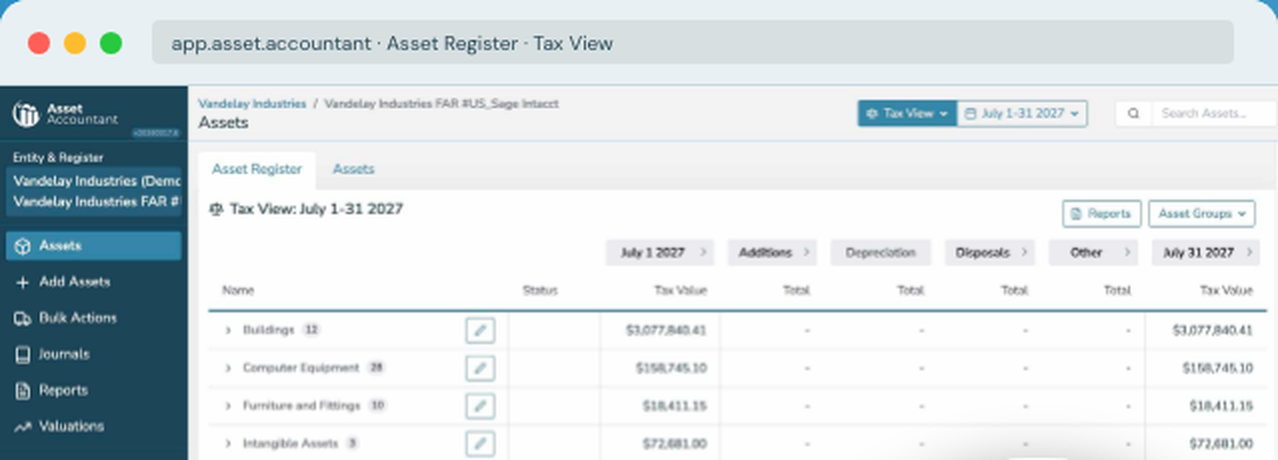
How it works in practice
G2 shows 5.0 out of 5, but from only 2 reviews, and one reviewer could not make adjustments before the go-live date. The Xero App Store shows 5.0 from 17 reviews. Basic adds $4 per loan and Standard adds $6 per lease.
- Starting price
- Billed monthly per 100 assets: Lite $6, Basic $12, Standard $18, Premium on application; unlimited users; 30-day trial (currency not labeled on the page)
- Depreciation methods
- MACRS, GDS, ADS, DDB, SL and units of use run side by side as tax and accounting depreciation; Lite includes IRS MACRS, Section 179 and bonus
- Ledger sync
- Native Xero and QuickBooks Online from Lite; Sage Intacct and Dynamics 365 on Premium; journal export for SAP, Oracle, MYOB and NetSuite
- Lifecycle
- Bulk import with an opening-balance date, partial disposals, bulk reassessments and revaluations, depreciation rollback and rerun, per-asset audit trail
- Reports
- Depreciation schedules, disposal reports, tax reconciliations
- Trial
- 30 days
- Plans
- Lite $6, Basic $12, Standard $18 per 100 assets per month; Premium on application
- Users
- Unlimited users on every plan
Bloomberg Tax Fixed Assets
Bloomberg Tax Fixed Assets
Bloomberg Tax Fixed Assets is a cloud subledger aimed at tax managers and mid-market companies. It keeps GAAP, federal tax, AMT and user-defined books per asset and ships tax forms and bonus depreciation modeling.
Bloomberg Tax Fixed Assets fits a tax team with a large register that needs several tax books per asset.
Team it fits: a tax manager or analyst at a mid-market company where the fixed asset register feeds federal, AMT and state depreciation.
How the register works: the product keeps GAAP, federal tax, AMT, ACE, E&P and user-defined books per asset, with a bonus modeling tool and a bonus wizard, and handles state bonus rules for non-conforming states. It covers the life of an asset from acquisition to retirement, with more than 20 reports including five tax forms and documented audit trails. ERP data comes in through its standard automation option.
Limits: pricing is by quote and reviewers describe the product as costly and priced by asset count. Bloomberg's public pages name no QuickBooks or Xero connector and do not describe an Excel import or transfers.
- You need AMT and state books next to federal tax depreciation
- You want tax forms produced from the register
- You are a small business with a small register: Bloomberg Tax quotes by asset count, and reviewers call it costly
- You need a documented QuickBooks or Xero sync
- Users like
- tax depreciation depth (Capterra reviewers)
- Users dislike
- price and difficult asset editing (SoftwareConnect reviewers)
- Source: G2, 31 reviews
How it works in practice
Capterra shows 4.2 out of 5 from 31 reviews. SoftwareConnect shows 3 out of 5 from 6 reviews, and its reviewers name price and difficult asset editing. G2 was not checked.
- Starting price
- Quote only; reviewers say it is priced by asset count and costly
- Books
- GAAP, federal tax, AMT, ACE, E&P, user-defined
- Bonus
- Bonus modeling tool and state bonus handling for non-conforming states
- Reports
- 20+ including five tax forms
- Rating source
- Capterra 4.2 from 31 reviews; G2 not checked
- Price
- Quote only
What does fixed asset accounting software cost?
Fixed asset accounting software is priced three ways: as a plan tier of the ledger, as a per-user ERP module or as a monthly fee per block of assets. Xero charges $27 to $97 a month for the whole ledger, so the register adds nothing on top. Zoho Books needs Premium at $70 a month billed monthly, which is $20 more than Professional at $50. QuickBooks Online needs Advanced at $340 a month, which is $200 more than Plus at $140.
AssetAccountant charges by the block of 100 assets: a register of 500 assets costs 5 x $12 = $60 a month on Basic or 5 x $18 = $90 on Standard. Business Central charges $80 or $110 per user a month. Odoo lists euro prices only. Sage Intacct, NetSuite and Bloomberg Tax Fixed Assets are quote-only, so ask each vendor to put the fixed asset module, the implementation and the data migration on separate lines. Our pricing guides for Xero, QuickBooks Online and Sage Intacct cover the ledger side.
- A small register, book depreciation only, tight budgetXero, or Zoho Books Premium if you want automatic journals
- MACRS and Section 179 on a Xero or QuickBooks ledgerAssetAccountant
- A tax book and a book schedule on one asset inside an ERPBusiness Central, or NetSuite if you already run it
- Assets created from AP bills in a dimensional ledgerSage Intacct
- Federal, AMT and state books with tax formsBloomberg Tax Fixed Assets
- Assets inside a modular ERP with partner supportOdoo
How do you run month-end depreciation?
The depreciation run is a close task like any other: someone prepares it, someone else reviews it, and the evidence is kept. New assets should be in the register before the run, because an asset added after the run misses the month. The sequence below fits a monthly close with a register of up to a few hundred assets. For the wider close, see our month-end close checklist.
- AP or purchasingFlag capital purchases above the capitalization threshold and attach the invoice Business days 1 to 2
- AccountantAdd new assets to the register with in-service date, method and useful life Business day 2
- AccountantRecord disposals and write-offs and check the gain or loss against the sale proceeds Business day 3
- AccountantRun depreciation, then compare the journal total with last month's total plus additions Business day 3
- ReviewerReview the journal and the roll-forward, sign off and post Business day 4
- ControllerReconcile the register total to the fixed asset accounts on the trial balance Business day 5
The tools above hold the register and the journals, but they don't show which close task is still waiting for a sign-off. Our product tracks that part of the close, so the depreciation run has an owner, a reviewer and its evidence before the books close.
FAQ
What are examples of fixed assets?
Fixed assets are long-lived items a business uses to operate rather than sell, such as buildings, vehicles, machinery, computers and furniture. Items below your capitalization threshold are usually expensed instead of recorded in the register.
Is fixed asset accounting hard?
The bookkeeping is simple for a small register: record the asset, depreciate it each month and book the gain or loss on disposal. It gets harder with tax depreciation, because MACRS and Section 179 follow different rules than book depreciation, and with partial disposals and transfers.
Does QuickBooks Online track fixed assets?
Yes, on the Advanced plan and on Intuit Enterprise Suite. Depreciation posts automatically on the first of each month using straight-line, double-declining or 150% accelerated methods. Disposals show the profit or loss, but you post the journals yourself.
Can Xero do MACRS depreciation?
Xero documents straight line, declining balance at 150% and 200%, and full depreciation on purchase for a Section 179 or 100% bonus deduction. It documents no MACRS table, so MACRS schedules are kept outside Xero or in a connected app such as AssetAccountant.
What is the cheapest fixed asset accounting software?
Xero includes its register in the ledger plans that start at $27 a month. AssetAccountant starts at $6 per 100 assets a month. Zoho Books needs Premium at $70 a month, and QuickBooks Online needs Advanced at $340 a month.
Do you need separate software for tax depreciation?
Not always. Business Central and NetSuite keep tax methods apart from book depreciation inside the ERP, and AssetAccountant and Bloomberg Tax Fixed Assets do it in a standalone register. Xero, Zoho Books and QuickBooks Online document book methods only.