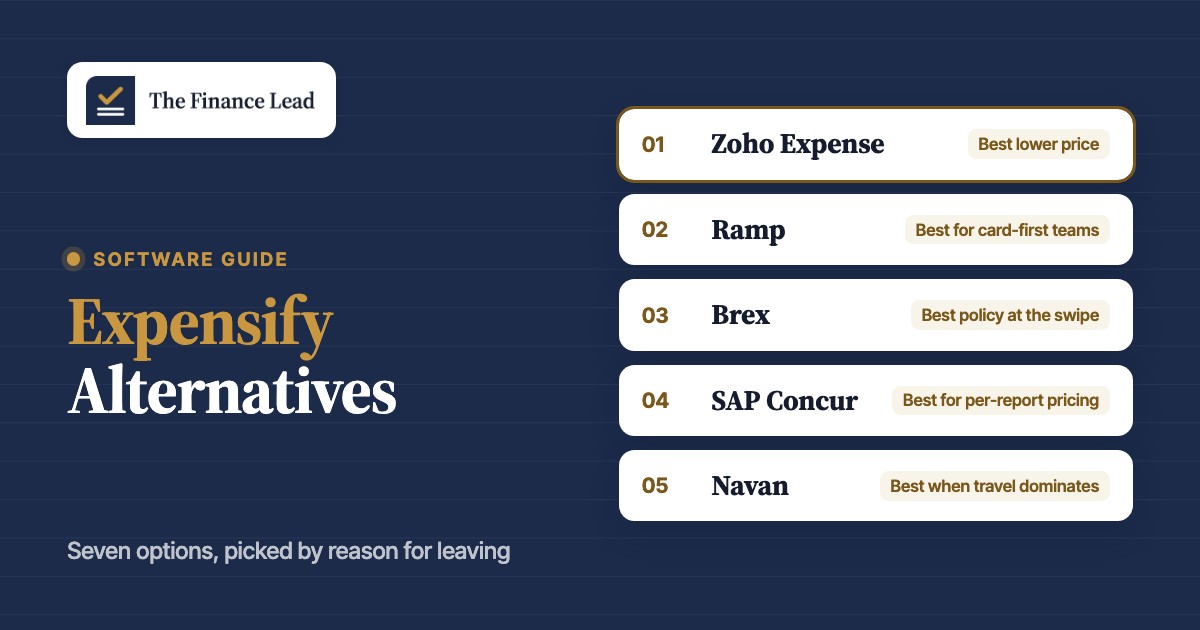
The best Expensify alternative depends on why you want to leave.  Zoho Expense is the cheapest swap for report-based expenses,
 Ramp and
 Brex replace most reimbursements with company cards, and
 SAP Concur Expense,
 Emburse Spend and
 Navan suit teams that need heavier ERP, per-report pricing or travel in the same tool.
This page compares seven expense tools against Expensify for US finance teams of 5 to 100 people. Prices are US list prices in dollars from vendor pricing pages, read between October 20 and November 11, 2026. Ratings and review counts come from G2 listings. G2 blocks automated readers, so counts for tools other than Expensify are approximate figures from search results, while the complaint themes for Expensify were read on G2 directly. Where a vendor doesn't publish a price or a feature, we say so instead of estimating. We read vendor material and did not run these products. For the wider market, see our expense management software guide.
- alternatives compared
- 7
- G2 reviews of Expensify
- 5,654
- Expensify G2 rating
- 4.5
- lowest paid per-user price (Zoho Expense, annual billing)
- $3
Our picks by reason for leaving
- Best lower priceZoho ExpenseA free plan for up to three users, then $3 per user per month on annual billing, with QuickBooks Online and Xero export.
 Best if you keep your cardsSage Expense ManagementReads feeds from the Visa, Mastercard and Amex cards you already hold and bills only for active users.
- Best for card-first teamsRampA free plan with receipt matching and QuickBooks Online or Xero sync, built around its own cards.
- Best policy at the swipeBrexSpend limits decline out-of-policy purchases, so fewer exceptions reach an approver.
- Best for per-report pricingSAP Concur ExpenseUnlimited users and a price per expense report, with enterprise ERP connectors.
- Best for QuickBooks cash or accrual syncEmburse SpendPublished per-user prices and a choice between cash and accrual treatment of reimbursements.
- Best when travel dominatesNavanBookings, cards and expenses share one record; expenses are free for the first five users.
 For the approvals around the closeThe Finance LeadNot an expense tool. It tracks the month-end checklist, evidence and sign-off, whichever expense tool feeds the ledger.
Expensify and its alternatives compared
| Tool | What it is | What it owns | Starting price | G2 rating |
|---|---|---|---|---|
 Expensify | Report-based expense app with own card | Receipt capture, report approval and employee reimbursement, with export to QuickBooks, Xero, NetSuite or Sage Intacct | Submit: free; Collect: $5 per member/month; Control: custom pricing (Expensify pricing page lists "as low as" per active member with annual commitment or the Expensify Card, shown in euros from a European location) | 4.5 (5,654) |
| Zoho Expense | Low-cost expense reporting and T&E suite | Report-based expense capture, policy and approvals, with exports to QuickBooks, Xero, Zoho Books and Sage Accounting | Free: $0 (max 3 users); Standard: $4 per user/month billed monthly, $3 billed annually; Premium: $6 per user/month billed monthly, $5 billed annually; Enterprise: custom quote. Prices exclusive of local taxes. | 4.5 (1,542) |
| Sage Expense Management | Card-agnostic expense management for SMBs (Sage-owned) | Real-time capture and receipt matching on existing corporate cards, then coded two-way sync to QuickBooks, Xero or Sage | Growth $11.99 per active user / month billed annually (min. 5 users); Business $14.99 per active user / month billed annually (min. 10 users); Enterprise custom pricing (250+ employees). Monthly billing option shown without prices. Active user = creates at least one expense or has a connected card with at least one transaction that month. | 4.6 (1,782) |
| Ramp | Card-first spend platform | Card spend from swipe to coded, synced ERP entry, including month-end card accruals | Free: $0/mo/user; Plus: $15/mo/user + platform fee based on team size (save 20% with annual billing); Enterprise: Custom | 4.8 (2,572) |
| Brex | Card-first global spend platform | Policy-at-swipe card spend and multi-entity sync to the ERP, incl. card and reimbursement accruals | Essentials: $0 user/month; Premium: $12 user/month; Enterprise: Custom pricing; Smart Card: Custom pricing | 4.8 (1,506) |
| SAP Concur Expense | Report-based T&E suite | Expense report submission, policy audit and approval routing ahead of posting to the ERP | Base: Starting at $7 per report, unlimited users. Plus: Starting at $11 per report, unlimited users. Premium: Custom pricing. Price can vary based on monthly commitment; all prices in USD. | 4.0 (6,567) |
| Emburse Spend | Bring-your-own-card expense platform (SMB) | Receipt capture and card reconciliation on existing cards, then hourly sync of coded expenses into QuickBooks | Emburse Spend: Basic $8 per user/month; Plus $12 per user/month; Custom: Custom. 30-day free trial for very small organizations (eligibility form). Guided implementation is an optional paid add-on. | 4.5 (1,130) |
| Navan | Travel and expense suite with corporate cards | Travel booking plus card and out-of-pocket expense capture with policy checks, synced to the ERP | Navan Business (up to 300 employees): Travel free; Expense free for the first 5 monthly expensing users, then $15 per user per month. Navan Enterprise: quote (Let's talk). | 4.7 (9,300) |
| The Finance Lead Our product | Month-end close checklists | Tracks close tasks, evidence and preparer/reviewer sign-off | Team $39/month (up to 8 team members), Plus $79/month (no member limit, read-only MCP server); card required at checkout | No reviews yet |
List prices in US dollars, checked between October 20 and November 11, 2026. Introductory offers aren't counted. SAP Concur is priced per expense report, not per user.
Why do people leave Expensify?
People leave Expensify mostly because of manual fixes after receipts are scanned, an interface that new users find hard to navigate and a per-member price. The first two come straight from the 5,654 G2 reviews, where Expensify holds a 4.5 rating. The same reviewers praise ease of use more than anything else (278 mentions), so the app isn't failing at the basics. The complaints don't show up until a team files many receipts or adds approvers and rules.
Three concrete things sit behind those numbers.
Scanned receipts still need hands. Reviewers describe filling in a field or correcting the merchant or amount even after SmartScan has read the receipt. If your finance team re-codes a large share of expenses before approval, the time that scanning saved is gone.
The bill follows the headcount. Expensify's pricing page lists a free Submit plan for employees, Collect at $5 per member per month and Control at custom pricing. A team with many occasional claimants pays for every member on Collect, and the ERP connectors beyond QuickBooks Online and Xero sit in Control. On October 20, 2026 Expensify's pricing documentation listed Control at $18 per member per month on an annual plan, or as low as $9 with the Expensify Card. The pricing page now shows custom pricing, so get a quote before you compare.
Reimbursements are the strength, not the weakness. Expensify's Rapid Reimbursement usually pays US employees within one business day for payments under $100, which few alternatives match. If that is the part your team likes, weigh it against what you gain elsewhere before you switch.
What are people replacing Expensify with?
People replacing Expensify mostly pick Zoho Expense for a lower per-user price and Ramp or Brex for fewer out-of-pocket claims, while larger or travel-heavy teams look at SAP Concur, Emburse Spend or Navan. The choice follows the reason for leaving: Zoho Expense and Sage Expense Management cut the cost of report-based expenses, Ramp and Brex change the process so that most spend never becomes a claim, and the suites add ERP depth, per-report pricing or travel.
The sections below follow that split: lower-cost report-based swaps first, then card-first tools, then the suites. If you also use QuickBooks and are weighing the ledger itself, our QuickBooks alternatives guide covers that side.
Lower-cost report-based swaps
Zoho Expense
Zoho Expense
Zoho Expense is Zoho's travel and expense app for receipt capture, policy checks, report approvals, card reconciliation and reimbursement. Its US pricing starts with a free plan for up to 3 users and paid plans from $3 per user per month billed annually.
Zoho Expense is the cheapest like-for-like swap: a free plan for up to three users, then $3 per user per month on annual billing, with approval rules and QuickBooks or Xero export included.
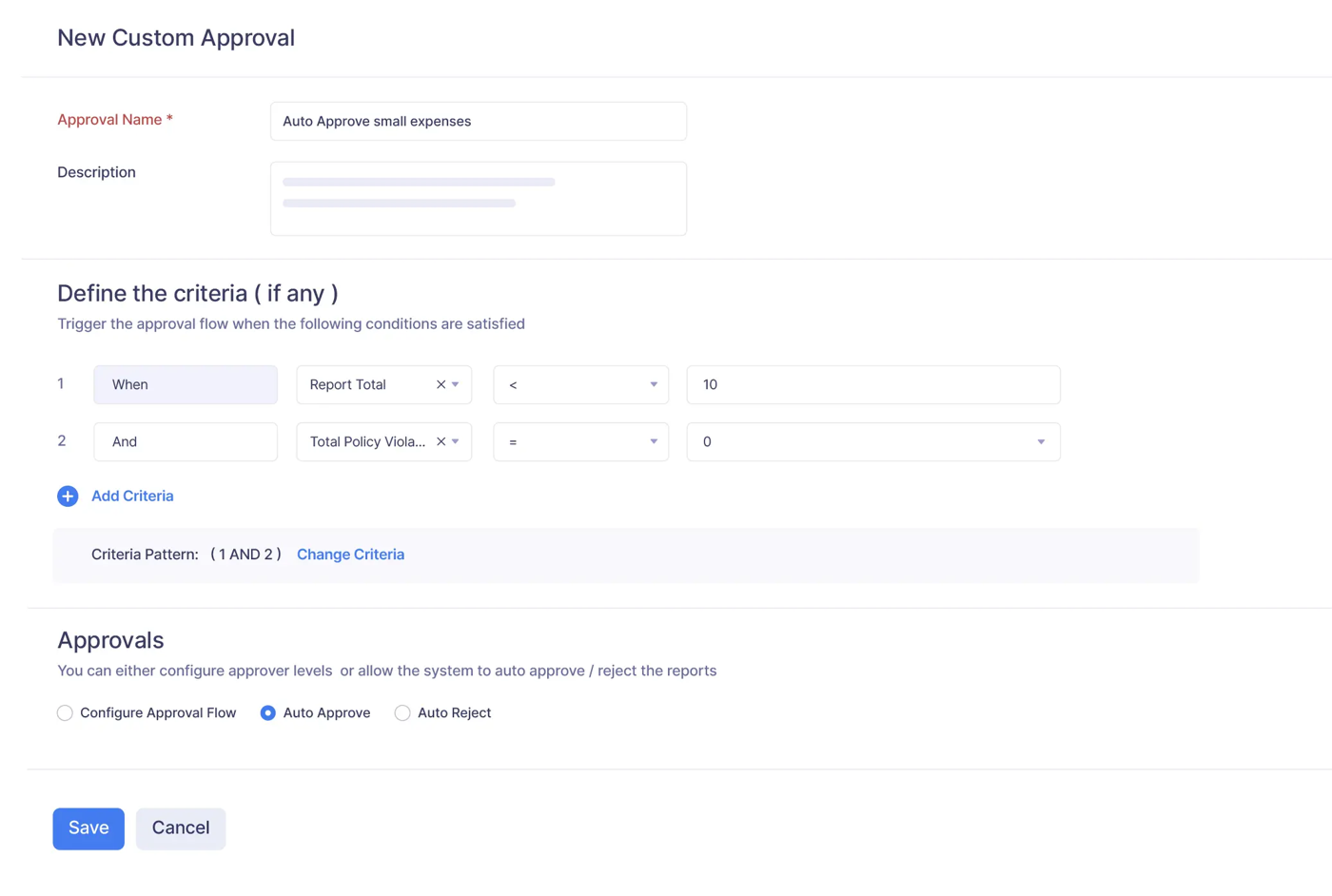
Employees scan receipts with AI, forward them or import them in bulk, log GPS mileage or per diem, and pull in card transactions. Each expense is checked against category limits before it lands in a report. Approvals follow a default hierarchy or custom multi-stage rules, for example approving small reports with no policy violations automatically.
For QuickBooks Online, Zoho exports one bill per report with the employee as vendor, or a journal entry, and sends card expenses as expenses against a mapped card or bank account. Xero, QuickBooks Desktop, Sage Accounting and Zoho Books are native too. NetSuite works only through a third-party extension from Zoho's marketplace, and Zoho lists ERP and HRMS connectors as a paid add-on on Standard without publishing its price.
Standard costs $3 per user per month on annual billing or $4 monthly, and Premium $5 or $6. Zoho says only users who create expenses or reports are charged.
- You use QuickBooks Online or Xero and want the lowest per-user price in this comparison
- Three or fewer people file expenses and the free plan is enough
- You run NetSuite or Sage Intacct and don't want a third-party connector
- You need documented accrual or period cut-off handling for card spend at month end
- Users like
- Ease of use, intuitive setup and affordability, plus a good mobile app
- Users dislike
- Smaller but recurring mentions of a learning curve or unintuitive screens and integration issues
- Source: G2, 1,542 reviews
Cards, reimbursement and limits
Every plan, including Free, comes with a Zoho prepaid Mastercard. Zoho also reads real-time Visa and Mastercard feeds in 12 countries in North America and Europe, plus a direct Amex feed, but corporate card management starts on Standard.
Reimbursement runs by ACH through CSG Forte for US and Canadian organizations and settles in 3 to 5 business days. ACH and direct bank reimbursement need Standard or above, and Zoho doesn't document a fee. On G2, reviewers mention a learning curve and integration issues now and then, but at a lower volume than the praise for ease of use and price.
- Starting price
- Free: $0 (max 3 users); Standard: $4 per user/month billed monthly, $3 billed annually; Premium: $6 per user/month billed monthly, $5 billed annually; Enterprise: custom quote. Prices exclusive of local taxes.
- Reimbursement
- ACH in the US and Canada, 3 to 5 business days
- NetSuite
- Third-party extension only
- Own card
- Prepaid Mastercard
Sage Expense Management
Sage Expense Management
Fyle is a US-focused expense management tool that layers real-time receipt capture and reconciliation on top of a company's existing Visa, Mastercard and Amex cards. Sage acquired Fyle effective 28 July 2025 and rebranded it Sage Expense Management from August 2025; the product, plans and integrations continue, including non-Sage ledgers.
Sage Expense Management, sold as Fyle until Sage bought it in July 2025, suits teams that want to keep their current Visa, Mastercard or Amex cards and still get coded expenses that sync both ways.
The product has no card of its own. When an employee swipes an existing business card, the transaction appears within seconds and the employee gets a text message, replies with a photo of the receipt and the match is made. AI reads the receipt and codes it from the chart of accounts imported from your ledger, and policy rules run in real time.
The price is per active user: Growth is $11.99 per active user per month on annual billing with a five-user minimum, and Business is $14.99 with a ten-user minimum. A user counts as active in a month only if they create an expense or hold a card with at least one transaction. For a team of occasional claimants that definition is the opposite of a flat per-member fee.
Growth connects to QuickBooks Online and Xero. Business adds Sage Intacct and Sage 300 CRE, with a one-time implementation fee, and includes QuickBooks Desktop, which costs extra on Growth.
- You want to keep your bank's cards and their rewards
- Many employees file rarely and you want to pay only for active users
- Fewer than five people file expenses, because Growth has a five-user minimum
- You need NetSuite and want it listed on the vendor's current pricing page
- Users like
- Ease of use (G2 Ease of Use sub-score 9.2)
- Users dislike
- Occasional receipt-scanning accuracy issues
- Source: G2, 1,782 reviews

Reimbursement, month end and NetSuite
Reimbursement is US only, by ACH through Dwolla on the Business plan. Standard ACH takes 3 to 5 business days, and the optional Express ACH pays reports under $1,000 in 1 to 2 business days. Employee bank accounts are verified with micro-deposits.
For QuickBooks Online, an export setting can post expenses from a closed period to the first day of the current open period, which avoids failed exports after a lock. A credit card reconciliation dashboard is in beta. Sage's rebrand notice says existing NetSuite integrations keep working, but NetSuite isn't named on the current pricing or integrations pages.
- Starting price
- Growth $11.99 per active user / month billed annually (min. 5 users); Business $14.99 per active user / month billed annually (min. 10 users); Enterprise custom pricing (250+ employees). Monthly billing option shown without prices. Active user = creates at least one expense or has a connected card with at least one transaction that month.
- Owner
- Sage, since July 2025 (formerly Fyle)
- Cards
- Existing Visa, Mastercard and Amex
- Express ACH
- 1 to 2 business days under $1,000 (Business)
Card-first alternatives
Ramp and Brex answer the question differently: instead of making reimbursements cheaper, they issue company cards so most employee spend never becomes a claim. That changes the work of the finance team. Receipts are matched to card charges, limits and policies apply before the purchase, and the question at month end is which card transactions have reached the ledger.
Ramp
Ramp
Ramp is a US corporate card and spend management platform that bundles expense management, reimbursements, AP and accounting sync. The Free tier covers cards, receipts and QuickBooks Online/Xero sync; mid-market ERPs and accruals need Plus.
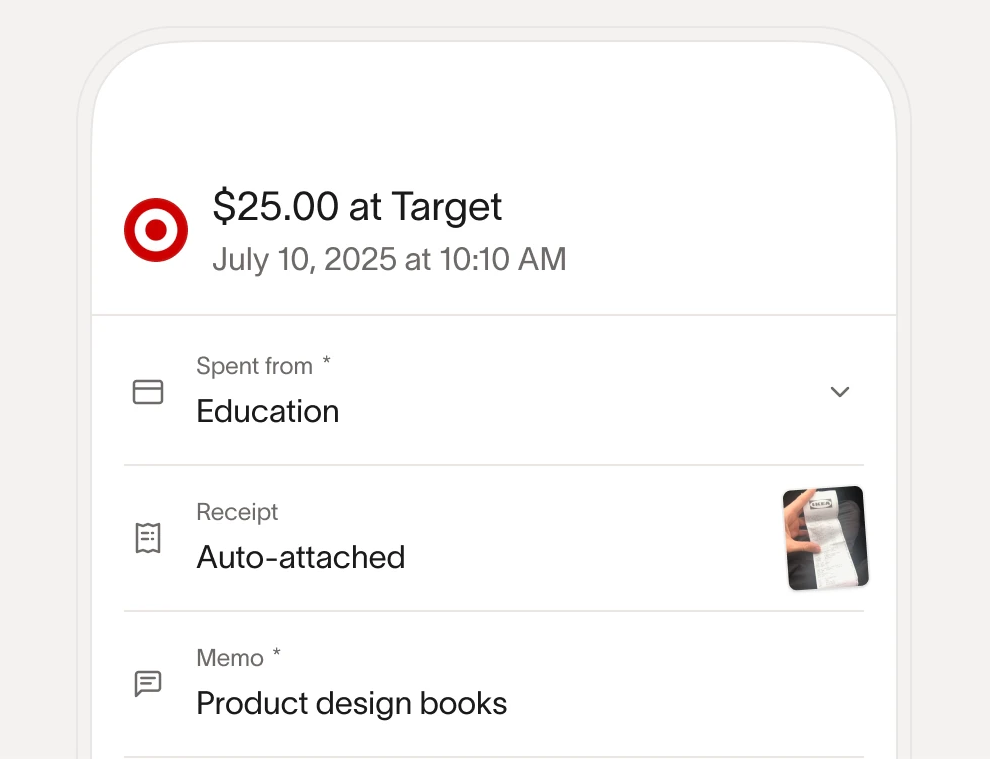
Ramp swaps the reimbursement queue for cards. Employees pay with a Ramp card, the receipt is requested by text, Slack, Teams or the app and matched automatically, and the coded transaction syncs to your books.
A Policy Agent reviews each expense against your written policy, approves the compliant ones and sends exceptions to a person. Spend limits can carry preset accounting codes, so many transactions arrive in the ERP already coded.
The plan line decides the ERP. The Free plan at $0 per user syncs to QuickBooks Online and Xero. Plus costs $15 per user per month plus a platform fee that depends on team size and isn't published, and it adds NetSuite, Sage Intacct, Acumatica and Dynamics 365 Business Central. Workday, Oracle Fusion Cloud and Dynamics F&O sit on Enterprise.
Plus also has an accruals feature: unsynced card transactions dated on or before month end post as one journal entry to a liability account you choose, and the entry reverses on a date you set.
- Most spend can move to company cards instead of out-of-pocket claims
- You want a free plan that still syncs to QuickBooks Online or Xero
- You need NetSuite or Sage Intacct sync and don't want to pay for Plus plus an unpublished platform fee
- Employees can't or won't use a company card for most purchases
- Users like
- Ease of use; expense reports described as fast and intuitive
- Users dislike
- Duplicate-expense bugs and missing card features such as transaction PINs or competitive rewards; some cite rigid approval workflows
- Source: G2, 2,572 reviews
Reimbursements and where users complain
Out-of-pocket spend and mileage still work: employees submit them in the app or by text, and Ramp pays by ACH in the US or by wire to more than 50 countries. Ramp's own pages disagree on timing. The product page says 1 to 2 business days, the admin help article says within 3 and the submission guide says 3 to 5 for ACH.
G2 reviewers rate Ramp 4.8 from about 2,460 reviews. The complaints that recur are duplicate-expense bugs and missing card features such as transaction PINs, and some reviewers call approval workflows rigid.
- Starting price
- Free: $0/mo/user; Plus: $15/mo/user + platform fee based on team size (save 20% with annual billing); Enterprise: Custom
- Month end
- Auto-reversing accrual for unsynced card spend (Plus)
- ERPs on Free
- QuickBooks Online, Xero
- Reimbursement
- Within 3 business days of approval (help center)
- AP payment fees
- Standard ACH $0.59, check $1.99, same-day ACH $10, domestic wire $15, SWIFT USD $20; waived when paying from Ramp Checking
- AP on Free
- OCR invoice extraction, approval workflows, fraud checks, pay by ACH, card, check or wire
- 1099
- $0.65 per IRS filing, free state filing
- Matching
- Two-way and three-way match; imported-PO matching by plan not confirmed
Brex
Brex
Brex is a corporate card and spend management platform, owned by Capital One since April 2026, that enforces expense policy at the point of purchase and syncs coded spend to the ERP. A free Essentials plan exists; advanced policies and auto-approval rules need Premium at $12 per user per month.
Brex puts the policy on the card: a purchase in a blocked category is declined at the point of sale, so fewer exceptions reach an approver. Capital One completed its acquisition of Brex on April 7, 2026.
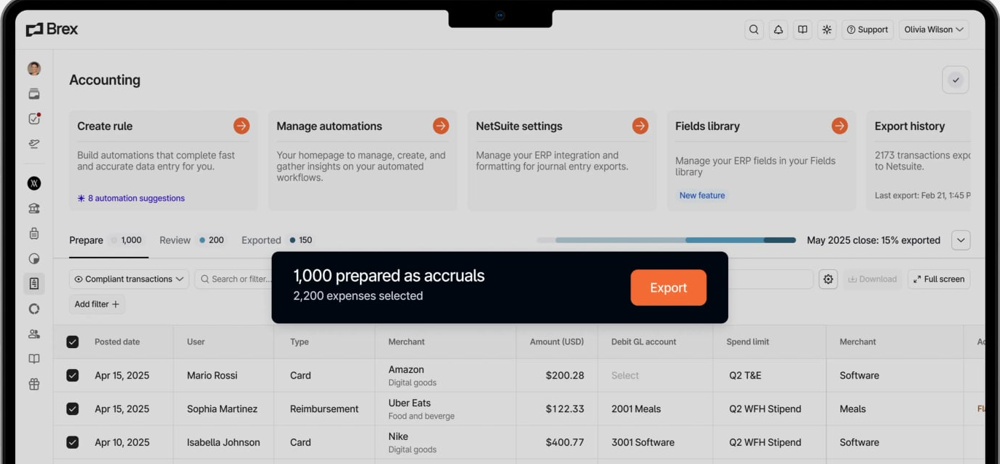
After a swipe the employee texts or emails the receipt, or Brex generates one for supported merchants, and its AI matches it, drafts the memo and suggests the GL category. In-policy expenses approve themselves and only flagged items, such as per diem overages, duplicates or restricted categories, go to managers in the app, Slack or SMS.
Brex lists a free Essentials plan at $0 per user per month, Premium at $12 and custom pricing for Enterprise and Smart Card. It names NetSuite, QuickBooks, Xero and Sage Intacct as native integrations, but the pricing page doesn't split them by plan.
NetSuite teams get an explicit choice: card expenses export as journal entries by default or as credit card transactions, and reimbursements as journal entries or vendor bills. The setup needs separate liability accounts for card accruals and reimbursement accruals, and Brex blocks a second export of a synced transaction.
- You want spend limits that enforce policy before the purchase happens
- You run NetSuite and want a choice of record type for card spend and reimbursements
- Most of your spend is out-of-pocket and fast payouts matter, because reimbursements usually arrive 4 to 8 business days after batching
- You need a published split of ERPs by plan before you buy
- Users like
- Interface, quick setup and support quality (G2 AI review summaries)
- Users dislike
- No single dominant theme verified on G2; scattered G2 reviews (mirrored on AWS Marketplace) mention cumbersome review process, occasional downtime and approval workflow gaps
- Source: G2, 1,506 reviews
Reimbursements and where users complain
Employees link a personal bank account, and Brex pulls one bulk amount from the company account and pays out in batches. The default cycle is daily on weekdays, and funds usually reach employees 4 to 8 business days after batching. Fees aren't documented.
G2 shows Brex at 4.8 from about 1,500 reviews. We couldn't verify a single dominant complaint theme there; scattered reviews mention a cumbersome review process, occasional downtime and gaps in approval workflows.
- Starting price
- Essentials: $0 user/month; Premium: $12 user/month; Enterprise: Custom pricing; Smart Card: Custom pricing
- NetSuite posting
- Card spend as journal entries or card transactions
- ERP connections
- One at a time
- Owner
- Capital One, since April 7, 2026
Suites for travel and larger controls
SAP Concur
SAP Concur Expense
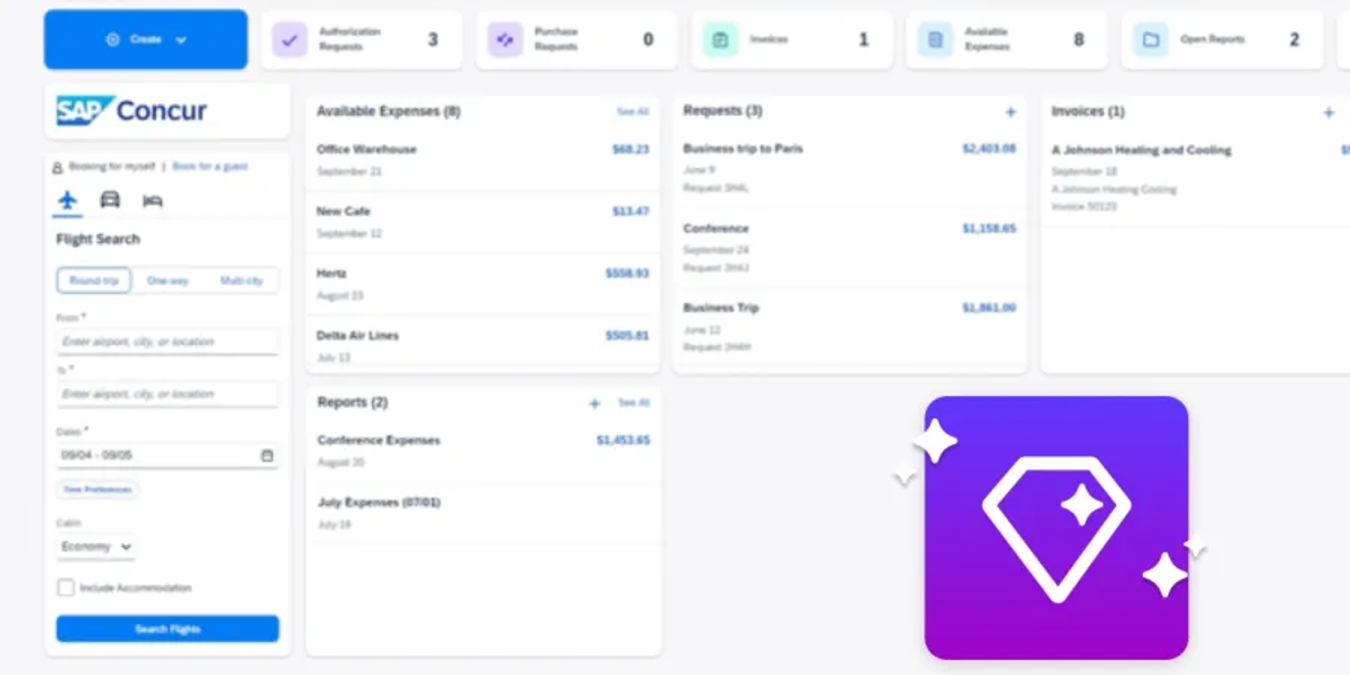
SAP Concur Expense is SAP's cloud expense reporting product that captures receipts and card transactions, checks them against policy, routes reports for approval and posts approved reports to the accounting system. US list pricing is per expense report (Base from $7, Plus from $11), with travel bundled only in the quote-based Premium plan.
SAP Concur Expense is the report-based enterprise standard, and the one alternative here priced per expense report instead of per user.
An employee builds a report from receipts, imported card transactions and travel e-receipts, and policy checks run while they build it. After the approval workflow, an expense processor reviews the report for payment. With the QuickBooks Online integration, the approved report posts immediately and isn't batched: reimbursements arrive as bills, and card expenses as bills or credit card transactions.
US pricing is Base from $7 per report, Plus from $11 and Premium on request, with unlimited users on every plan, and the price per report falls as the monthly commitment grows. At $7, 40 reports a month cost $280 whether 5 people or 50 filed them. That favors companies with many occasional claimants and punishes teams that file one report per person per week. Concur's Buy now buttons lead to a contact form, so there is no self-serve checkout.
Concur has no card program of its own. Bank card feeds take about 4 to 6 weeks to set up after the bank form is submitted.
- Many people file now and then, so per-report pricing beats per-member pricing
- You run NetSuite, Sage Intacct or Dynamics and want posting to start on approval
- You want company cards live quickly: Concur's card feed setup takes about 4 to 6 weeks
- A modern interface matters more than the ERP list, because G2 reviewers call the interface outdated
- Users like
- Easy receipt scanning and upload through the mobile app, and policy checks that flag out-of-policy items before submission
- Users dislike
- Outdated, unintuitive interface with a learning curve, many clicks and slow loading
- Source: G2, 6,567 reviews
Reimbursement, audit trail and reviews
Admins set reimbursement methods per country and currency, up to three per currency: direct deposit through Expense Pay by Concur, a company check or ADP payroll. Payout speed in days isn't documented.
Each report's audit trail records the ERP posting status and date, and a query lists reports that failed to post so you can fix them before the close. Posting detail for QuickBooks Online is purged from Concur after 30 days. On G2, Concur holds 4.0 from about 6,570 reviews, and the main complaint is an outdated, unintuitive interface with a learning curve and slow loading.
- Starting price
- Base: Starting at $7 per report, unlimited users. Plus: Starting at $11 per report, unlimited users. Premium: Custom pricing. Price can vary based on monthly commitment; all prices in USD.
- QuickBooks Online
- Reports post as bills on processor approval
- Card feed setup
- About 4 to 6 weeks
- Users
- Unlimited on every plan
Emburse Spend
Emburse Spend
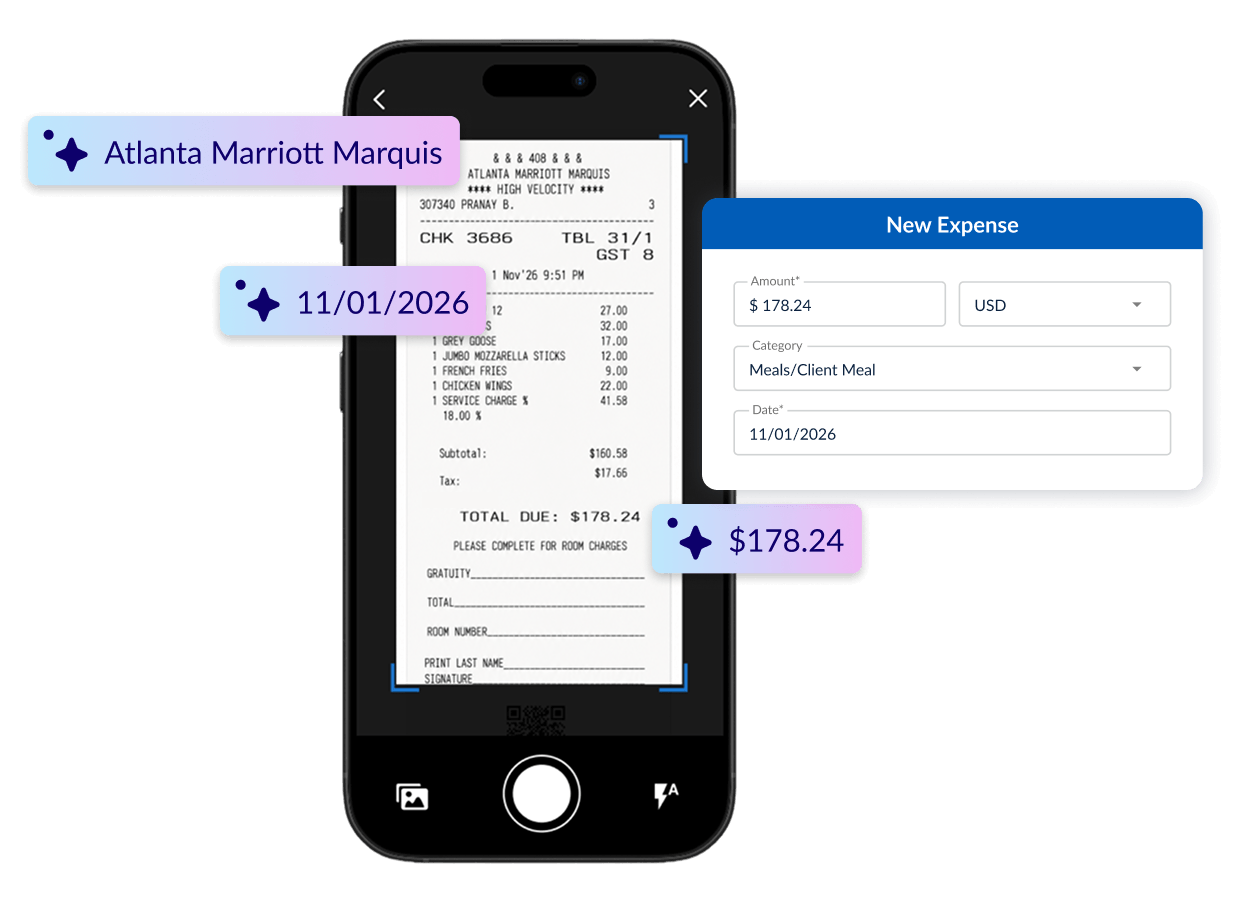
Emburse Spend (formerly Abacus) is Emburse's SMB expense product that connects to a company's existing Amex, Visa or Mastercard programs, matches receipts to card transactions, routes approvals, pays out-of-pocket expenses by ACH and syncs coded expenses to QuickBooks, Xero, NetSuite or Sage Intacct. Emburse's larger products are Emburse Expense Professional (formerly Certify, mid-market) and Emburse Expense Enterprise (formerly Chrome River, global enterprise), both quote-only.
Emburse Spend, formerly Abacus, is Emburse's self-serve product for small and mid-size US companies, with published per-user prices and a choice of cash or accrual sync to QuickBooks Online.
Emburse has renamed its line-up, so check the product name on any quote. Spend is the version with published pricing. Expense Professional, the former Certify, and Expense Enterprise, the former Chrome River, are quote-only.
Basic costs $8 per user per month and Plus $12. Basic covers QuickBooks Online, QuickBooks Desktop and Xero and includes up to 50 ACH reimbursements, with the unit not stated on the pricing page. Plus adds NetSuite, Sage Intacct, SFTP exports and unlimited ACH reimbursements.
The QuickBooks Online sync runs hourly and is US only. In cash mode every ACH transfer creates a bill and a bill payment. In accrual mode each expense goes to a clearing account dated on the expense date, and card spend goes to the card register on the transaction date.
- You use QuickBooks Online and want to choose cash or accrual treatment of reimbursements
- You want published per-user prices and a self-serve setup
- You reimburse outside the US, because ACH reimbursement is for US organizations only
- Employees expect payouts within a day or two, because funds arrive 4 to 6 business days after the payout day
- Users like
- Ease of use and quick, efficient expense submission
- Users dislike
- Card transactions can take 2 to 3 days to show up, and some users find the wallet feature confusing
- Source: G2, 1,130 reviews
Cards, payouts and reviews
Emburse connects the Amex, Visa and Mastercard programs you already have. It also offers prepaid Emburse Cards issued by Celtic Bank, with a 1% cash rebate once qualifying spend volume is met. Out-of-pocket expenses approved before 5 pm Eastern go out in one nightly batch by default, or weekly, semi-monthly or monthly.
Emburse says many small businesses go live in as little as one week, which is a vendor claim. On G2, Emburse Spend holds 4.5 from about 1,130 reviews, and one recurring complaint is that card transactions can take 2 to 3 days to show up.
- Starting price
- Emburse Spend: Basic $8 per user/month; Plus $12 per user/month; Custom: Custom. 30-day free trial for very small organizations (eligibility form). Guided implementation is an optional paid add-on.
- QuickBooks Online sync
- Hourly, cash or accrual basis
- ACH payout
- 4 to 6 business days after the payout day
- Availability
- US companies only
Navan
Navan
Navan (formerly TripActions) combines corporate travel booking with Navan Expense, which handles Navan corporate cards, linked existing Visa, Mastercard and Amex cards, and out-of-pocket reimbursements with policy checks and ERP sync. For companies up to 300 employees travel is free and Expense is free for 5 expensing users, then $15 per user per month.
Navan, formerly TripActions, makes sense when travel is the largest slice of employee spend, because the booking, the card and the expense share one record.
Travel booked in Navan flows into Navan Expense with its receipt and policy status attached. Employees pay with a Navan corporate card or link an existing Visa, Mastercard or Amex card. Visa and Mastercard transactions arrive in real time and Amex daily. In-policy spend approves itself, and out-of-policy spend goes to an approver dashboard.
Navan Business, for companies with up to 300 employees, lists travel as free and expense as free for the first five monthly expensing users, then $15 per user per month. Enterprise is quote-only. Navan's pricing page explains that Business is free because Navan is funded by travel supplier commissions.
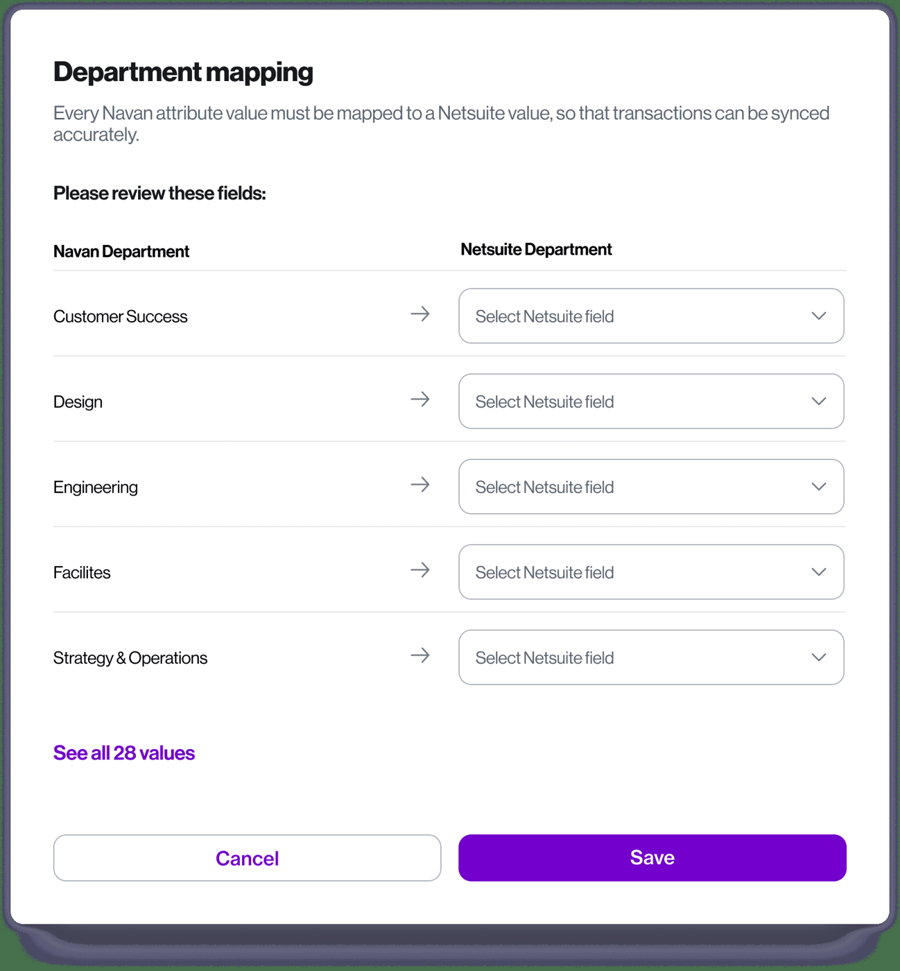
Navan names NetSuite, QuickBooks Online, Xero, Sage Intacct and Datev as direct integrations. The record type it posts and the sync frequency aren't documented on its public pages.
- Travel is a large share of spend and you want bookings to arrive with their receipts
- You have up to 300 employees and want travel booking at no charge
- Most spend isn't travel, because the travel link is the main reason to pick it
- You need the ERP record type and sync frequency documented before you buy
- Users like
- Integrated travel and expense workflow, policy auto-approval and receipt photo auto-fill
- Users dislike
- Receipt auto-fill sometimes misreads details; expenses booked outside Navan need manual work; mixed support responsiveness and approval issues
- Source: G2, 9,300 reviews
Reimbursement, cards and reviews
Out-of-pocket items approved in the last seven days go out in one weekly batch, paid by direct deposit within days to bank accounts in 50 countries according to Navan's help center. The Navan card earns up to 1.5% cash back with no annual fee.
G2 shows 4.7 from about 9,300 reviews, but that rating covers the whole Navan product, not only Expense. Reviewers mention receipt auto-fill that misreads details and manual work for expenses booked outside Navan.
- Starting price
- Navan Business (up to 300 employees): Travel free; Expense free for the first 5 monthly expensing users, then $15 per user per month. Navan Enterprise: quote (Let's talk).
- Cards
- Navan card or existing Visa, Mastercard and Amex
- Reimbursement
- Weekly batch, 50 countries
- Business plan
- Up to 300 employees
Is Expensify like Concur?
Expensify is like SAP Concur in how the work flows: both are report-based, so an employee builds a report, an approver signs off and the report exports to the ledger. They differ in price model, cards and reach. Expensify charges per member and has its own commercial card, while SAP Concur charges per report with unlimited users and relies on bank card feeds. Concur adds a larger travel suite and connectors for SAP, Dynamics and Sage Intacct, and its G2 rating is 4.0 from about 6,570 reviews against Expensify's 4.5 from 5,654.
For a team of ten where everyone files weekly, per-member pricing is usually the cheaper model. For a company where a few hundred people file once a quarter, per-report pricing can win. The calculator below shows the per-member side of that math.
How fast do the alternatives reimburse employees?
The alternatives reimburse employees at different speeds, and Expensify is faster than most for small amounts. Only Sage Expense Management's Express ACH comes close, and it covers only reports under $1,000.
| Tool | Method | Typical time in days | What to know |
|---|---|---|---|
| Expensify | ACH, with Rapid Reimbursement for small amounts | Usually 1 business day under $100; 4 to 5 business days standard | Rapid has account-level conditions; global reimbursement in 2 to 3 business days |
| Zoho Expense | ACH through CSG Forte, US and Canada | 3 to 5 business days | Standard plan or above |
| Sage Expense Management | ACH through Dwolla, US only | 3 to 5 business days; Express ACH 1 to 2 for reports under $1,000 | Business plan |
| Ramp | ACH, or wire to 50+ countries | 3 business days per the help center; its pages give 1 to 2 and 3 to 5 elsewhere | Mileage at the IRS rate |
| Brex | Batched debit and payout | 4 to 8 business days after batching | Default cycle is daily on weekdays |
| SAP Concur | Direct deposit, company check or ADP payroll | Not documented | Methods set per country and currency |
| Emburse Spend | ACH, nightly batch by default | 4 to 6 business days | US organizations only |
| Navan | Weekly batch by direct deposit | Within days | Bank accounts in 50 countries |
How do the alternatives post to your accounting system?
The alternatives all export to QuickBooks Online, but the record, the timing and the plan that unlocks other ERPs differ. Ramp and Brex are the two that document accrual handling for card spend, and Emburse lets you choose cash or accrual treatment for reimbursements.
| Tool | What it posts | ERP connectors | Month-end detail |
|---|---|---|---|
| Expensify | QuickBooks Online: reimbursements as a check, bill or journal entry; card spend as card records or bills | Collect: QuickBooks Online, Xero. Control: NetSuite, Sage Intacct, QuickBooks Desktop | You choose the export date; the Expensify Card settles through clearing and liability accounts |
| Zoho Expense | One bill per report or a journal entry | QuickBooks Online, Xero, QuickBooks Desktop, Sage Accounting; NetSuite via a third-party extension | Export date can follow the last expense, approval or submission date |
| Sage Expense Management | Expenses, bills, journal entries or checks | Growth: QuickBooks Online, Xero. Business: Sage Intacct, Sage 300 CRE | Can post closed-period expenses to the first day of the open period |
| Ramp | Reimbursements as bills, with a bill payment when Ramp pays | Free: QuickBooks Online, Xero. Plus: NetSuite, Sage Intacct, Acumatica, Business Central | Plus accruals: an auto-reversing journal entry for unsynced card spend |
| Brex | NetSuite: journal entries or credit card transactions; reimbursements as journal entries or bills | NetSuite, QuickBooks, Xero, Sage Intacct; plan split not stated | Separate accrual liability accounts; re-export of synced items is blocked |
| SAP Concur | Reimbursements as bills; card spend as bills or credit card transactions | QuickBooks Online, QuickBooks Desktop, Xero, NetSuite, Sage Intacct, Business Central, SAP | A query lists reports that failed to post; QuickBooks posting detail is purged after 30 days |
| Emburse Spend | Cash mode: bill plus bill payment per ACH transfer; accrual mode: clearing account | Basic: QuickBooks Online, QuickBooks Desktop, Xero. Plus: NetSuite, Sage Intacct | Card spend posts on the transaction date |
| Navan | Mapped categories and attributes | NetSuite, QuickBooks Online, Xero, Sage Intacct, Datev | Record type and frequency aren't public |
A sync moves expenses into the ledger. It doesn't show whether the person who prepared the close checked the expense accrual, who reviewed it and where the proof is. That part of the close lives in a checklist, covered in our month-end close checklist and financial close software roundup.
How much do the alternatives cost?
Cost depends on how many people file, because the tools count users differently. The calculator shows monthly list prices for the cheapest paid plan that fits at each headcount, with annual billing where it's offered. It leaves out Ramp, whose Plus plan adds a platform fee that Ramp doesn't publish, Navan, which is free for the first five expensing users, and SAP Concur, which bills per report.
Monthly cost at US list prices, checked between October 20 and November 11, 2026. Excludes taxes, add-ons and onboarding fees. Plans differ in features: Expensify Collect covers QuickBooks Online and Xero only.
The entry price isn't the whole bill. The table shows what raises it after the first plan.
| Tool | Entry price in USD | What raises the bill |
|---|---|---|
| Expensify | Free Submit; Collect $5 per member per month | Control is quoted (listed at $18 per member on an annual plan in October) and holds NetSuite, Sage Intacct and SSO |
| Zoho Expense | Free for up to 3 users; Standard $3 per user per month on annual billing | Premium at $5; ERP and HRMS connectors are a paid add-on; onboarding from $500 per year |
| Sage Expense Management | $11.99 per active user per month on annual billing, 5 users minimum | Business at $14.99 with a 10-user minimum; one-time fee for Sage Intacct |
| Ramp | Free; Plus $15 per user per month | A platform fee that depends on team size; NetSuite and accruals need Plus |
| Brex | Essentials $0; Premium $12 per user per month | Enterprise and Smart Card are custom |
| SAP Concur | Base from $7 per report | Plus from $11; Premium custom; no self-serve checkout |
| Emburse Spend | Basic $8 per user per month | Plus at $12; Basic includes up to 50 ACH reimbursements |
| Navan | Free for the first 5 expensing users, then $15 per user per month | Enterprise is quote-only; Business is for up to 300 employees |
Expensify's own card changes the math for teams that use it: Expensify says the Expensify Card pays 1% cash back on US purchases and 2% on monthly spend over $250,000.
How do you leave Expensify without losing history?
You leave Expensify cleanly by finishing and reimbursing the open reports, cutting over at a period boundary and running one close with both tools in view. That takes a few weeks around one close, though a bank card feed can take longer: SAP Concur documents about 4 to 6 weeks for the bank to set it up.
Finish and reimburse the open reports
Approve, export and pay everything dated before the cut-over, so no claim sits half in one tool and half in the other.
Pick a period boundary
Cut over at the start of a month or quarter. Expenses dated before it stay in Expensify, and the new tool takes everything after.
Recreate categories and tags
Import categories from your chart of accounts and map tags to classes, projects or locations before anyone files. Zoho Expense and Sage Expense Management both pull these from the ledger.
Move the card feeds
Reconnect company cards early. Real-time feeds can be quick in some tools and take weeks through a bank in others.
Run one close with both tools in view
Compare the first month's expense postings against the old tool's export before you remove access.
How do you choose an Expensify alternative?
You choose an Expensify alternative by the reason you're leaving, then test two things in a trial: the ERP connection you can't live without and your last month-end close. Five checks cover most decisions.
- Who files and how often. Count the people who file, not the headcount. Per-member prices punish many occasional claimants, per-report prices punish frequent ones, and active-user prices charge for neither.
- Cards or claims. If most spend can move to company cards, Ramp or Brex removes the reimbursement queue. If most spend stays out of pocket, check the payout table above.
- Your ERP and its plan. QuickBooks Online and Xero are covered by every tool here. NetSuite and Sage Intacct usually sit behind a higher plan, so price that plan.
- Month-end handling. Ask how unsynced card spend and closed periods are handled. Only a few of these tools document accruals.
- Travel. If travel is a big share of spend, Navan or SAP Concur keeps booking and expenses together.
- You want the lowest per-user price with QuickBooks Online or XeroZoho Expense
- You want to keep your current bank cards and pay only for active usersSage Expense Management
- You want most spend on cards with a free planRamp
- You want limits that decline out-of-policy purchasesBrex
- Many people file now and then and you run a larger ERPSAP Concur Expense
- You use QuickBooks Online and want cash or accrual treatmentEmburse Spend
- Travel is the largest share of employee spendNavan
Where do the month-end approvals get tracked?
After the switch, the first close is the riskiest one, and none of these tools tracks who prepared each close step and who reviewed it. Teams usually fall back on a spreadsheet. The Finance Lead is a small tool for that gap: recurring close checklists, evidence links on each task and preparer and reviewer sign-off. It doesn't touch your ledger or bank data and isn't an expense tool, so it works the same whichever tool above feeds the books.
FAQ
What is the best Expensify alternative for a small team?
The best Expensify alternative for a small team is Zoho Expense, with a free plan for up to three users, then $3 per user per month on annual billing. Ramp suits teams that want company cards, with a free plan that syncs to QuickBooks Online and Xero.
How much does Expensify cost?
Expensify's pricing page lists a free Submit plan for employees, Collect at $5 per member per month and Control at custom pricing. NetSuite, Sage Intacct and SSO sit in Control.
Is there a free alternative to Expensify?
Zoho Expense is free for up to three users, Ramp has a free plan that includes QuickBooks Online and Xero sync, and Brex lists Essentials at $0 per user. Free plans limit users, ERPs or features, so check the plan table before you rely on one.
Does Expensify integrate with QuickBooks?
Yes, Expensify integrates with QuickBooks. Collect connects to QuickBooks Online and Xero, and QuickBooks Desktop is part of Control. Reimbursable expenses can export as a check, a vendor bill or a journal entry.
Which Expensify alternatives work with NetSuite?
Brex, Ramp Plus, SAP Concur, Emburse Spend Plus and Navan name NetSuite as an integration. Zoho Expense reaches NetSuite only through a third-party extension, and Expensify itself needs the Control plan.
Is Expensify like Concur?
Both are report-based, but Expensify charges per member and has its own card, while SAP Concur charges per report with unlimited users and relies on bank card feeds.