NetSuite vs QuickBooks is a choice between a broader enterprise resource planning system and a simpler accounting platform. Choose QuickBooks Online when one company needs invoicing, expenses, reporting, projects and routine bookkeeping without an ERP project. Choose Oracle NetSuite when the finance team must coordinate subsidiaries, inventory, intercompany accounting and operating workflows in a shared system.
For a growing controller team, the deciding factor is rarely the number of features. It's whether the books you're signing off actually tie together. It's the work required to produce a reliable group close. If you can reconcile one ledger, review the exceptions and sign off without exporting multiple company files, QuickBooks may remain the better choice. You don't need an ERP to fix a messy close calendar. If the month-end close depends on stitching together subsidiaries and operational data, evaluate NetSuite as a change to the entire process, not a software swap.
This comparison uses QuickBooks Online rather than QuickBooks Desktop Enterprise or Intuit Enterprise Suite. Intuit itself describes Enterprise Suite as the closer competitor to NetSuite. The distinction matters because a QuickBooks Online Advanced subscription shouldn't be evaluated as though it were a complete ERP.
 Choose QuickBooks Online for focused accounting
- Public US subscription prices and a relatively narrow deployment scope
- Plus supports inventory and project profitability
- Advanced adds more users, custom roles and workflow options
 Choose NetSuite for integrated finance and operations
- OneWorld manages subsidiaries and financial consolidation
- Accounting connects to orders, inventory and operational workflows
- Annual licensing and implementation require a scoped proposal
NetSuite vs QuickBooks: what are the differences?
NetSuite and QuickBooks can both support a general ledger, payables, receivables and financial reporting, so the basics won't separate them. The overlap ends when the business needs its accounting system to manage complex transactions across multiple entities and operational teams. NetSuite is an ERP, so accounting can be linked to procurement, orders, inventory and fulfillment. QuickBooks Online is designed primarily around the books of an individual company.
The difference isn't that QuickBooks has no advanced features. QuickBooks Online Advanced offers custom roles, workflows and spreadsheet synchronization. The practical limit is the architecture of separate company files and the scope of native consolidation. A controller should test those boundaries before assuming that adding an app or upgrading a tier will solve them.
| Tool | Primary job | Subsidiaries | Group consolidation | Inventory | Close controls | Commercial model |
|---|---|---|---|---|---|---|
| Oracle NetSuite | Integrated ERP and financial management | OneWorld for multiple subsidiaries | Native multi-entity consolidation capabilities | Integrated inventory and order workflows | Period-close and consolidation functions | Annual license, optional modules, users and implementation |
| QuickBooks Online | Small and midmarket company accounting | Separate subscriptions per company file | Separate reporting workflow or outside tools | Inventory tracking in Plus and Advanced | Accounting close plus separate task governance | Published monthly US tiers |
- One company, routine bookkeeping, invoices and expensesQuickBooks Online
- Inventory and project profitability in a small companyQuickBooks Online
- Several subsidiaries with recurring intercompany activityOracle NetSuite
- Orders, inventory and the ledger in one operational systemOracle NetSuite
- Predictable published monthly pricingQuickBooks Online
The control question is who's accountable when a late inventory adjustment changes the subsidiary P&L after the group controller has signed off. NetSuite can make the operational transaction and the group ledger part of the same configured environment. QuickBooks teams can manage that risk too, but they'll have to define the handoff, review and evidence process outside the subscription itself.
How much does NetSuite vs QuickBooks cost in 2026?
QuickBooks Online has published US monthly list prices. On November 2, 2026, the official pricing page displayed Simple Start at $38, Essentials at $85, Plus at $140 and Advanced at $340 per month. It also displayed a 50% discount for the first three months for eligible new subscriptions. The discount isn't the steady-state budget, and it doesn't last past the first quarter. For a buyer needing project profitability or inventory, Plus is the first relevant comparison tier. Advanced becomes relevant when more users, advanced reporting and role customization matter.
Oracle describes NetSuite pricing differently. The company says the annual license combines the core platform, optional modules and user count, with a separate one-time implementation fee. NetSuite's financial reporting page doesn't provide a single configuration-independent US monthly rate. Don't budget from a third-party teaser number. Don't guess. Request a written quote with the named modules, users, environments, support, services and renewal terms instead.
| Cost item | QuickBooks Online | Oracle NetSuite |
|---|---|---|
| Public entry subscription | Simple Start $38/month | Request a scoped quote |
| Common inventory or project tier | Plus $140/month | Depends on quoted modules |
| Higher-tier accounting | Advanced $340/month | Depends on core license and users |
| Implementation | Internal or partner services as needed | Separate initial implementation fee described by Oracle |
| Multiple legal entities | A subscription for each company file | OneWorld scope and subsidiary requirements need confirmation |
| Renewals | Recheck the current monthly list and promotional end date | Review annual license renewal and module scope |
What does a multi-company QuickBooks budget look like?
Say you've got a parent and two operating subsidiaries, each using QuickBooks Online Advanced. At the current list price, three separate subscriptions cost $1,020 per month or $12,240 per year, before taxes, third-party tools and professional services. One Advanced subscription costs $4,080 per year at the same undiscounted rate. These figures are arithmetic examples, not a claim that a group must choose Advanced for every entity. Many groups won't need to.
A different group might use Plus in each company, which isn't unusual. Three Plus subscriptions would total $420 per month or $5,040 per year before extras. The financial cost is visible, but the consolidation process isn't included in this calculation. If a controller exports each entity's statements, adjusts intercompany balances and builds a parent workbook, that labor and review risk belong in the comparison.
How should I compare a NetSuite proposal fairly?
Ask NetSuite to separate the core license, OneWorld, other optional modules, named users, implementation, migration, support and ongoing changes. Then build a comparable QuickBooks scenario that includes subscriptions, connected applications, accountant time, close review, report consolidation and maintenance of integrations. Don't compare an ERP quote against only a QuickBooks subscription fee.
Use a three-year decision model, so the one-time migration cost doesn't distort year one. Include the one-time migration project in year one and recurring licenses in every year. Keep a separate line for internal time spent testing integrations and reworking controls. No generic public estimate can substitute for a vendor statement of work and a realistic internal staffing plan.
For a more detailed commercial breakdown, read our NetSuite pricing guide and QuickBooks Online pricing guide.
Which product is better for month-end close?
A close process is a chain of dependencies. Bank reconciliations, payroll journals, accruals, inventory adjustments and intercompany eliminations have to reach a reviewer before the controller signs off. The best system is the one that makes those dependencies visible and gives the reviewer credible evidence, not merely a green completion icon.
QuickBooks Online: a focused ledger with a separate close layer
QuickBooks Online is a practical starting point when the close centers on one company file. Your accounting team can review the balance sheet, P&L, open receivables, payables and journal activity. Plus adds project profitability and inventory tracking. Advanced adds custom roles and automated workflows, so a team can design more structured review steps within its available product scope.
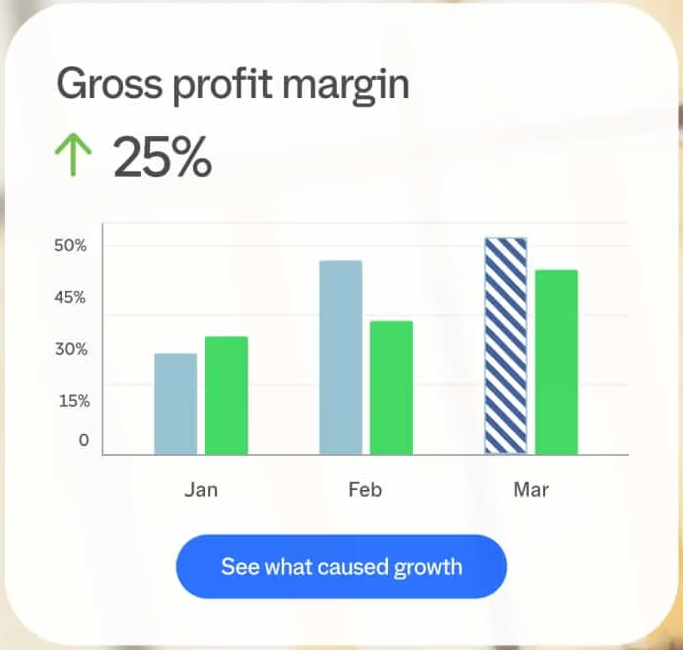
The controller still needs a close calendar, whichever product holds the ledger. For example, the payroll journal can't be approved until the payroll provider's register agrees with the general ledger. The bank reconciliation should carry its statement and unresolved-item list. A financial statement review should reference the version of the trial balance that was actually reviewed. Neither a subscription tier nor an automated workflow replaces these controls. A workflow can route an approval, but it can't judge whether a reconciliation is right.
For separate legal entities, Intuit's own support material says each QuickBooks Online company file needs a separate subscription and that native consolidation across company files isn't provided. A shared login isn't a shared ledger, and it won't give you eliminations either. If your team consolidates in Excel or another reporting application, document the entity mapping, eliminations and reviewer sign-off.
NetSuite: close tasks tied to an ERP environment
NetSuite's financial management and general ledger materials describe reconciliation, accounting, consolidation and financial reporting capabilities. Oracle also describes automated subsidiary rollups and intercompany accounting. This matters when the close is delayed by a warehouse posting, an intercompany invoice or an operational transaction that has not reached the ledger.
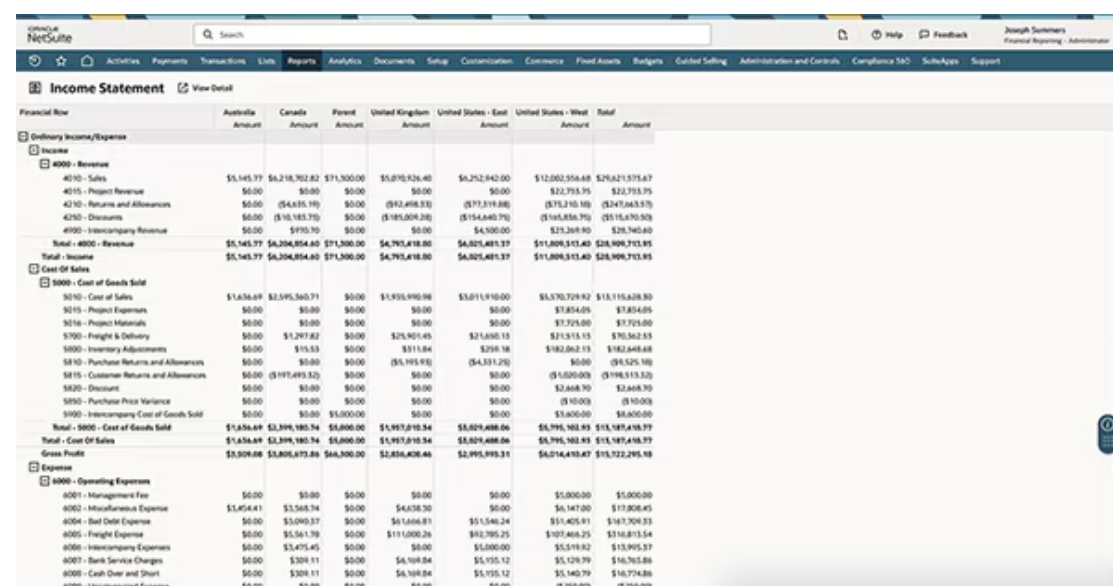
The system still needs governance, and it won't configure itself. Configure a clear cutoff policy for subsidiary postings, define who can reopen a period and require evidence for material adjustments. Test an actual intercompany elimination and a late adjustment before you're live. The fact that an ERP can produce consolidated reports doesn't mean the finance team has designed a defensible approval process.
Controller acceptance test: Close a sample month with a missing bank statement, an unresolved intercompany balance and a late inventory adjustment. Record what the system blocks, what it merely flags and what the reviewer must do manually. This exercise exposes more than a generic feature demonstration, and it's cheap to run.
Our month-end close checklist and month-end close process guide provide a workflow to use with either accounting platform.
Which is better for multi-entity accounting and consolidation?
NetSuite is the stronger fit when consolidated accounting is a recurring core requirement. Oracle's OneWorld materials describe managing subsidiaries and legal entities in one ERP, while its consolidation materials cover multiple accounting standards and intercompany accounting. The buyer should verify the exact OneWorld license and configuration because not every NetSuite feature is necessarily in the initial quote.
QuickBooks Online can maintain separate books for separate companies, and plenty of groups run that way without trouble. That's useful when the entities have independent finance teams and little intercompany activity. It gets cumbersome when the parent controller needs one consistent chart of accounts, shared dimensions, consolidated cash reporting and elimination support every month.
Consider a holding company with a US operating entity and a foreign subsidiary; it's a common shape for this decision. If the group has recurring intercompany services, foreign currency remeasurement and management reporting by entity, ask vendors to demonstrate the complete chain from source invoice to elimination and final consolidated statement. A screenshot of a dashboard doesn't prove the chain works.
A useful threshold is process complexity, not revenue alone. A business with a large single-company ledger may still be comfortable in QuickBooks, and that's a perfectly sound outcome. A smaller group with multiple subsidiaries and demanding intercompany accounting may have a stronger case for an ERP. There's no reliable universal revenue cutoff at which NetSuite automatically becomes the right answer.
What about inventory, order management and project accounting?
QuickBooks Online Plus includes inventory management and project profitability tracking on its US pricing page. For a service company with straightforward jobs or a small product business, that can cover the essential accounting questions of what was billed, what was spent and how much the job earned.
NetSuite's ERP scope is broader. Oracle describes an integrated suite covering orders, inventory, projects, production, supply chain and warehouse operations. That architecture matters when order entry affects purchasing, allocation, fulfillment, returns and accounting across locations or subsidiaries. It can also create more configuration and training work than a finance-only implementation, so don't underestimate what your team will have to learn.
Before buying NetSuite for inventory, write down the workflow that's currently failing. The failure might be lot tracking, landed cost, transfer accounting, cross-subsidiary fulfillment or simply a missing reorder report, and that diagnosis determines whether you need a full ERP, a specialist inventory tool connected to QuickBooks, or a process fix. Ask for a live demonstration using your own SKU structure and exception cases. If the vendor can't run your scenario, you've learned something.
For project-based companies, compare how each platform records budgets, time, expenses, billing and margin. Don't assume that every NetSuite project feature is included in the base license. Require the proposal to name the exact project module and its reporting outputs. In QuickBooks, check that your chosen tier supports the profitability view and that the data from your time or payroll systems arrives reliably.
How do controls, permissions and audit evidence compare?
QuickBooks Online and NetSuite can both support better controls than an unreviewed spreadsheet. QuickBooks Online Advanced explicitly markets custom roles, permissions and automated workflows. Oracle's NetSuite materials emphasize role-based dashboards, approval hierarchies and automated consolidation. Neither eliminates the need to test what a preparer can change after a reviewer has approved a report.
Run a segregation-of-duties demonstration with real roles. It's the quickest way to see what a vendor's permission model really does. Have an AP clerk enter a bill, a manager approve it and a controller review the resulting entry. Try changing the supplier bank details, editing the approved transaction and reopening the period. Record whether the system prevents the action, logs it or requires a compensating review.
For audit readiness, ask each vendor to export the supporting transaction, the reviewer identity, the relevant approval history and the report version. If evidence sits in email, a shared drive or a ticket, include that location in your control design. The audit trail is only useful when an independent reviewer can reconstruct the decision.
A separate close workflow can help when the ledger doesn't track evidence collection and preparer/reviewer sign-off in the way the team needs. The Finance Lead focuses on recurring close tasks, evidence links and human sign-off. It doesn't perform journal entries, bank reconciliations or consolidation, and it doesn't connect directly to an ERP or general ledger. It's a complementary close tracker, not a replacement for either accounting product.
How difficult is switching from QuickBooks to NetSuite?
Treat a move to NetSuite as a process redesign, since it's rarely a like-for-like swap and you'll touch every workflow. A data import is only one workstream. You also need a clean chart of accounts, entity hierarchy, dimensions, opening balances, customer and supplier records, outstanding transactions, user permissions and a tested close. The controller should own financial acceptance, while the project lead owns sequencing and issue resolution. Don't let those two jobs collapse into one person who's also running the close.
A rushed migration can carry forward the same reconciliation problems that made the old system painful. You'll just be paying more for them. Before moving, reconcile the source balances and identify historical transactions that won't be imported. Decide whether the team needs detailed transaction history in the new ERP or only a validated opening balance plus archived source records.
Build a cutover plan that keeps the old ledger available for audit evidence. You'll need it when the auditor asks how a balance got to where it is. Test bank feeds, AP and AR, revenue recognition where relevant, inventory valuations and the first management pack. Plan a parallel close when it's practical, with clear rules for which system is the book of record at each stage.
Define the reason to migrate
List the failing close, consolidation and operational workflows. Assign an owner and a measurable acceptance result to each.
Scope licenses and data
Confirm legal entities, users, modules, chart of accounts, opening balances, transaction history and the proposed cutover date.
Prototype the difficult cases
Demonstrate intercompany eliminations, inventory adjustments, restricted roles and a late journal using realistic data.
Reconcile the conversion
Tie the old and new trial balances, open AR and AP, bank balances and inventory values before approving go-live.
Prove the first close
Run the new close checklist, capture reviewer evidence and retain the legacy reports needed for comparison.
How should a controller choose between NetSuite and QuickBooks?
Use a decision scorecard based on business requirements, not vendor popularity; it's the only way you'll compare like with like. Start with non-negotiable controls. They're the requirements you can't trade away for a lower price. If native multi-entity consolidation and operational transaction integration are essential, NetSuite deserves a serious look. If they aren't, it probably doesn't. If the problem is a messy close calendar or inconsistent review evidence, fix the close workflow before buying an ERP.
Score each requirement as must-have, useful or unnecessary, and don't let a vendor re-score them for you. For every must-have, require a demonstration using your own transaction data. A vendor's feature list isn't sufficient proof of an implementation fit. Ask the vendor to identify the exact licensed module that performs the action. It avoids a surprise quote later.
Use these practical decision rules:
- One legal entity, routine bookkeeping and invoicesStart with QuickBooks Online at the tier that covers the required workflow.
- Inventory tracking and project profitability in a small companyTest QuickBooks Online Plus before committing to a broader ERP.
- Custom user permissions and more advanced accounting workflowsEvaluate QuickBooks Online Advanced and test the specific controls.
- Native group consolidation and intercompany accountingEvaluate NetSuite OneWorld and confirm its quoted module scope.
- Order, inventory and financial transactions in one operational platformEvaluate NetSuite ERP with the required operational modules.
- Only close evidence, task ownership and sign-off are missingKeep the ledger and consider a separate close tracker instead of replacing accounting.
A decision should also include the cost of not migrating, because staying isn't free either. If the controller spends every close reconciling conflicting exports, the labor, delays and control exposure have a price. It just doesn't appear on an invoice. If the current books are clean and the main frustration is reporting design, the migration may introduce more risk than it removes.
A practical finance-team scorecard
Use the same proof requirements in both demos. Copy the following checklist into a procurement workbook and use it in both demos.
- Show a reconciled trial balance and trace a material balance to source transactions.
- Demonstrate entity-level and consolidated financial statements using the same cutoff.
- Create and resolve an intercompany balance, including the elimination entry.
- Enter a late transaction and show who can approve or reopen the period.
- Show preparer and reviewer permissions for a material journal entry.
- Prove how inventory or project costs reach the ledger, if relevant.
- Export a close evidence package with approvals and source references.
- Provide a written quote separating licenses, modules, services and renewals.
- Name the internal owner for data conversion and first-close acceptance.
Frequently asked questions about NetSuite vs QuickBooks
The most common questions are about when QuickBooks stops being enough and whether the ERP premium buys a measurable finance benefit.
Is NetSuite better than QuickBooks for a small business?
Not automatically. QuickBooks Online is often a more proportionate choice for one company with standard bookkeeping needs. NetSuite makes more sense when integrated operations, subsidiary accounting or consolidation justify an ERP project.
Can QuickBooks Online consolidate multiple companies?
Intuit support says separate QuickBooks Online company files require separate subscriptions and that native consolidation across those files isn't available. Teams can use exported reports or third-party reporting tools.
Does QuickBooks Online Advanced replace NetSuite?
No. Advanced adds accounting, reporting, user and workflow capabilities, but it isn't the same as an integrated ERP with OneWorld subsidiary management and broader operational modules.
What does NetSuite cost compared with QuickBooks?
QuickBooks publishes US monthly list prices, while Oracle describes NetSuite as an annual license based on platform, users and optional modules plus implementation. Request a scoped NetSuite quote and compare full ownership costs.
When should I move from QuickBooks to NetSuite?
Consider migration when repeatable consolidation, intercompany, inventory or control requirements exceed what your current system and connected tools can support. Prove the case with real transactions and a first-close acceptance test.
Will NetSuite automatically shorten month-end close?
No software guarantees a faster close, and NetSuite isn't an exception. NetSuite provides relevant consolidation and accounting capabilities, but the team must configure dependencies, clean data, define reviewers and manage exceptions.