Audit management software is a platform that runs an audit from start to finish: the annual audit plan, the engagement and its workpapers, evidence requests to the people being audited, findings and issue tracking, the report, and the follow-up until each management action is closed. The right tool depends on which side of the audit you sit on, and that's the first thing to settle. An internal audit team needs a planning and workpaper system. A finance team that mostly answers an external auditor needs a way to collect and hand over evidence. A risk team that runs audit next to compliance needs a suite.
We compared eight audit management tools for controllers, finance leads and the small audit teams that report to them: Optro (formerly AuditBoard), TeamMate+, Diligent One, Workiva, Hyperproof, Onspring, MetricStream and Resolver. None of the eight publishes a price, so this guide concentrates on what an audit looks like inside each product, who should skip it, and what reviewers report on G2. It's written for the person who'll own the audit calendar, not for a GRC department of twenty.
Our picks by situation
 Best for a dedicated internal audit teamOptro (formerly AuditBoard)Plan, workpapers, evidence requests and issues in one system, with AI-assisted fieldwork that a person approves.
 Best for a small, auditor-run teamTeamMate+A mature internal audit product from Wolters Kluwer that says almost half its customers are small audit teams.
 Best for reusable audit templatesDiligent OneFramework library, real-time workpaper review and retesting, with ACL analytics behind it.
 Best if finance already reports in WorkivaWorkivaAudit and SOX testing on the same linked data as the financial statements, with unlimited users.
 Best for answering the external auditorHyperproofA shared audit space for evidence requests, built for the audited company's side.
 Best for a configurable buildOnspringNo-code audit workflow your team designs itself, from plan to remediation.
 Our product · for the audit prep gap, not for auditsThe Finance LeadClose checklists with evidence and sign-off, so the proof an auditor asks for already exists.
Audit management software compared
| Tool | Audit tool family | Audit work it covers best | Pricing | G2 rating |
|---|---|---|---|---|
| Optro (formerly AuditBoard) | SOX-first audit and risk platform | Plan, workpapers, evidence requests and issues in one system | Quote only (demo request) | 4.6 (1,638) |
| TeamMate+ | Internal audit management platform | Annual plan to follow-up for a dedicated audit team | Price not published (quote only; contact sales or request a demo) | 4.3 (597) |
| Diligent One | Audit, risk and board platform | Template-based audits with workpaper review and retesting | Quote only (tiered by company size) | 4.3 (146) |
| Workiva | SOX plus SEC reporting platform | Audit and SOX testing on the same data as the financials | Quote only (unlimited seats on all plans) | 4.5 (2,148) |
| Hyperproof | Multi-framework compliance platform | Evidence requests from the external auditor | Quote only | 4.5 (218) |
| Onspring | No-code GRC platform with internal audit management | Configurable audit workflow from plan to remediation | Price not published (quote only). Pricing is quote-based, with three licensing models (by users, by products, hybrid) and four platform levels (Bronze, Silver, Gold, Platinum). Onspring AI needs Silver or higher. No trial mentioned. | 4.7 (80) |
 MetricStream MetricStream | Enterprise GRC suite | Audit universe, scheduling and offline fieldwork for large teams | Quote only | 3.8 (14) |
 Resolver Resolver | Integrated risk and GRC suite | Audit projects, client portal and audit committee reporting | Quote only (modules, customization, active users) | 4.3 (178) |
| The Finance Lead Our product | Month-end close checklists | Tracks close tasks, evidence and preparer/reviewer sign-off | Team $39/month (up to 8 team members), Plus $79/month (adds MCP agent integration); 14-day free trial, no credit card required | No reviews yet |
Pricing and G2 data checked on October 19, 2026. None of the eight vendors publishes a list price. G2 ratings cover each vendor's product as listed on G2 and aren't specific to the audit module for every tool.
What audit management software does
Audit management software centralizes the planning, execution, documentation, testing and reporting of audits in one system, in place of the spreadsheets, shared drives and email threads most teams start with. The useful way to judge it's to follow one audit through the five stages below and ask which tool owns each stage and what breaks when the work moves between them.
- Stage 1Plan the audit year
- Optro (formerly AuditBoard)
- TeamMate+
- Onspring
- MetricStream
Breaks when the audit universe and its risk scores live in a spreadsheet nobody updates - Stage 2Run fieldwork
- Diligent One
- Optro (formerly AuditBoard)
- TeamMate+
- Resolver
Breaks when a workpaper points to evidence that has moved or been renamed - Stage 3Log findings
- Optro (formerly AuditBoard)
- Diligent One
- MetricStream
Breaks when an issue has no owner or no due date - Stage 4Report
- Workiva
- Resolver
- Optro (formerly AuditBoard)
Breaks when the audit committee pack is rebuilt by hand every quarter - Stage 5Follow up
- Diligent One
- Onspring
- Resolver
Breaks when a management action is marked closed without a retest - Across allAnswer the external auditor
- Hyperproof
- Workiva
Breaks when request lists live in email and nobody knows which are still open
Competing guides list the same core features, and they're the right ones to check: audit planning and scheduling, risk-based audit selection, evidence collection, findings and issue management, dashboards and reporting, and an audit trail that shows who changed what. The Institute of Internal Auditors' Global Internal Audit Standards, which took effect on January 9, 2025, are the reference most internal audit tools say they align to, so a vendor that can't clearly show how its workpaper and follow-up flow maps to them is worth questioning.
Which kind of audit software do you need
"Audit software" covers four different products, and most of the confusion in this category comes from mixing them. Three of the four are on this list, yet it's the fourth that people searching for the term often mean.
| Family | What it does | Who runs it | In this guide |
|---|---|---|---|
| Internal audit platform | Runs an independent audit function: plan, fieldwork, issues, reporting | Internal audit team, from one person upward | Optro, TeamMate+, Diligent One |
| Finance reporting platform with audit management | Keeps audit and SOX testing on the same data as the financial statements | Controllership and finance | Workiva |
| GRC suite with an audit module | Runs audit next to risk, compliance or incident work | Risk and compliance leads | Hyperproof, Onspring, MetricStream, Resolver |
| Auditor-side engagement software | The external auditor's own working papers and engagement files | An audit firm | Not covered, see below |
If you have a dedicated internal audit function, start with the internal audit platforms. If finance owns the audit relationship, the other two families deserve a look, even though they cover less of the planning side. If finance owns the relationship with the external auditor and the audit is mostly SOX, SOC 2 or yearly financial statement evidence, a reporting platform or the company side of a GRC suite fits better. If you run risk, compliance and audit from one team, a suite earns its extra weight. If your question is specifically about the audit team, including tools that test full populations of transactions, our guide to internal audit software compares seven options.
Financial audit software: what auditors use
People searching for financial audit software sometimes mean the tools an audit firm uses to perform the audit, not the tool a company uses to be audited. KPMG describes Clara as its smart audit platform, and PwC describes Aura as the cloud-based platform used on every PwC audit. Both are the firms' own engagement platforms, which is why neither appears in the tool roundups, although people often look for them there. As the audited company you won't log into them, of course. What you see is the request list the auditor sends, and the quality of your answers still depends on how well your own evidence is organized.
That's the job the tools in this guide do on the company side. Hyperproof and Workiva are the two that describe it most directly, while the internal audit platforms cover the work of your own audit team. The SOX-specific version of this question is covered in our guide to SOX compliance software.
Internal audit platforms: Optro, TeamMate+ and Diligent One
Optro, TeamMate+ and Diligent One are built for a team whose job is audit. They share the same spine (audit universe, risk-based plan, workpapers, issue log, report) but they differ in how much the software does for you and how much it asks you to configure.
Optro (formerly AuditBoard)
AuditBoard's platform under its new name since March 9, 2026. Its Controls Management product (the former SOXHUB) runs SOX programs, and a separate Autonomous Testing product uses AI agents to run attribute tests on evidence.
Optro fits a dedicated internal audit team that wants the plan, the workpapers, the evidence requests and the issue log in one system, and that may also run SOX testing on the same platform. It's the March 9, 2026 rename of AuditBoard.
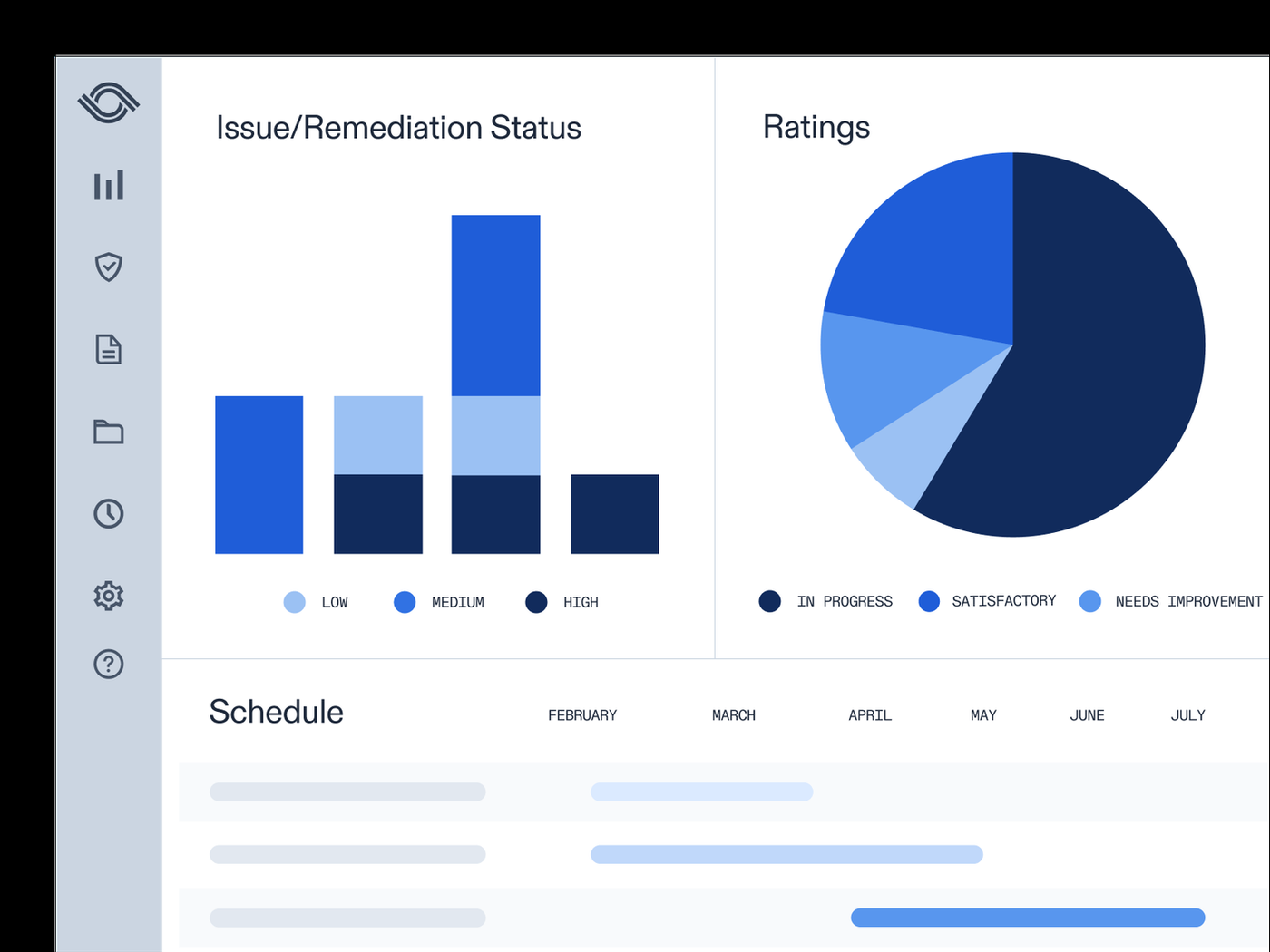
An audit starts in the audit universe, a list of auditable entities with a risk library. An agent can suggest a starting risk score per entity and shows its reasoning, and a person decides. The risk-based plan shows where coverage falls short, and the staffing feature recommends assignments across projects. In fieldwork, auditors work through worksteps with standard workpaper templates. Auto sampling pulls samples, and an AI agent can read evidence and return a workpaper with citations back to the source. Evidence requests go to the people being audited with automatic notifications and can pull files from connected systems. A failed test becomes an entry in the central issue log with an owner, a due date and a rating, and the issue is tracked to closure on a remediation dashboard. The report step includes a board reporting feature that builds sections into your own PowerPoint template.
- You have a dedicated internal audit function of about three people or more that wants plan, workpapers, evidence requests and issues in one system instead of Excel and shared drives
- You also run SOX 302 and 404 testing and want internal audit and SOX evidence in one place, with external auditors given limited permissions
- You are a small finance team that only coordinates the yearly external audit: this is broad enterprise GRC and most of it would sit unused
- You need to see a price before talking to sales, or a quick rollout: there's no pricing page, and G2 pricing insights cite about four months to implement on average
- Users like
- ease of use and audit management (top positive themes on G2)
- Users dislike
- limited functionality and customization in some areas (top negative themes)
- Source: G2, 1,638 reviews
How it works in practice
Optro capabilities that matter for audit: a coverage gap view in the plan, evidence requests that notify owners and track status on dashboards, duplicate-issue flagging in the issue log, and audit logs that record who changed what and when. A published customer story from a small firm describes keeping engagements, worksteps, issues and workpaper files in Optro and using the MCP server to have an AI tool write review memos back to the workstep for a person to check.
Optro integrations: NetSuite, Workday, Paylocity, Okta, Jira, ServiceNow, Azure DevOps, Teams, Slack, Google Drive and Excel. Optro cites a vendor figure of about 70% time saved on control testing in year one, which we couldn't verify and don't rely on.
- Starting price
- Quote only (demo request)
- SOX module
- Controls Management (formerly SOXHUB)
- Certifications
- 302/404 workflows tied to evidence
- G2 implementation time
- About 4 months on average
- Audit product
- OpsAudit, on the former AuditBoard platform
- Integrations
- 150+ out of the box, plus REST and SCIM APIs and an MCP server
- AI
- Every step logged; nothing approved or completed without a person, per Optro
TeamMate+
TeamMate Audit (branded TeamMate+) is Wolters Kluwer's web-based audit management product covering risk assessment, multi-year planning, fieldwork and workpapers, issue and recommendation tracking, reporting and follow-up. Wolters Kluwer says almost half of its customers are small audit teams.
TeamMate+ fits a small dedicated audit team that wants a mature, auditor-built system aligned to the IIA Standards. Wolters Kluwer says almost half of its TeamMate customers are small audit teams.
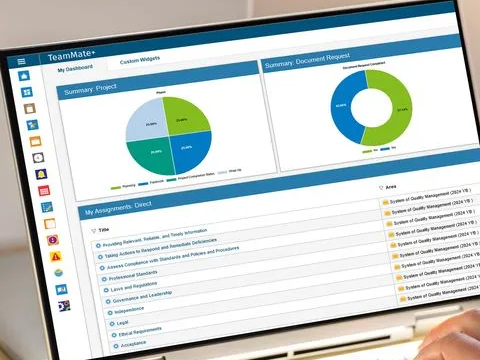
The audit lead builds the audit universe from the organizational hierarchy and scores risk with configurable scoring. Scores can be enriched through a data exchange API and tracked over time, and business contacts can receive a risk self-assessment where they score inherent or residual risk and add issues, so the audit team sees input from the people being audited before scoping. Multi-year audit planning forecasts the cycle of audits by auditable entity. Each audit becomes a project with templates and checklists and a single view of work in progress, completed and reviewed items. Auditors document in workpapers, attach evidence and link workpapers to each other, while a business rules engine enforces conditional rules and shows guidance in context. Issues and recommendations are assigned to an owner and followed to closure, and management agrees actions in the system.
- You have a small dedicated internal audit team that wants a mature system with configurable risk scoring and multi-year planning
- You want analytics inside the audit workflow: TeamMate Analytics runs on Excel with a library of 180+ audit tests
- You mainly coordinate the external audit or SOX evidence and have no audit team: this is built for internal audit, not for finance-side evidence requests
- You need flexible custom reports: reviewers on G2 and Capterra repeatedly criticize reporting and report formatting, and pricing is quote only with no free trial listed on Capterra
- Users like
- Ease of use and intuitive design; structure that keeps documentation organized
- Users dislike
- Navigation can feel rigid with a learning curve; reporting flexibility and formatting
- Source: G2, 597 reviews
How it works in practice
TeamMate+ capabilities that matter for audit: up to 30 configurable dimensions for slicing risk, risk score history and heatmaps; features that can be switched off and enabled as the team matures; time and expense reporting; automated follow-up notifications; integrated stakeholder surveys; and an AI editor that helps refine rough notes into audit writing.
TeamMate+ integrations: Excel for TeamMate Analytics, a data exchange API for risk data, and BI tool connectivity. No ERP, Jira or ServiceNow connectors are named on the public vendor pages, so ask what exists. The risk self-assessment article we relied on dates from 2021, so check the current screens in a demo.
- Starting price
- Price not published (quote only; contact sales or request a demo)
- Capterra rating
- 4.3 from 117 reviews, page updated September 30, 2026
- Languages
- 19 languages, presence in 150 countries per Wolters Kluwer
- Product family
- TeamMate Audit, Agile Audit, Analytics, ESG, Controls, Risk & Compliance
- Reach
- 19 languages and 150 countries, per Wolters Kluwer
Diligent One
The platform formerly known as Galvanize HighBond. SOX 404 programs run in its Projects and Frameworks apps, 302 sub-certifications in Projects and Results, with ACL-style analytics robots for automated control tests.
Diligent One fits an internal audit team that wants reusable templates, a framework library and real-time workpaper review, and that may want audit, SOX controls and data analytics from one vendor. The audit app was formerly HighBond.
Planning starts in the Projects app. A template (operational internal audit, financial and internal control, SOC or SOX) or a prior project pre-fills objectives, each with risks and procedures. Entities such as locations or business units are modeled once and tagged to projects, risks and issues, so results can be reported across them. In fieldwork, auditors record procedure results in the workpaper, link evidence or analytics, log time, and send requests with an owner, a due date and automatic reminders. Senior auditors leave coaching notes and review comments, and sign-off moves to a named reviewer. A failed procedure becomes an issue with a severity and an owner. The owner enters a management response and action plan, and the auditor retests and closes it. Results feed visualizations and storyboards for the audit committee.
- You run an internal audit team of about three or more that wants templates and a framework library that sync objectives, risks, controls and test plans across recurring audits
- Your external auditors or audit committee need reporting across locations and business units
- You are a one-person finance team that only manages the external audit: G2 comparison tables list price as a barrier for small teams and rate ease of setup below peers
- You want to configure workflows freely without admin help: reviewers cite limited customization, and a system admin has to provision users and permissions first
- Users like
- ease of use and breadth of features
- Users dislike
- limited customization and configuration effort
- Source: G2, 146 reviews
How it works in practice
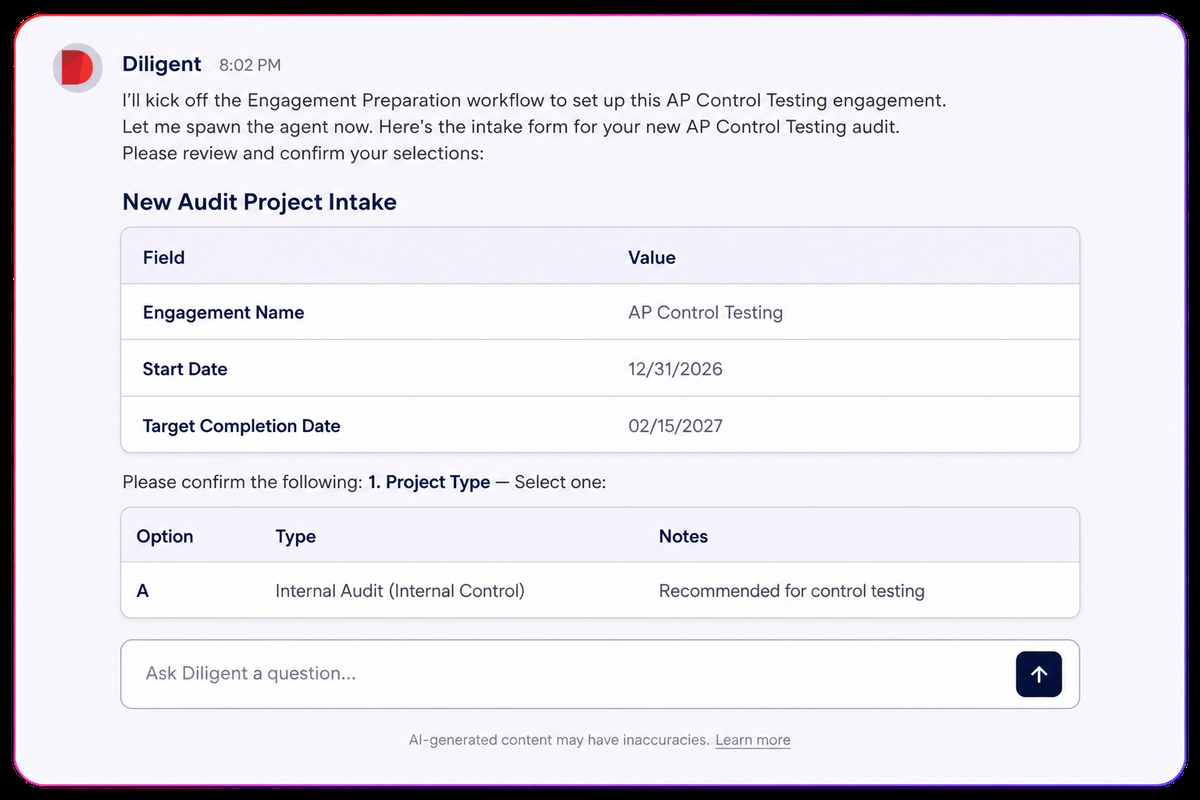
Diligent One capabilities that matter for audit: assessment drivers that can fill inherent risk scores from metrics in the Results app, a requests panel with recurring reminders, a timesheet for utilization, and a cross-project issue tracker with retesting. Diligent also markets an audit agent that rolls forward prior audits, drafts evidence requests and follow-ups, runs control tests and drafts reports, with human approval required. Its savings figures are marketing claims we didn't verify.
Diligent One integrations: NetSuite, Oracle Financials Cloud and Workday through Robots connectors, plus ServiceNow, Salesforce and Dynamics 365. SAP needs an on-premises agent and an extra entitlement.
- Starting price
- Quote only (tiered by company size)
- SOX apps
- Projects, Frameworks, Reports, Results
- 302 sub-certifications
- Sequenced or parallel, non-licensed users allowed
- ERP data
- NetSuite, Oracle, Workday connectors; SAP via on-prem agent
- Starter content
- Templates for operational audit, financial and internal control, SOC and SOX
- Fieldwork
- iPhone, iPad and Android apps with offline capture that syncs later
- Analytics
- ACL analytics and Robots for data-driven testing
Finance reporting platform: Workiva
Workiva
A cloud platform for financial reporting, SEC filing and GRC. Its SOX solution manages controls, testing, issues and remediation on the same platform many filers use to build the 10-K.
Workiva fits a finance team that already builds its financial statements or SEC filings in Workiva, or plans to, and wants audit management and SOX testing on the same linked data.
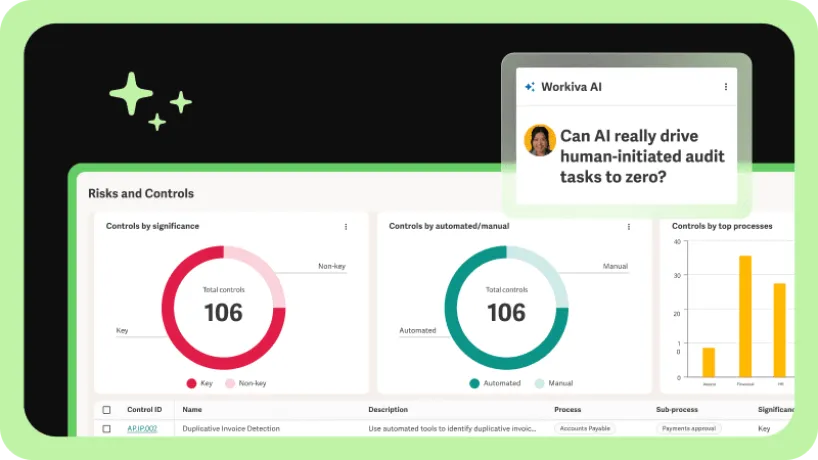
The audit year starts with a risk-based audit plan. Teams assess audit areas, prioritize coverage, and manage resources, budgets and timelines in one place. Engagements can start from a template. In fieldwork, test sheets connect to the audit and its workpapers, evidence is requested from owners, and reviewers approve sample evidence and mark it up in the evidence viewer. AI agents can refine test attributes, generate rules and run tests, with conclusions checked against annotated source evidence, and reviewers can comment or override. Exceptions become issues, a remediation agent drafts action plans, and an audit report agent writes a first draft from project data using templates aligned to the IIA Standards. For the annual financial audit, the same platform holds the linked financial statements and the SOX testing evidence. The public pages don't describe a dedicated external-auditor request portal, so ask to see that flow.
- You already use or plan to use Workiva for financial or SEC reporting and want internal audit and SOX in the same linked environment
- You want the controller, control owners and the external auditor all working in one system, since all offerings include unlimited users
- You are a small team with no reporting-platform need: a third-party source puts typical annual spend near $57,000 and buying runs through sales
- You need a long-established pure workpaper tool: G2 reviewers cite missing features, such as manual approvals, and a steep learning curve for less technical users
- Users like
- user-friendly interface and real-time collaboration
- Users dislike
- missing features and a learning curve
- Source: G2, 2,148 reviews
How it works in practice
Workiva capabilities that matter for audit: a requests flow for samples, a remediation agent, and a SOX controls module with COSO 2013 mapping and coverage dashboards. A release in October 2026 added the ability to create action plans from the issue form. Workiva's support center blocks automated reading, so the plan and engagement steps above come from the vendor solution page and a product demo description rather than a help article.
Workiva integrations: Oracle, NetSuite, SAP, Workday, BlackLine, Salesforce, Concur and ServiceNow, plus open APIs and a mobile app. We didn't find Okta or Jira connectors.
- Starting price
- Quote only (unlimited seats on all plans)
- Seats
- Unlimited users on all offerings
- Connectors
- 70+ prebuilt, including Oracle, NetSuite, SAP, Workday and BlackLine
- AI
- Testing and remediation agents with reviewer override
- Third-party price data
- Vendr average near $57,000 a year, not vendor-confirmed
GRC suites with an audit module: Hyperproof, Onspring, MetricStream and Resolver
Hyperproof, Onspring, MetricStream and Resolver run audit alongside risk, compliance or incident work. The audit module is one app in a larger platform, but depth varies, so check how deep it goes before you assume a feature exists.
Hyperproof
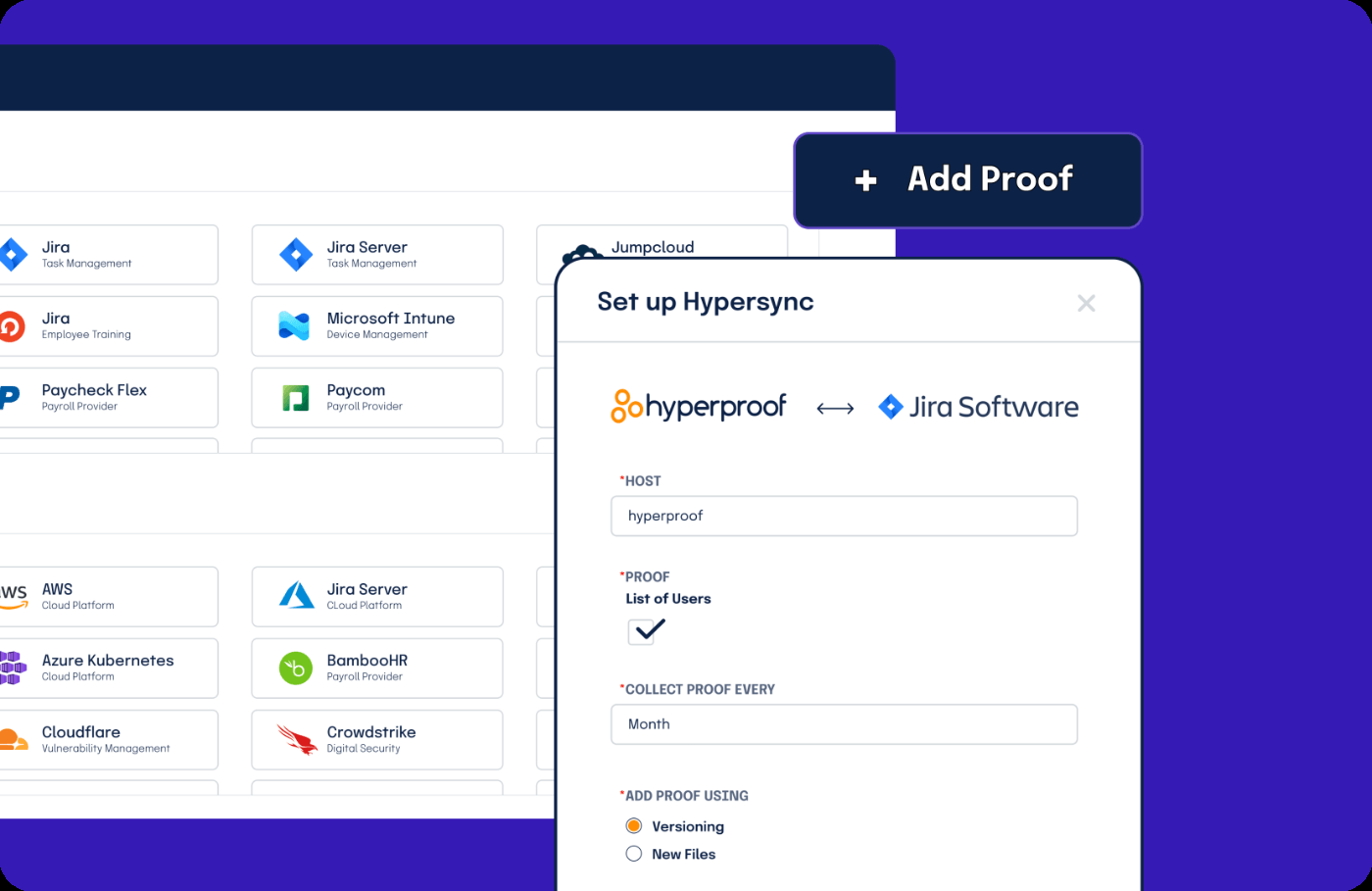
A compliance operations platform with 160+ frameworks, including a SOX template with ICFR and ITGC controls, automated evidence through Hypersync connectors and an audit workspace for external auditors.
Hyperproof fits a finance or compliance team that mainly manages the yearly external audit (SOX, SOC 2, ISO) and wants one place to answer the auditor's requests with evidence it can reuse. It's built for the audited company, not for an internal audit function.
Planning happens outside the audit module: the team maintains controls and requirements and maps controls across frameworks. For an audit, a manager creates an audit space and adds the external auditor with the external auditor role. The auditor raises requests. Each request goes to the person who knows the work, who links the related controls and proof and sets the request to submitted. The auditor approves it or marks it as needing revision, and the conversation runs in an activity feed and per-request comments. A status view shows requests as outstanding, in progress, under review or done. On the controls tab, auditors document each test with procedure, exception and conclusion and move the control through quality review to complete. Connectors pull evidence on a schedule, so the next audit reuses it.
- You mainly manage the yearly external audit and want one place to answer PBC-style requests with reusable evidence
- You want evidence pulled automatically from cloud, identity, ticketing and document systems and linked to controls
- You run an internal audit function that needs a multi-year audit universe, a risk-based plan, staffing and budgets: the audit module documentation shows request handling and control testing, not audit planning
- You need a findings tracker with management action follow-up as the core feature: the audit product page doesn't mention issues
- Users like
- ease of use and automated evidence collection
- Users dislike
- learning curve, setup effort and limited reporting
- Source: G2, 218 reviews
How it works in practice
Hyperproof capabilities that matter for audit: a shared audit space with per-request status, reuse of proof across audits, and replies by email or Slack. G2 reviewers praise ease of use and automated evidence collection and criticize setup effort and limited reporting.
Hyperproof integrations: NetSuite (added in March 2026), Okta, Microsoft Entra ID, Jira, ServiceNow, SharePoint, Box, Google Drive, AWS and Azure. We didn't find SAP, Oracle or QuickBooks connectors.
- Starting price
- Quote only
- Frameworks
- 160+ supported
- Auditor access
- External auditors see only the audits they're added to
- Evidence
- Hypersync connectors on demand or on a schedule
- AI
- Early access program, not verified for audit workflows
Onspring
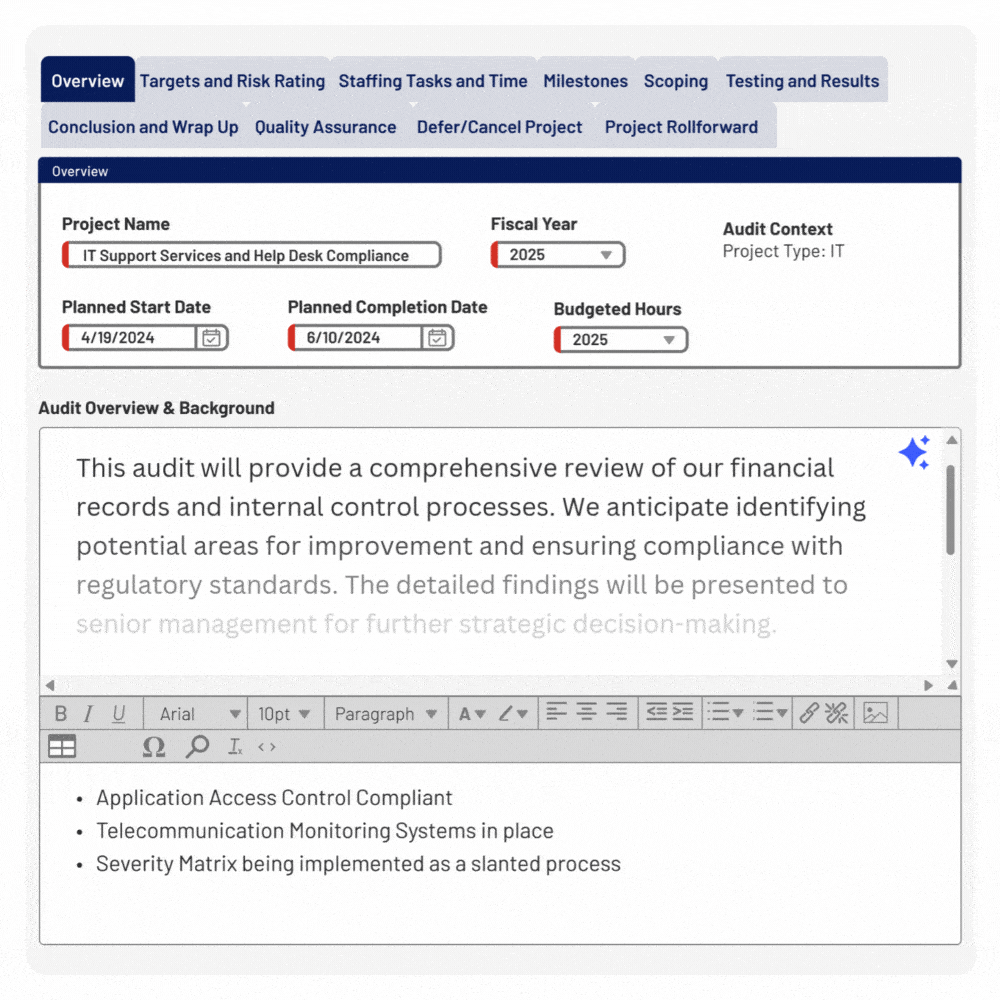
Onspring is a no-code GRC platform with an Internal Audit and Assurance product that covers the audit plan, engagements, workpapers, findings and remediation in one configurable system. It is aimed at enterprises and government.
Onspring fits an internal audit team that wants to design its own audit workflow, with its own templates and reports, in a no-code platform that can also run SOX, risk and policy work.
The audit lead builds the annual plan against an auditable entity library tied to programs and functions, using risk assessment input, workload forecasts, skills-based assignment and budgets. Each engagement breaks into tasks with an owner, due date and dependencies, and reminders and escalations flag overdue tasks, evidence requests and review notes. In fieldwork, auditors work in workpapers linked to entities, send evidence requests or surveys to stakeholders, and pass multi-level sign-offs. Findings are logged, prioritized and linked to controls, policies and plans, then assigned to remediation owners. The final report rolls up findings, financial impact and remediation status and exports to PDF or Word. Follow-up tracks remediation against each finding, and external auditors can use a portal with restricted roles.
- You have an internal audit team that wants a configurable system that replaces Excel or a legacy tool
- You want audit, SOX, risk and policy work in one platform, with external auditors given limited portal access
- You only need to answer a yearly external audit or SOC 2 request list: a configurable GRC platform with quote-based licensing and admin training is more than that job needs
- You want fixed templates with minimal setup: flexibility means someone has to design and maintain the configuration
- Users like
- Flexibility and customization, intuitive design, strong support (support score 9.5)
- Users dislike
- Some users find certain workflows less straightforward; fewer recent reviews than larger rivals (per G2 AI summary)
- Source: G2, 80 reviews
How it works in practice
Onspring capabilities that matter for audit: AI tickmarking and auto-summaries of testing results, predictive field suggestions for procedures and findings, and checks that link processes to control failures, all on the Silver level or higher. G2 reviewers praise flexibility and support. The sample is smaller than for the larger vendors, so although the rating is high, treat it as an early signal.
Onspring integrations: Microsoft 365, Google Drive, Slack and Docusign, a REST API, and connectors to ERP, Jira, ServiceNow and identity providers that the platform page names without listing products. Onspring's help center is customer-gated, so the workflow above is vendor-described.
- Starting price
- Price not published (quote only). Pricing is quote-based, with three licensing models (by users, by products, hybrid) and four platform levels (Bronze, Silver, Gold, Platinum). Onspring AI needs Silver or higher. No trial mentioned.
- Licensing
- By users, by products or hybrid; Bronze to Platinum levels
- AI
- Onspring AI needs the Silver level or higher
- Auditor access
- Secure external portal with limited roles
MetricStream
An enterprise GRC suite whose SOX compliance product handles 302 and 404 certification plans and questionnaires, issue routing to a disclosure committee and multi-entity organization structures.
MetricStream fits a larger internal audit team of roughly five or more auditors that needs resource scheduling and offline fieldwork across many business units, and that already uses, or plans to use, MetricStream for risk or compliance.
The team first maintains an audit universe of auditable entities, such as business units, functions and processes, and runs risk assessments whose output feeds planning. Auditors build a plan with objective and scope, assign tasks and lock changes once it's released. A resource scheduler checks availability and skills, and Gantt charts and timesheets track time. In fieldwork, auditors use predefined workpaper formats and checklists, attach evidence and review through a comment window. They can work offline through a briefcase that syncs later, or on the mobile app. Pre-audit surveys and document requests go to the people being audited. Issues move through review and action plans to closure, with AI suggesting classification, related issues and actions. Draft and final reports use configurable formats with review and approval, and external auditors and regulators can receive time-bound access.
- You run an internal audit team of roughly five or more auditors who need resource scheduling, timesheets and planning across many business units
- You already use MetricStream for enterprise risk, SOX or compliance and want audit, risk and issues in one platform
- You are a small finance team of one to three people who mainly manage the external audit or SOC 2 evidence: the one G2 review of the audit product we found calls it hard to use and hard to change, and MetricStream sells a 10-hour end-user course for it
- You need light implementation or documented ERP connectors: public pages name only Microsoft Office integration and generic APIs
- Users like
- broad GRC coverage and dashboards
- Users dislike
- complex implementation and usability
- Source: G2, 14 reviews
How it works in practice
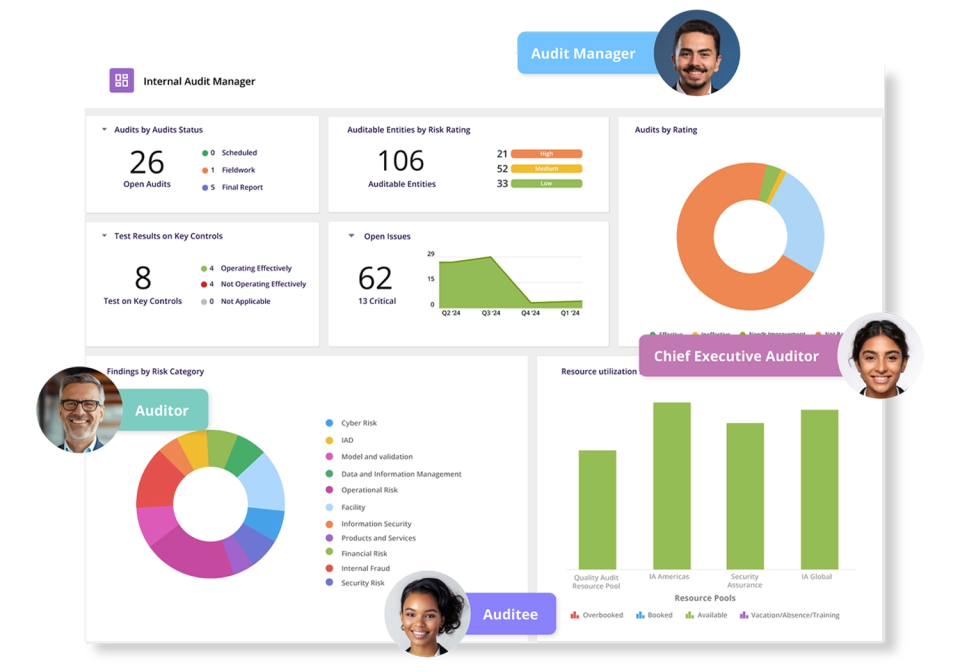
MetricStream capabilities that matter for audit: an audit universe with multi-dimensional organization structure, a resource scheduler, and issue and action management with AI suggestions. A May 2026 release added an assistant and AI refinement of work-done fields in testing workpapers. The public pages don't describe sampling methods or detailed evidence request tracking.
MetricStream integrations: Microsoft Office, Outlook calendar and APIs. The G2 rating shown for MetricStream covers the vendor's whole product range, not the audit module, which has only three reviews.
- Starting price
- Quote only
- Certifications
- 302 and 404 plans with a sub-certification report
- Structure
- Multi-entity organization hierarchy
- AI
- Issue classification, testing workpaper refinement (May 2026)
- Fieldwork
- Offline briefcase plus mobile app for workpapers and checklists
- External access
- Time-bound secure access for external auditors and regulators
- Audit module on G2
- 3 reviews, too few to rate
Resolver
An integrated risk platform whose Internal Controls Management app covers SOX and Canadian 52-109 programs: financial statement scoping, RCMs, walkthroughs, testing, deficiencies and quarterly or annual certifications.
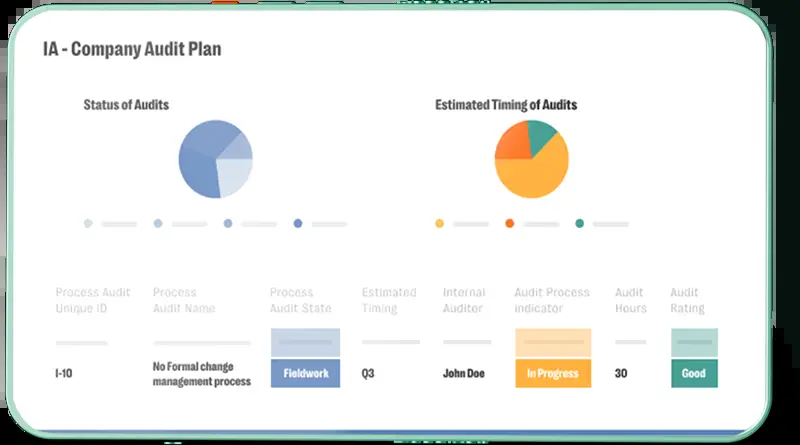
Resolver, a Kroll business, fits an internal audit function that wants audit projects tied to the same risk, control and test data used by risk and compliance teams, with a client portal for document requests.
The team keeps processes, risks, controls and tests in one library and uses risk scores to prioritize auditable entities and allocate resources. Each audit becomes a project built from ready-made templates aligned to the IIA's former framework, covering coverage planning, fieldwork, testing, review and reporting. Document requests go to first-line process owners through a portal where they submit files and review narratives once, with reminders in place of manual chasing. Evidence is held centrally in working papers with revisions. A project can't leave the fieldwork stage until the attached tests, controls, risks and processes are reviewed. Findings, issues and corrective actions are assigned and tracked inside the audit, and a one-click report goes to the audit committee. Audit clients see scope, requests, issues and final reports with read-only access.
- You run an internal audit function that wants audit projects tied to the risk and control data your risk and compliance teams already use
- You want process owners to upload requested documents in a portal instead of email, with read-only access for audit clients
- You are a small finance team that only tracks the external audit or SOC 2 evidence: G2 lists Enterprise as the largest segment, and reviewers mention long setup for deep process design
- You need documented ERP connectors or sampling tools: Resolver's pages mention integrations only generally and describe no sampling features
- Users like
- responsive customer support
- Users dislike
- setup and customization can be complex and slow
- Source: G2, 178 reviews
How it works in practice
Resolver capabilities that matter for audit: a budget-versus-actual hours view per project, review gates that stop a project leaving fieldwork early, and dashboards with drill-down. G2 reviewers praise responsive support and automatic action follow-up and criticize setup effort and customization. Direct external auditor access depends on licensing and configuration.
Resolver integrations: mentioned generally on the product page. We found no named ERP, Microsoft 365, Jira or identity provider connectors. Resolver's pages don't describe specific audit AI features, only that AI output stays inside the workflow and can be accepted, edited or rejected.
- Starting price
- Quote only (modules, customization, active users)
- Scope
- SOX and Canadian 52-109
- Scoping
- Materiality, accounts mapped to assertions
- Reports
- Audit committee, control effectiveness, certification summary
- Templates
- Aligned to the IIA's former IPPF framework
- Client access
- Portal for first-line clients; read-only audit client role
- Pricing basis
- Solutions, users, deployment and configuration
Other tools that show up in competing lists, such as Archer, SAP Audit Management, IBM OpenPages and Pentana Audit, aren't covered here. We kept the list to the eight we could research to the same depth (pricing page, product page, help or docs page, and review data) and left the rest out rather than write thinner entries.
How to choose audit management software
Start with the audit you actually run. The guides that rank for this query list the same criteria: lifecycle coverage, evidence and audit trail, integrations, framework fit, pricing model. They're the right criteria, but they only help once you know which family you're shopping in. Then ask each vendor to show, not describe, what's in this checklist.
- Show me one finding going from a failed test to an owner, a due date, a management action and a retest
- Show me an evidence request going to someone outside the audit team and coming back, including what they see and what it costs for them to log in
- Which of our users need a paid licence, and what do the external auditors pay?
- Which connector pulls evidence from our ERP and our identity provider today, not on the roadmap?
- Which AI features are generally available on the plan you're quoting, and where does a person approve the output?
- How does the plan map to the IIA Global Internal Audit Standards, and what does the audit committee report look like?
- How long did a team with our headcount take from signature to its first closed audit?
- Can we export workpapers, findings and evidence if we leave?
Weigh licensing as heavily as features, because that's where quotes surprise people. Some of these tools charge for the people who do the audit but not for the people who answer it, and some charge for every auditee who needs to upload a file. A cheap-looking quote can turn expensive once control owners and process owners all need seats, and that's rarely visible in a first call.
What audit management software costs
None of the eight audit management software vendors publishes a list price, which is why most competing guides fill the price column with "custom pricing". What you can verify is the pricing model.
| Tool | What is public | Pricing model |
|---|---|---|
| Optro | No pricing page; demo request | Quote only |
| TeamMate+ | Contact sales or request a demo | Quote only |
| Diligent One | Request pricing form; packages tailored by size and stage | Quote only |
| Workiva | Unlimited users on all offerings | Quote only |
| Hyperproof | Pricing page shows only demo and proposal requests | Quote only |
| Onspring | Three licensing models (users, products, hybrid) and Bronze to Platinum levels; AI from Silver | Quote only |
| MetricStream | Request form; a 10-hour end-user course is listed at $350 | Quote only |
| Resolver | Depends on solutions, users, deployment, configuration and services | Quote only |
Two things move the bill more than the headline price. The first is implementation: G2 pricing insights for Optro cite about four months on average, and a configurable platform such as Onspring needs someone to design the configuration, while a more opinionated one needs less setup but offers less room to adapt. The second is who needs a seat. Workiva is the only vendor here that states unlimited users on every offering. For a rough external reference, Vendr, a software buying platform, lists an average Workiva contract near $57,000 a year, which is a third-party estimate and not a vendor quote.
Audit prep for small finance teams without an audit department
If you run a team of two to eight people and your audit work is the yearly external audit, none of the eight tools is a natural fit. All of them are quote-only and none lists a free plan on its pricing page, yet most are built for a team whose full-time job is audit. Related searches for free audit management software and audit software for small business point at the same gap.
What a small team actually needs before the auditor arrives is evidence that's already there and a list of requests someone owns. The audit goes faster when each of these is true:
- One list of every document the auditor asked for last year, with an owner and a due date for each
- A named preparer and a named reviewer for every month-end close task
- Evidence attached to the task it supports, not buried in an email thread
- A record of when each item was approved and by whom
- Every auditor finding logged with an owner, a due date and a planned fix
- The fix verified before the finding is marked closed
- A review of the open items two weeks before fieldwork starts
- Last year's requests and evidence reused as the starting point for this year
One option for the evidence part of that list is The Finance Lead, our own product. It's a close tracker, not audit management software: it runs recurring month-end checklists with evidence attachments, preparer and reviewer sign-off and reminders for teams of two to eight people. It doesn't plan or run audits, and it doesn't connect to your ledger, bank or ERP. Plans start at $39 a month with a 14-day free trial.
FAQ
What is the best software for auditing?
The best audit management software depends on which side of the audit you sit on. Optro, TeamMate+ and Diligent One are built for dedicated internal audit teams, Workiva fits finance teams that already report in it, and Hyperproof is built for answering an external auditor. Each tool in this guide is quote-only, so compare them on workflow and licensing rather than on price.
What is an audit management tool?
An audit management tool is software that runs the audit lifecycle in one place: the audit plan, workpapers, evidence requests, findings and issue tracking, reporting and follow-up. It replaces spreadsheets and email threads and keeps an audit trail of who changed what.
What audit software does the Big 4 use?
The largest audit firms run proprietary platforms. KPMG describes Clara as its smart audit platform, and PwC describes Aura as the cloud-based platform used on every PwC audit. Those platforms belong to the firms, so they aren't options for a company that wants to manage its own audits.
What are the 5 C's of audit?
The 5 C's describe the elements of an audit finding: criteria (the standard expected), condition (what the auditor found), cause (why it happened), effect or consequence (the impact), and corrective action (the recommended fix). Some practitioner guides label the fifth element differently, so check which wording your audit team uses.
Is there free audit management software?
None of the eight tools in this guide lists a free plan or a published price. Small teams usually start with a spreadsheet or a lightweight evidence and sign-off tracker and move to a platform when they run an internal audit function.
How much does audit management software cost?
Audit management software costs are quoted on request: all eight vendors in this guide sell by quote, so there's no published price to compare. Expect the quote to depend on licensing model, number of users, modules and implementation services, and ask for each item separately.